
Adobe Character Animator for macOS


When hand-keying every blink and mouth shape gets in the way of performance, you need a tool built around the webcam, not just the timeline. Character Animator takes the mechanical repetition out of 2D animation by letting you drive a puppet in real time and then refine the data afterwards.
Mapping a rig from Illustrator artwork
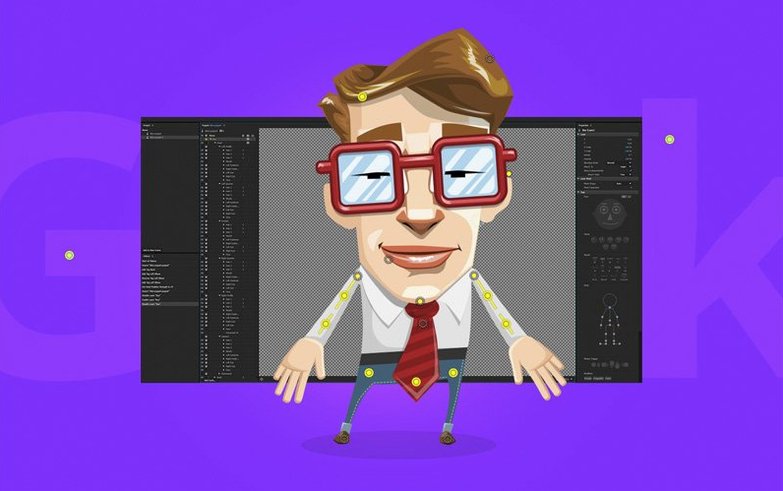
Puppets aren't locked into a proprietary editor. You build or modify the artwork in Adobe Illustrator, tag layers with names like +Left Eyebrow or +Head, and Character Animator builds a real-time rig from the structure you've already drawn. The round-trip means you can tweak the stroke weight of a pupil in Illustrator, save, and watch the puppet update live on stage.
Building a triggerable audio library
Voice lines and foley don't have to sit on a separate track you line up by hand. The Triggers panel lets you assign a WAV to a keypress so the character speaks or stomps on cue during a live performance. The same clips get recorded into the timeline, staying frame-accurate with the motion capture data they were triggered against—useful when you're puppeting a conversation that needs to feel immediate, not edited together from pieces.
Placing a keyframe camera in a static scene
Even with a live puppet, the camera isn't stuck on a locked-off wide shot. You can add keyframe-controlled pans and zooms that move the audience's attention across the scene while the character keeps reacting to your face. On an Apple Silicon Mac, those camera moves plus the real-time face tracking run natively, so the frame rate doesn't fall apart when you push in on a detailed background.
Dragging a raccoon rig straight from Illustrator into a scene
Say you have a character designed in Illustrator—a raccoon with a dozen tagged layers sitting in your project folder. You drag the .ai file into the Project panel, drop the puppet onto a scene, and the rig initializes. The webcam light blinks on. You raise your eyebrows and the raccoon’s forehead lifts; you open your mouth and the jaw layer tracks downward, frame by frame, without touching a keyframe.
You hit Record. For thirty seconds you act out a short rant, leaning into the microphone for the whispered punchline. When you stop, the timeline has captured your facial motion, head position, and the audio waveform with lip-sync markers already placed by Sensei. You scrub back, find a moment where the head tilt overshot, and pull that parameter down in the Properties panel. The fix takes five seconds and the raccoon now looks curious instead of confused.
You switch to the Camera behavior, keyframe a slow push-in over four seconds, and play the scene back. The puppet performs your original live take while the virtual camera guides the eye toward its face. You export an .mp4 at 1080p and drop it into your editing timeline. The whole loop, from Illustrator file to rendered clip, ran inside twenty minutes.
Calibrating the webcam in your actual lighting
On your first launch, Character Animator runs through a calibration step for the webcam. Do this in the lighting you'll actually use—not near a window that changes brightness through the day. The face tracker needs consistent contrast around the eyes and mouth, so a desk lamp pointed at your face makes a bigger difference than a better camera.
Before you start a real project, open an example puppet from the Home screen. Walk through each tagged layer in the Puppet panel so you understand which parts of your face control which parts of the character. Beginners often fight a puppet that feels sluggish because they haven't adjusted the Smoothing slider under the Face behavior: pull it left for snappier response, right if your webcam feed is noisy.
Recording draggable limb movements as editable keyframes
- The Dragger behavior lets you click-and-drag a limb on the stage during a live take. You can record that movement into the timeline and it's stored as editable keyframe data, not baked pixels.
- Holding
Optionwhile dragging a parameter in the Properties panel scrubs it in fine increments—useful when you're dialing in a subtle eye squint without jumping whole percentage points. - Triggers have a Latch mode you enable with a checkbox in the Triggers panel. Instead of firing a sound only while the key is held down, the audio plays to the end and the associated puppet swap stays active until the clip finishes.
- The Physics behavior on a dangling chain or ponytail responds to your head movement through the webcam, not just pre-baked animation. Give the limb a little mass and drag in the Behavior properties and it'll sway naturally as you talk.
- Stability improvements and maintenance updates.
- No new features are listed for version 26.0.
- macOS 14 or later
- Supports Apple Silicon and Intel 64-bit Macs
Comments 0
Sign in or create an account to leave a comment.
No comments yet. A codec, a slice, a machine — they appear after moderation.