
Adobe InDesign for macOS



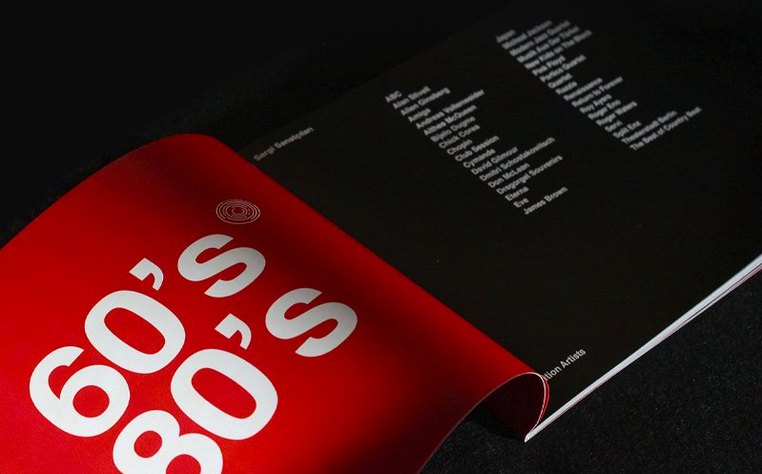
Laying out a magazine, a report, or an interactive PDF with precise typography and multi-column grids is not something a word processor handles well. You need a proper page layout engine that understands master pages, linked text frames, and preflight checks. That is the problem Adobe InDesign was built to solve, and the 2026 release keeps refining that core with quieter, practical additions.
| Detail | Info |
|---|---|
| Current version | 21.5.1 |
| Architecture | Universal (Apple silicon + Intel) |
| macOS required | macOS 13 Ventura or later |
| Part of | Adobe Creative Cloud |
What catches my eye in this build are the Data Merge improvements. If you have ever wrestled with a CSV file that refused to cooperate because it used line breaks inside a field, you will appreciate the new multiline record support. The addition of UTF-8 encoded data files also means accented characters and non-Latin scripts should flow into merged documents without turning into gibberish. On the accessibility side, the table tagging for PDF and EPUB exports got a meaningful upgrade, which matters if your documents need to meet compliance standards. The bulk AI alt-text tool is there if you want it, letting you generate or strip descriptions across a batch of images rather than clicking through them one by one. For the keyboard-driven crowd, the shortcut search inside the Keyboard Shortcuts dialog is a small but welcome quality-of-life change—no more scrolling through an endless tree view to find one binding.
Can you finish a 24‑page catalog by Friday with a remote collaborator?
It is Thursday afternoon and you have a 24-page product catalog due for a client review on Friday. You open the catalog.indd file—the one that lives inside a shared Creative Cloud folder so your colleague in Berlin can tweak product descriptions while you handle layout. The document already has a master spread with running headers, folios, and a three-column grid you defined months ago, so you do not start from scratch.
First, you hit Window > Styles > Paragraph Styles and check that every text frame is using the right style. A quick scroll reveals a stray body paragraph set to "Basic Paragraph" instead of "Body / Product." You fix it with two clicks. Then you open the Data Merge panel. The product team sent an updated CSV with UTF-8 encoded French accents—no more manual find-and-replace for "é" turning into a question mark. You point the merge at the new file, and the multiline "Features" column finally populates bulleted spec lists inside a single text frame instead of spilling across three records. That alone saves twenty minutes of cleanup.
Midway through, you notice four images still missing alt text. Rather than right-clicking each one, you select all four, open the new bulk Alt Text panel, and let the AI generate descriptions. You skim them—two are accurate, one is vague, one is wrong. You correct the wrong one and approve the batch. Later, when you export to tagged PDF, the table on page 17 now properly associates header cells with data cells, something the accessibility checker no longer flags.
Before wrapping up, you press Cmd+Option+Shift+K and type "span" into the new shortcut search field. The dialog instantly narrows to "Span Columns" so you can rebind it without hunting through the Paragraph section. You export an HTML preview directly—no plugin needed—and send the link to the client alongside the PDF. The whole session runs on an M1 MacBook Air, fans silent, with InDesign using the Metal-capable GPU for smooth zooming through heavily illustrated spreads.
How do page layout rivals handle your specific workflow differently?
Ask someone about page layout alternatives on the Mac and two names come up quickly: Affinity Publisher and QuarkXPress. They tackle the same job but the experience diverges in ways that matter for specific workflows.
Affinity Publisher is the lightweight contender. It opens fast, handles most IDML files reasonably well, and does not need a Creative Cloud subscription. Its StudioLink feature—switching into Photo or Designer personas without leaving the layout—is genuinely clever if your work blends vector illustration and raster editing with page assembly. Where it falls behind InDesign is long-document stamina. Master page overrides, conditional text, and GREP styles are shallower. If you are building a 200-page textbook with cross-references, footnotes, and a generated index, InDesign's tooling is simply more battle-tested. Affinity Publisher suits shorter, visually rich projects: brochures, lookbooks, album artwork. It also lacks Data Merge with multiline field support, which InDesign 21.5.1 now handles, so mail-merge-heavy users stay on the Adobe side.
QuarkXPress has been the old rival since the 1990s. The 2024 release leans into digital publishing with Flex Layouts that adapt to screen sizes—an area where InDesign's alternate layouts and liquid layout rules feel a generation behind. Quark also bundles a decent image editor and a table designer that some production artists prefer. But file exchange is the friction point. Most print shops expect .indd or .idml, not .qxp. Font handling in Quark can still trip over OpenType features that InDesign parses without complaint. Collaboration is weaker too: InDesign's Share for Review and cloud-document workflow on the home screen have no Quark equivalent. In short, QuarkXPress is a capable loner; InDesign is the team player.
What makes Photoshop and Illustrator assets feel native inside your layout?
InDesign rarely works alone. A typical document pulls raster images prepared in Adobe Photoshop, vector illustrations from Illustrator, and sometimes motion assets destined for an interactive PDF. All three applications share the same rendering engine for placed .ai and .psd files, so what you see in InDesign matches the source art. Changes propagate through Creative Cloud Libraries—swap a logo in the library and every document that references it updates.
On the macOS side, InDesign hooks into the system Font Book. Fonts activated there appear in InDesign's font menu without restarting the app. The spell checker respects your macOS language preferences, and the built-in dictionary supports all 23 interface languages. Export to PDF leans on Apple's CoreGraphics for certain rasterisation tasks when the Metal GPU path is active. If you use macOS Shortcuts, you can build a shortcut that watches a folder for new .csv files and runs a Data Merge via InDesign Server, though that is a separate product. For smaller shops, dragging a UTF-8 CSV onto a template document is the practical automation path.
Interactivity workflows bridge to browser-based review. The HTML preview that no longer needs a plugin is a lightweight way to check hyperlinks, buttons, and slideshows before committing to a full EPUB export. The cloud document feature—adding local files or pulling down shared documents from the home screen—ties into the Finder's iCloud Drive integration indirectly: a cloud document saved on one Mac appears on another without manual file copying, as long as both machines are signed into the same Creative Cloud account.
Is your book project complex enough to justify the paragraph composer?
InDesign is not a general-purpose tool. It rewards users who work inside structured, multi-page documents where consistency across dozens or hundreds of pages matters more than quick one-off designs.
Book designers and typesetters live inside its paragraph composer, which evaluates line breaks across an entire paragraph rather than line by line—a subtle difference that produces noticeably better rag and justification in long text. The GREP styles, nested styles, and conditional text features are their daily toolkit. They are the ones who will appreciate the UTF-8 Data Merge support most, especially when pulling author names and citations from databases stored in languages with extended character sets.
Magazine and newspaper layout artists depend on the threaded text frame model. A story that starts on page 12 and jumps to page 46 stays linked; editing the first frame reflows the entire chain. The new shortcut search speeds up their keyboard-heavy workflow, and the table accessibility improvements matter when the publication must meet digital distribution requirements.
Production artists in print shops rely on the preflight panel, ink manager, and PDF/X export presets. They are the most conservative users—often staying on a known-good version for months—but the cloud document features in 21.5.1 give them a safer way to share work-in-progress with clients without mailing .indd packages back and forth.
Casual users making a single-page flyer or a social media graphic will find InDesign overpowered and its learning curve steep. That crowd is better served by something like Pages or even the artboard tools in Illustrator. But if your project has a table of contents, an index, or a master page structure that needs to survive three rounds of client edits, InDesign is still the engine that handles it with
Adobe InDesign 21.6.0 applies a maintenance refresh — corrections that quiet crashes, tighten text reflow, and keep linked assets from going stale.
- macOS: 13 (Ventura) or later
- Architecture: Apple Silicon (native) and Intel 64-bit
$ man adobe-indesign | grep -A2 "?"
Can InDesign handle a 3 page spread?
InDesign lets you create spreads with more than two pages by enabling the 'Allow document pages to shuffle' option and dragging pages together in the Pages panel, which is useful for gatefold layouts or multi-panel brochures.
Comments 0
Sign in or create an account to leave a comment.
No comments yet. A codec, a slice, a machine — they appear after moderation.