Adobe XD for macOS
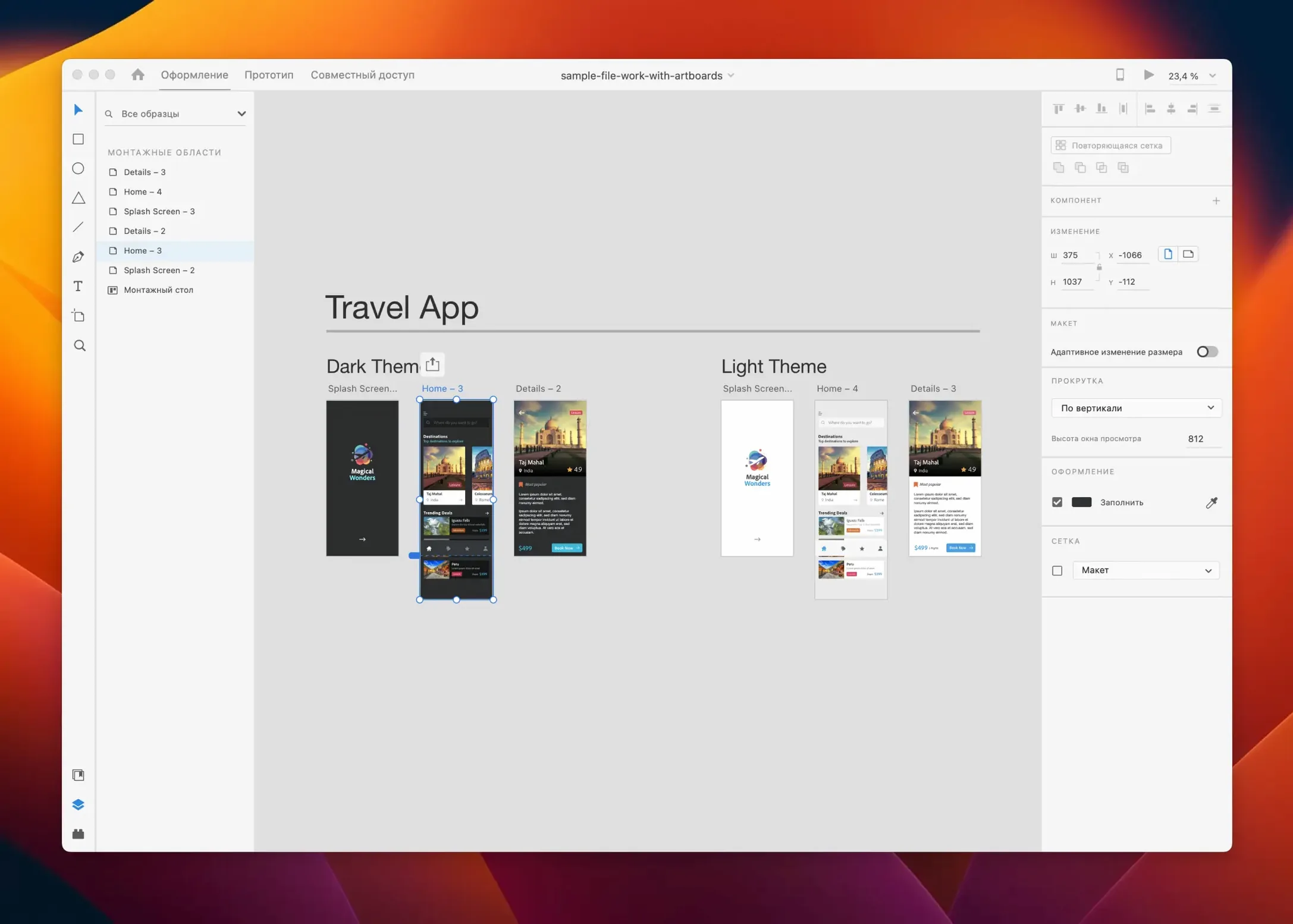
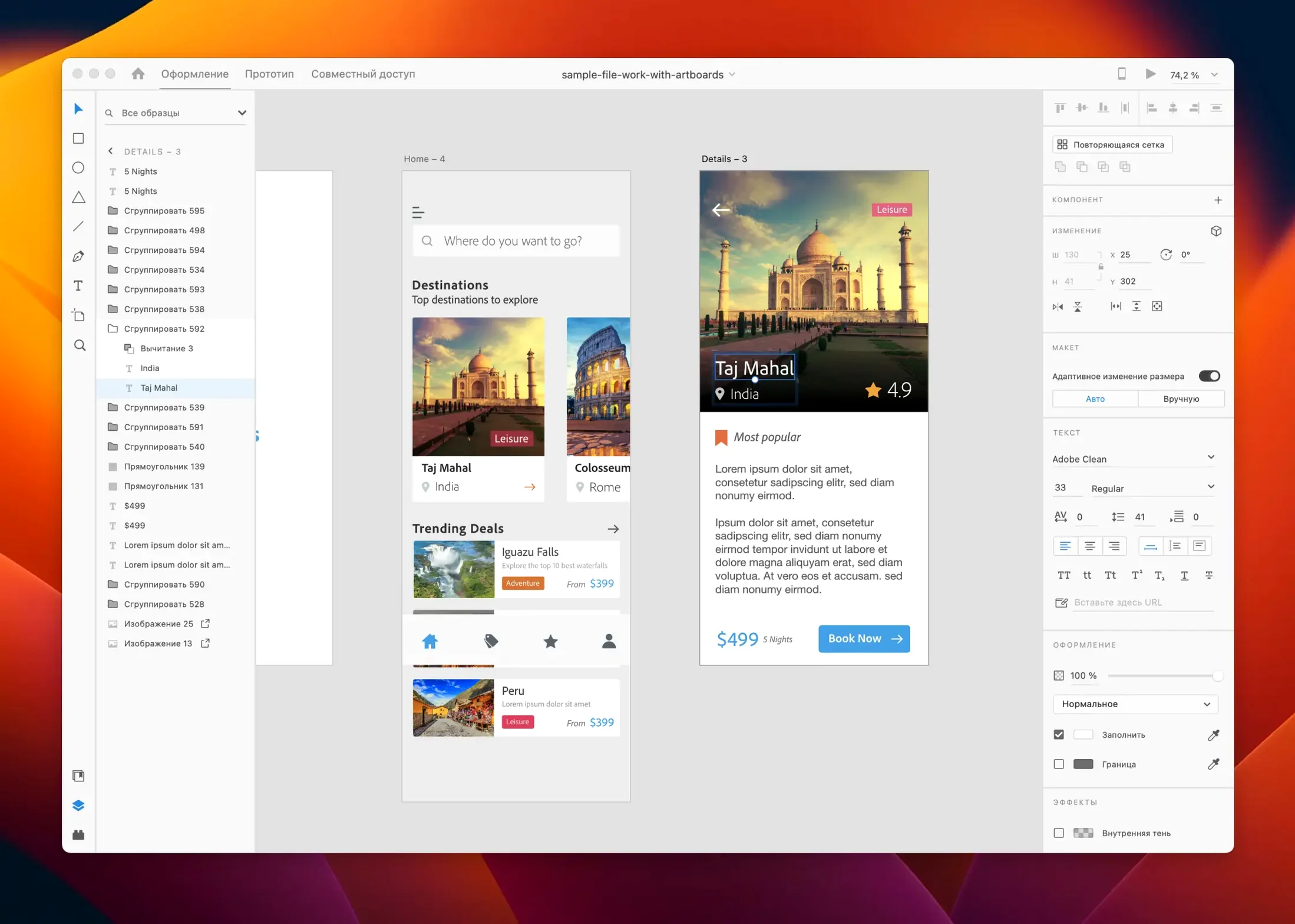
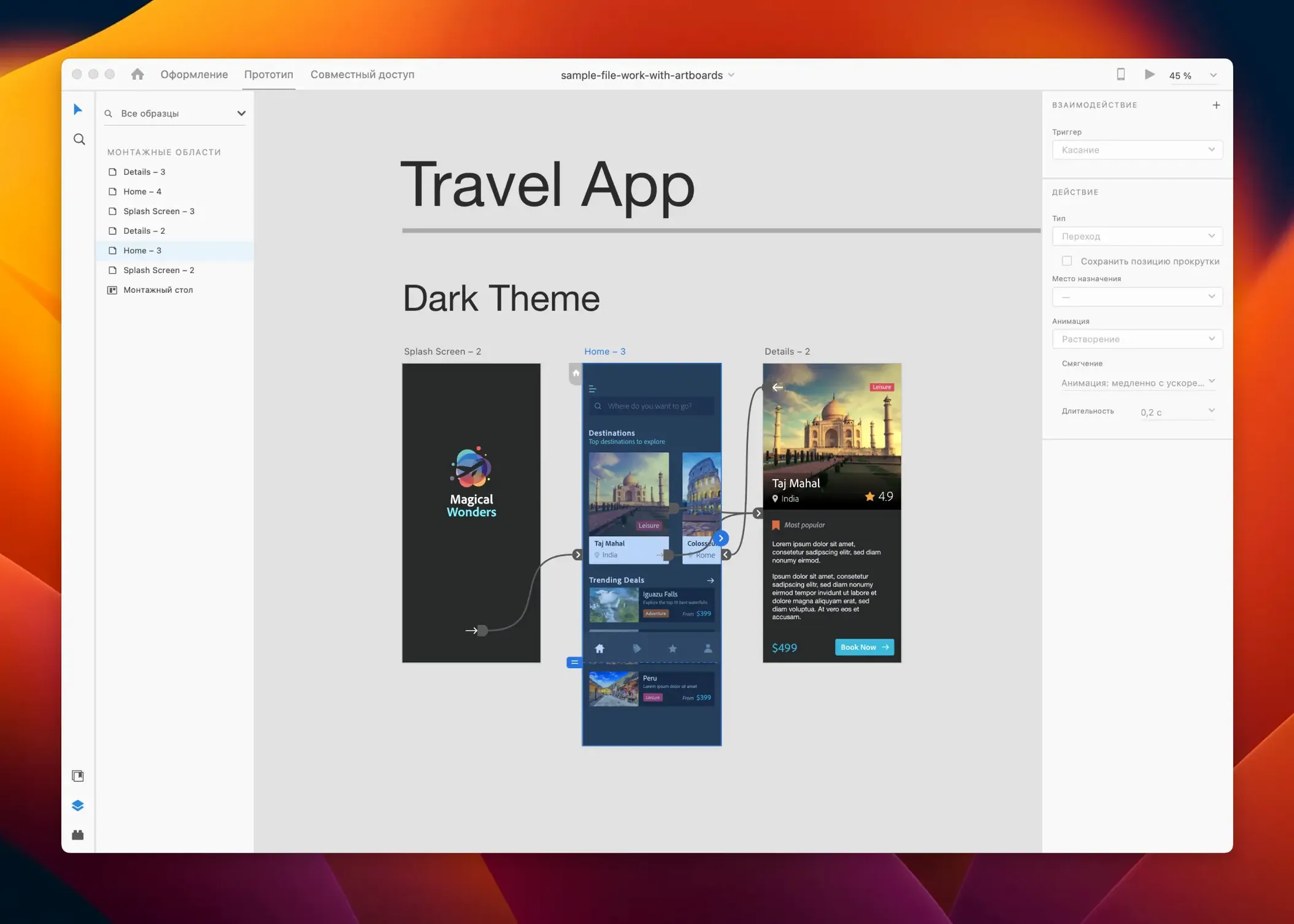
Adobe XD is a vector-based application for designing and prototyping user interfaces for websites and mobile apps. Here is one realistic flow you can execute with it, from artboard to shared prototype.
- Create a new project at 375×812 points for an iPhone app and set up a shared color palette and character styles to keep the design consistent.
- Draw the main screen using the rectangle, text, and repeat grid tools — the repeat grid is especially useful for pulling in sample data for lists and galleries.
- Switch to the Prototype tab and wire the login button to a second artboard, setting the transition to dissolve and the trigger to tap.
- Place a voice command trigger on a search field to sketch out a voice interface interaction, then preview it on a tethered phone using the Adobe XD mobile companion.
- Publish the prototype as a shareable web link and send it to a teammate; comments can be pinned directly onto specific artboard coordinates for precise feedback.
Assets can move between XD and other tools in a team workflow. Third-party plug-ins for task management and version control also slot in when a project outgrows a solo designer.
Can it open .xd files directly from Finder?
Adobe XD plays well with the rest of the Creative Cloud ecosystem, but it also hooks into macOS in ways that are easy to overlook. The app registers itself as a handler for .xd files, so double‑clicking a design document in Finder opens it directly — no import dialog, no intermediate step. If you use Quick Look, pressing the spacebar on an .xd file shows a preview thumbnail of the first artboard, which is handy when you are sifting through a folder of concept iterations.
On the sharing side, XD ties into the macOS share sheet. You can send a prototype link straight from the File menu to Mail or Messages without copying a URL manually. The app also respects system‑wide color profiles; if you have calibrated your display, XD renders colors accordingly, so what you see in the canvas matches what you get in exported assets. For teams that mix Mac and Windows machines, XD uses cross‑platform cloud documents — the file format is identical, and a prototype shared from macOS opens exactly the same way on a Windows box.
A real‑world scenario: interaction designer on a deadline
Imagine a freelance interaction designer who gets a brief on Tuesday morning for a fintech app onboarding flow, due Thursday afternoon. She opens XD and pulls UI kit components from a Creative Cloud Library her client already shared — buttons, form fields, a type scale. The repeat grid lets her drop in five placeholder screens in under a minute, each populated with sample transaction data. She wires the screens together with auto‑animate, setting a swipe gesture on a card element that morphs into a detail view. The easing curve is adjustable, so she dials in a deceleration that feels natural on a phone.
By Tuesday evening she publishes the prototype and sends the link to the client via the share sheet. The client pins three comments directly on the confirmation screen artboard: one about the button label, two about padding. She adjusts the layout, and because content‑aware layout is on, the surrounding elements reflow without manual nudging. Wednesday morning she records a short walkthrough with the built‑in macOS screen recorder and drops the video into a Slack thread. The client approves the flow by noon. Thursday is for polish, not panic.
Why do design-to-code teams lean on the spec handoff?
UI and UX designers working on screen‑based products are the obvious answer, but a few specific profiles benefit more than others. Designers embedded in engineering teams get a lot from the spec handoff — developers can inspect measurements, color values, and CSS snippets directly from the shared prototype link, which cuts down on redline documents. Product managers who need to sketch out a flow without writing a spec doc can rough out an interactive walkthrough in XD faster than they can build a slide deck.
Students in HCI and interaction design programs also click with the app because the vector toolset is shallow enough to learn in a weekend, yet the prototyping engine is deep enough to demonstrate conditional logic and micro‑interactions for a thesis project. Anyone who regularly moves between adobe xd mac torrent searches and legitimate installs tends to be in this group — people exploring the tool before committing to the Creative Cloud ecosystem. Designers who work across adobe cc mac torrent distributions often end up sticking with XD because the cloud document format makes switching machines painless, even when hopping between a MacBook and a Windows desktop.
On the other hand, illustrators and print designers get less mileage. XD lacks a pressure‑sensitive brush engine and does not handle CMYK or bleeds, so it sits awkwardly in a workflow built around Illustrator and InDesign. It is a screen‑first tool, and it works best when you respect that boundary.
Does entering presentation mode really need a toolbar click?
A few shortcuts and behaviors live just below the surface. Tapping Cmd + Return while an artboard is selected enters presentation mode instantly — no need to hunt for the play button in the toolbar. In the layers panel, dragging one layer onto another with the Option key held down creates a masked group in one motion, which is faster than the right‑click menu path.
The assets panel has a hidden trick: you can drag a color swatch from the fill picker straight into the panel, and it becomes a reusable color asset across the whole document. If you later update that swatch, every element using it updates too — a small behavior that acts like a primitive design token system. On the prototyping side, holding Shift while dragging a wire snaps the connection to the nearest artboard edge, which keeps the prototype canvas from turning into a spiderweb of diagonal lines.
For anyone who has grabbed an adobe creative cloud mac torrent to get XD alongside other Adobe tools, the cloud document autosave can be both a blessing and a surprise — every few seconds your work is pushed to Adobe’s servers, so a crash costs you almost nothing. The trade‑off is that offline work requires a deliberate “save as local document” action. There is no “save” command in the traditional sense; the app assumes you are always connected. The .xd file you get from a local save is actually a zip archive containing a JSON scene graph and binary asset blobs, which means you can version‑control it in Git with meaningful diffs on the JSON — a trick few designers exploit, but one that makes collaboration with developers much smoother.
Lastly, if you use Spotlight, XD documents are indexed by their artboard names. Searching for “login screen” brings up the .xd file that contains that artboard, even if the file is named something unhelpful like v12_final_final.xd. It is the kind of macOS integration that feels invisible until you need it.
- July 2025 release delivers bug fixes and minor workflow refinements.
- macOS 10.15 or later
- Apple Silicon and Intel processors
$ man adobe-xd | grep -A2 "?"
What is the current development status of Adobe XD?
Adobe XD is currently in maintenance mode, receiving only bug fixes and minor workflow improvements.
What platforms does Adobe XD support?
Adobe XD is available on both Mac and Windows systems.
Comments 0
Sign in or create an account to leave a comment.
No comments yet. A codec, a slice, a machine — they appear after moderation.