
Disable PHP errors in wordpress website



Disable PHP errors in wordpress website Read More »

fix error in wordpress website
WordPress websites may display PHP errors as warnings which can be unpleasant to see. These errors are often caused by plugin or theme incompatibility.
While these errors can be useful to developers for debugging purposes, they are unnecessary for visitors and can impact the functionality of the website. Encountering PHP errors and warnings can be frustrating for website owners. Fortunately, disabling these errors is a simple process.
In this quick guide, we will take you through the steps to disable PHP errors in WordPress, ensuring a smoother browsing experience for the visitors.
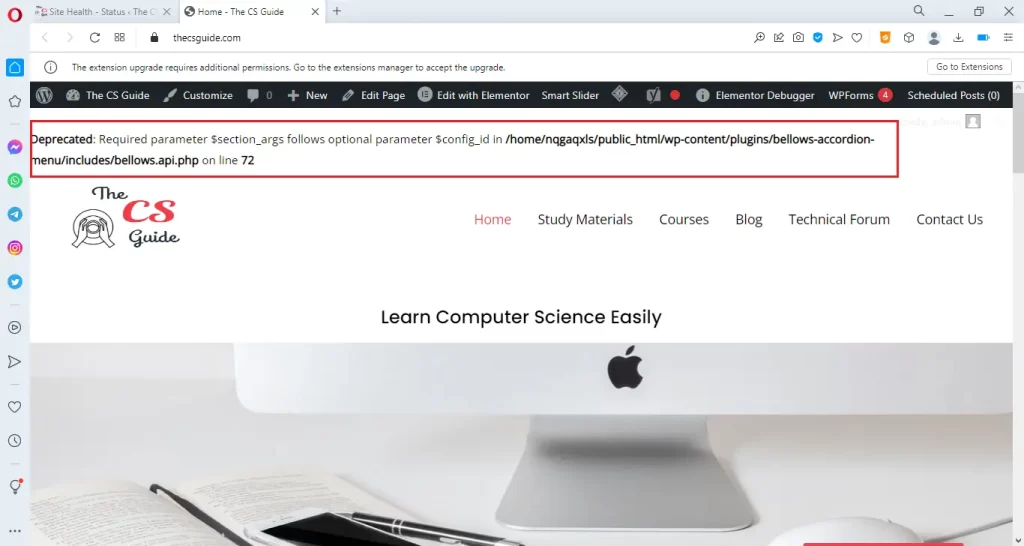
If there is an error displayed like the above website then inform the respective theme or plugin developer to fix the issues. However, we can also disable these PHP errors.
Now, we can see how to disable PHP errors, notices, and warnings on the WordPress website.
In the configuration file “Wp-config.php”, the following line makes the errors displayed on the website.
To disable PHP errors in the website, we have to change the boolean value of the above function into “false”.
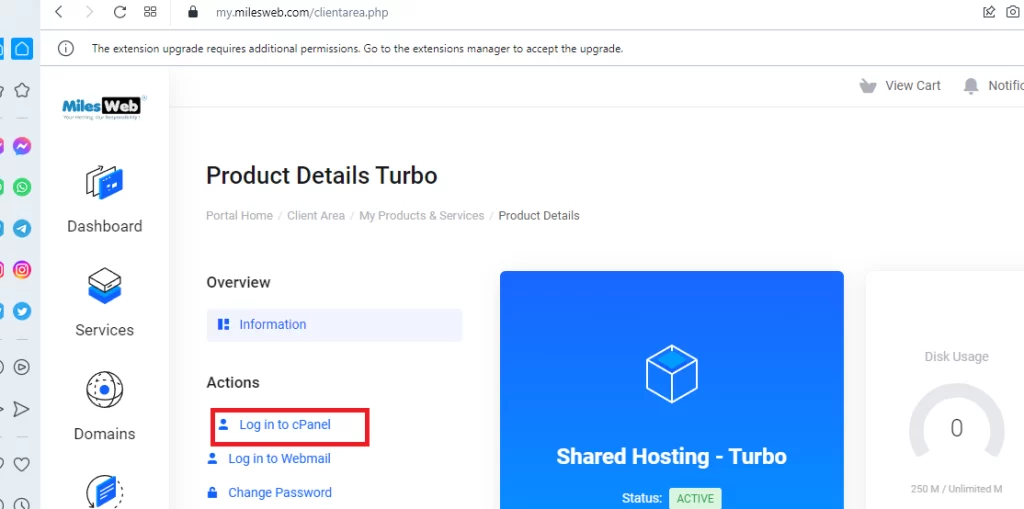
1. Go to the hosting service provider’s website. We have used Milesweb hosting service provider. Log into your account and then log in to the CPanel.
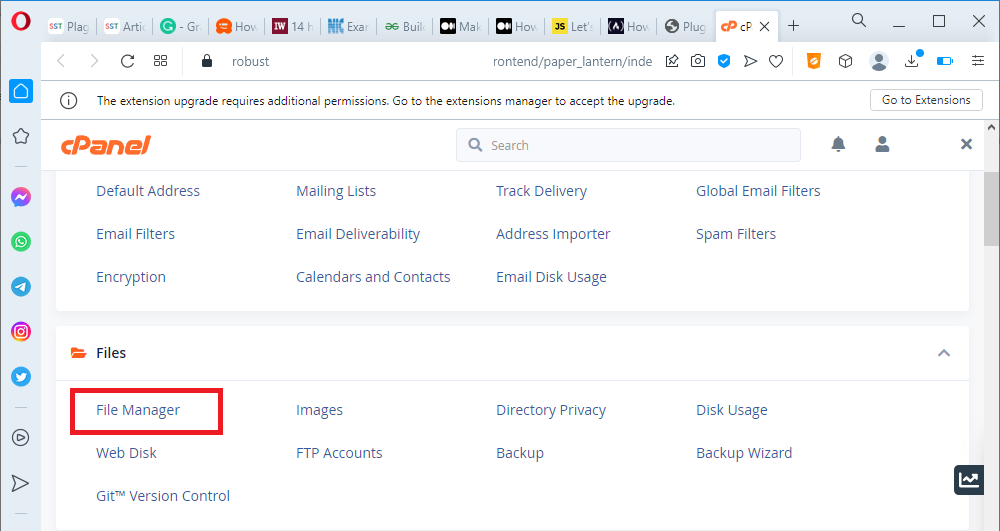
2. Open “File Manager” in CPanel.
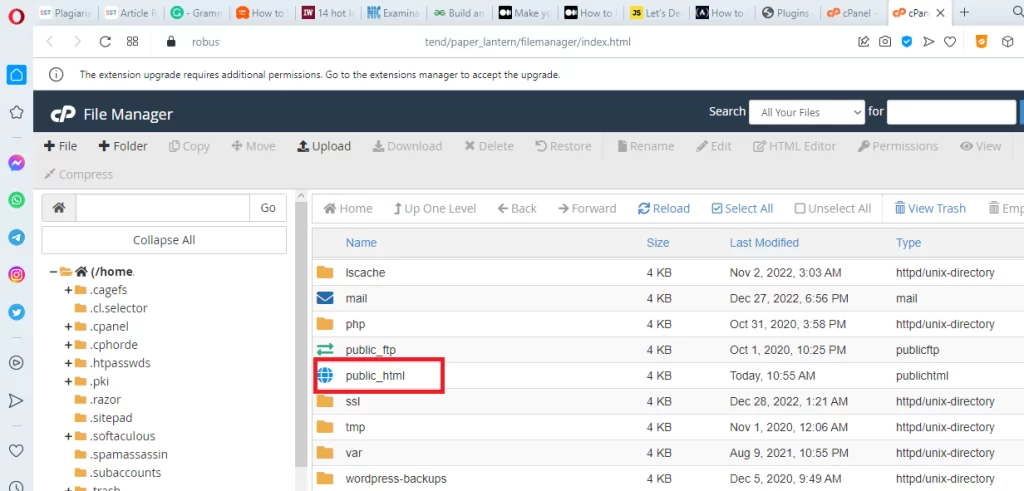
3. In File manager, Open the “public_html” file.
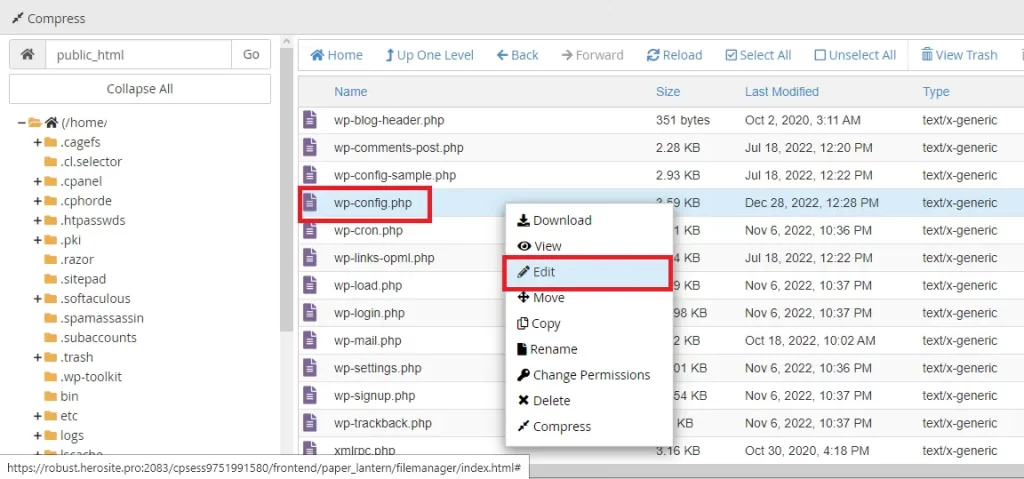
4. Right-click on the “wp-config.php” file and select “Edit” option.
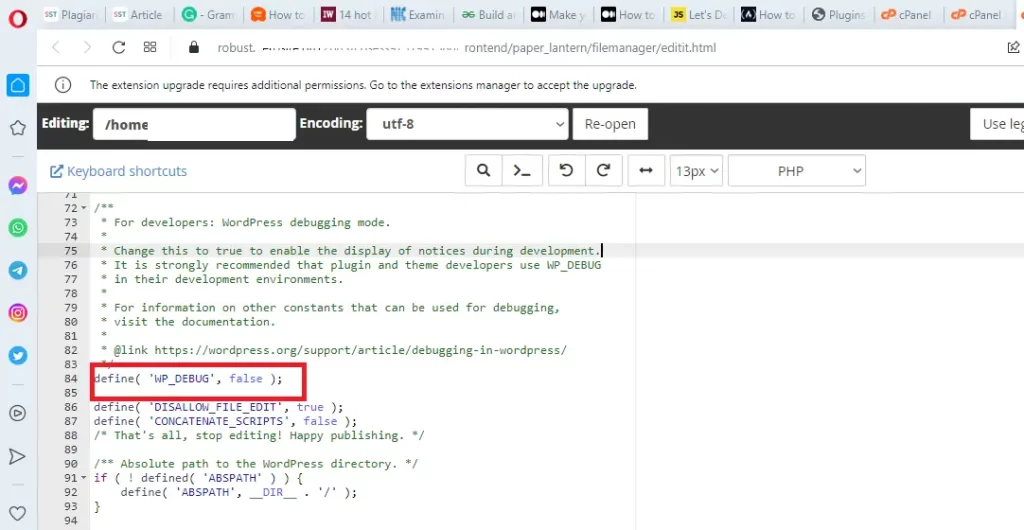
Search the following function, in the “wp-config” file and edit the boolean value “true” into “false” :
define(‘WP_DEBUG’, false);
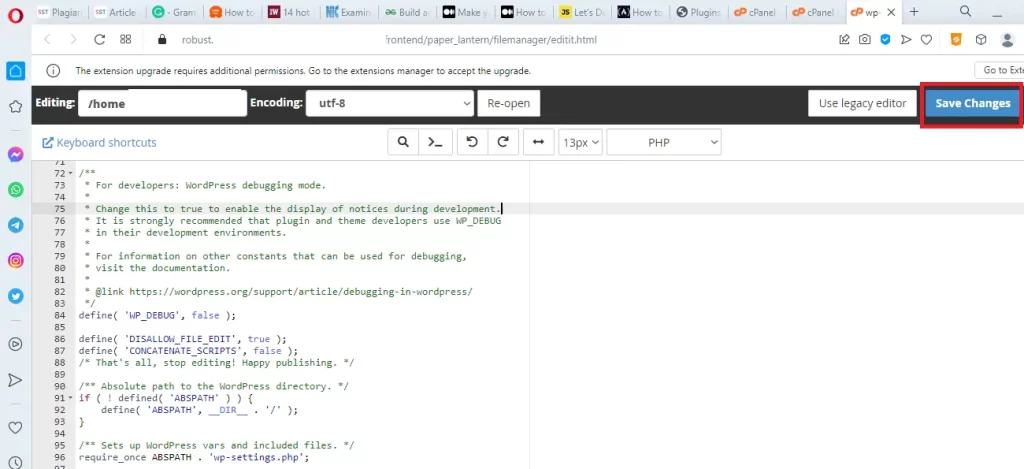
Finally, Click the “Save Changes” button to update the file.
Reload or refresh the website. Now, the PHP errors are disappeared from the website.
We can also replace the function, define(‘WP_DEBUG’, true) with the following code:
We hope this article makes the readers learn how to disable PHP errors in WordPress website. If you like this article, Please subscribe our You tube channel for WordPress tutorials. Reach us on Twitter, Instagram, and Facebook.
Share the Article
Disable PHP errors in wordpress website Read More »