
Palworld for macOS



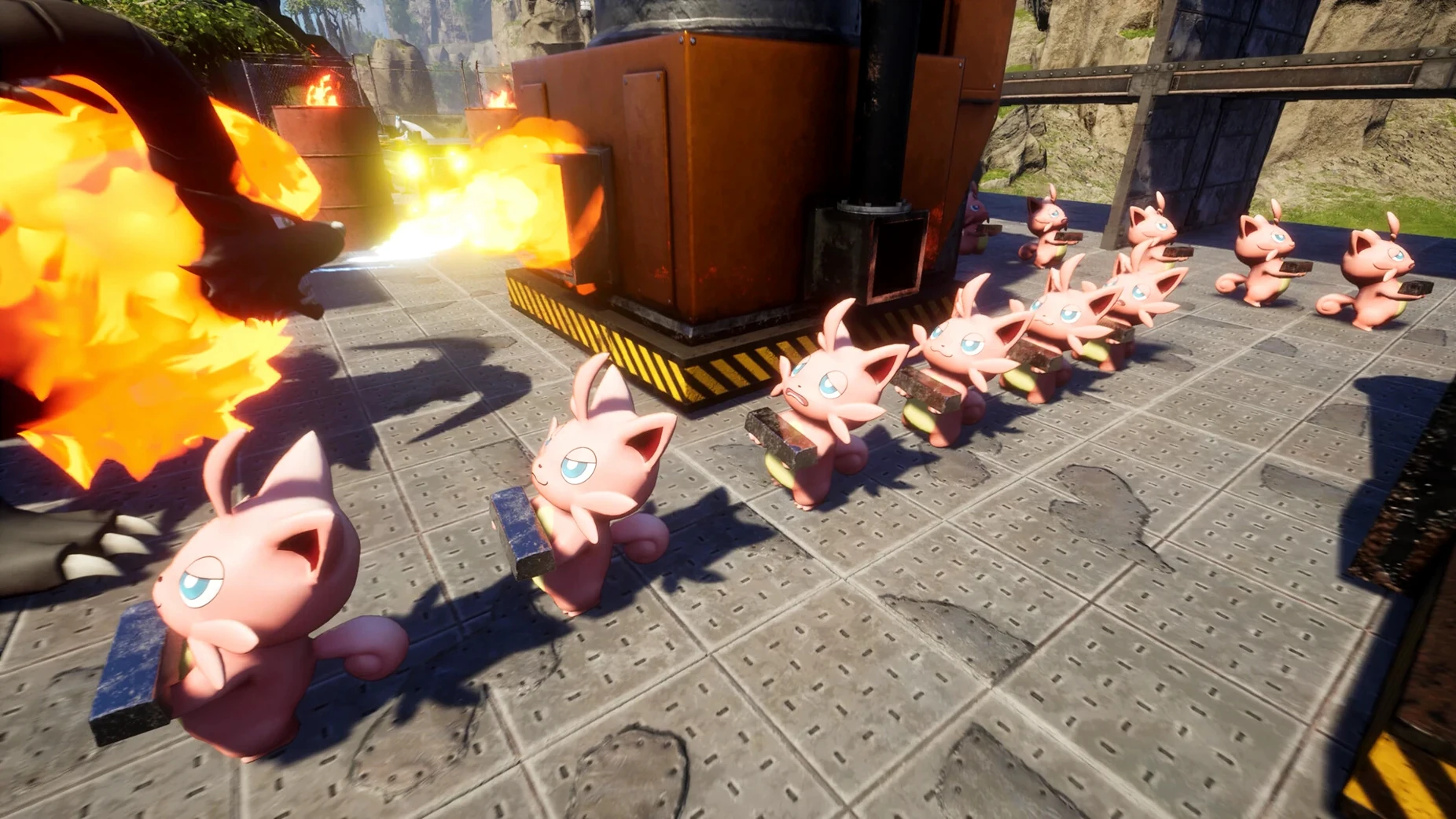




If you already use your Mac for RimWorld or Factorio, Palworld sits somewhere between those two habits. One part is the creature-collecting loop of catching Pals and sending them into battle. The other part is a base builder where those same Pals run plantations, mine ore, and generate electricity, which makes the early grind feel like setting up a small automated factory.
Native ARM build for Apple Silicon and co-op with automated Pals
- Players who want survival mechanics without every task falling on the player character.
- Mac users on Apple Silicon who want a native ARM build rather than a translated x86 title.
- Co-op groups, since multiplayer is supported and the industrial setup benefits from a few people splitting roles.
- People who enjoy games with farming loops: sowing, watering, and harvesting are all handled by assigned Pals.
Music-only voices and riding Pals across land, water, and air
- The voice language is music only, so dialogue-heavy storytelling is not part of the package.
- Travel and combat lean on riding Pals across land, water, and air, which takes some getting used to.
- Interface languages cover a wide range, including Russian, Japanese, and Brazilian Portuguese, but the experience is still built around menu text rather than voiced dialogue.
Treating Pals as long-term assets instead of disposable tools
The first ten hours of Palworld teach habits that will later bite you, and most of them involve treating Pals as disposable tools rather than long-term assets. The biggest one I see: players selling or dismantling early-game Pals with rare passive traits because the creature itself looks unremarkable. A Lamball with the Work Slave or Artisan trait is worth more in a breeding chain than a dozen high-level fighters without good passives. Traits inherit during breeding, so that early catch you dismissed as weak can become the foundation of an optimized workforce three generations later.
Another common mistake is ignoring the Pal Box's sorting and filter controls. By default, the box shows Pals in capture order, and most players scroll through dozens of entries to find the one with a specific work suitability. The box has a sort-by-work-suitability toggle that groups Pals by what they can do at a base. When you are assigning fifteen Pals across three bases, that toggle saves minutes per session. Similarly, beginners often forget that Pals assigned to a base consume food from the feed box at a rate that scales with their work speed traits. A full team of high-speed workers can drain a berry plantation faster than it regrows, and the starvation notification does not explain why the food vanished so quickly.
The last mistake worth flagging is overbuilding before you have the Pal workforce to maintain it. Automated production lines for spheres, ammunition, and refined ingots look appealing on the tech tree, but each station needs a Pal with the right work suitability assigned and a clear path to the station. If you place the weapon assembly line on the third floor of a structure with narrow stairs, large Pals simply cannot reach it and the job sits idle with no obvious error message. Build wide before you build tall, and test pathing with a large flying or four-legged Pal before you commit to a layout.
Grapple onto cliffs mid-flight while riding a flying Pal
Palworld hides several quality-of-life actions behind key combinations that the tutorial never mentions. The grapple gun, once crafted, can be fired while riding a flying Pal if you press the grapple key during flight. This lets you latch onto cliff faces or ore nodes without dismounting, which cuts travel time in mountainous biomes by a noticeable margin. The same principle works on swimming Pals: you can grapple to a shoreline from the water while still mounted.
The base management terminal has a lock option on individual Pal slots that prevents the game from reassigning that Pal when you sort the box. If you have spent time leveling a specific Pal for combat, lock its slot before you hit any sort button. Without the lock, a sort-by-level can shuffle your best fighter into a base work rotation and you may not notice until you head into a dungeon with a level-3 chicken in your party.
A less obvious shortcut is the dismantle-grapple-cancel trick for quick vertical traversal. Start dismantling a structure piece beneath you, grapple to a nearby surface, and cancel the dismantle mid-grapple. The structure remains intact, but the grapple momentum carries you upward. It is not a developer-intended movement mechanic, but it works consistently in the current build and speedrunners use it to skip staircases in base layouts. On the crafting side, holding the interact key while approaching a row of furnaces or workbenches queues the interaction for each station in sequence, so you can start smelting across six furnaces with one pass instead of stopping at each one.
Automation-minded players with Satisfactory or villager-trading experience
The players who sink hundreds of hours into Palworld on Mac tend to fall into three overlapping groups. The first group is the automation-minded survival player: someone who has already built sprawling conveyor networks in Satisfactory or optimized villager trading halls in Minecraft. For these users, the appeal is not the creature collecting itself but the puzzle of assigning Pals with overlapping work suitabilities so that every station runs at maximum uptime. They spend more time in the Pal assignment screen than in combat, and they treat each base as a systems-engineering problem.
The second group is the co-op builder. Palworld's multiplayer supports role splitting in a way that solo play cannot replicate: one person focuses on breeding and ranch management, another handles ore mining and ingot production, and a third runs dungeon expeditions for ancient technology points. Co-op groups on voice chat can coordinate base layouts that would be tedious to manage alone, and the industrial scaling really shows when three players feed resources into a shared production chain. These groups are also the ones who get the most out of riding Pals for traversal, because one player on a fast flying mount can scout while the others follow with ground-based cargo haulers.
The third group is the Apple Silicon Mac owner who wants a native ARM title in a genre that usually ships x86-only or relies on Rosetta 2. The build tested on a Mac mini M4 under macOS Tahoe runs as a native ARM binary, which means the CPU cores handle the simulation load directly rather than through translation. If your Mac workflow already involves creative tools that benefit from Apple Silicon, Palworld fits into that same native-performance expectation without the battery drain or thermal throttling that translated x86 games often trigger on MacBooks.
M4 Mac mini loads a 20-Pal base as fast as a large Logic Pro project
On the Mac mini M4 used for testing, the ARM build loads a medium-density base with twenty assigned Pals and full production lines in roughly the same time it takes to open a large Logic Pro project. Frame timing stays consistent during base management, even when rendering dozens of animated Pals, conveyor belts, and particle effects from furnaces. The game's simulation thread handles Pal pathfinding on a separate core from the render thread, so the occasional pathing hiccup (a Pal stuck behind a storage container, for instance) does not cause a visible frame drop. It just means that Pal stands idle until the next pathing recalculation cycle.
Memory use is heavier than the cartoon art style suggests. With three bases built out and fast travel points unlocked across the map, the process routinely sits in the 8–12 GB range. Macs with 16 GB of unified memory handle this without swapping, but an 8 GB machine will page to disk during long sessions, especially if you have Safari tabs or a music app open in the background. The game does not leak memory in the current build, but it does not aggressively release cached assets either, so a session that starts at 6 GB can climb to 10 GB over three hours and stay there until you quit.
Stability is solid in single-player. Crashes are rare during normal gameplay and the autosave interval is frequent enough that a sudden quit rarely costs more than a few minutes of progress. Multiplayer adds variables: if the host's network connection stutters, clients can experience rubberbanding on flying mounts or a brief desync where a caught Pal appears in the host's inventory but not the client's. Reconnecting usually resolves the inventory mismatch. The build does not kernel-panic the Mac and does not require disabling SIP or any system integrity features. It runs as a standard signed .app bundle dragged from a mounted .dmg.
Creature management meets factory automation unlike modded Minecraft
Palworld shares DNA with several games, but the mix of creature management and factory automation puts it in an odd position where each comparison highlights what it does differently rather than what it copies.
Palworld versus Minecraft (with mods). A heavily modded Minecraft instance with creature-capture mods and automation plugins can approximate parts of the Palworld experience, but the integration is never as tight. In Palworld, a Pal's work suitability is a core stat that interacts directly with base power systems, breeding outcomes, and combat readiness. Minecraft mods treat creature labor and automation as separate systems that communicate through third-party APIs; Palworld treats them as one system from the start. The trade-off is that Minecraft gives you infinite procedural terrain, while Palworld's map is handcrafted and finite. If your enjoyment comes from exploring an endless world and shaping it block by block, Minecraft still wins. If you want creature-driven automation without spending an afternoon resolving mod conflicts, Palworld is the tighter package.
Palworld versus RimWorld. RimWorld is a colony sim with deep pawn psychology, medical systems, and narrative generation. Palworld borrows the idea of assigning creatures to work stations but strips out the social dynamics, mood management, and organ-harvesting moral dilemmas. What you lose in storytelling depth you gain in direct control: in RimWorld, a pawn having a mental break during a raid is a story beat you cannot skip. In Palworld, a Pal at a workbench does what you assigned it to do, full stop. RimWorld is the deeper simulation for people who want emergent drama. Palworld is the better choice when you want to build a production line and see it run without interruptions from existential crises among your workforce.
Palworld versus Factorio. Factorio is pure automation with no creature layer at all. Its belts, inserters, and circuit networks offer a level of logistical precision that Palworld does not attempt to match. Palworld's automation is creature-mediated: a Pal smelts ingots at a furnace, another Pal transports them to storage, and a third Pal uses them at an assembly line. The throughput is lower than Factorio's optimized belt balancers, but the visual feedback of seeing the Pals physically carry items gives the base a sense of life that conveyor belts alone do not provide. Factorio players who try Palworld often bounce off the creature management at first, then realize that breeding Pals for specific work traits scratches a similar optimization itch, just with a genetics spreadsheet instead of a belt-throughput calculator.
- Architecture: Apple Silicon
- Interface languages: Russian, English, German, Spanish, Italian, Traditional Chinese, Simplified Chinese, Korean, Portuguese, French, Japanese
$ man palworld | grep -A2 "?"
What can you do with Pals in Palworld?
Pals can fight for you, travel with you across land, water, and air, and work at your base on tasks like ore mining, electricity generation, and farming.
Comments 0
Sign in or create an account to leave a comment.
No comments yet. A codec, a slice, a machine — they appear after moderation.