Castle Crumble for macOS
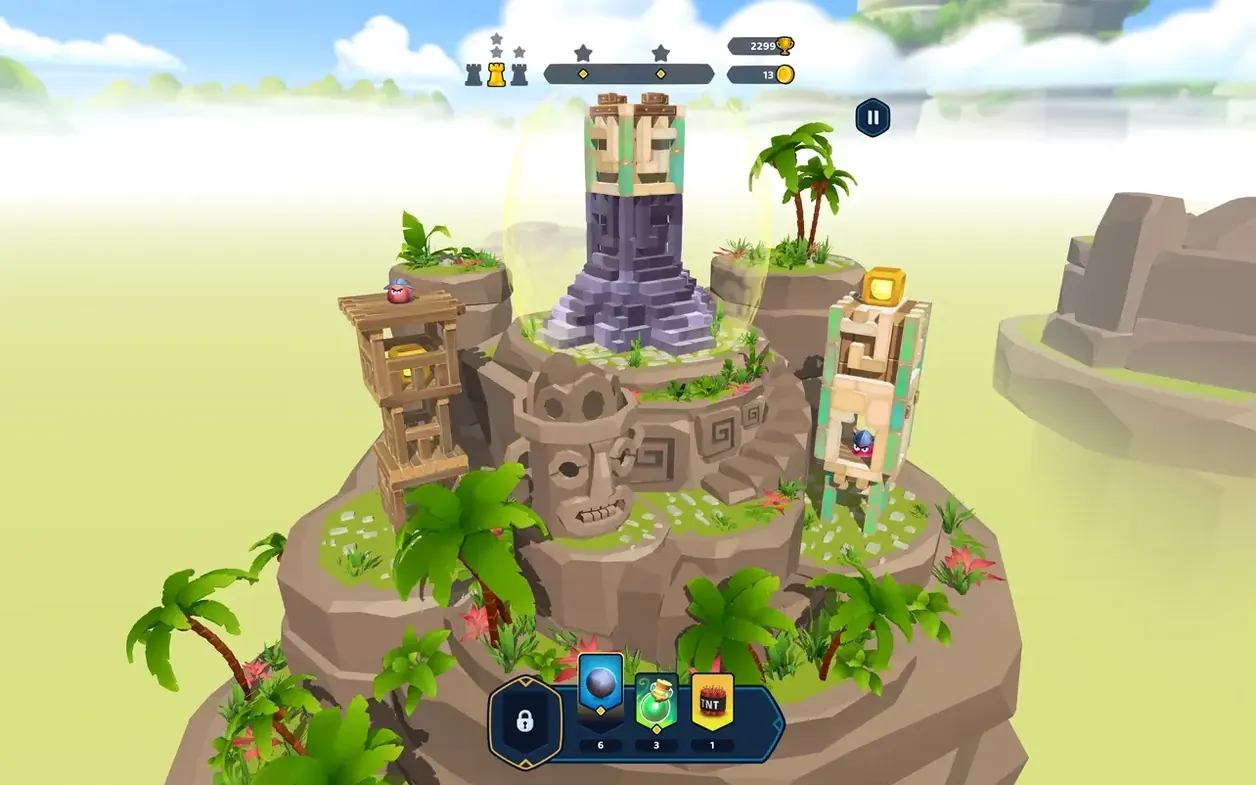
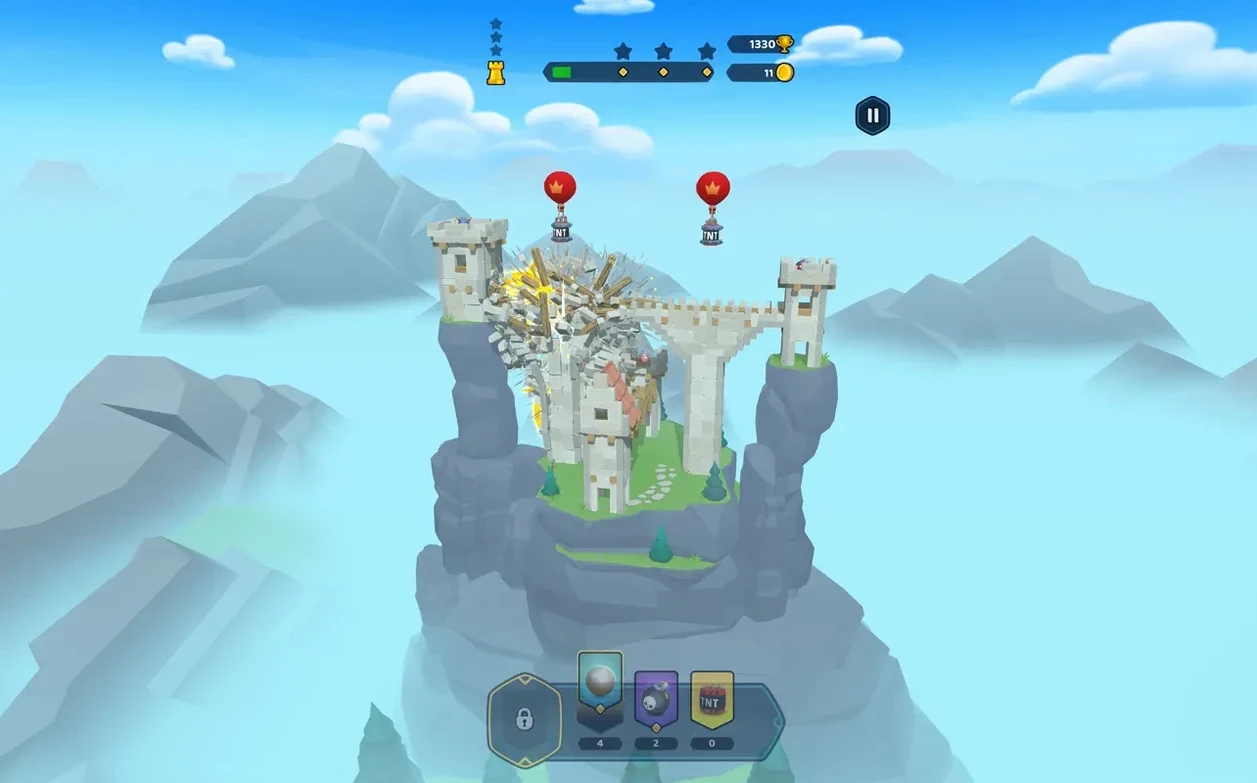
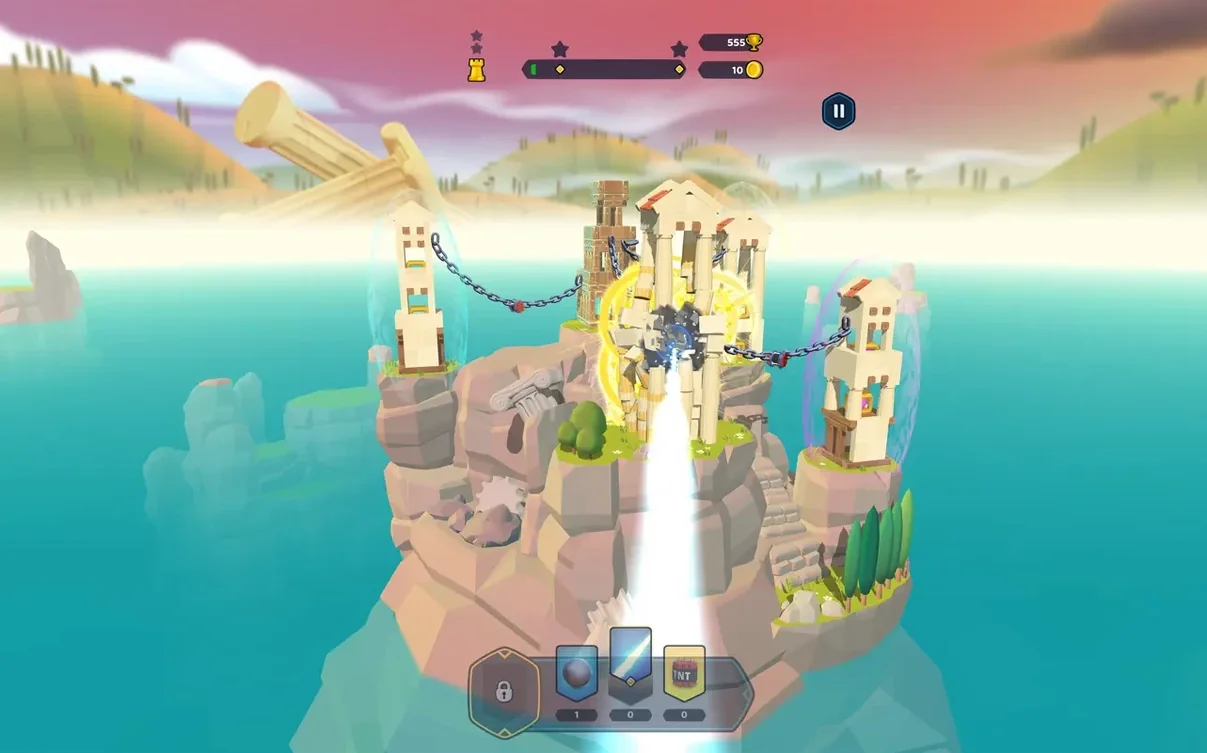
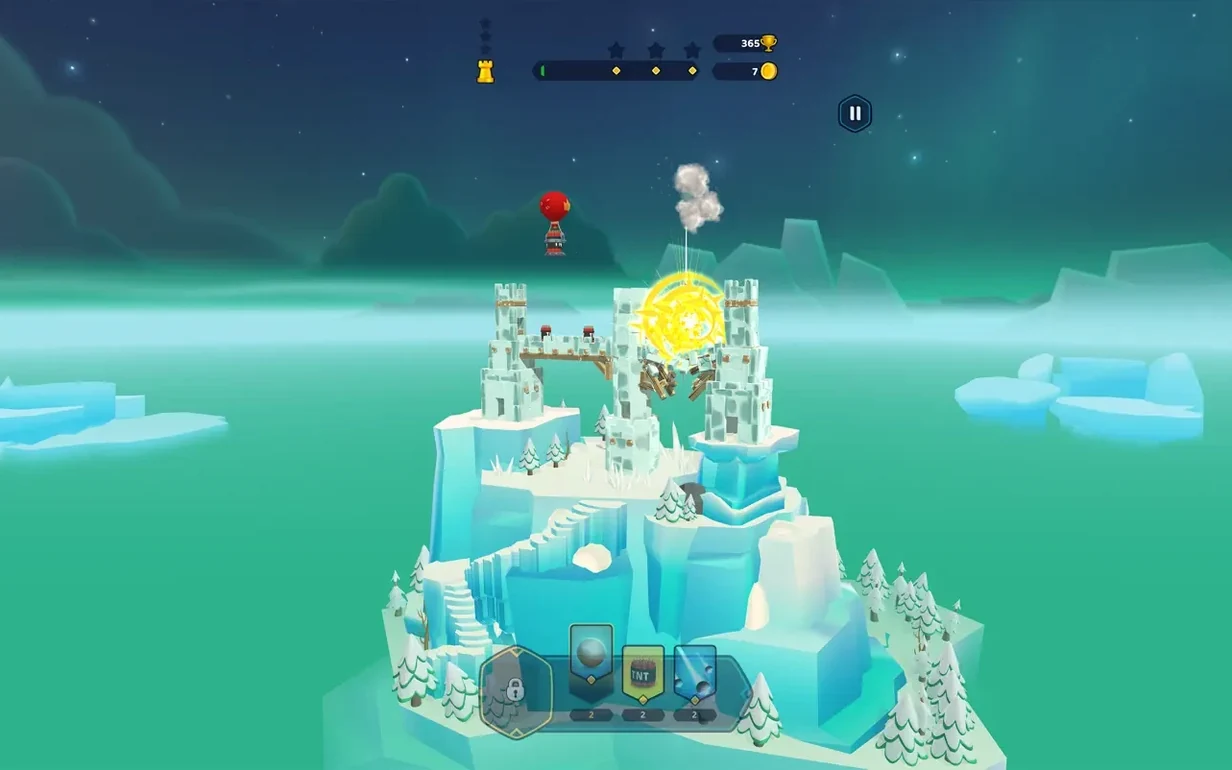
When you have had your fill of empire-building and just want to watch towers topple, Castle Crumble hands you the cannon. Each kingdom presents a series of forts and keeps that need dismantling, and the game leaves the approach to you. You might lob a simple cannonball, set off a chain of explosives, or cast a spell that warps the structure's own weight against it. The physics simulation does the heavy lifting — stone crumbles, beams snap, and the whole thing comes down with a satisfying groan. Kingdoms draw from ancient, medieval, and Aztec eras, so the architectural puzzles shift as you conquer one realm and move to the next. On a Mac, the game runs natively on both Apple Silicon and Intel 64-bit hardware, so performance is snappy without Rosetta overhead.
| Key detail | What you get |
|---|---|
| Developer | Orbital Knight |
| Version | 1.23.0 |
| Architecture | ARM, x86 64-bit |
| Languages | 13 including English, German, Japanese, Korean |
Controls map cleanly to a mouse or trackpad — aim, adjust power, and fire. It is the sort of game where the real skill is in reading a structure's weak points before you shoot, so a quiet minute of planning often saves several rounds of wasted ammunition. The soundtrack is treated as a voice language in the settings, which is a quirk worth knowing if you ever go hunting for audio options. And while it started on touchscreens, the Apple Vision Pro version Apple highlighted in 2024 suggests the destruction physics translate well wherever you point and pinch.
What do people miss in the first hour?
A handful of small shortcuts speed things up significantly once you know about them. Holding the Option key while aiming switches the cannonball arc from a dotted preview to a clean line — useful on levels where parallax makes the trajectory hard to read against busy backgrounds. Double-tapping the R key resets the current shot without cycling through the pause menu, so you can iterate faster when you misjudge an angle. The zoom gesture on a trackpad works not just on the structure but on any part of the screen, which means you can check detail on far-side supports without walking the cannon view over there first.
One quirk that trips people up: the game treats the soundtrack as a voice language in its settings panel. If you ever open the audio options looking for a music slider and cannot find one, that is where it lives — labeled alongside the spoken languages. It is odd, but once you know, you stop looking.
Aim for the seams, not the obvious tower
New players tend to fire at the obvious target — a tower's middle, a gate, the nearest wall. Spend your first few kingdoms doing the opposite. Look for the joint where two materials meet, because the physics solver treats those seams as natural fracture points. A single shot into the stone‑wood transition of an Aztec temple can bring down half the level, while three shots into the thickest block do almost nothing. The game rewards structural reading more than it rewards aim.
Second, pay attention to spell timing. Tapping a spell right as a block begins to tumble often compounds the damage — the physics system carries momentum through the chain, and a well‑placed weight spell on an already‑moving lintel can cascade collapse across an entire wing. It is not documented, but the simulation does not reset velocity between frames when spells apply, so you can exploit that window.
Third, if the game hangs on the loading screen — a known quirk on some M1 machines — disable your internet connection before launching. The freeze rarely appears when the Mac is offline, and once the level loads you can re‑enable Wi‑Fi without a problem.
Runs smoothly beside Mission Control and Stage Manager
The game sits comfortably in a mixed workflow. It runs in a standard window and responds to Mission Control and Stage Manager without glitching, so you can keep it open alongside a reference image, a note‑taking app, or something like QuickTime Player if you are recording destruction sequences for later analysis. The .dmg installer drags the app straight into /Applications — no .pkg scripts, no background daemons — which makes it trivial to quarantine or remove when you need the disk space back. On Apple Silicon Macs, the binary contains both ARM and x86 slices, so Activity Monitor will show it as an "Apple" process with no Intel translation overhead. That matters less for a puzzle game than for a DAW, but it does keep the fan silent during extended sessions.
If you use Shortcuts, you can build a simple automation that toggles Wi‑Fi off, launches Castle Crumble, waits a few seconds, and toggles Wi‑Fi back on — a one‑click workaround for the occasional loading freeze. The game also respects the system‑wide Focus filters in macOS, so notifications will not interrupt a siege if you have a gaming Focus set up. There is no Game Center integration, no iCloud sync, and no Metal performance overlay hooks that I could spot, but the minimalist approach means fewer things to break across macOS updates — and on Sequoia, the current version runs without a hitch.
Destruction sims like this pair well with screen recording tools. Players sometimes capture a particularly elegant collapse, replay it frame‑by‑frame in QuickTime using the arrow keys, and study which block started the chain. If you enjoy that kind of forensics, the game gives you plenty to work with — and the replay value holds up far better than the kingdom count alone suggests.
- macOS 11.0 or later
- Apple Silicon (native) or Intel 64-bit (native)
$ man castle-crumble | grep -A2 "?"
What mechanics does Castle Crumble use?
The game mixes cannon-based attacks with explosives and magical spells to break down forts from different historical eras.
Which Macs can run Castle Crumble?
It requires macOS 11.0 or later and ships as a universal binary for both Apple Silicon (ARM) and Intel 64-bit Macs.
What should I do if the game freezes during loading?
A known workaround is to disable your internet connection before launching; you can re‑enable it once the game loads.
Comments 0
Sign in or create an account to leave a comment.
No comments yet. A codec, a slice, a machine — they appear after moderation.