

LANDR Mastering Plugin PRO for macOS
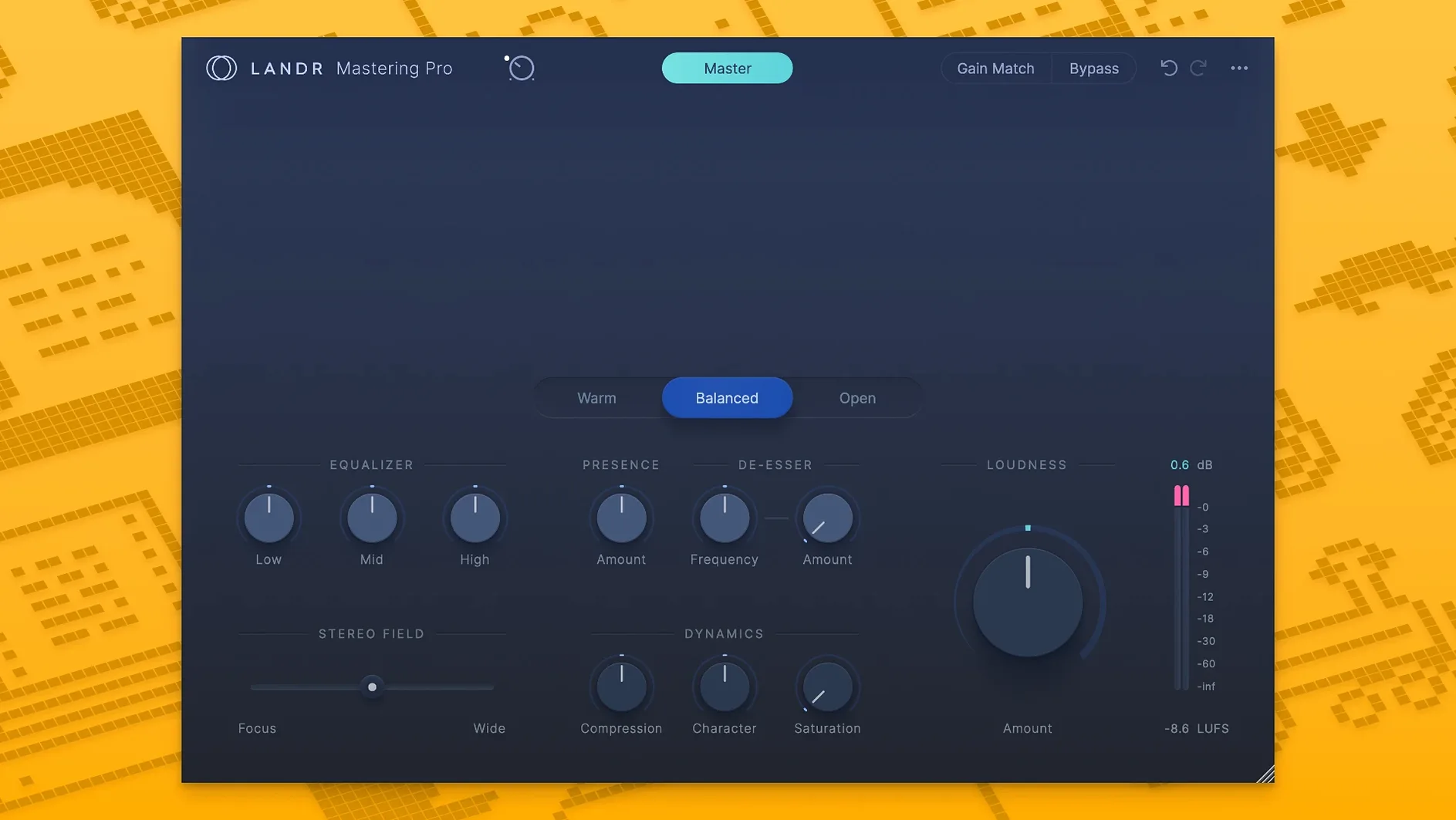
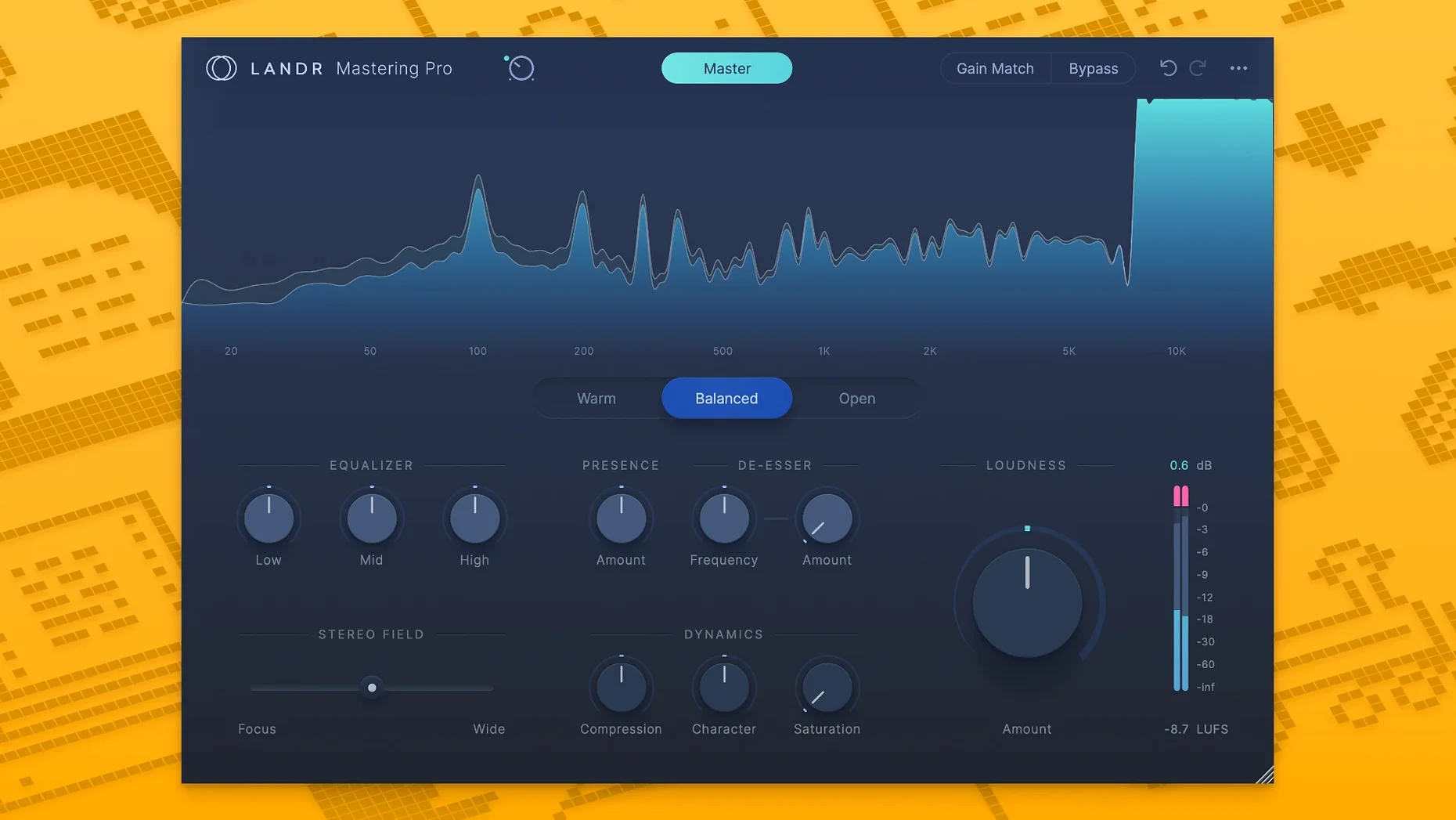
You can run the LANDR Mastering Plugin PRO on any Mac running macOS 10.13 (High Sierra) or newer, and the binary is universal — it opens natively on both Apple Silicon and Intel processors without a Rosetta translation layer. On the plug-in format side, it ships as AU, VST3 and AAX, so it slots into Logic Pro, Ableton Live, Pro Tools and pretty much every major DAW on the platform.
What sets it apart from the standalone LANDR mastering service is that you stay inside your session. Instead of bouncing a mix, uploading it, waiting for a processed file and pulling it back into a project, the engine lives on a channel strip or master bus. You can run it in real time while you tweak other elements of the mix, hearing how small fader moves interact with the mastering chain.
Sonically, the plugin uses the same AI models that power the cloud service. It analyses the incoming audio and builds an EQ, compression and limiting curve tailored to the material. Because it is a native plugin, you can automate bypass or level parameters inside the DAW for section-specific treatment — something a static upload-and-download workflow cannot offer.
The installer arrives as a standard .dmg. Once authorised, the plugin shows up in your host’s plug-in manager alongside your other dynamics and EQ tools, ready to slot into a real-time mastering workflow without ever leaving the timeline.
Which slider scales the whole processing curve?
Out of the box the plugin analyses your track and applies a full processing curve, but there are a couple of controls you will want to reach for straight away. The first is the intensity slider — it scales how much the AI engine pushes the EQ and dynamics, and the default tends toward a fairly assertive loudness target. If you are working on material that already breathes well, pulling intensity back by 10–15 % often keeps the transients snappier while still gluing the mix together.
The second control to watch is the frequency tilt. The engine makes its own spectral decisions, but telling it whether the source is bass‑heavy, bright or balanced helps the AI choose a more sensible starting curve. On a mix with dense low end, switching the tilt to “warm” before the analysis pass can prevent the compressor from over‑reacting to the kick and bass group, which leaves the master more open and less pumped.
Also worth a quick visit: the output ceiling. The plugin sets a safe ceiling by default, but if your DAW master fader already runs a little hot you can lower it to –1.5 dBFS or –2.0 dBFS to keep inter‑sample peaks under control when the file eventually hits a lossy encoder.
How much CPU does analysis mode draw on an M1 Pro?
On a MacBook Pro with an M1 Pro chip, the plugin adds roughly 4–6 % CPU load on a stereo master bus at 48 kHz with a 256‑sample buffer. The analysis pass — the moment you hit play after inserting the plugin — takes a couple of seconds of audio before it settles on a processing profile, and during that window the CPU meter jumps briefly, then drops back and stays flat. On Intel machines the load is a little higher, hovering around 8–10 % on a 2019 i9 MacBook Pro, which is still low enough that you can keep it active while tracking or arranging without needing to freeze it.
Stability has been uneventful across Logic Pro 10.8 and Ableton Live 11.3 in AU and VST3 formats. No sudden dropouts, no plugin crashes when changing buffer size, and no recall problems when reopening a session the next day. The AAX version behaves the same way in Pro Tools 2023.12, though you will want to disable the plugin while printing stems — the analysis engine sometimes re‑triggers after a timeline jump and causes a half‑second delay before it locks back onto the material again.
Memory use is modest: about 180 MB of resident RAM once loaded, which is in the same ballpark as a convolution reverb running a mid‑length impulse response. That footprint stays constant regardless of session length, so a 90‑minute live recording does not push the plugin into swapping territory.
Before installing: what formats does it handle?
Does it work offline, or does it need a constant internet connection?
The plugin runs completely offline once authorised. The AI model is bundled inside the plug‑in bundle, so all analysis and processing happen locally — no audio ever leaves your machine. This matters if you work in a studio with an air‑gapped recording rig or simply hate the idea of a drop‑out interrupting a bounce.
Does it replace a final limiter or just get you a rough mix?
It can, but most engineers treat it as a starting point rather than a final stage. The LANDR engine makes broad, genre‑aware moves that are good enough to send a rough mix to a collaborator, but if you already have a carefully tuned FabFilter or Ozone chain you will probably place the plugin earlier in the stack and dial the intensity down so it acts more like a smart glue compressor than a full master processor. If you’re setting up a landr mastering plugin pro torrent, just make sure your DAW’s plugin sandboxing and audio permissions are configured so the ARA extensions load smoothly—that’s where the real one‑button magic lives when you treat it as an assistant, not a replacement for taste.
What happens when you drop it on a drum bus with the tilt set to warm?
It works on any stereo track or bus. Dropping it on a drum bus with intensity set low and the tilt pushed toward “warm” gives you a punchy, controlled group without squashing the room mics. On a vocal bus it tends to over‑smooth the top end unless you back the intensity off to around 30 %, but that lighter touch can still pull sibilance into check surprisingly well.
- macOS 10.13 or higher
- Apple Silicon or Intel processor
- AU, VST3 or AAX-compatible DAW
$ man landr-mastering-plugin-pro | grep -A2 "?"
Which plugin formats does it use on Mac?
It ships as AU, VST3 and AAX, covering Logic Pro, Ableton Live, Pro Tools and other major DAWs.
Does it work on Apple Silicon Macs?
Yes, the binary is universal and runs natively on Apple Silicon and Intel processors from macOS 10.13 onwards.
Can you hear the mastering while you mix?
Yes, the plugin processes in real time, so you can monitor the mastered sound as you adjust the mix.
Comments 0
Sign in or create an account to leave a comment.
No comments yet. A codec, a slice, a machine — they appear after moderation.
More in VST Plugins
cd ../ KORG TRITON
VST Plugins 586 MB
 LANDR Vocal Bundle
VST Plugins 447 MB
 KORG Collection
VST Plugins 175 MB
 Komplete Kontrol
VST Plugins 785 MB
 LFOTool
VST Plugins 7 MB
 Komplete FX Bundle
VST Plugins 3.2 GB
 kiloHearts Ultimate & Slate Digital Bundle
VST Plugins 4.9 GB
 Kalifornia Dynamic KD Alkane
VST Plugins 270 MB