

LANDR Vocal Bundle for macOS
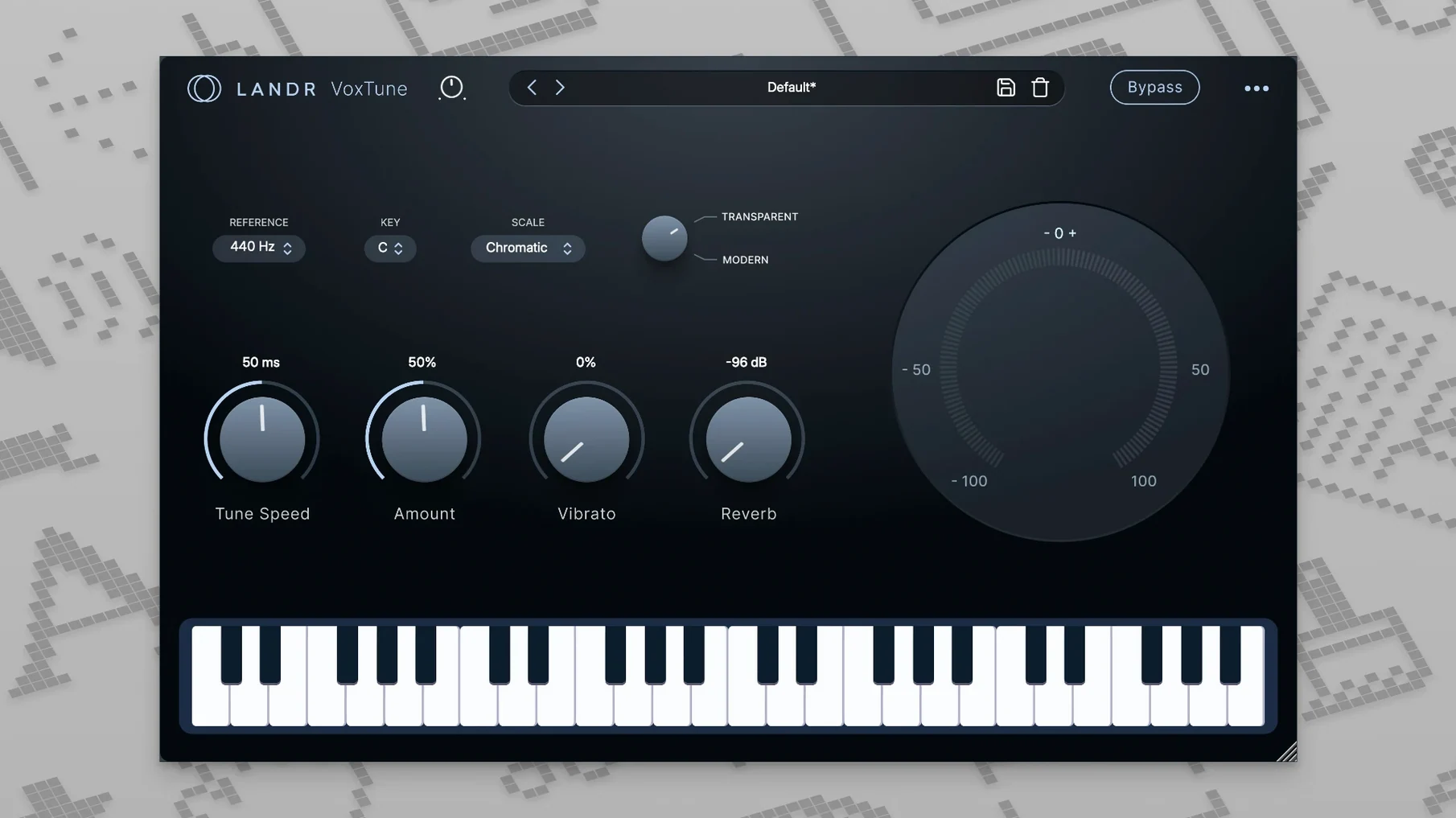
VoxTune is a good place to start because it runs without latency. That makes it viable for live performance, not just for fixing a take in post. The pitch correction reacts in real time, so you can monitor through it while tracking.
How does VoxChain shape a vocal?
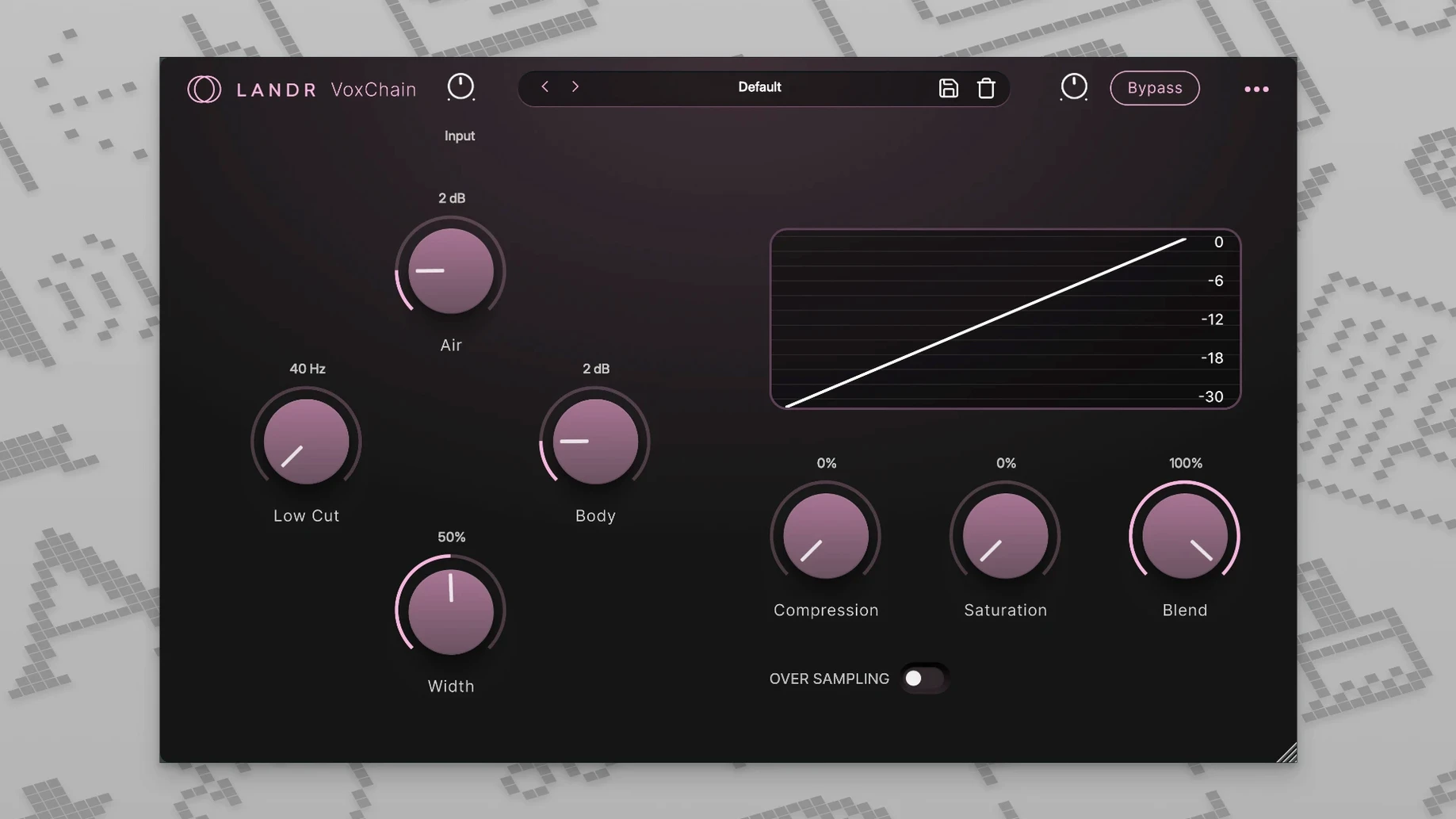
VoxChain puts EQ, compression, and saturation in a single window. You move through the signal path without juggling three separate inserts, which keeps the channel strip decisions fast and focused on the voice.
What does VoxVerb do differently from other reverbs?
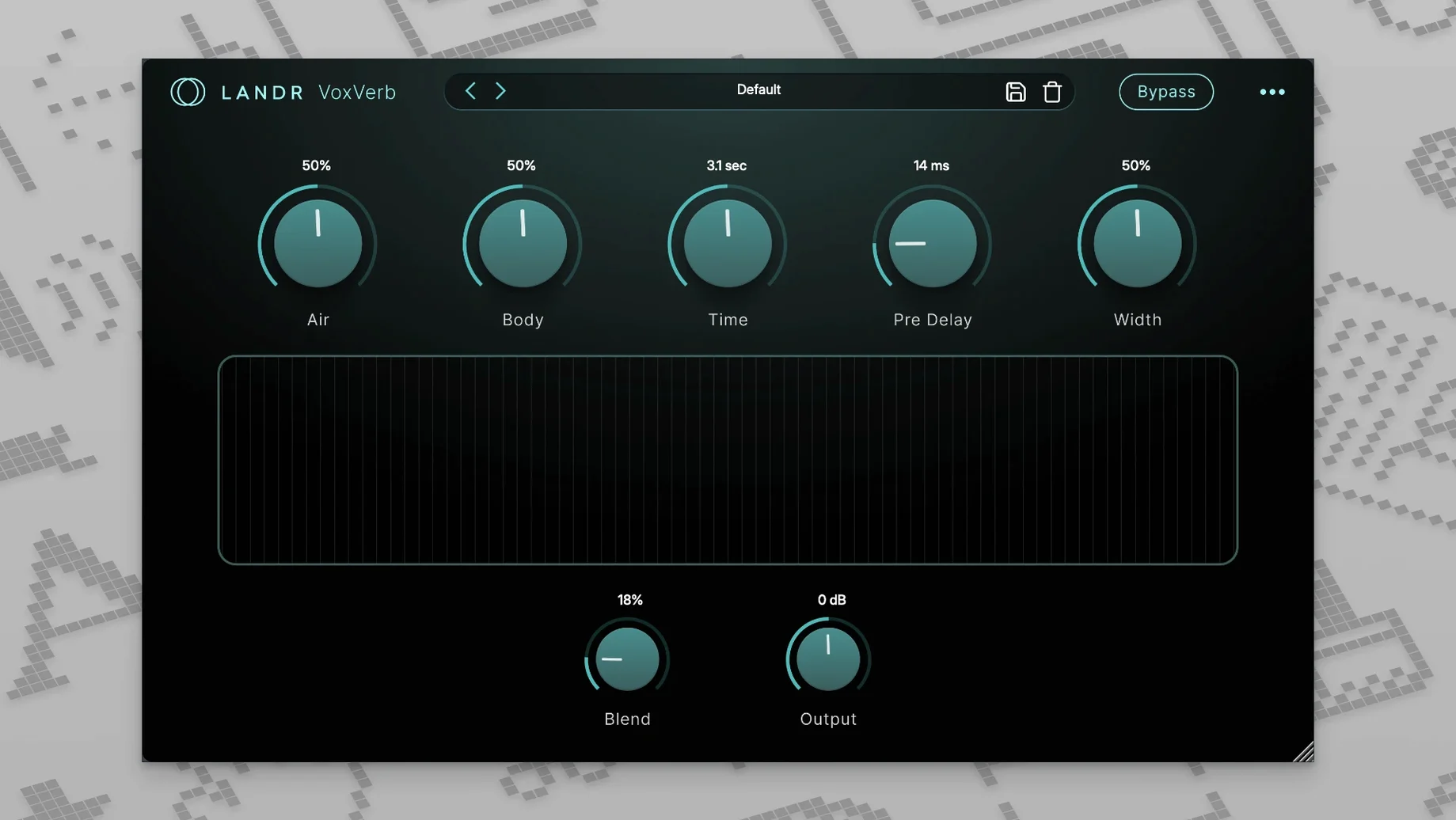
VoxVerb is tuned specifically for vocals. It adds depth and space while working to keep the source intelligible, so the tail doesn't bury consonants or pull the voice back in the stereo field.
How does VoxDeEss handle sibilance?
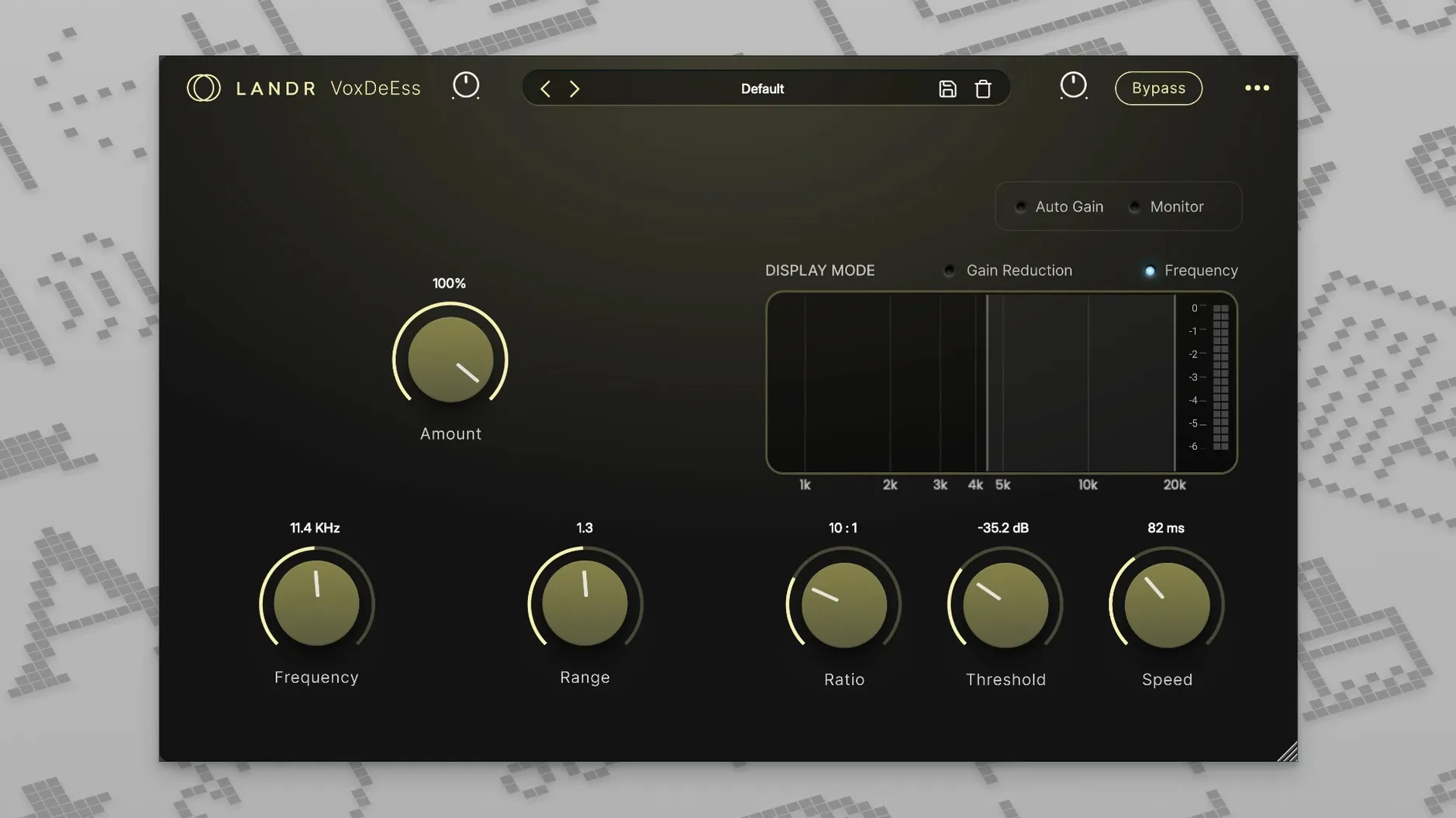
VoxDeEss targets harsh sibilant sounds—the s and sh frequencies that can spike on a condenser mic. It pulls those down without dulling the air band above them.
Is the bundle stable in daily use?
Across a week of tracking and mixing sessions on an M1 MacBook Air, the four plugins loaded without a single validation hiccup in Logic Pro. Memory pressure stayed flat even with multiple instances running—VoxTune on a lead, VoxChain and VoxDeEss on a double-tracked harmony, and VoxVerb on a send. CPU meters in Ableton Live showed the real-time pitch engine doing its work without nudging the buffer into crackle territory at 128 samples.
One thing that stands out during longer sessions: the GUI stays responsive. No redraw lag when switching between the four plugin windows, no delayed knob feedback while playback runs. That sounds like a minor detail, but when you are nudging a de-esser threshold by half a decibel while listening, sluggish controls break your concentration fast.
VoxTune first, then VoxChain and VoxDeEss on the insert stack
The bundle slots into a typical vocal bus without awkward gaps. A common arrangement I landed on: VoxTune first in the insert stack for pitch correction before dynamics, then VoxChain handling EQ, compression and a touch of saturation, with VoxDeEss placed after the compressor so make-up gain does not amplify sibilance that was already tamed. VoxVerb lives on a send, not an insert—AUX track, 100% wet, fed from a post-fader send so the dry/wet balance stays independent of channel fader moves.
The plugins show up as standard AU and VST3 units, so they appear in any DAW that supports those formats—Logic, Live, Cubase, Reaper, Studio One. They also play nicely with macOS audio routing: you can drop VoxTune onto a live input track in Logic's low-latency mode and monitor through headphones with no perceptible delay. For content creators who record voiceovers straight into QuickTime or OBS, running the plugins inside a lightweight host like Hosting AU lets you process a USB mic input before it hits the streaming app.
Spotlight and Time Machine see the plugin files as standard .component and .vst3 bundles in the usual Library folders. No background daemons, no menu bar extras, no license helper processes that survive a reboot. That keeps the system clean, which is something you appreciate after installing a few dozen audio tools.
Set the key in VoxTune before adjusting correction speed
A few things make the first sessions smoother:
- Drop VoxTune onto a dry vocal track and set the key before you touch the correction speed. The detection is fast, but giving it the right scale avoids warbling on passing notes outside the key.
- Try VoxChain's saturation stage at low drive first. A little harmonic edge helps a vocal cut through a dense mix without turning it into a distorted mess—think presence, not fuzz.
- With VoxVerb, start from the "Vocal Plate" preset and pull the pre-delay up to around 40 ms. That tiny gap keeps the initial consonant clear before the tail blooms, which matters a lot on fast lyrics.
- Set VoxDeEss to wide-band mode if the sibilance is spread across a range, then switch to split-band if you only need to notch a narrow spike around 6–8 kHz. Narrow-band mode leaves the surrounding air frequencies untouched.
- Save a channel strip preset with all four plugins in your DAW after you find a chain that works. On the next vocal session, loading one preset drops in the whole bundle in sequence.
People sometimes search for landr crack or landr torrent downloads—often alongside phrases like landr mac torrent or landr vocal plugin bundle free download. A landr rehance free download query pops up too, though that refers to a different LANDR tool. The vocal bundle itself includes the four plugins described here, and version 2025.12 runs native on Apple silicon and Intel Macs under macOS 12 and later.
- macOS 12 or later
- Apple silicon and Intel native
$ man landr-vocal-bundle | grep -A2 "?"
What is included in the LANDR Vocal Bundle?
The bundle contains four vocal-processing plugins: VoxTune for pitch correction, VoxChain for EQ/compression/saturation, VoxVerb for reverb, and VoxDeEss for de-essing.
Can the plugins be used during a live performance?
Yes. VoxTune operates with zero latency, and the entire bundle is described as suitable for recording, mixing, and live performance.
Comments 0
Sign in or create an account to leave a comment.
No comments yet. A codec, a slice, a machine — they appear after moderation.
More in VST Plugins
cd ../ LANDR Mastering Plugin PRO
VST Plugins 365 MB
 KORG TRITON
VST Plugins 586 MB
 KORG Collection
VST Plugins 175 MB
 LFOTool
VST Plugins 7 MB
 Komplete Kontrol
VST Plugins 785 MB
 Komplete FX Bundle
VST Plugins 3.2 GB
 kiloHearts Ultimate & Slate Digital Bundle
VST Plugins 4.9 GB
 Kalifornia Dynamic KD Alkane
VST Plugins 270 MB