Aiarty Video Enhancer for macOS
Resumable exports are the kind of feature that matters most when a 4K upscale hits the 90-minute mark and you realize you should have checked the system requirements first. Aiarty Video Enhancer 3.8 runs on macOS 13.0 or higher, with native Apple Silicon support, and needs at least 8 GB of RAM. Intel Macs should have a dedicated GPU with 4 GB of VRAM or more.
Can it make old, grainy footage look like native 4K?
- Upscaling older or low-resolution footage to 4K clarity
- Removing noise and blur with AI models that add plausible detail
- Restoring damaged or compressed video
- Cleaning up audio tracks with the Audio Denoise module
- Frame interpolation for smoother motion between existing frames
- Batch work that now benefits from resumable exports and MKV support
Why won't it run on a base Intel Mac?
- It's a separate app from Aiarty's image enhancer, so workflows don't share projects
- 8 GB of RAM is the floor; heavier models will want more headroom
- Intel Macs need a dedicated GPU, not integrated graphics alone
What changed in 3.8 that you actually notice
Version 3.8 didn't overhaul the interface or add a splashy new AI model. The changes are quieter, the kind that prevent frustration mid-project. Resumable exports top the list. If the app closes — crash, power loss, laptop lid shut at the wrong moment — you pick up where the export left off instead of starting over on a two-hour upscale. MKV support means you can now work directly with Matroska containers, which carry multiple audio tracks, subtitles, and chapters without remuxing to MP4 first. For anyone pulling footage from Blu-ray rips or archival sources, that removes a whole transcoding step.
CUDA memory optimizations only affect Intel Macs with NVIDIA GPUs, a shrinking subset of users, but on those machines the export engine now fits larger frames into VRAM without swapping to system memory and tanking throughput. The practical effect: fewer out-of-memory stops when pushing 4K 60 fps material through the detail model.
Does Aiarty have more models than Topaz or HitPaw?
Three names come up in the same conversation: Topaz Video AI, HitPaw Video Enhancer, and Aiarty. All three are desktop upscalers with AI models, Apple Silicon support, and batch processing.
Topaz Video AI has the broadest model selection — Proteus, Artemis, Gaia, Iris — and exposes frame-by-frame tuning parameters that Aiarty doesn't. It also does deinterlacing and motion deblur as separate passes. The trade-off is complexity: Topaz expects you to know which model suits which footage, and render times on the same hardware can be longer because the models are heavier. Aiarty's approach bundles denoising, deblurring, and detail generation into a single enhancement pass, which is faster but gives you fewer knobs to turn.
HitPaw Video Enhancer sits closer to Aiarty in philosophy. Both aim for a one-click pipeline with general-purpose and face-specific models. HitPaw includes a dedicated animation model that handles cel-shaded content well, while Aiarty leans harder on audio cleanup — the Audio Denoise module is something HitPaw doesn't have. If your source has hum, hiss, or wind noise baked into the soundtrack, Aiarty handles the whole file in one go, no round-trip to an audio editor.
Where Aiarty carves out its own space is the combination of frame interpolation up to 16X slow motion with audio enhancement in a single app. Topaz can do interpolation but not audio. HitPaw can do audio repair only in a separate product. If you're restoring concert footage, old interviews, or home videos where the sound matters as much as the picture, that consolidation saves time.
What happens when you feed it a shaky 2008 camcorder clip?
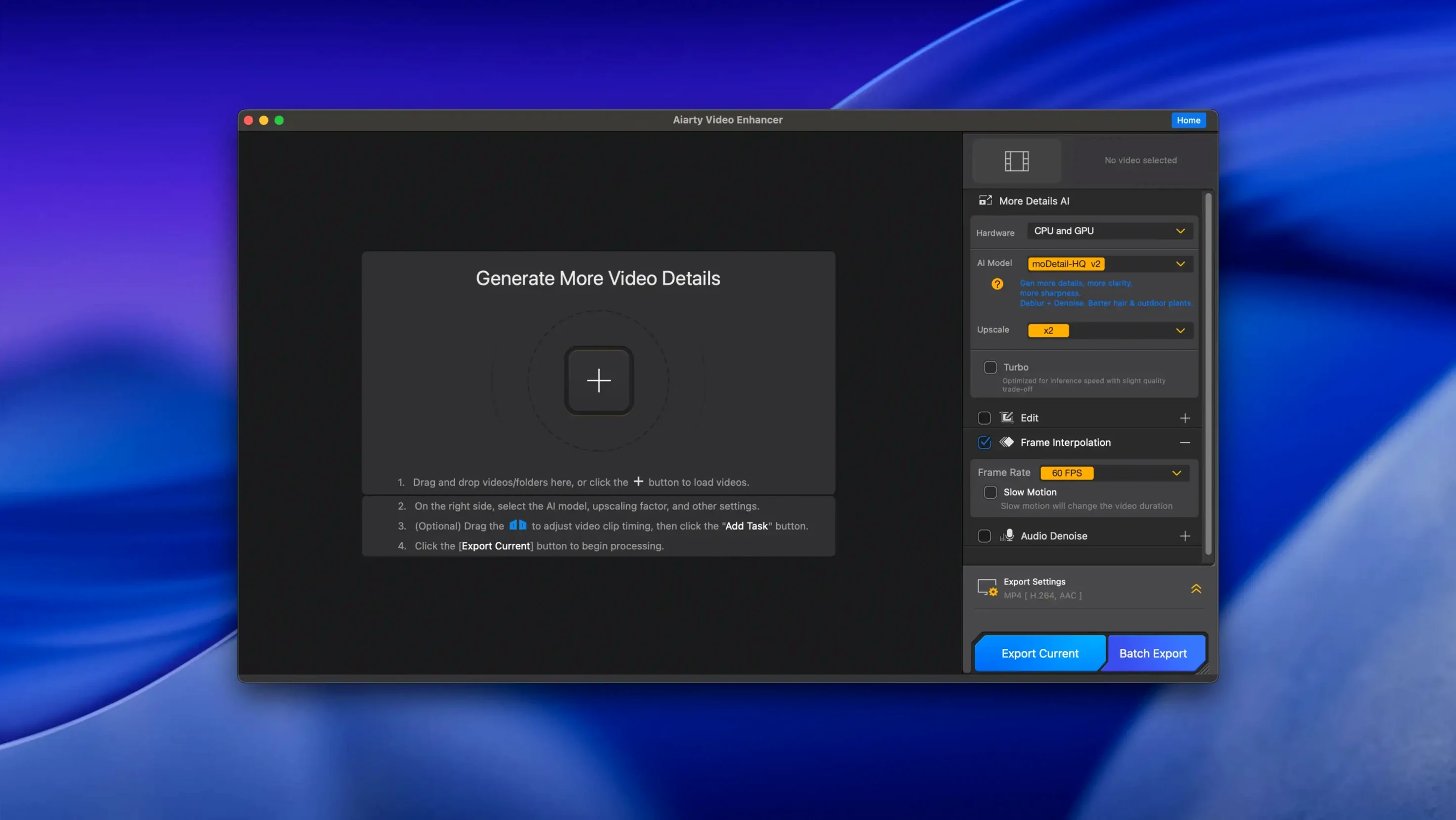
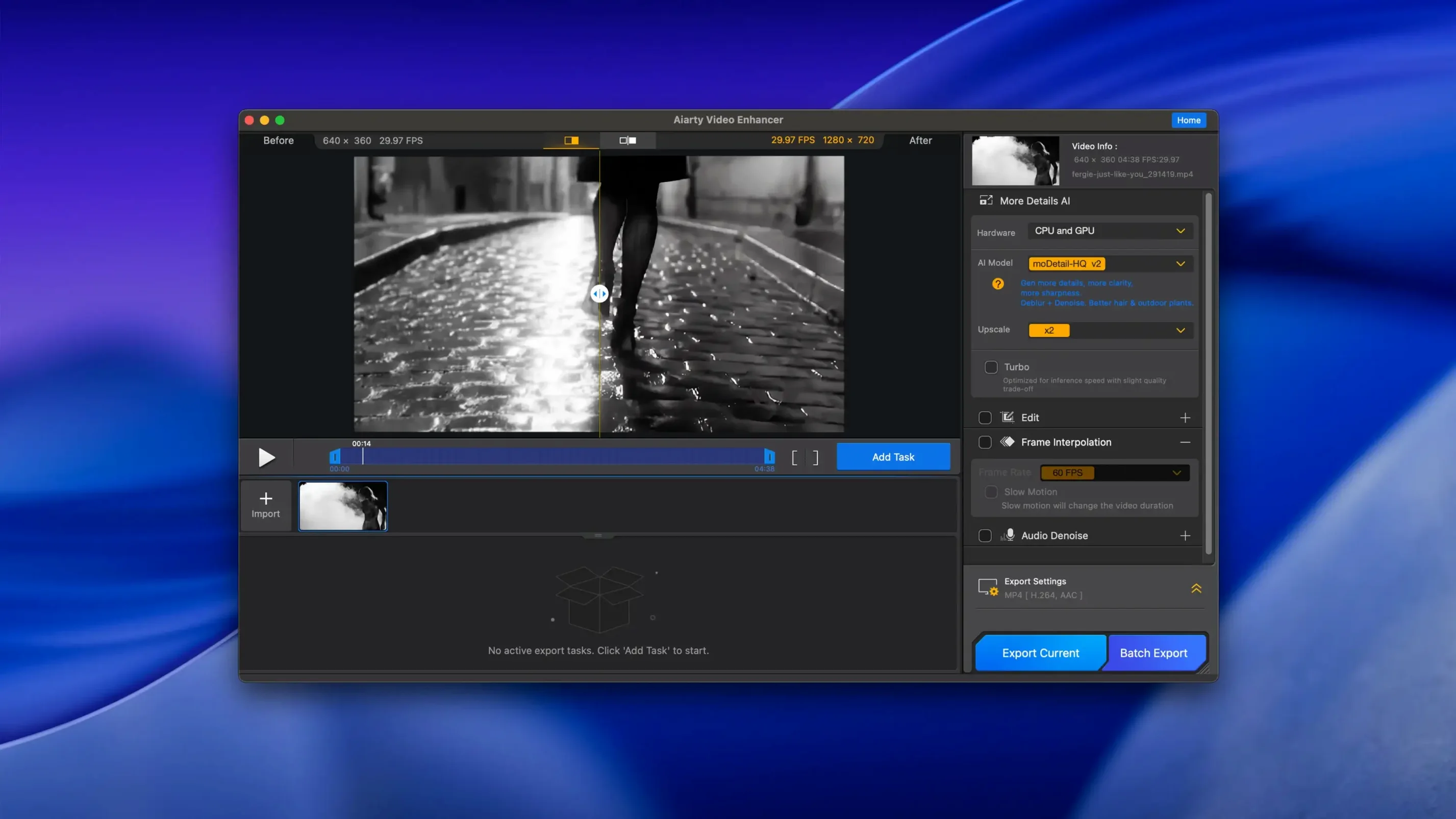
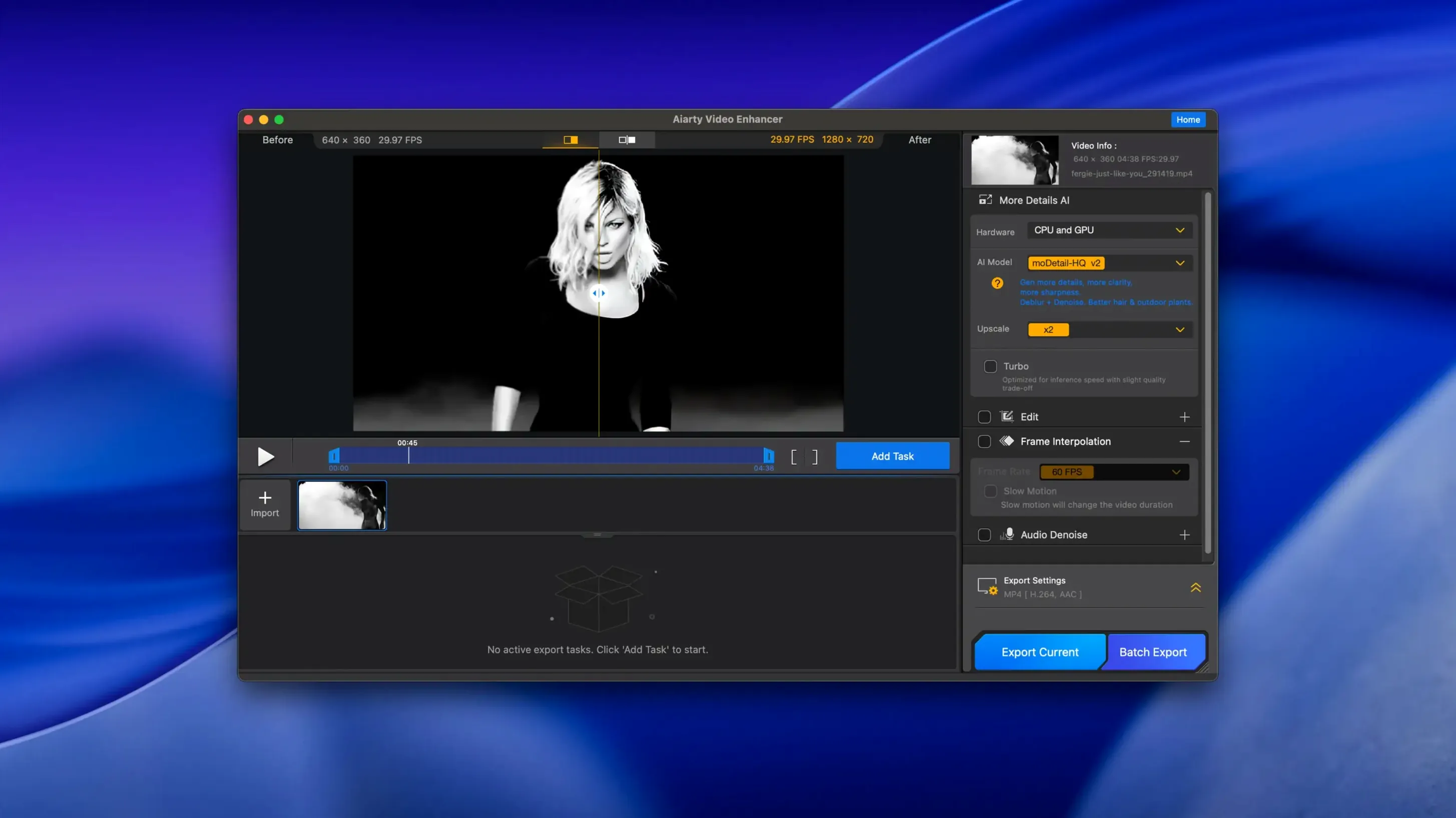
Say you have a 720p clip from a camcorder circa 2008 — dark, a little shaky, background hum from the built-in mic. You drag the .mov file into Aiarty's main window. The preview panel loads the first frame. You pick the Enhancement model, set output resolution to 4K, and toggle Audio Denoise on. The waveform preview updates to show the noise floor dropping — you can hit play on a five-second preview to hear the difference before committing.
You want slow motion on a specific segment, so you set trim points and enable frame interpolation at 8X. The app shows a time-stretched duration so you know the output length before rendering. You pick MKV as the container because you want to keep the original stereo track alongside the cleaned version. Then you hit Export.
Mid-render, you close the laptop. On reopen, Aiarty picks up where it stopped — no progress lost. The final file lands as an .mkv with two audio tracks, the upscaled 4K video stream, and motion that holds together because the AI-generated intermediate frames don't stutter the way optical flow sometimes does on fast pans.
Why do wedding videographers and documentary editors gravitate toward it?
Video editors who inherit old or compressed footage — wedding videographers receiving guest-phone clips, documentary editors working with archival interviews, YouTube creators pulling B-roll from a decade of hard drives — see the most practical payoff. The app doesn't ask you to understand which denoising algorithm maps to which compression artifact; it just runs the model and returns a cleaner frame.
Mac users on Apple Silicon benefit most from the native architecture. The Neural Engine acceleration keeps the enhancement pass quick enough that you can batch a folder of clips overnight and wake up to processed files. Anyone still on an Intel Mac with a capable discrete GPU can run it, but the experience is noticeably slower on integrated graphics — the 4 GB VRAM requirement isn't flexible.
If you regularly need both video upscaling and audio cleanup in one workflow — digitizing old family tapes, restoring music performances, cleaning up podcast video recordings — Aiarty covers both without forcing you into a second app. The resumable exports in 3.8 make long unattended runs less nerve-wracking, which matters when you're processing a dozen clips that each take forty minutes at 4K. For users searching terms like aiarty video enhancer mac or aiarty video enhancer for mac, the takeaway is that this is a Mac-first tool, not a port, and the 3.8 release tightened the parts that used to break when a render went sideways.
- Resumable exports — an interrupted render can continue instead of starting from frame one
- MKV support — the Matroska container is now available as an output format
- CUDA memory optimizations — lower VRAM pressure on supported NVIDIA hardware
- macOS: 13.0 or higher
- Architecture: Apple Silicon and Intel
- RAM: 8 GB or more
- Disk space: 512 GB
- GPU (Intel Macs): Dedicated GPU with 4 GB VRAM or more
$ man aiarty-video-enhancer | grep -A2 "?"
Does Aiarty Video Enhancer run natively on Apple Silicon?
Yes, version 3.8 supports Apple Silicon processors and runs natively on macOS 13.0 or higher.
Comments 0
Sign in or create an account to leave a comment.
No comments yet. A codec, a slice, a machine — they appear after moderation.