Airflow for macOS
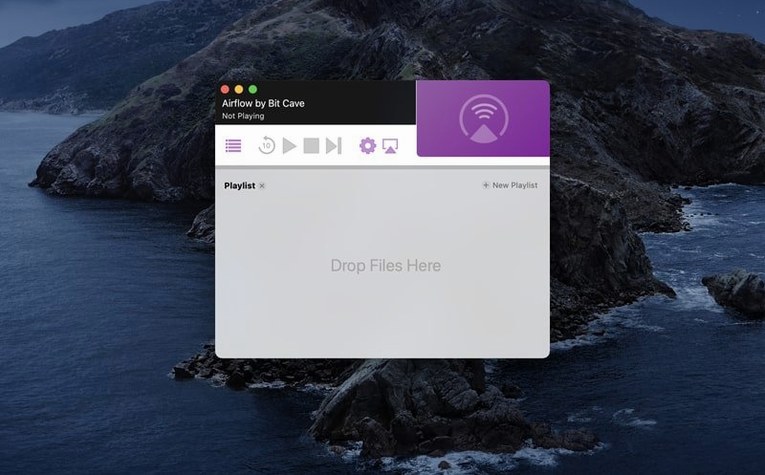
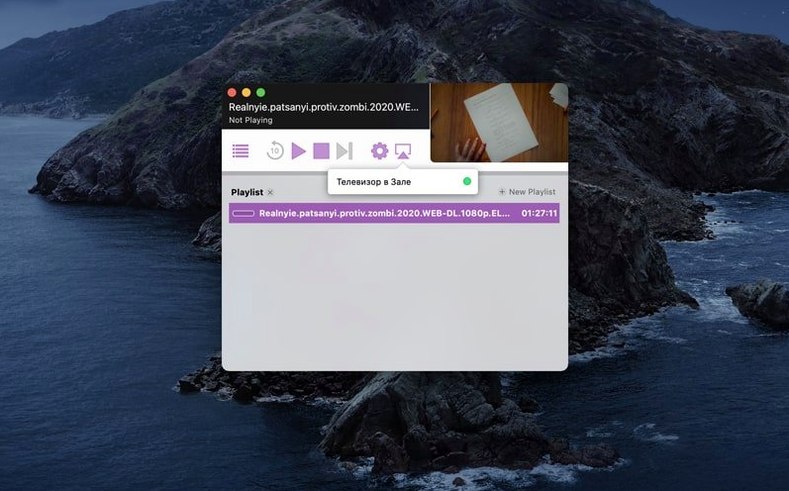
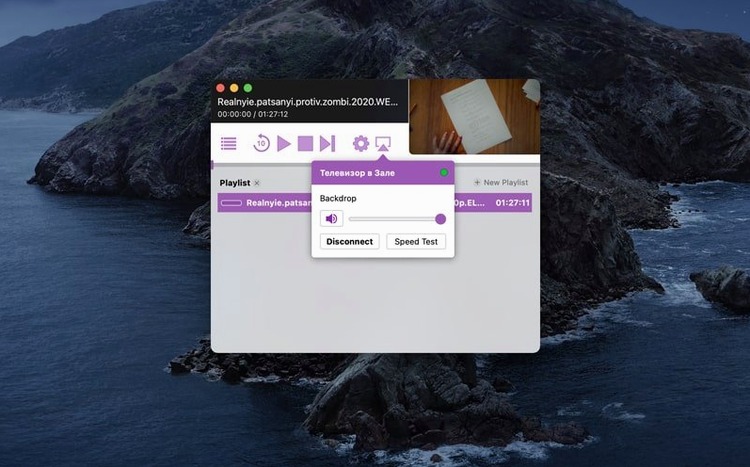
If you've ever used VLC to push a file across the room, Airflow feels like the same idea but purpose-built for Chromecast. It strips away the media-player chrome and focuses on one thing: getting a video from your Mac onto the big screen without transcoding guesswork.
When does it pass the stream through untouched?
The real question is what your Chromecast can decode. Airflow analyzes the container and codecs on disk, and when the target device speaks the same language it passes the stream through untouched. For files that don't match, it remuxes on the fly — rewriting the container without touching the video or audio bitstreams whenever possible. That matters if you're throwing a .mkv with H.264 video and AAC audio at an older Chromecast: the video data stays intact, and only the wrapper changes. Heavy transcoding kicks in as a last resort, and you'll see the activity in the per-file log.
How the playlist queue really works
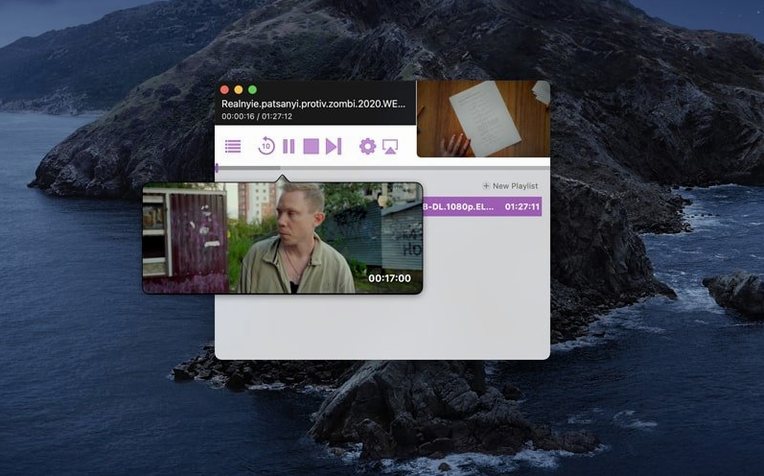
Beyond drag-and-drop, the queue has a few details that power users lean on. You can set a per-file start and stop time before playback begins — useful for skipping intros on back-to-back episodes. The app remembers the audio and subtitle tracks you picked for each file in a session, so flipping between a director's commentary and the main mix doesn't reset when the next video starts. If you're pulling media from a NAS over SMB, the path stays alive as long as the share is mounted; Airflow reads the file directly, no local copy needed.
Mac users with local drives and a Chromecast
If your media lives on a local drive or a mounted network share and a Chromecast is your living-room screen, Airflow was written for you. The people who stick with it tend to fall into a few camps: Mac users who keep a library of .mkv and .mp4 files and don't want to spin up a Plex server just to watch one thing; language learners who switch subtitle tracks mid-film without starting over; and anyone who regularly moves between a desk and a couch, queueing up a few episodes before settling in. It's less of a fit if your whole collection is in a format your Chromecast can't natively handle — the transcoding fallback is solid, but you lose the lightweight pass-through that makes the app feel invisible.
The Intel-only build means M1 and M2 users are running through Rosetta 2, which is worth knowing if you're pushing a high-bitrate 4K file and remuxing at the same time. In practice the CPU hit is modest, but it's there.
A real workflow: local file to living room in under a minute
Suppose you've just downloaded a talk from a conference — a .mkv with H.264 video, an English AAC track, and a separate commentary track. Here's the path from disk to screen:
- Drag the
.mkvfrom the Finder onto the Airflow window. The app scans the container, lists both audio tracks by name, and detects any embedded subtitles. - In the queue, click the start-time field and type
00:02:10to skip the sponsor intro. Toggle the audio track to the main mix, not the commentary. - Pick the living-room Chromecast from the device list. Airflow checks codec compatibility and shows a green pass-through badge — no transcoding.
- Hit play. The file streams direct, and the remote's volume buttons control the TV as normal.
- Mid-playback, open the subtitle picker and load an external
.srtyou dropped into the same folder. The switch is instant; no reload, no lost position.
The whole sequence takes about twenty seconds of actual clicking. The rest is watching.
A Friday evening queue with a stubborn .avi
Picture a Friday evening. You've got three things queued: a half-hour comedy in .mp4, a documentary in a stubborn .avi wrapper, and a long film split across two .mkv parts.
You open Airflow and it finds the bedroom Chromecast from last time — still awake, still ready. The playlist from your last session is empty by design, so you drag the comedy and the documentary into the queue. For the documentary's .avi you notice a small orange icon: the container needs remuxing, but the underlying DivX video and MP3 audio won't be re-encoded. You set a stop time on the comedy so it doesn't roll into the end credits, then drop both parts of the film at the bottom of the list. The queue re-orders them alphabetically; you swap them into the right sequence with a quick drag.
Playback starts. Between the documentary and the first half of the film, you pause the queue, walk to the kitchen, and come back. The app held its place. When the film's first part ends, the second part begins with no gap — Airflow pre-buffers the next file a few seconds before the current one finishes, so the transition feels like a single continuous play. By the time the credits roll, the Mac's fan hasn't spun up once, and the Chromecast hasn't dropped a frame.
- macOS 10.12 or later
- 64-bit Intel processor (Apple Silicon Macs run via Rosetta 2)
- Chromecast or Chromecast-compatible target device
- Interface language: English
$ man airflow | grep -A2 "?"
Does Airflow run natively on Apple Silicon?
The current build is for 64-bit Intel Macs. It runs on Apple Silicon through Rosetta 2.
Can Airflow stream torrent files directly?
Airflow works with local video files on disk. If a torrent client has finished downloading and the file is complete and accessible in Finder, Airflow can stream it like any other media file.
Comments 0
Sign in or create an account to leave a comment.
No comments yet. A codec, a slice, a machine — they appear after moderation.