CCleaner Pro for macOS
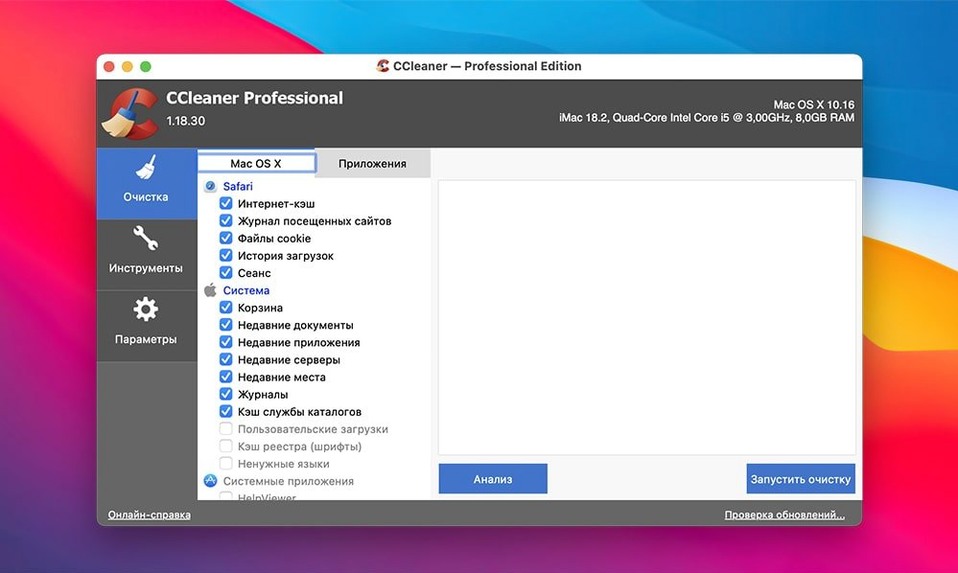
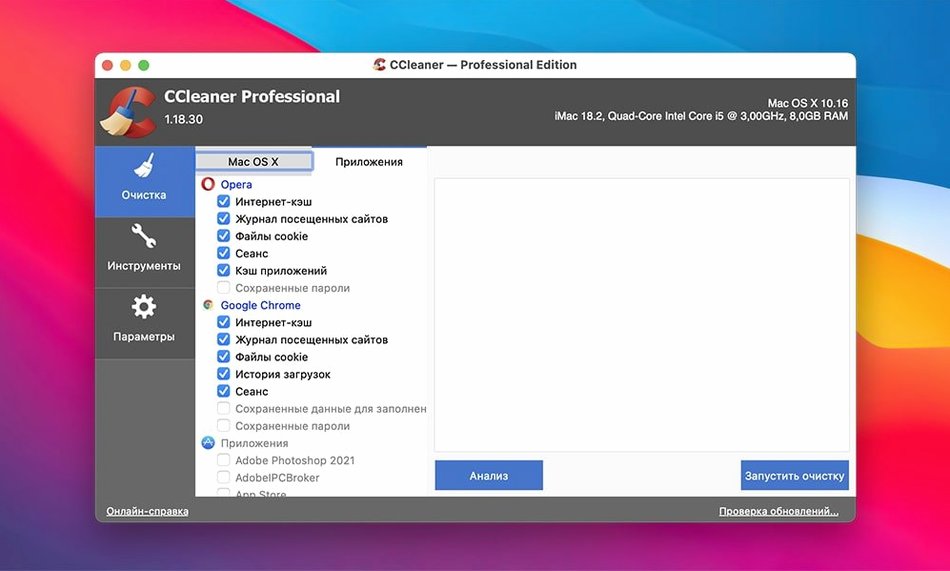
The Custom Clean feature is where you pick the apps. By default, CCleaner already knows the temporary file paths and recent-file lists of your installed software — browsers, media players, Adobe tools. You just toggle what you want scrubbed. The safety net is multi-stage verification: nothing disappears without explicit confirmation, and the analysis pass shows exactly which files are flagged before a single byte is removed.
System junk gets its own pass. Cache folders, log files, and leftover .tmp data from macOS itself are scanned and presented in a flat list. It leans on standard user-space paths, so it won’t wander into protected system directories. On an Intel Mac still running Yosemite or newer, that’s a practical way to reclaim space without digging through ~/Library by hand.
Application cleaning covers more than just Safari and Chrome. The app reads the known storage patterns for dozens of third-party programs — cleaning recent document menus, download histories, and extracted archives. It’s a single pane that replaces a handful of manual housekeeping chores, and the verification layers mean you won’t lose anything you meant to keep.
Going from a cluttered browser to a clean slate in under two minutes
Here’s a routine I keep coming back to. You’ve been jumping between Firefox and Chrome for a week of research — cached pages, login tokens, a trail of auto-filled forms. You want the browsers spotless but the bookmarks untouched.
Launch CCleaner Pro and click Custom Clean. In the Applications tab, uncheck everything except Firefox and Google Chrome. For each, toggle off Saved Passwords and Bookmarks — those stay. Keep Internet Cache, Cookies, Download History and Session on. Hit Analyze. The list populates in seconds: hundreds of cache files from ~/Library/Caches, a few dozen cookies, some SQLite journal fragments. Nothing surprising.
Scan the file count — if a number looks off, expand the category and spot-check a path. Satisfied, click Run Cleaner. The confirmation dialog appears; confirm. Both browsers close automatically, the files are purged, and the app reports exactly what was removed and how much space you got back. Reopen either browser and it’s factory-fresh for the session, with bookmarks and saved credentials intact.
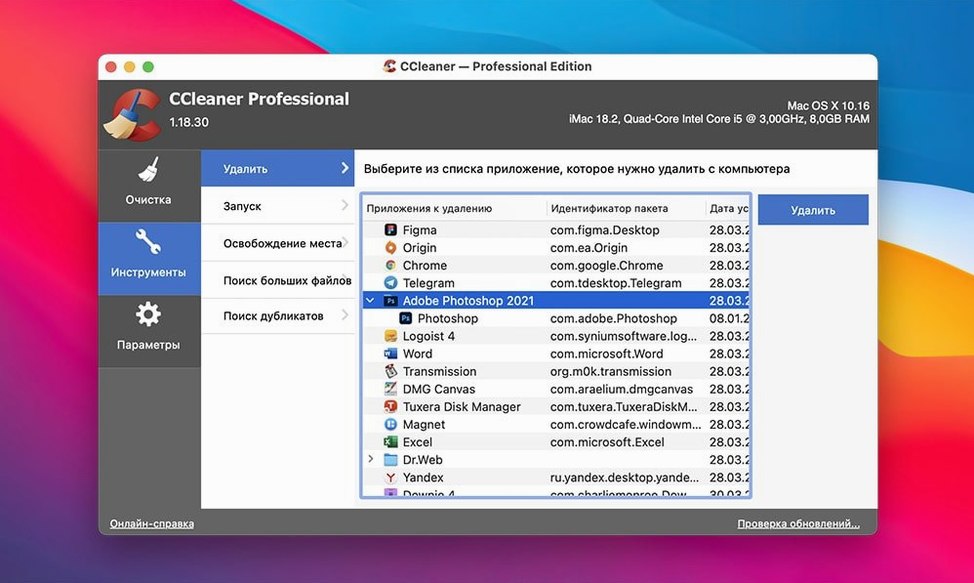
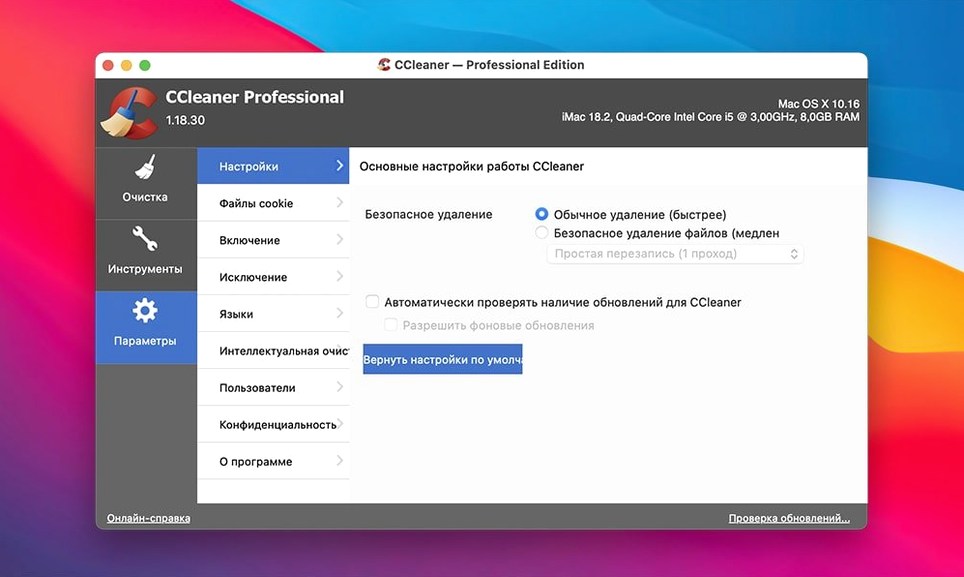
If you want the deleted data gone beyond forensic recovery, switch to the Tools section before running the clean. Set the wipe method to 3-pass or 7-pass overwrite, then return to Custom Clean. The same workflow now writes over every byte before unlinking the file. It takes longer — the seven-pass run on a spinning disk is a coffee-break job — but for a hand-me-down Mac you’re passing along, it’s the right call.
What the version history actually changed for daily use
The release notes for CCleaner for Mac are sparse, but version 1.18.30 settled into a stable feature set that still reflects what you’ll find in some corners of ccleaner mac torrent bundles. Earlier builds tightened the verification logic — the analysis pass got faster at enumerating large cache folders, and the confirmation step was reworded to make it harder to muscle-memory through a destructive click. No new cleaning rules were backported to this branch after the 2.x rewrite, so the app’s knowledge of third-party software is frozen at roughly the 2018–2019 state of the Mac ecosystem.
What that means day to day: it handles every major browser from that era, Adobe CS6 and early Creative Cloud releases, and the usual system detritus. It won’t recognize newer Chromium derivatives or Electron apps that store data in non-standard locations. People who found the app through a CCleaner Pro download torrent often mention this — the software is a time capsule, but for a machine kept on an older OS deliberately, that snapshot is exactly what works.
The EU compliance update that appeared in the 2.x lineage didn’t touch build 1.18.30. The privacy toggles and cookie consent banners that later versions introduced are absent here, which some users consider a feature — fewer prompts, fewer things to click through before the tool does its job.
Nursing an older Intel Mac with a cramped SSD
The obvious match is someone nursing an older Intel Mac with a 128 GB or 256 GB SSD. Every gigabyte counts, and the system’s own storage management tools weren’t as aggressive before APFS snapshots and space-sharing became standard. Running a manual sweep of browser caches, system logs, and application temp folders before a large download or a system update is a quick win that doesn’t require learning find command syntax.
Less obvious: anyone who shares a Mac or prepares loaner machines. The browser-cleaning scope across four engines — Opera, Firefox, Chrome, Safari — means you can hand off a laptop without your search history, cached credentials, or session cookies lingering. Combine it with a multi-pass wipe on the free space after the cleaning run, and you’ve got a solid handover routine. Searches for ccleaner for mac crack frequently come from exactly this use case: IT-curious users setting up a family Mac or a second-hand sale.
Developers who compile large projects also find a niche purpose here. Derived data folders for Xcode, intermediate build artifacts, and stale simulator caches aren’t directly targeted by CCleaner’s rules, but the Custom Clean list often catches the low-hanging fruit — log files that have ballooned to hundreds of megabytes, .dmg leftovers in temporary directories, and browser profiles that debug sessions left behind. It’s a coarse first pass before dropping into ncdu or DaisyDisk for the fine-grained audit.
It’s less essential for someone on a well-managed recent macOS release with Optimize Storage turned on. The system already evicts purgeable space under pressure, and iCloud-synced Desktop and Documents folders reduce the local clutter that CCleaner was designed to target. But for an offline workstation, a media server Mac that never touches iCloud, or a machine running a frozen OS install for compatibility reasons — the kind where you might seek out an adobe ccleaner bundle to keep an older Creative Suite machine tidy — the utility holds up.
- OS X 10.10 or newer
- Intel 64-bit architecture
$ man ccleaner-pro | grep -A2 "?"
What macOS versions does CCleaner Pro support?
It requires OS X 10.10 Yosemite or later and runs on 64-bit Intel Macs.
How does CCleaner decide what to delete?
It uses known file paths for temporary system data and popular applications, then applies multiple verification steps before actually removing anything.
Which languages does the interface support?
The app includes Russian, English, German, Spanish, Italian, Dutch, Polish, Portuguese, French, Czech, and Japanese.
Comments 0
Sign in or create an account to leave a comment.
No comments yet. A codec, a slice, a machine — they appear after moderation.