MacDroid Pro for macOS
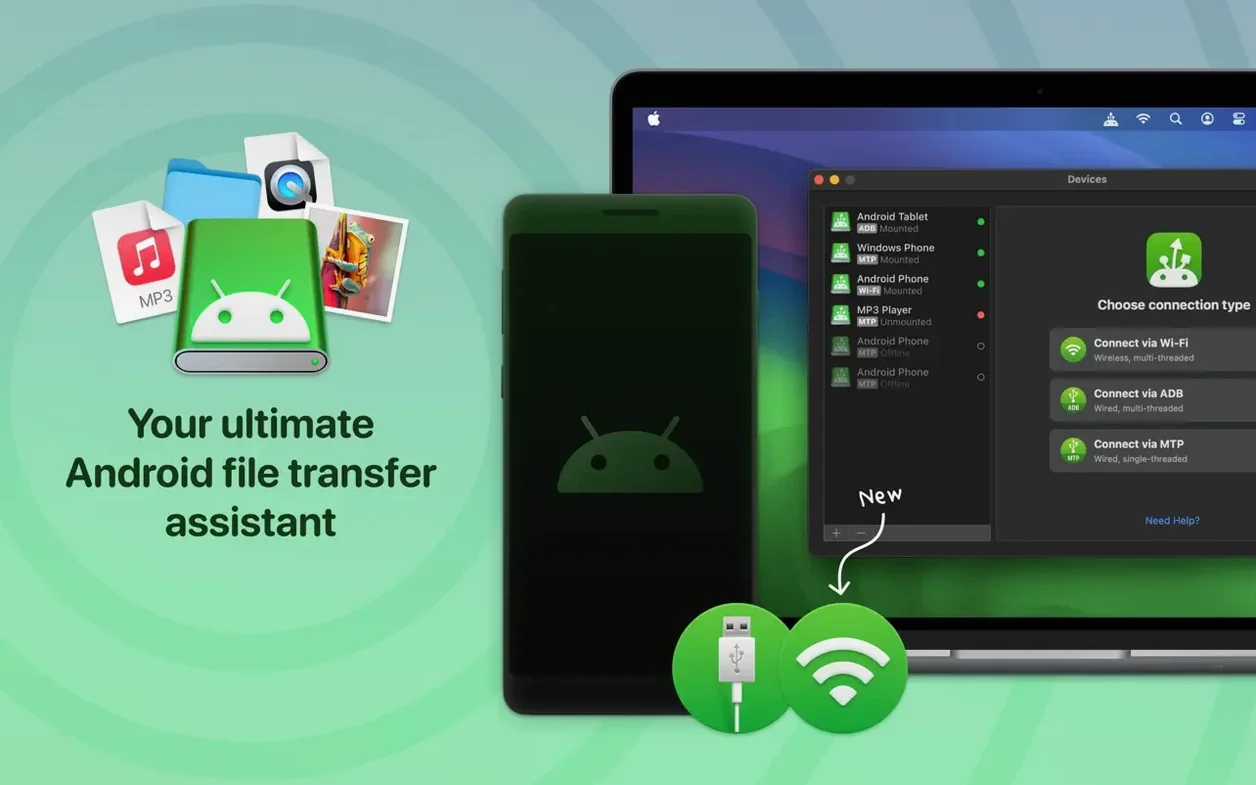
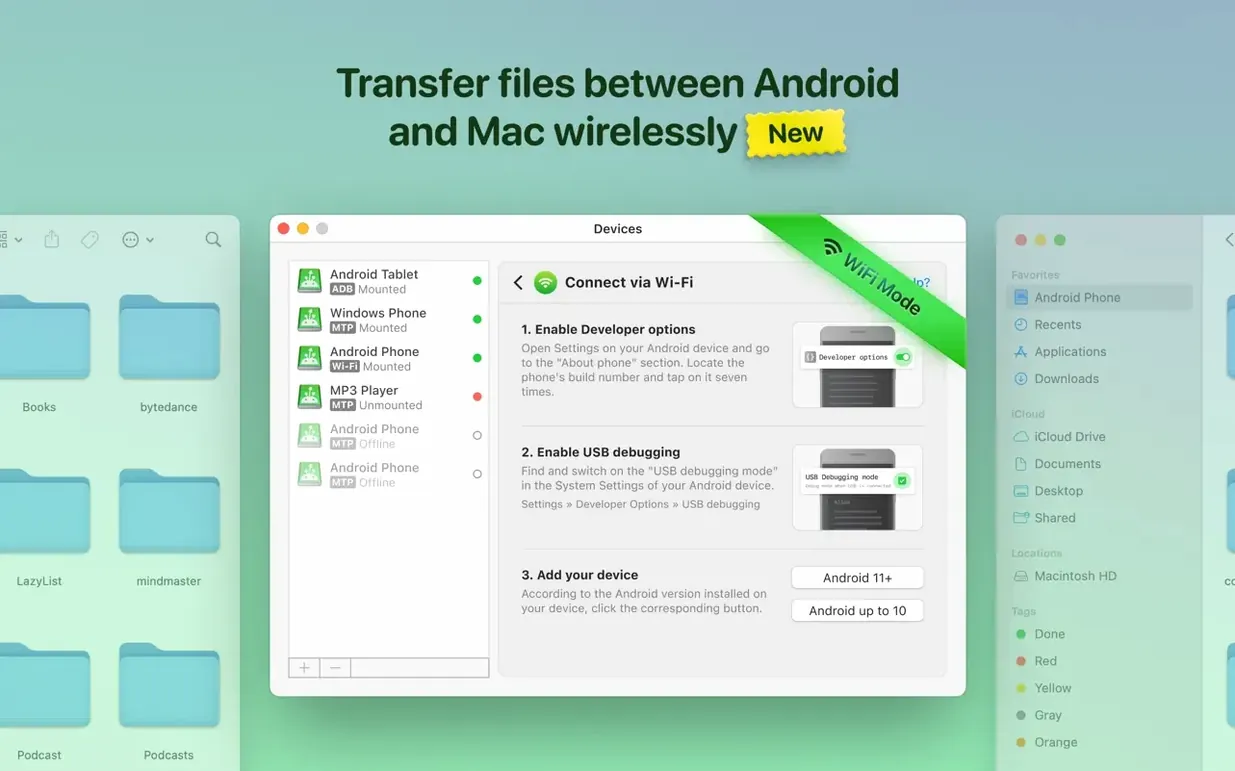
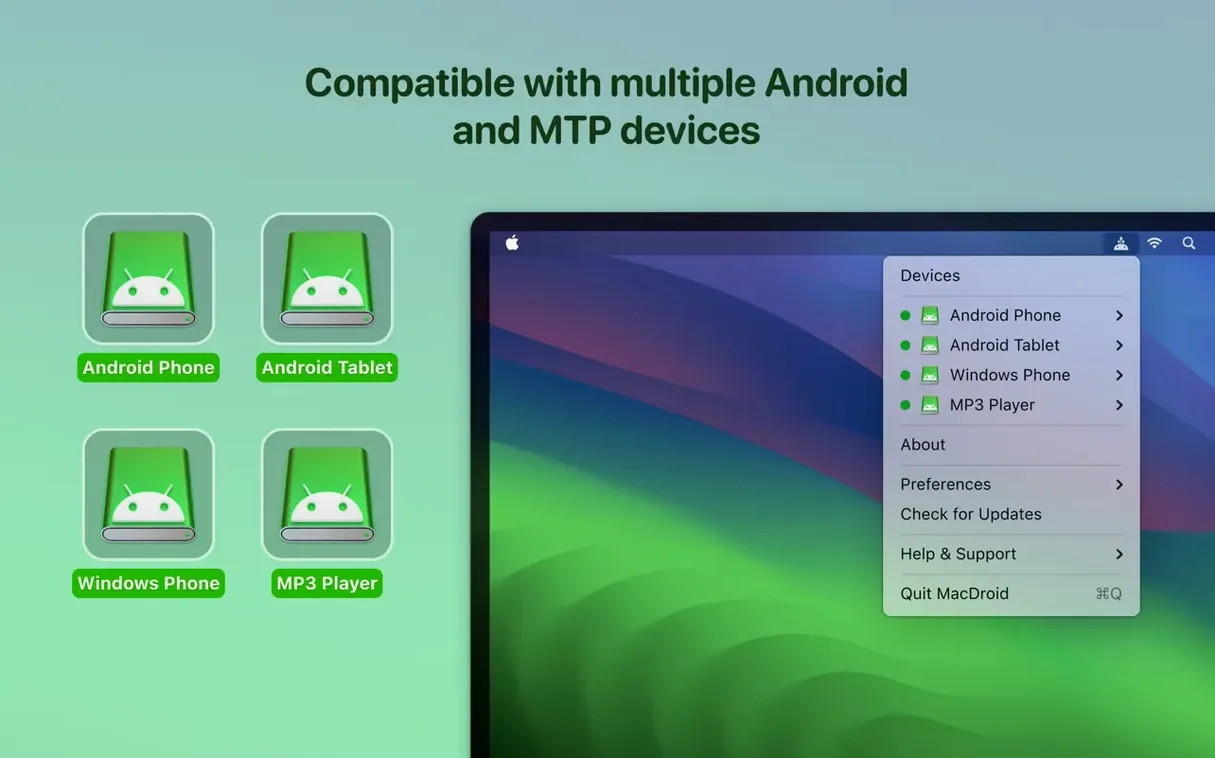
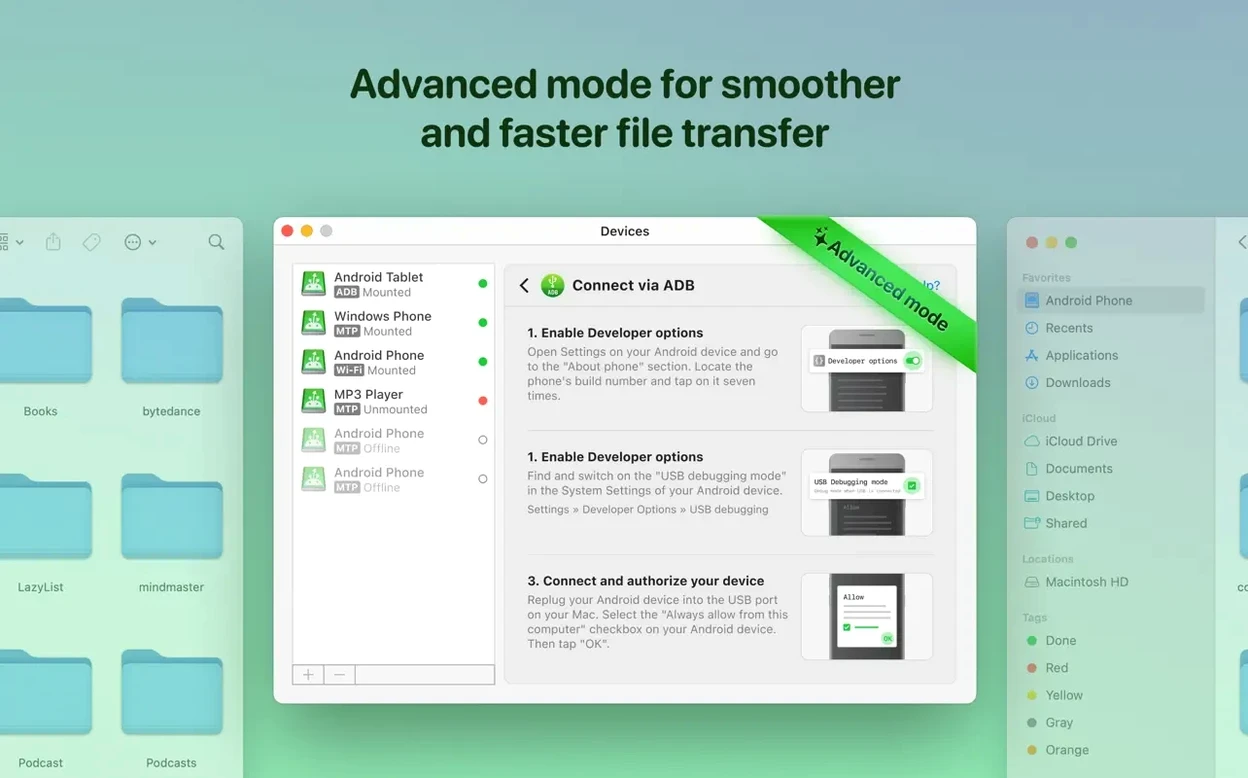
The latest build of MacDroid Pro, version 2.10.1206, speeds up one of the most tedious parts of the process: loading file and folder listings are now significantly faster. That means less waiting for large directories to appear when you just need to grab a photo or drop a PDF onto your Android device. The app works over USB and Wi‑Fi, using whichever connection mode—MTP, ADB, or wireless—fits your current setup.
Edit Android files directly on your Mac
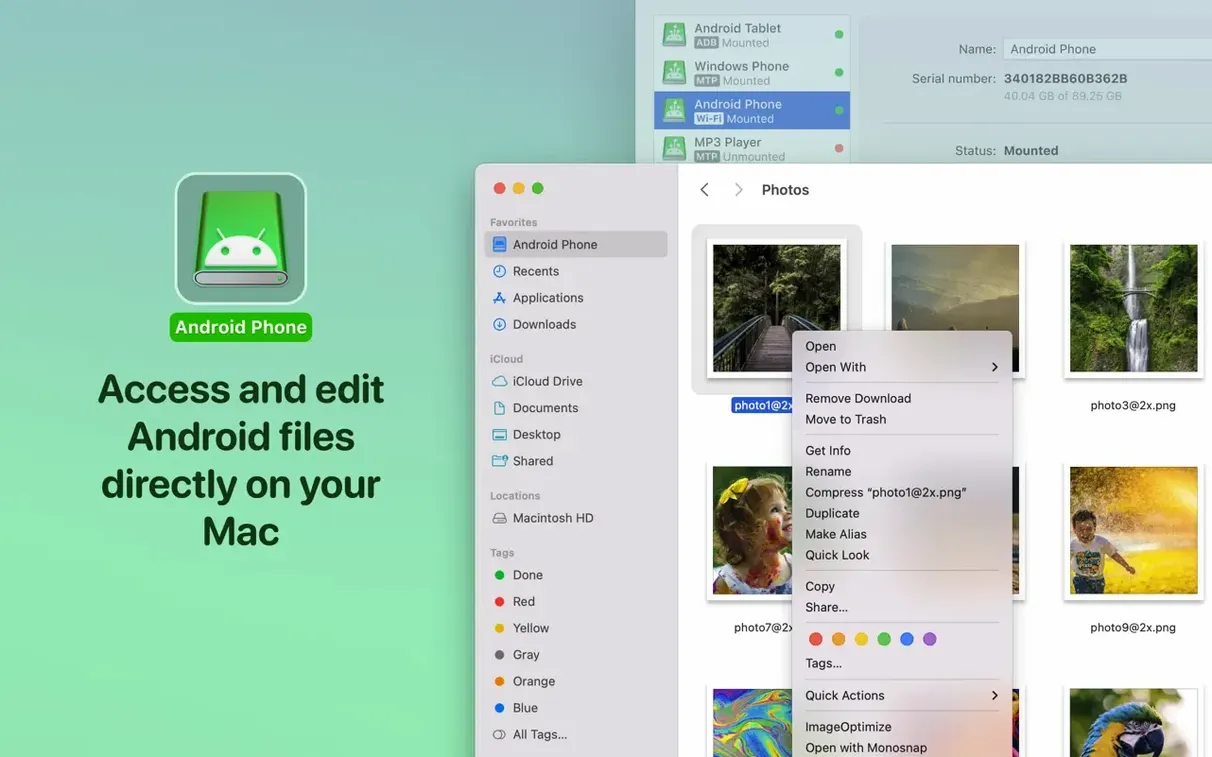
You don’t need to copy a document to your desktop, make changes, and then send it back. MacDroid mounts your Android device so you can open and edit files in place with any Mac app, saving the result straight to the phone’s storage.
Move whole folders between devices
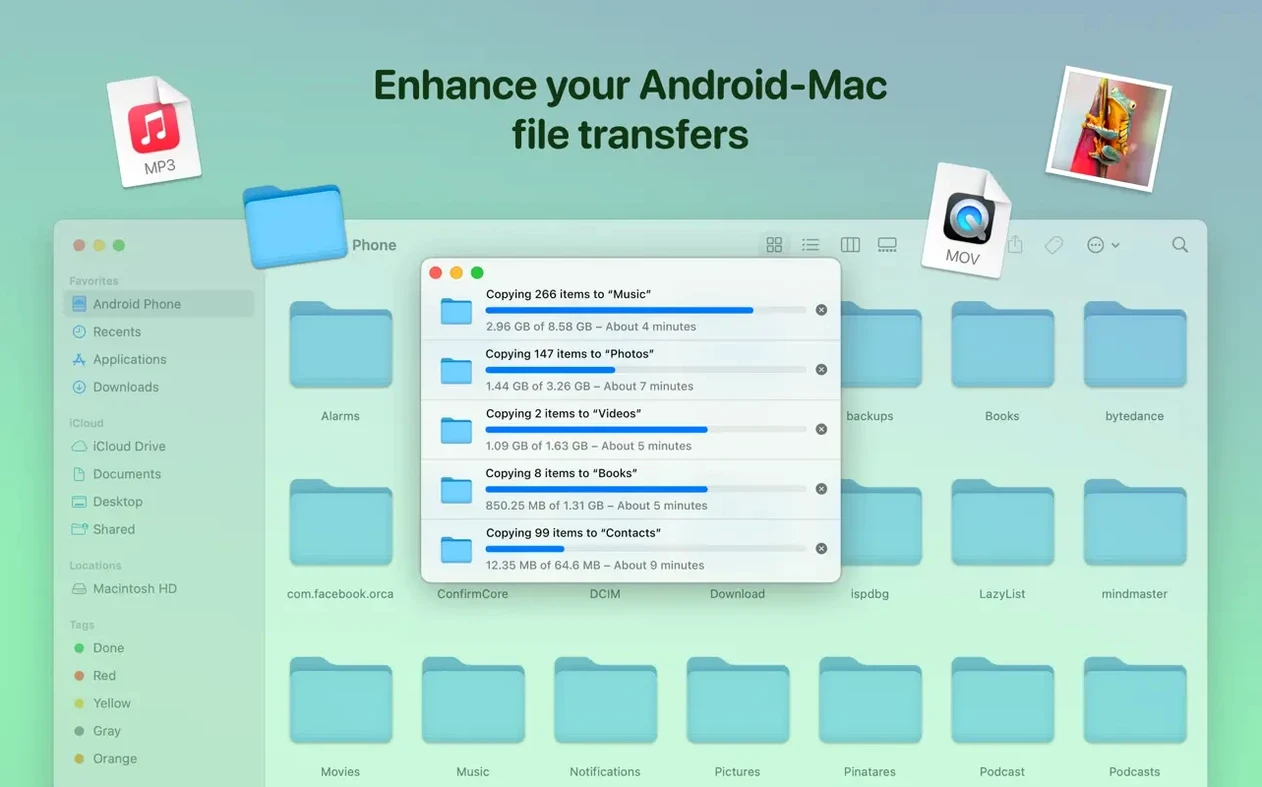
Transferring a single file is fine, but dragging an entire folder structure from your Mac to an Android device (or vice versa) is what makes the Pro version useful for larger clean‑up jobs or bulk photo dumps. The folder hierarchy stays intact.
Pull photos off your Android phone
When your camera roll needs to land on a Mac for editing or archiving, MacDroid shows the file tree just like any attached drive. You select the DCIM folder or any other location and copy the images over. The recent fixes to file listing accuracy make this step more reliable than in earlier builds.
How MacDroid fits into the rest of your Mac workflow
MacDroid doesn’t try to be a media library or a sync engine — it sits one level lower, giving the Finder direct access to Android storage. That means it plays nicely with the apps you already use. Pull a batch of RAW photos from your phone’s DCIM/Camera folder, drop them into Lightroom, edit, and save the exports back to a Edited folder on the device without ever creating intermediate copies on your Mac. The same pattern works with Logic Pro stems, Final Cut libraries, or even just a folder of PDFs you annotate with Preview.
On the macOS side, the mounted Android volume shows up in Finder sidebar under Locations, exactly like an external SSD. You can tag files with Finder tags, use Quick Look to preview images and documents, and run Automator folder actions against directories on the phone. Spotlight won’t index the Android volume — it’s treated as external removable storage — but everything else behaves as you’d expect. If you use rsync or ditto in Terminal, those tools see the mounted path under /Volumes/ and work without special flags, though transfer speed depends on whether you’re connected over ADB or MTP.
For users who rely on iCloud Drive or Dropbox as their main file hub, MacDroid fills the gap when cloud sync isn’t an option — large video files, offline transfers in a studio, or devices with spotty Wi‑Fi. It’s not a replacement for cloud sync; it’s the direct pipe for when you need raw speed and don’t want to route gigabytes through someone else’s data center.
How connection mode choices shape your first transfer
Right after you drag the app into /Applications and launch it, you’ll need to choose a connection mode. The app defaults to MTP, which works on practically every Android device without extra setup. If your phone supports ADB and you’ve enabled USB debugging in Developer Options, switch to ADB mode early — it’s generally faster for large transfers and handles folder moves with fewer hiccups. You can flip between modes later, but picking the right one from the start saves frustration.
Grant the app file access permissions on your Mac when prompted. On macOS 11.5 and later, you’ll see a System Preferences dialog asking for Full Disk Access or Files and Folders access. If you dismiss this by accident, the mount will appear but folders may show as empty. Go to System Settings > Privacy & Security > Full Disk Access and make sure MacDroid is toggled on.
On the Android side, the device will prompt you to allow USB file transfer mode when you plug in the cable. Select File Transfer (sometimes labelled MTP) — not “Charging only” or “Photo transfer”. If you’re using ADB mode, you’ll also need to authorise the Mac’s RSA key fingerprint the first time; that dialog pops up on the phone screen, not the Mac, so keep an eye on both devices during initial connection.
Set up a dedicated folder on your Mac desktop or in your home directory where you stage files destined for the phone. Naming it something obvious like _ToAndroid makes drag‑and‑drop transfers feel less like a hunt through scattered Finder windows. Once you’ve mounted the device, you can drag whole folders from that staging area straight onto the Android volume.
Why a Finder mount isn’t like AirDrop
The most common slip is assuming the connection works like AirDrop. It doesn’t — you’re mounting a filesystem, not sending a file wirelessly to a paired device. If you disconnect the USB cable or the Wi‑Fi drops while a Finder copy is in progress, the partially written file stays on the Android device and may appear corrupted. Always eject the volume from Finder (right‑click > Eject) before unplugging, just as you would with an external drive.
Another frequent mistake: editing files directly from the mounted volume without checking available space on the Android device. A Mac app like Photoshop or Audacity will happily write a temporary working file back to the phone’s storage during an edit session, and if the device is nearly full, the save fails silently or produces a zero‑byte file. Keep at least a few hundred megabytes free on the Android device when you plan to edit in place.
Beginners also overlook the difference between internal storage and the external SD card. MacDroid mounts both as separate volumes or folders, but if your phone has adopted the SD card as internal storage (a feature on some older Android versions), the folder structure can look confusing. Double‑check which path you’re writing to before moving a large folder — Internal storage/Downloads and the SD card’s root are easy to mix up when you’re working quickly.
Some users search for a macdroid activation code or macdroid crack thinking the Pro features need a separate unlock step beyond the initial install. Version 2.10.0 is pre‑activated, so if you’re seeing a trial limitation nag screen, you may have launched a different build. The macdroid pro feature set — ADB mode, wireless transfers, and editing files in place — should be available immediately after the .dmg install finishes.
Finally, don’t rename Android system folders from the Mac side. Directories like Android, data, and obb have strict permission structures that the Android OS expects to find intact. Renaming or deleting them from Finder can cause apps to misbehave until you restore the original names on the device itself.
Moving dozens of RAW files from an Android folder
Photographers who shoot on Android phones and edit on a Mac are the obvious power users. They’re moving dozens of large RAW or DNG files at a time, often from a dedicated folder on internal storage, and the ability to mount the device as a volume means the import step in Capture One or Lightroom Classic works exactly like importing from an SD card. No intermediate copying, no Android File Transfer app that beachballs on large directories.
Developers who test APK builds on physical devices benefit from ADB mode specifically. You can drop a freshly compiled .apk directly onto the device’s Downloads folder, then tap to install, all without leaving the Finder. If your build pipeline outputs to a local directory, a simple ditto or cp command in a post‑build script can push the file to the mounted Android volume automatically. That kind of integration is clunky with wireless‑only tools.
Anyone maintaining a large offline media library — music producers with sample packs, video editors with LUT collections, academics with PDF archives — will appreciate the folder‑level transfers. Dragging a 20 GB folder of FLAC files or lecture recordings from a Mac to an Android tablet’s SD card in one operation, with the hierarchy preserved, saves the tedious rebuild of nested folders that manual copying demands.
MacDroid also suits users who run older Macs alongside a modern Android phone and want a straightforward cable‑based transfer that doesn’t rely on cloud subscriptions or third‑party file managers on the phone. The requirements are modest — macOS 11.5, Intel or Apple Silicon — so even a 2015 MacBook Air can serve as a capable file hub. If you’ve ever been stuck without Wi‑Fi and needed to move a presentation or a video file right before a meeting, the USB cable path is the one you fall back on, and MacDroid makes that path feel native rather than bolted‑on.
- Loading of file and folder listings was made faster, cutting the wait when browsing large directories.
- Connection and operation over MTP were improved for more stable device recognition and transfers.
- Traditional Chinese localization was added to the interface.
- macOS 11.5 or later
- Apple Silicon and Intel Macs supported
- Android device with a USB cable or Wi‑Fi connection
$ man macdroid-pro | grep -A2 "?"
What connection modes does MacDroid support?
MacDroid Pro works over three connection modes: MTP, ADB, and Wi‑Fi. You can connect your Android device to a Mac with a USB cable or wirelessly, depending on which mode you select.
Do I need to install anything on the Android device?
No. The workflow requires only MacDroid Pro on your Mac and a standard USB connection to the Android device. The app handles the protocol negotiation on the Mac side.
Comments 0
Sign in or create an account to leave a comment.
No comments yet. A codec, a slice, a machine — they appear after moderation.