macOS Catalina for macOS
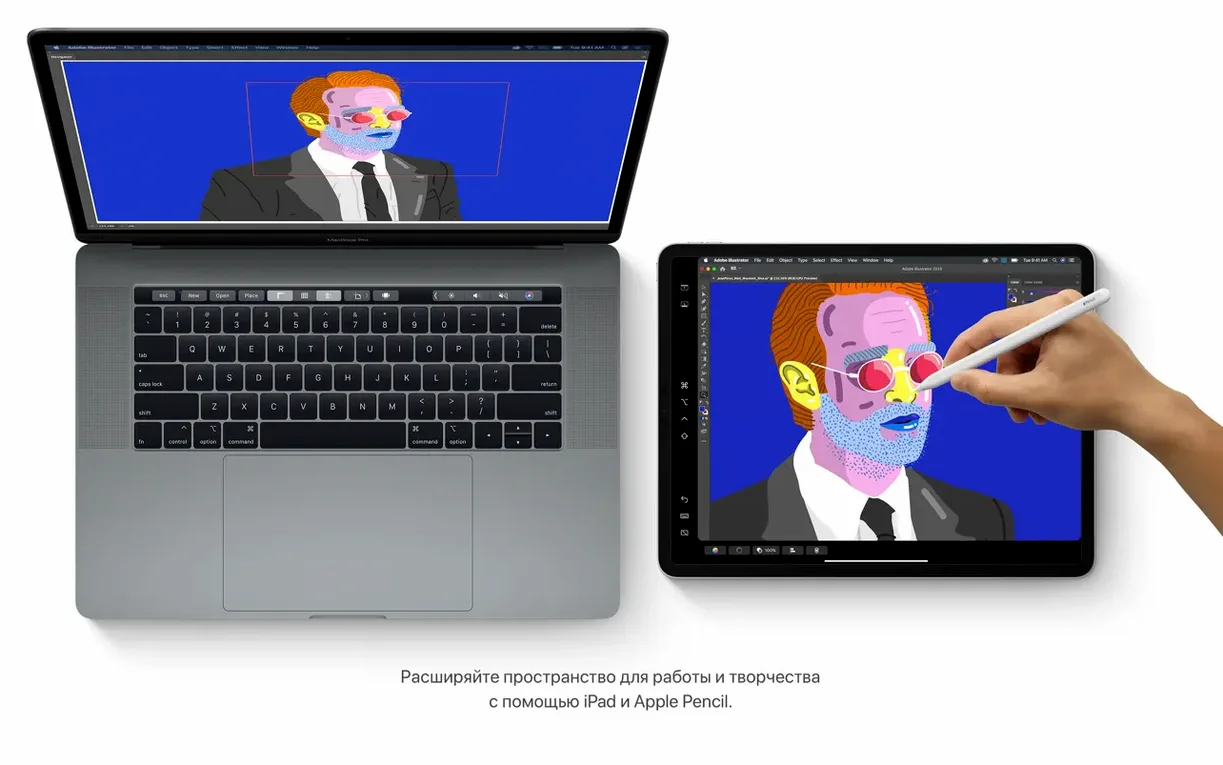
Juggling reference images on one screen while working full-screen in Xcode is a friction-filled exercise. macOS Catalina tackled this directly by letting an iPad sit next to your Mac as a proper secondary display. No dongles, no third-party utilities — just a feature baked into the OS called Sidecar.
Setting up Sidecar with a wired connection
Wireless works, but for zero-latency pixel pushing, a USB cable is the way to go. Plug a compatible iPad into the Mac’s USB port. On the Mac, open System Preferences and select Sidecar. In the dropdown menu, choose the connected iPad. The Mac instantly treats the tablet as an extended desktop. Now drag any window off the right edge of the main display and it lands on the iPad screen. The Touch Bar strip appears on the iPad even if the Mac lacks a physical Touch Bar, giving quick access to sliders and tool palettes in apps like Logic Pro or Final Cut Pro. Screen resolution matches the iPad’s native pixel count automatically, so text stays sharp.
Moving media and finding a lost Mac
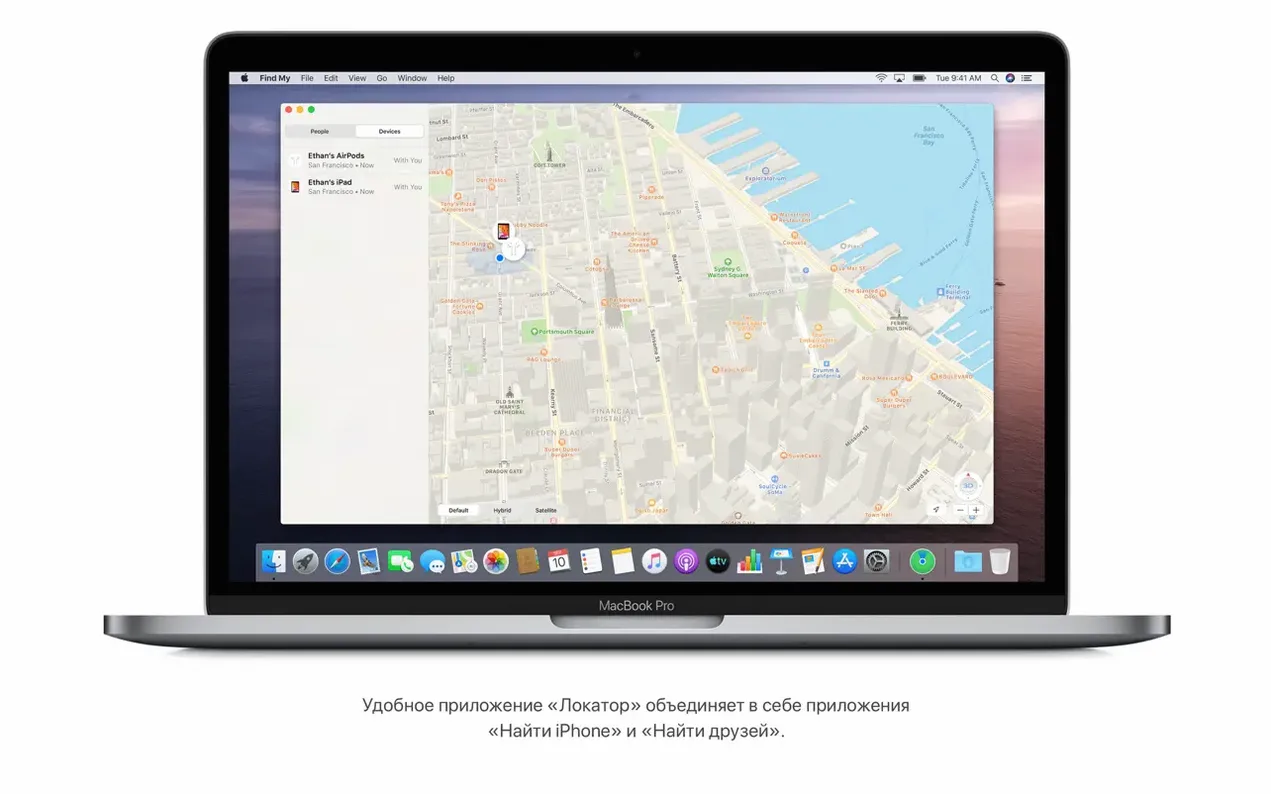
With the desktop extended, organizing media in the new Music, Podcasts, and TV apps feels more natural — each gets its own dedicated space. These apps split the old iTunes monolith into focused tools, all reading from the same local library. While sorting episodes, the Find My app runs in the background. If an iPad or MacBook goes missing, Find My uses Bluetooth proximity data from other Apple devices to pinpoint the location on a map, even when the device is offline and lid-closed.
What usually trips people up
A few recurring snags surface with Catalina, and most have straightforward fixes. The biggest one is the 32-bit cutoff — any app or plug-in that hasn't been recompiled for 64-bit simply won't launch. You'll see a prohibitory symbol over the icon and a blunt "this app needs to be updated" dialog. There is no built-in compatibility layer, so the only path is finding a 64‑bit version from the developer. Audio units, VST plug-ins, and kernel extensions all fall under the same rule.
Another common headache: after a clean catalina torrent install or even an upgrade, the system feels sluggish for the first few hours. That is usually Spotlight reindexing the volume and Photos analyzing the library. Open Activity Monitor and check for mds and photoanalysisd processes; once they settle, responsiveness returns to normal. If Wi‑Fi refuses to auto‑join a known network, version 10.15.7 specifically patches that — you can verify the build is 19H15 by checking "About This Mac".
Users who rely on iCloud Drive sometimes notice files stuck with a "waiting to upload" badge. The update to 10.15.7 addresses a syncing stall, but toggling iCloud Drive off and on in System Preferences → Apple ID often nudges the queue along immediately. For graphic glitches on an iMac with the Radeon Pro 5700 XT, the 10.15.7 update resolves the rendering corruption that showed up in certain Metal‑accelerated apps — no workaround needed, just the point update.
Developers testing iPad apps without a simulator
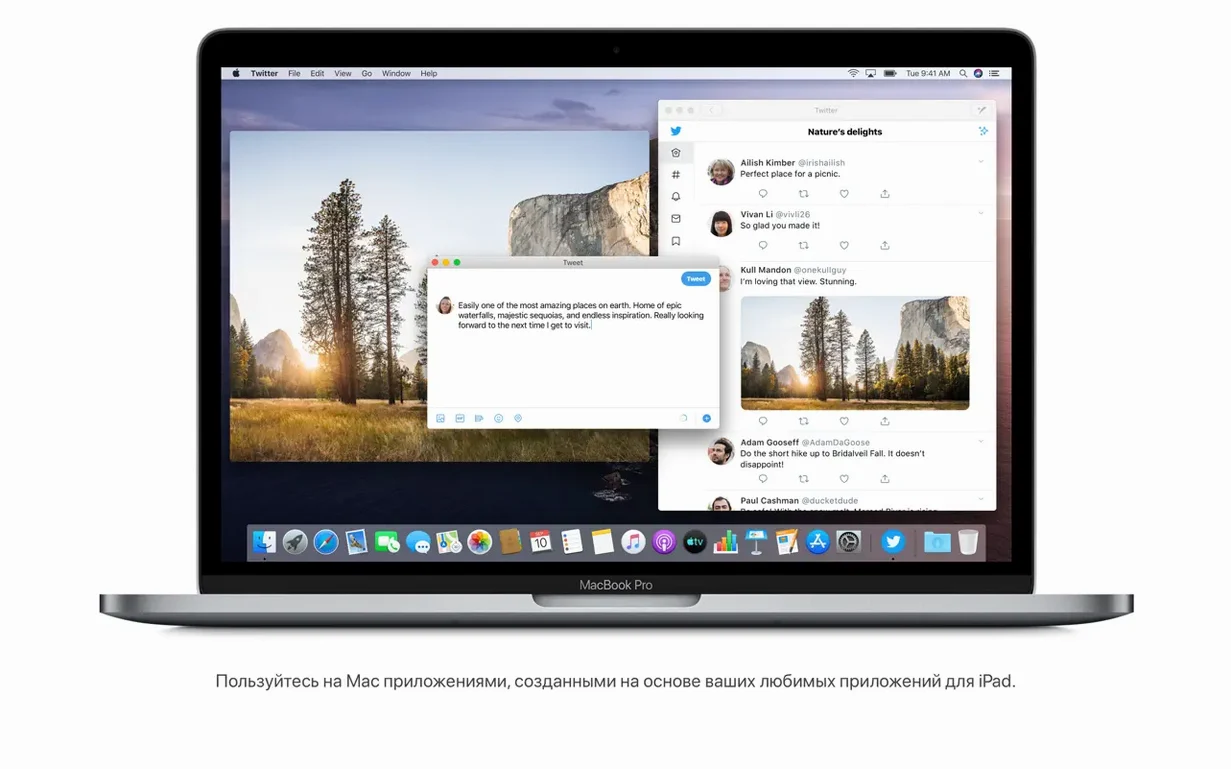
Developers testing iPad app compatibility on Intel Macs sit squarely in the sweet spot. The Mac Catalyst framework lets an iPad app run natively on Catalina without a simulator, so a QA workflow that involves tapping through an iPad build can happen entirely on the desktop, with keyboard and mouse input translated automatically. That alone cuts a lot of context-switching during bug reproduction.
Audio producers who held off upgrading for years because of plug‑in collections often find Catalina a stable landing point — version 10.15.7 is mature enough that most major DAWs and Audio Unit instruments had already shipped 64‑bit updates. The split of iTunes into Music, Podcasts, and TV means a local lossless library stays cleanly separated from episode downloads, and wired Sidecar puts a floating mixer view on an iPad without a dedicated control surface.
Students and researchers who juggle scanned PDFs and handwritten notes gravitate toward the Notes gallery view and the revamped search. A search for "receipt" digs into text recognized inside a scanned document, and a query for "whiteboard" can pull up photos where the object was visually identified. It is not full‑text OCR across the filesystem — just inside Notes — but for a lecture note archive it covers a lot of ground.
How Catalina fits into a larger setup
Finder gains a quiet but practical role: a connected iPhone or iPad shows up in the sidebar, just like an external drive. Tabs for General, Music, Movies, and File Sharing mirror the old iTunes device management pane. Backing up an iPhone before a beta install, dragging a folder of uncompressed audio onto an iPad, or restoring firmware — all happen inside Finder windows. No separate app, no launch daemons to troubleshoot.
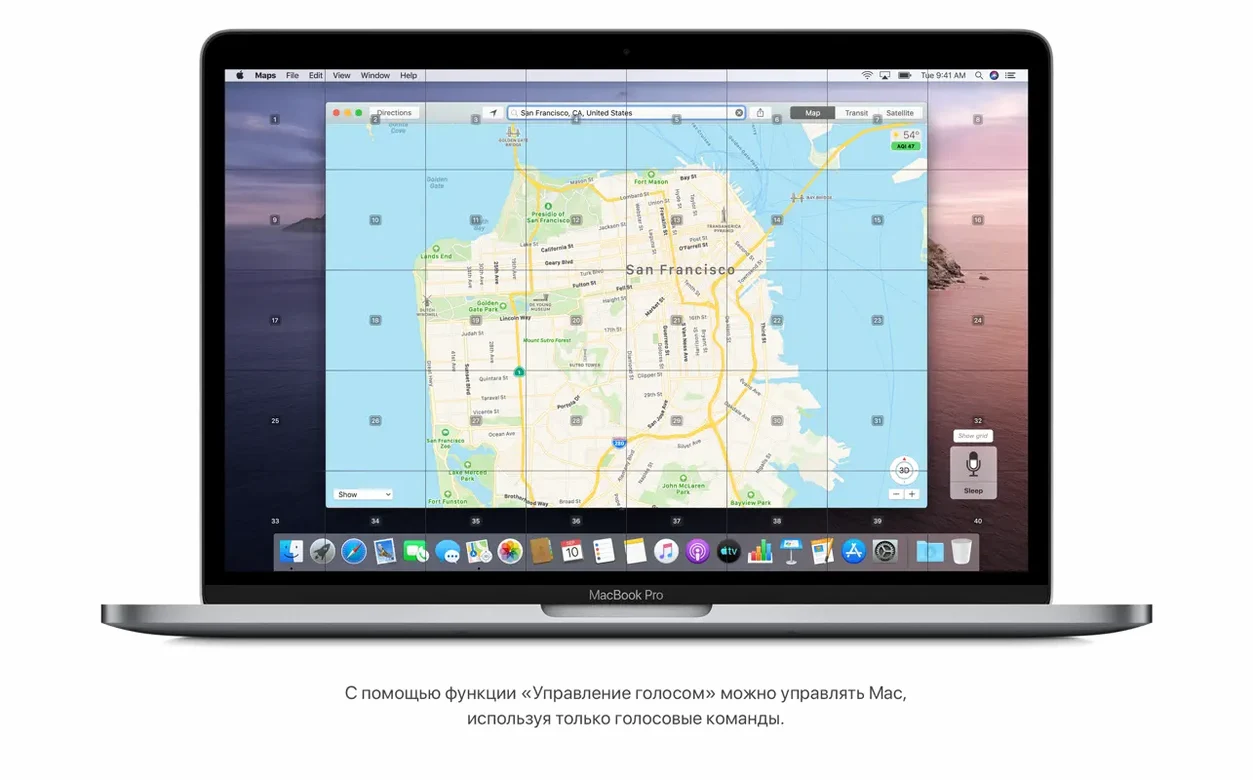
Voice Control ties into the Accessibility framework in a way that lets it drive nearly any UI element. When enabled, numbered labels appear next to every clickable region on screen. Speaking a number triggers a synthetic click at the system level, so it works even with apps that do not expose AppleScript dictionaries. For users who rely on voice input, it turns a macos catalina download and setup into a fully hands‑free process from the first boot.
The Find My app leverages the crowd‑sourced mesh: a sleeping MacBook broadcasts a rotating Bluetooth identifier, and any passing Apple device relays the encrypted location. That data lands in Find My alongside friends' locations and item trackers, making it a single map for people and hardware. iCloud Tabs and Reading List from Safari's redesigned start page feed into the same iCloud account that keeps the mesh alive — so a tab left open on a Mac mini at home surfaces on a MacBook Air during a commute, all over the same iCloud sync channel that updates location pings.
What the point updates actually changed day‑to‑day
The final 10.15.7 rollup was less about features and more about closing stubborn gaps. Automatic Wi‑Fi reconnection had been broken for a subset of networks since an earlier update; 10.15.7 restores the keychain‑based join behavior so a Mac reconnects after sleep without manual selection. iCloud Drive sync failures that left files stranded were traced to a metadata‑handling regression, and the fix means folders shared via iCloud link populate file lists correctly instead of showing spinners indefinitely.
On the graphics side, Retina 5K iMacs with the Radeon Pro 5700 XT exhibited intermittent flicker and partial screen corruption in apps that pushed the GPU — notably Final Cut Pro during timeline scrubbing and certain Unity‑based games. The address in 10.15.7 adjusts the framebuffer handling so the corruption no longer appears under sustained load. Benchmark scores stayed flat; the update does not alter compute performance, only rendering stability.
Security updates in the final build hardened the system against a handful of kernel‑level privilege escalation paths, which matters for anyone running local virtual machines or development tools that touch kext load procedures. While SIP (System Integrity Protection) remains the primary guardrail, these patches closed vectors that could bypass sandbox profiles, so the practical impact is a tighter seal around user data when running untrusted code in a VM.
- Resolves a Wi-Fi auto-join failure where the Mac would not reconnect to known networks.
- Fixes an iCloud Drive syncing stall that prevented files from uploading or downloading.
- Addresses a graphics glitch specific to the iMac (Retina 5K, 27-inch, 2020) with a Radeon Pro 5700 XT GPU.
- Intel 64-bit Mac
- 4 GB memory
- 12.5 GB available storage (for upgrade from OS X El Capitan 10.11.5 or later)
$ man macos-catalina | grep -A2 "?"
Which Macs can install macOS Catalina?
Compatible Intel Macs include MacBook (Early 2015 or newer), MacBook Air (Mid 2012 or newer), MacBook Pro (Mid 2012 or newer), Mac mini (Late 2012 or newer), iMac (Late 2012 or newer), iMac Pro (2017), and Mac Pro (Late 2013 or newer).
Does Catalina let me use iPad apps on the Mac?
Yes, macOS Catalina can run iPad apps natively, allowing developers to port their tablet software to the Mac using Mac Catalyst technology.
Comments 0
Sign in or create an account to leave a comment.
No comments yet. A codec, a slice, a machine — they appear after moderation.