MacCleaner Pro for macOS
Macs need at least macOS 10.13 to launch the installer
MacCleaner Pro 4.0.2 runs on any Mac with an Apple Silicon or Intel 64-bit processor. The minimum OS requirement is macOS 10.13, so machines stuck on older builds won't see the installer launch.
Is it just one app or a bundle of tools?
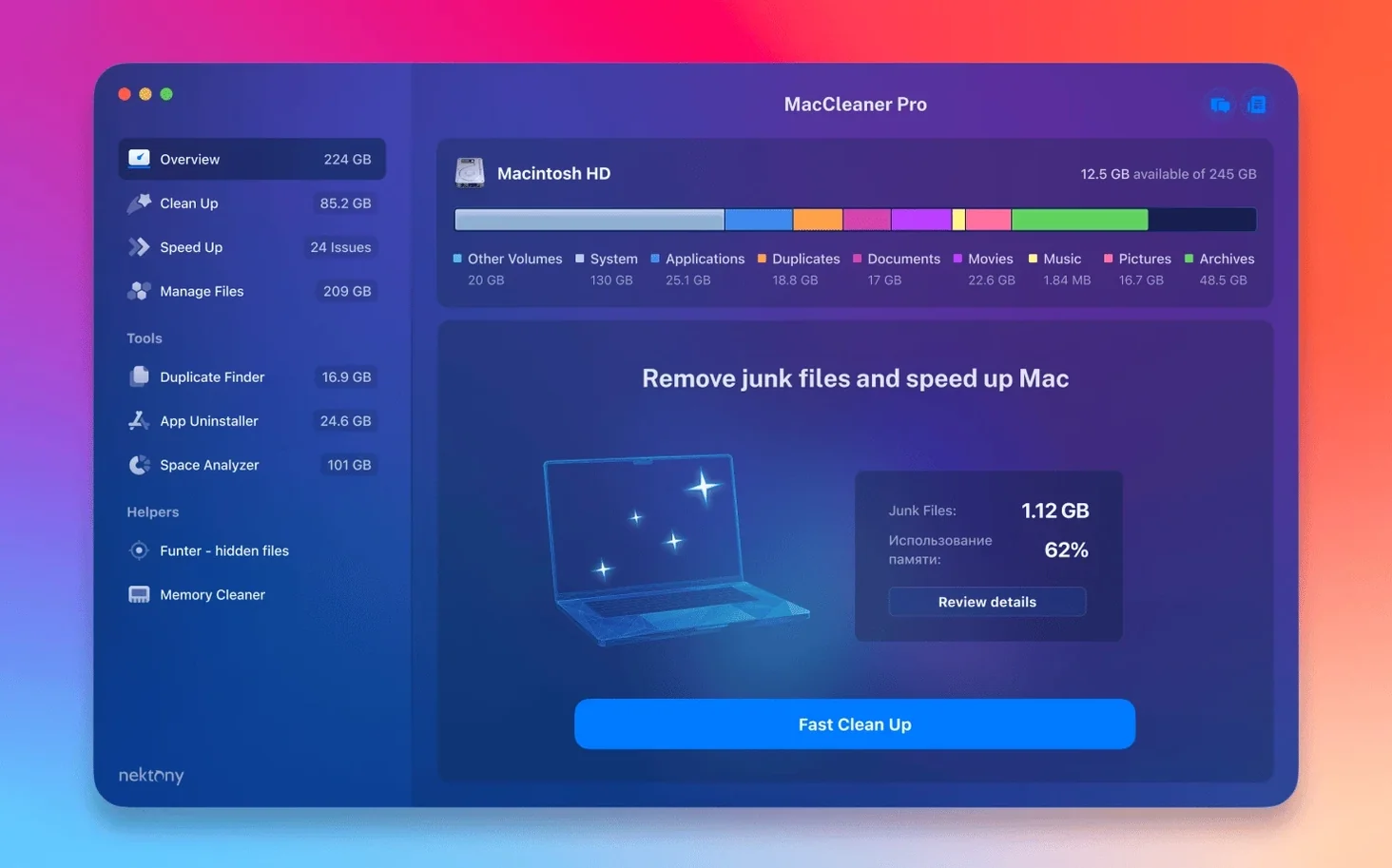
It's a six-in-one suite. The package ties together App Cleaner & Uninstaller PRO for thorough app removal, Duplicate File Finder PRO, a disk space analyzer, a memory cleaner, and a hidden-file manager. Each tool opens as a separate utility from a single launcher.
Scans now catch items inside iCloud and custom Home folders
Version 4.0.2 specifically improved detection of items stored inside an iCloud folder and inside a custom Home folder. Earlier builds could miss those locations during scans; the May 2026 update fixed that along with a few minor interface glitches.
A freelancer's Saturday morning cleanup
Picture a self-employed motion designer who has just wrapped three client projects. The desktop is littered with .aep autosaves, render tests named final_v12_actually_final.mov, and at least two dozen stock-footage duplicates scattered across the Downloads and Documents folders. She opens MacCleaner Pro because the Startup Disk warning popped up during her last export. Disk Space Analyzer runs first — it draws a treemap that immediately highlights a 47 GB cache folder left behind by After Effects. She didn't even know that folder existed. Next, Duplicate File Finder scans her project drives and finds 22 GB of identical .wav stems that had been copied into three different project directories. She deletes the extras in two clicks. App Cleaner & Uninstaller removes four trial plug-ins she tested and forgot about, pulling their .component and .vst3 leftovers from the Library folders. Twenty minutes later she has reclaimed over 70 GB and the Startup Disk warning is gone. No restarts, no Terminal commands — just a methodical pass through the tools she actually needed.
iCloud folder detection reworked for complete scan results
The jump to version 4.0.2 brought three concrete fixes that affect everyday scans. Detection of items stored in an iCloud folder was reworked — before this, a user who kept Documents synced to iCloud might see incomplete results when Disk Space Analyzer tried to tally local cache sizes. The same logic now extends to custom Home folder locations, so people who move their Home directory to an external drive or a non-standard path won't get blind spots in the scan. A handful of interface issues were also patched; most of these were cosmetic alignment problems in dark mode on newer macOS releases, but one of them involved a progress bar that stalled visually even though the scan had finished. None of these changes added new features, but they tightened the gap between what you expect a scan to find and what it actually reports.
No content to rewrite
Memory Cleaner monitors RAM without Rosetta translation lag
Yes. The entire 4.0.2 bundle ships as a universal binary, so nothing runs under Rosetta. Memory Cleaner in particular benefits from this — its RAM pressure monitoring hooks into the system without translation overhead, which matters when you're watching real-time memory graphs on an M-series Mac.
Will it delete something I actually need?
The tools don't act automatically. Every scan produces a list you review before deleting anything. Duplicate File Finder shows side-by-side previews and lets you keep one copy automatically. App Cleaner & Uninstaller marks an app's associated files but won't touch them until you confirm. The only exception is Memory Cleaner's purge button, which flushes inactive RAM — but that's volatile memory, not files on disk. You'd have to ignore the preview pane and confirm a bulk deletion to lose something important.
Can I use just one tool without launching the rest?
Each utility opens independently from the launcher window. You can pin App Cleaner & Uninstaller to the Dock and never open Disk Space Analyzer if you don't care about treemaps. The bundle doesn't require all six apps to be active, and quitting one doesn't affect the others.
Disk Space Analyzer scans a 1 TB SSD in 40 to 90 seconds
Disk Space Analyzer scans a 1 TB SSD in around 40 to 90 seconds depending on how many small files are in the Library folders — the treemap renders live as it walks the volume, so you see results build rather than staring at a spinner. Duplicate File Finder uses byte-by-byte comparison when you enable strict matching, which is slower but avoids false positives from same-named files with different content. On large media drives it can take a few minutes; on a typical 256 GB startup disk it finishes quickly enough that you won't reach for coffee.
The suite sits quietly in the background otherwise. Memory Cleaner is the only tool that keeps a persistent menu-bar presence, polling RAM pressure every few seconds — its footprint hovers around 15–25 MB while idle. The other apps launch, do their job, and release resources when closed. I haven't seen any of the individual utilities beachball during routine scans, though Duplicate File Finder's strict mode will pin a CPU core at 100% during the byte-level pass — that's expected for any checksum-based comparison, and it throttles back if you click pause.
Stability-wise, the 4.0.2 build plays nicely with Gatekeeper and SIP. The installer is a standard .pkg that places the apps in /Applications without touching system partitions. No kernel extensions, no launch daemons outside of the Memory Cleaner helper that you can toggle off from its preferences.
Update to 4.0.2 if scans ignore your iCloud Documents
Scans missing iCloud-synced files. If you're on a build older than 4.0.2 and Disk Space Analyzer ignores your iCloud Documents, the fix is straightforward: update. The improved detection logic is the headline change in 4.0.2. If you're already on that version and still see gaps, check that the files have actually been downloaded locally — placeholder-only iCloud items with the cloud icon won't show their full size until you pull them down.
App Cleaner claims it can't remove a system app. This is intentional. macOS seals system applications in a read-only volume starting with Catalina. App Cleaner & Uninstaller won't let you even attempt to remove Safari, Mail, or Chess. If you need to disable a bundled app, the tool can manage its Launch Agents and login items instead — just not the binary itself.
Memory Cleaner's "purge" freed RAM but the system feels sluggish anyway. Inactive memory is cache the kernel keeps around in case an app needs it again. Purging it frees the number, but if the app that originally allocated that memory is still running, it will re-request it within seconds. The real use for the purge button is right before launching a heavy application — purging gives that app a clean slate of free RAM to claim without the kernel having to evict pages under load.
Duplicate File Finder flagged Time Machine backups. If your backup drive is mounted, the scanner will crawl it unless you exclude the volume in the scan settings. The same applies to external clones made with Carbon Copy Cloner or SuperDuper. Add the backup volume to the skip list before scanning, or you'll sit through a long pass that just confirms your backup is an exact copy of your startup disk — which is the point.
Funter's Finder integration didn't appear after install. Funter adds a toggle to the Finder toolbar via a System Extension. If the icon doesn't show up, right-click the Finder toolbar, choose Customize Toolbar, and drag the Funter button in manually. On macOS 13 and later, you may also need to enable it under System Settings > Privacy & Security > Extensions > Added Extensions. Once it's active, the hidden-file visibility toggle works without relaunching Finder.
- macOS 10.13 (High Sierra) or later
- Apple Silicon or Intel 64-bit Mac
Comments 0
Sign in or create an account to leave a comment.
No comments yet. A codec, a slice, a machine — they appear after moderation.