MacGPT for macOS
MacGPT attracts two types of people: the one-click convenience seeker who drops it in the menu bar and never thinks about it again, and the tinkerer who spots the API key field and immediately wonders what else they can wire it to. This guide is for the second group.
Out of the box, the app loads ChatGPT through the standard web interface — your existing OpenAI account handles authentication, and the conversation behaves exactly as it does in a browser tab. The real shift happens when you open preferences and drop in a custom OpenAI API key. That flips the app into direct mode: requests bypass the web client entirely and hit the model over the API. The immediate upside is clearer error handling. Without a valid key, the app surfaces what went wrong instead of leaving you staring at a blank panel.
Version 3.21 added gpt-4o to the model list, so API users can route requests to OpenAI’s current multimodal flagship. The app is native — not Electron, not Catalyst — and its system requirements tell you why it only lists Monterey and Ventura. It leans on newer macOS APIs, so older releases are out of the picture regardless of the hardware.
If you work across multiple machines, the API approach also means you are not bound to browser session state. The menu bar stays logged in on its own terms, which is a small but real quality-of-life detail when you are bouncing between desktops.
What does a working session actually look like?
I keep MacGPT parked in the menu bar, invisible until I need it. Here is how a typical session unfolds when I'm deep in Xcode and hit a snag.
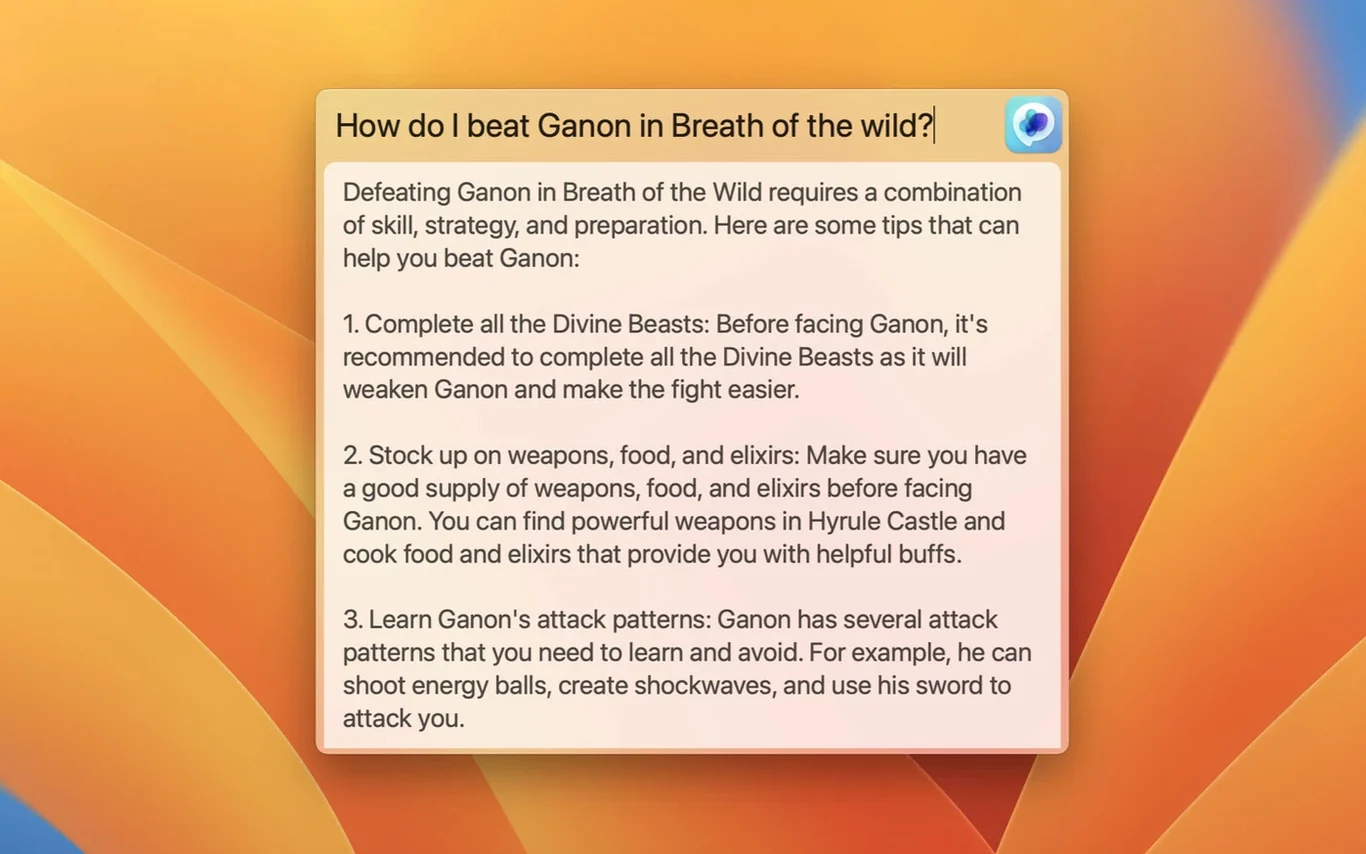
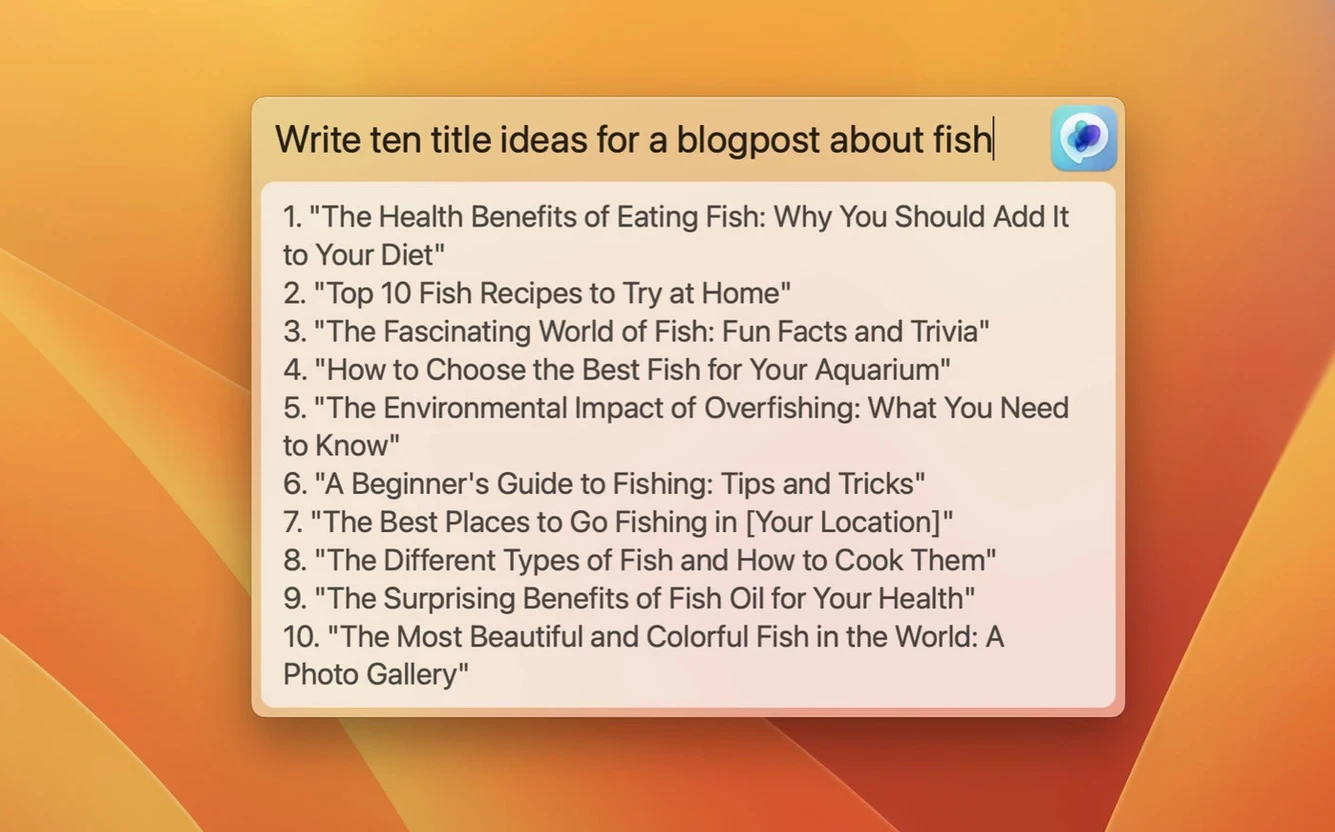
First, I tap the keyboard shortcut I assigned — ⌃⌥⌘Space — and the Global text field drops down in the center of the screen, floating above all other windows. No app switching, no cursor relocation. I type something like "Explain why my Combine pipeline is receiving values on a background thread" and hit Return. The answer streams back in the same overlay, and I skim it without ever leaving my editor. Three seconds later I dismiss it with Escape and keep coding.
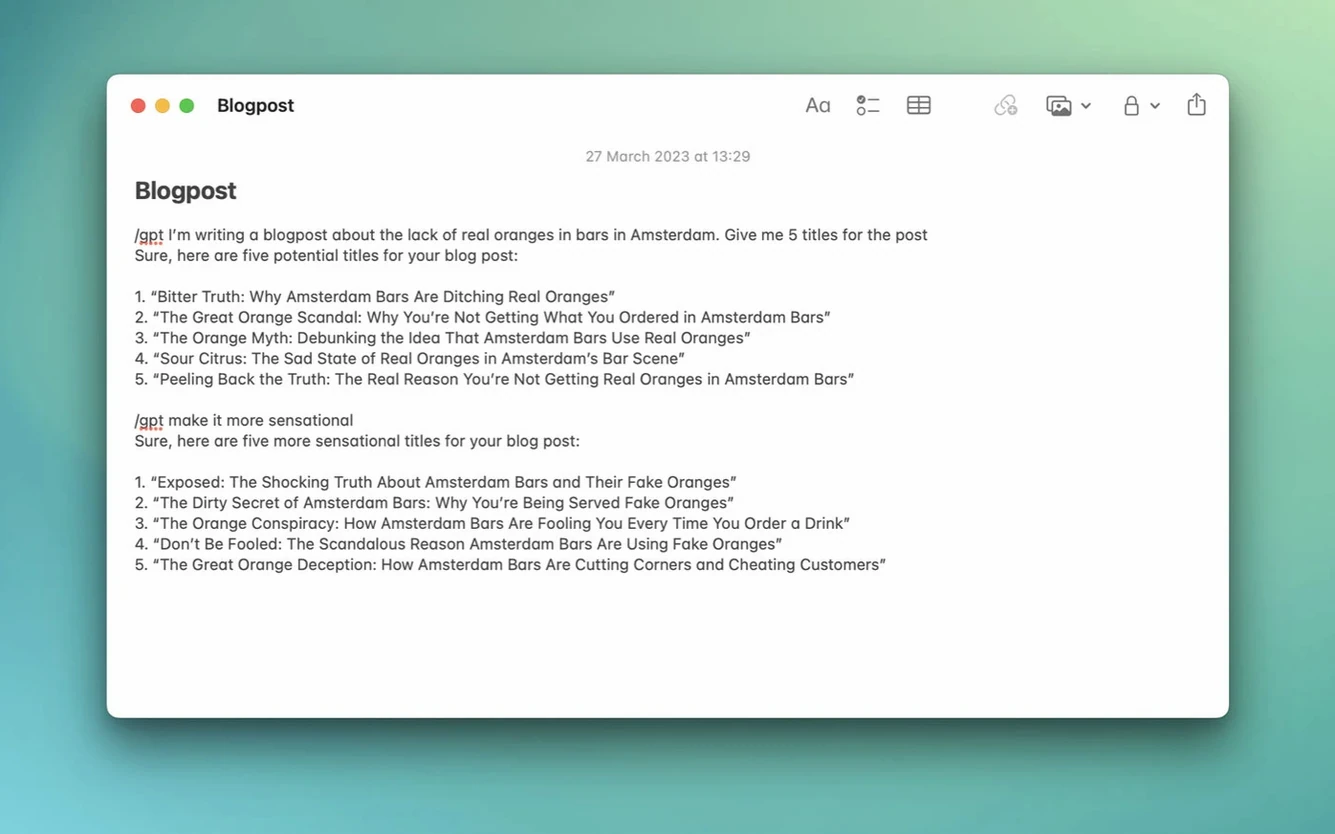
Later, writing a commit message in Fork, I remember the Inline feature. I put the cursor inside the text field, type ## followed by "summarize the last three commits into a concise message", and press Shift-Return. The trigger characters are configurable, but the default ## works fine. MacGPT replaces the trigger text with ChatGPT's response directly in the field. No copy-paste, no window juggling.
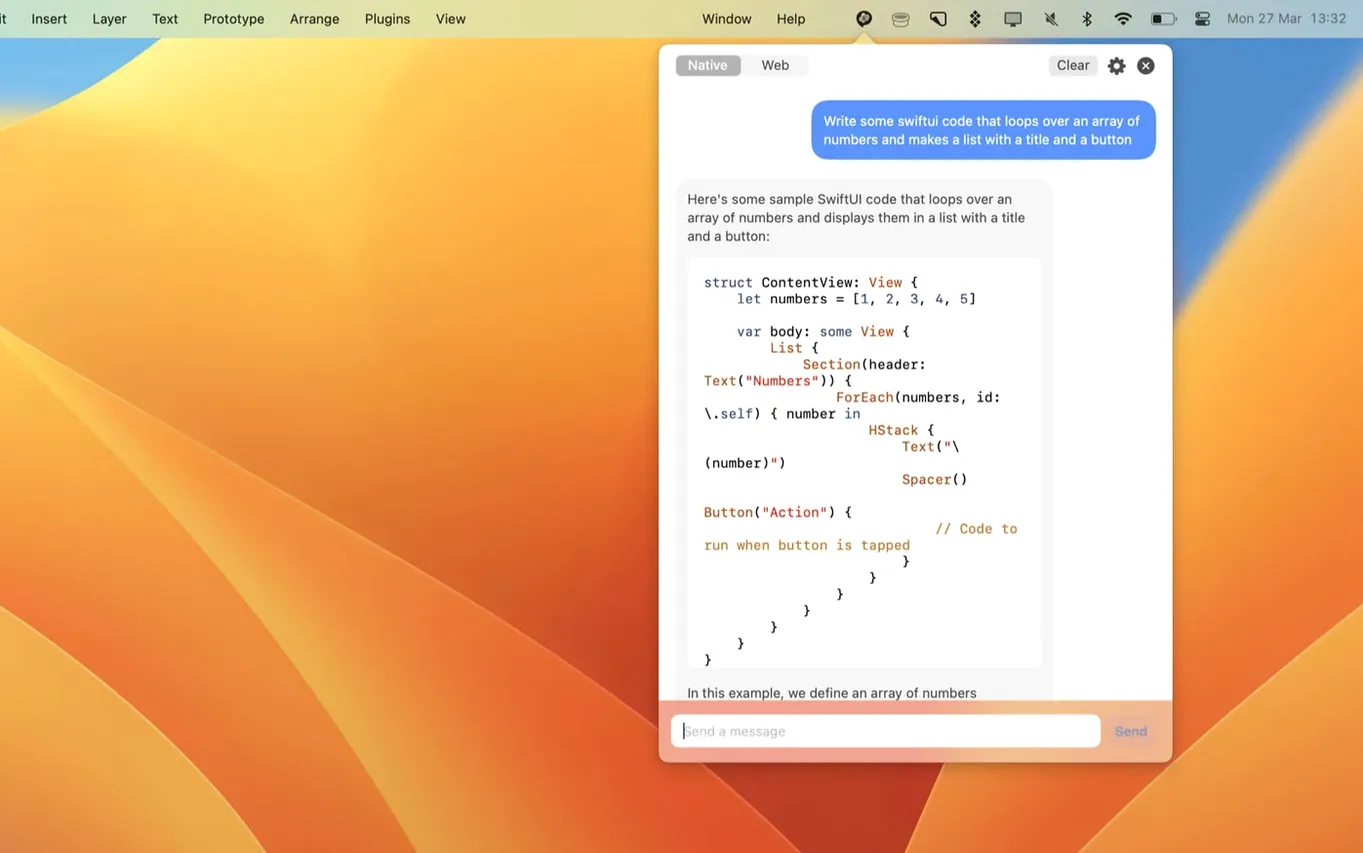
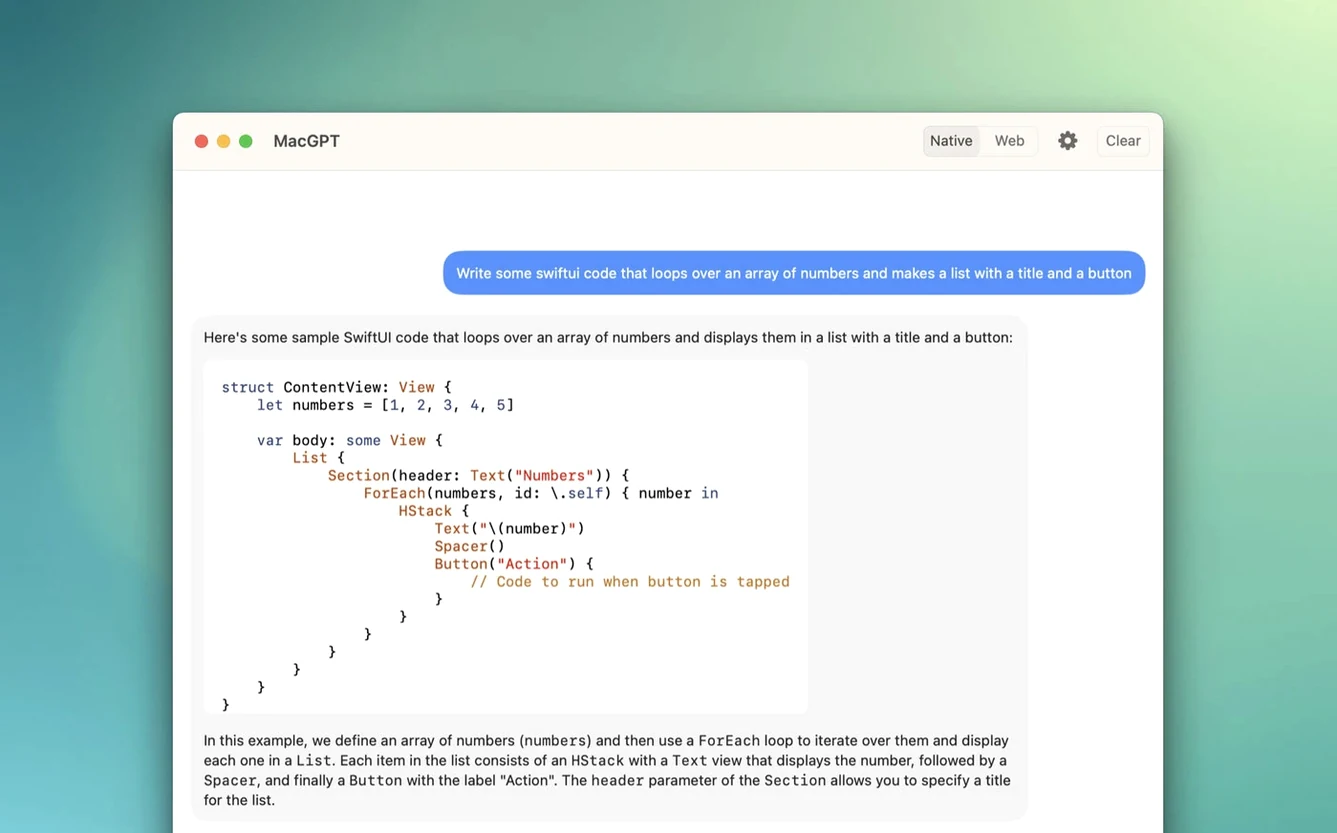
When I need a longer back-and-forth — debugging a Core Data migration, say — I click the menu bar icon and open the full web interface in a floating panel. That session runs through the standard ChatGPT web client, which means conversation history, branching, and all the usual browser features live right there in a popover. I can resize it, drag it to a second monitor, or collapse it entirely when the answer arrives.
The rhythm settles into something natural: quick one-shot questions through Global, text-field transformations through Inline, sustained conversations through the panel. Each mode fits a different cognitive moment, and I switch between them without conscious effort after the first hour.
Assign a global shortcut before your first chat
Open preferences before you do anything else. The defaults are sensible, but a few tweaks turn the app from a curiosity into muscle memory.
Assign a Global shortcut immediately. The default is unset, and without one you are clicking the menu bar icon for every interaction. Pick something that does not collide with Xcode, Terminal, or your window manager. I use ⌃⌥⌘Space because nothing else claims it. Test it once — the overlay should appear and disappear cleanly.
Set your Inline trigger. The ## prefix is the factory setting. If you write Markdown or use Jira syntax, consider switching it to something that never appears in natural text. ;; or :: work well and are fast to type. While you are there, confirm the activation shortcut — Shift-Return by default — feels reachable. Some people remap it to ⌘↩ for a lighter chord.
Decide between web mode and API mode. Web mode authenticates through your OpenAI account and gives you conversation history, GPT-4 access tied to your subscription, and the full chat interface. API mode bypasses the browser layer entirely — you paste an OpenAI API key, select a model (including gpt-4o as of version 3.21), and requests go direct. API mode is faster for single prompts and surfaces error messages the web client swallows, but you lose conversation persistence. I run both: API for Global and Inline, web for the panel.
Check the launch behavior. The app can start at login. Toggle it on if you want the menu bar icon present after every reboot, off if you prefer to launch it manually. There is no background daemon — the process quits cleanly when you close it.
A translator's morning with MacGPT
Clara translates technical documentation from German to English. She keeps a CAT tool open on the left half of her screen and a browser with reference materials on the right. Before MacGPT, clarifying an ambiguous compound noun meant tabbing to ChatGPT, typing context, copying the suggestion, tabbing back, and pasting. The friction added up over a six-hour session.
Now she keeps the Global shortcut under her left hand. When she hits a phrase like Spannungsversorgungseinheit in a circuit description, she taps the shortcut, types "Translate 'Spannungsversorgungseinheit' in the context of industrial power supply units, give me the standard EN term and one alternative", and reads the response without her fingers leaving the keyboard. The overlay appears over her CAT tool, not the browser, so she does not lose her place.
For longer passages — a paragraph where the German sentence structure needs reordering to read naturally in English — she uses Inline. She pastes the source text into a plain text scratchpad, positions the cursor, types ## plus "Rewrite this German-to-English draft for natural flow while keeping all technical terms intact", and the polished version replaces her trigger text in place. She copies it into the CAT tool and moves on.
The menu bar panel stays open on her second monitor with a running chat session where she has primed ChatGPT with a glossary of client-preferred terminology. When a term has an approved translation — "Schutzleiter" must always be "protective earth conductor," never "ground wire" — she drops a quick message into that thread and gets an answer that respects the glossary. The chat history preserves these decisions so she can scroll back later in the day when the same term reappears.
She does not think about the app anymore. It is just there, three keystrokes away, speaking the same terminology sheet she built that morning.
- Added support for
gpt-4oin API mode.
- macOS 12 Monterey or later (Ventura also listed as supported).
- Apple Silicon or Intel Mac.
- An OpenAI account for web access, or an OpenAI API key for direct mode.
Comments 0
Sign in or create an account to leave a comment.
No comments yet. A codec, a slice, a machine — they appear after moderation.