
Macxvideo AI for macOS
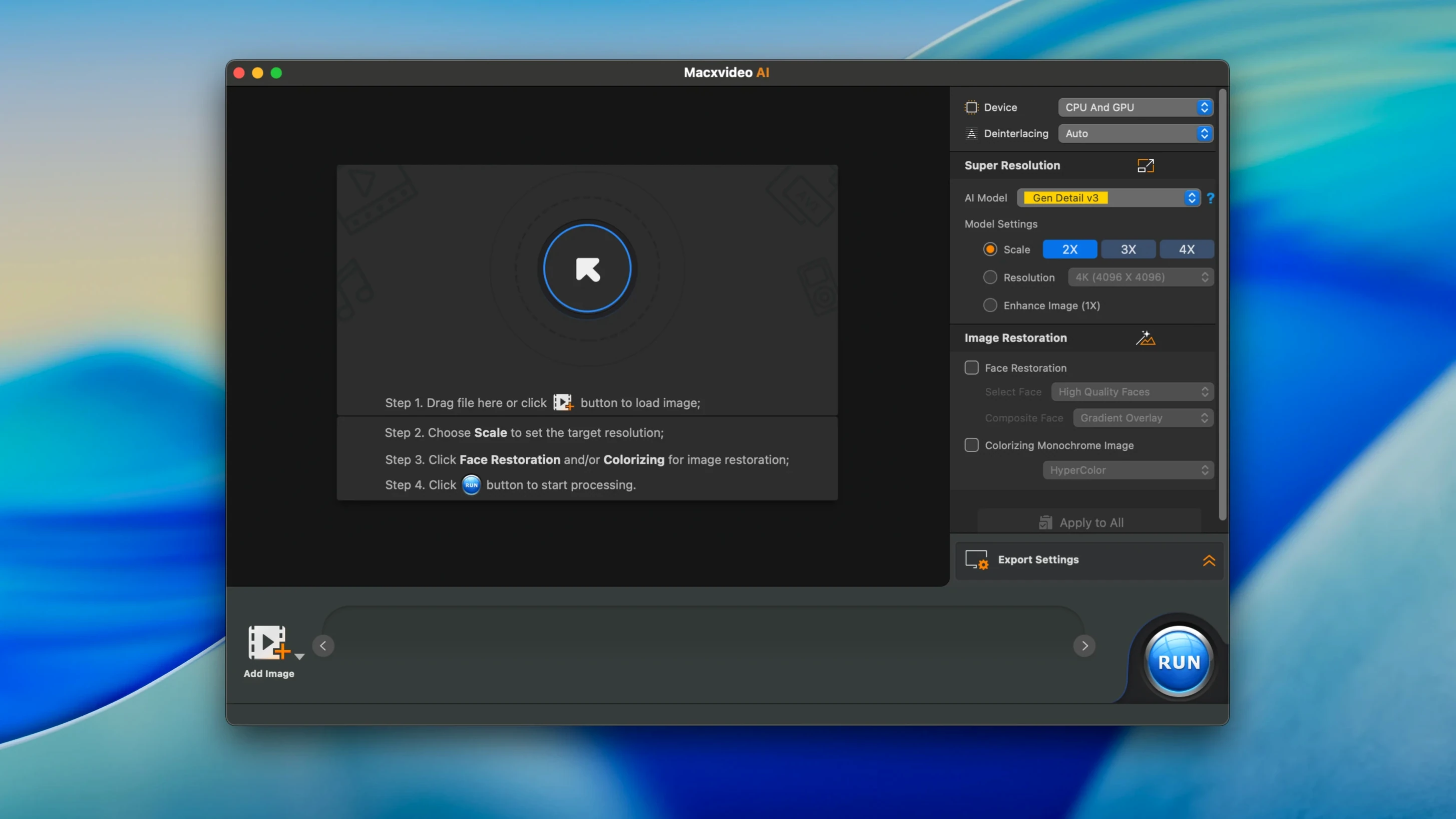
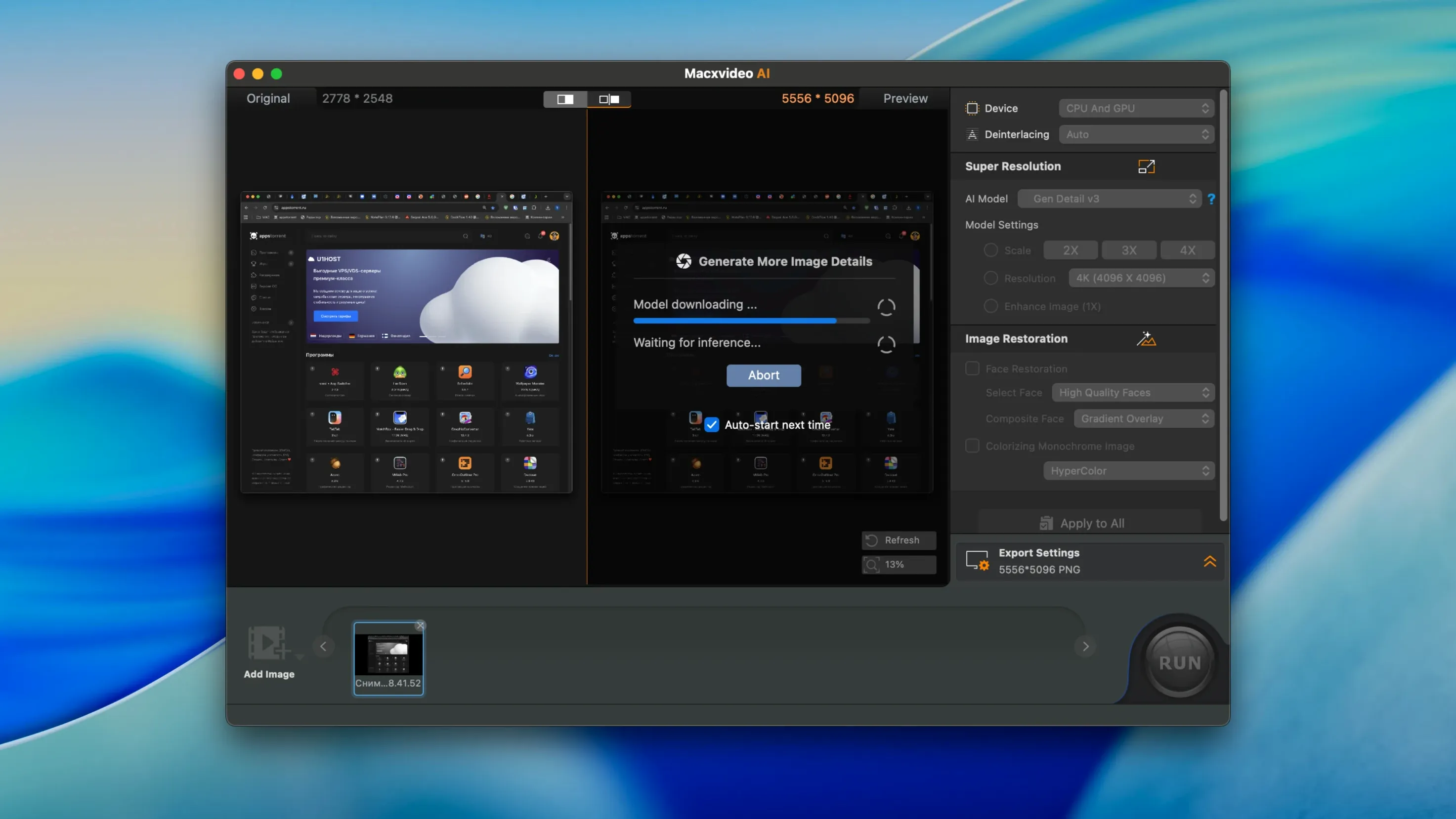
You found the perfect clip in an old video library, but it's a blocky, sub-HD mess on a modern screen. MacX Video AI aims to fix that with neural networks instead of a simple resize.
AI Super Resolution — Upscaling that uses a trained model to fill in plausible detail, not just interpolate pixels. Supports up to 4x source resolution, with a 4K ceiling for video.
4K/8K Processing — The pipeline is GPU-accelerated, so decoding, filtering, and encoding high-resolution footage doesn't stall on the CPU.
Frame Interpolation — Synthesizes intermediate frames. Useful for smoothing out judder when you need to match a different timeline frame rate.
Keep Original Colors — A toggle added in v3.15. Lets the AI upscale luminance and detail while treating the original color vectors as a constraint, so the grade doesn't shift.
A practical session looks like this: load an old MP4 or MKV, set the AI model to Super Resolution with a 2x or 4x factor, enable Keep Original Colors, and let the GPU work through the frames. The app writes a new file using HEVC or AV1, leaving your source untouched. For stills, you can push a single frame all the way to 10K. The Python 3.11 environment (moved in v3.16) handles the inference in the background, while the UI stays responsive through the GPU-accelerated display pipeline.
A video editor’s Sunday-morning salvage job
Imagine a freelance editor who promised a client a highlight reel from a 2016 conference. The source files are 720p AVCHD, shot on a camera that struggled above base ISO. Loading them into macxvideo ai for a batch pass makes the difference between apologizing for the footage and delivering something watchable. The editor sets the AI Super Resolution model to 4x, toggles on Keep Original Colors so the stage lighting doesn’t shift, and queues the whole folder. While the GPU crunches the batch in HEVC, the editor records a quick 4K screen capture for an updated tutorial intro—without leaving the app. By lunch, the renders are done and the client sees faces in the crowd that were just smudges before.
When a 10‑minute 4K clip hangs at 98 %
The Gatekeeper standoff on first launch
After dragging macxvideo ai to /Applications, double‑clicking often triggers a “can’t be opened” warning. That’s standard for software signed outside the notarization pipeline. The fix hasn’t changed in years: open Terminal and run xattr -cr /Applications/macxvideo\ ai.app, then launch it once more. Some disk images bundle an “Open Gatekeeper friendly” script that does exactly this when you press Enter—less typing, same result.
Stuttering during 8K timeline previews
On Intel Macs with limited VRAM, scrubbing through an 8K HEVC file in the preview pane can feel like wading through treacle. The GPU decoder is doing its job, but the display pipeline struggles with the raw frame buffer. Switch the preview to a lower resolution proxy inside the app’s playback settings and let the final export handle the full‑size frames; the AI filters aren’t affected by the preview downsample.
Batch queue silently skipping multi‑track MKVs
If you drop a folder containing MKVs with multiple audio or subtitle tracks, the batch processor occasionally ignores those files without a clear warning. The reliable workaround is to remux them to MP4 first with the app’s own converter, or to add them individually so the track‑selection dialog appears. A recent update note for macxvideo ai 3.16.0 didn’t flag a fix for this, so the behavior is worth remembering if your queue looks suspiciously short.
- macOS 27 compatibility. The app is now tested against the latest system frameworks.
- iPhone 18 Pro, iPhone 18 Pro Max, and iPhone Duo presets. Ready-to-use conversion options for the newest Apple hardware.
- Python 3.11 runtime. The internal AI environment moved from an older Python to 3.11 for better model inference performance.
- macOS: 10.15 or later
- Architecture: Intel and Apple Silicon native
$ man macxvideo-ai | grep -A2 "?"
What video formats can I enhance with MacX Video AI?
It processes MP4, HEVC, AV1, MOV, and multi-track MKV files, and can encode the enhanced output back to those formats with AAC audio.
Does the AI Super Resolution work on still images?
Yes, the same AI engine handles still images and can upscale them to a maximum resolution of 10K.
What does the Keep Original Colors option do?
Introduced in version 3.15, it tells the AI Super Resolution to enhance sharpness and detail without altering the original color information of the video.
Comments 0
Sign in or create an account to leave a comment.
No comments yet. A codec, a slice, a machine — they appear after moderation.