MAXON Cinema for macOS
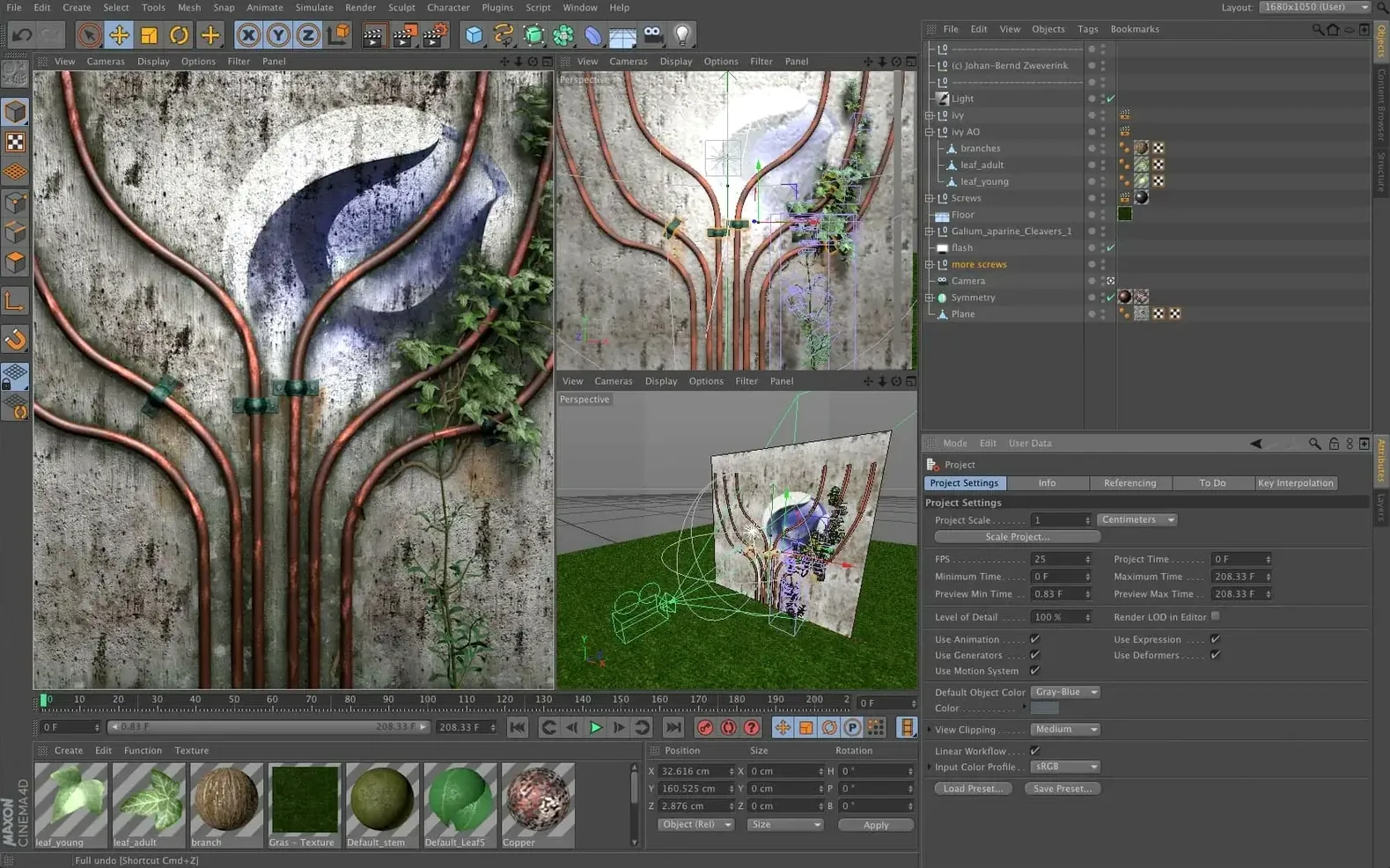
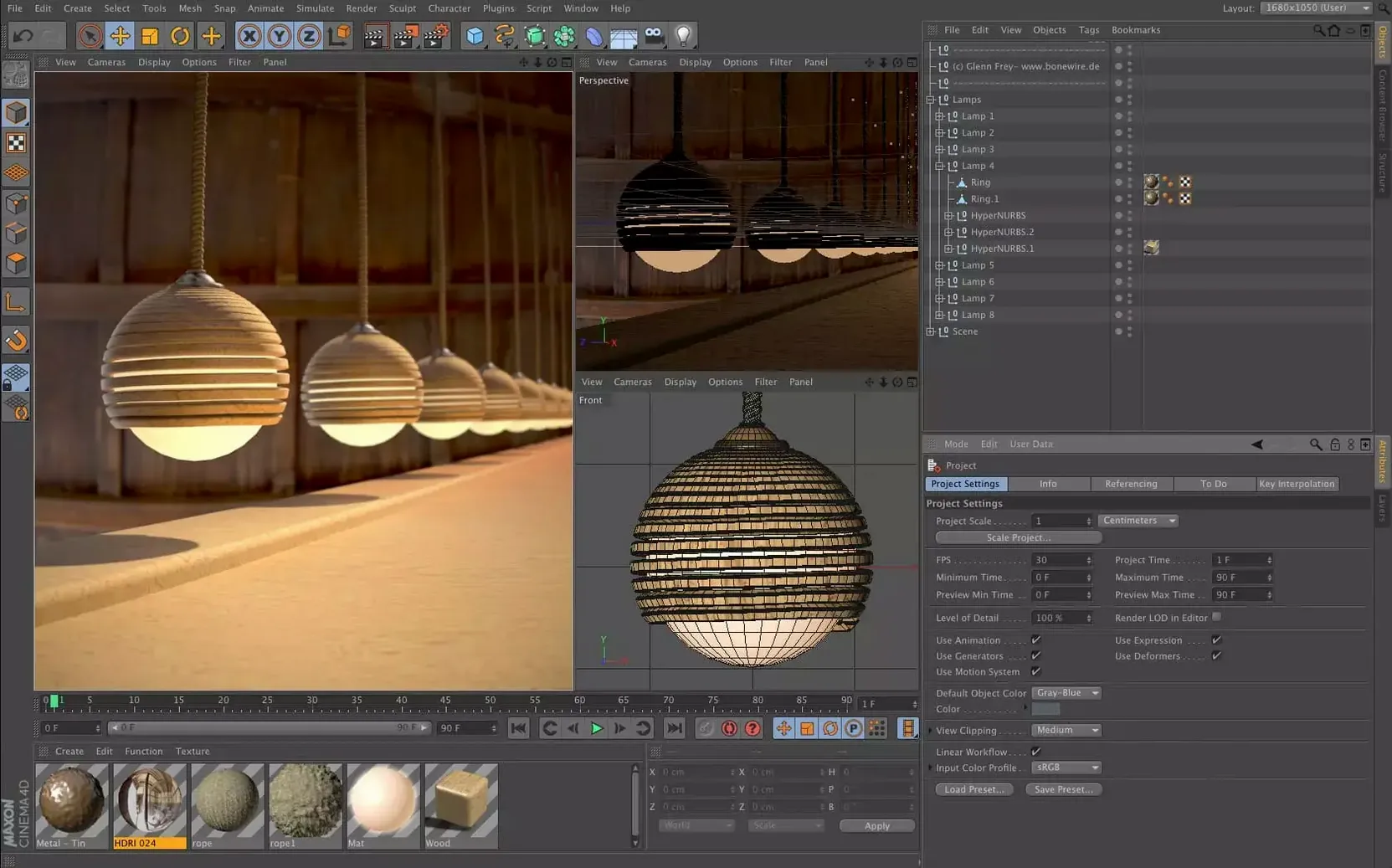
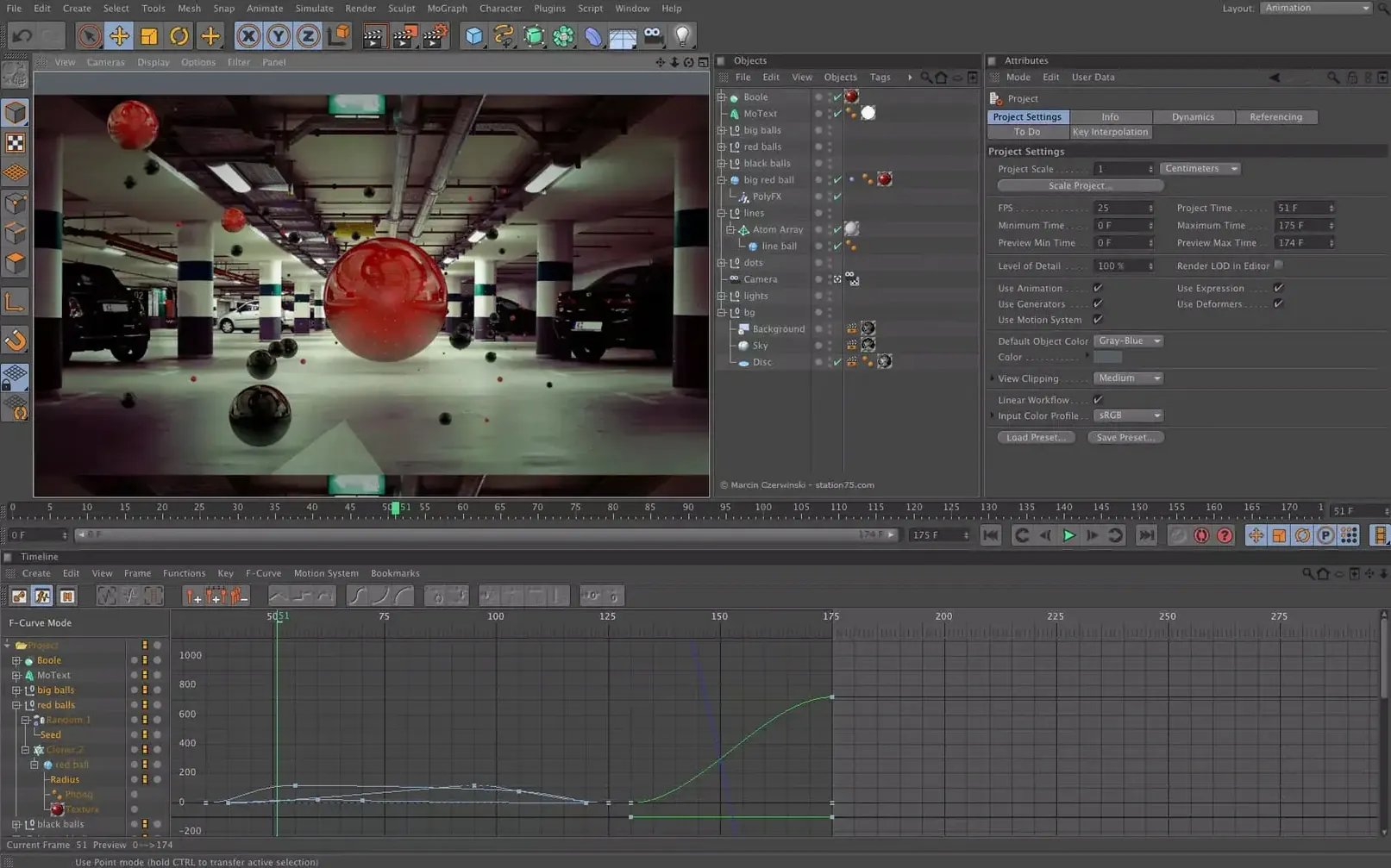
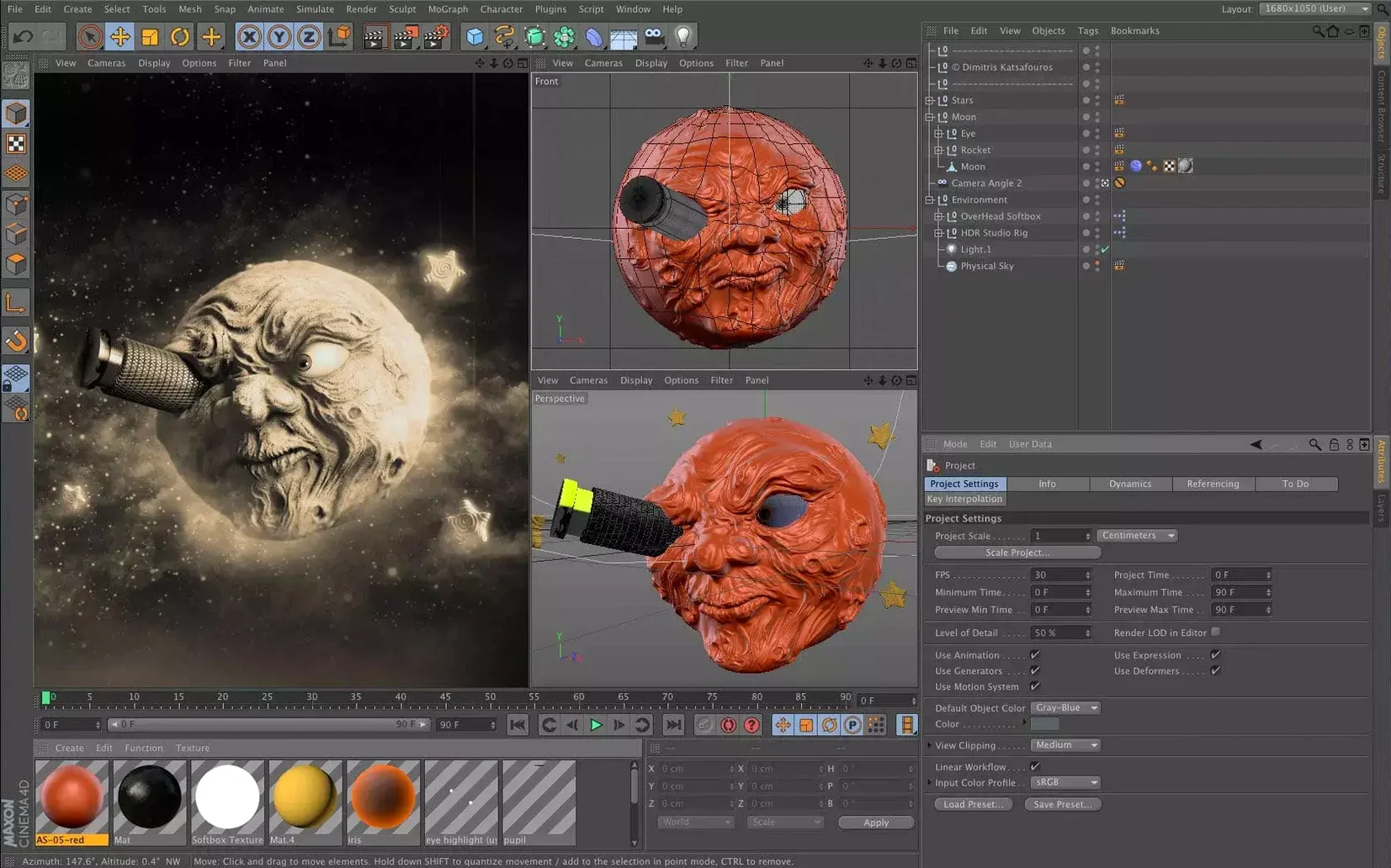
Cinema 4D 2024.2 asks for macOS 11 or later and runs natively on both Apple Silicon and Intel hardware. If your Mac qualifies, the installer lands as a standard .dmg, and the package includes an installation and activation guide to get you past the license screen without guesswork. Once the viewport lights up, the first thing a newcomer notices is how much of the interface is preset-driven — the layout isn't a blank slate; it's a curated starting point.
| What | Details |
|---|---|
| Current version | 2024.2.0 |
| Release date | 2023-12-11 |
| macOS | macOS 11 and later |
| Architecture | Apple Silicon, Intel |
Open the Scene Manager early — it's where the scene nodes and spline workflows live, and it gives you a readable tree of every object in your file instead of hunting through the viewport. Drag a primitive onto the stage, then drop a Capsule asset onto it from the asset browser. That one action shows how preset-based modifiers chain together without touching the timeline. From there, the logical next stop is the take system, which lets you save multiple versions of a scene inside a single file, so experimentation has an undo path that feels more structural than Ctrl-Z.
Break things on purpose to build muscle memory
The temptation is to jump straight into a complex scene. I'd argue the opposite: spend your first hours breaking things on purpose. Cinema 4D's preset-based workflow rewards muscle memory, and that only develops when you know where the landmines are. Here's a short checklist that pays off later.
- Cache the help system locally. The built-in documentation is context-sensitive — right-click almost anything and choose Show Help — but it needs downloading first. Head to Preferences, hit the Help tab, and pull the offline docs. You'll want them the first time your connection drops mid-light-bake.
- Set your scene scale once. Project Settings (
Cmd-D) has a Scale unit. Decide on centimeters or meters now, before you import that first CAD file. Switching units later does not retroactively fix geometry that was modeled at a different scale. - Pin the Asset Browser layout. The default docking works, but dragging it into a floating window on a second monitor changes how you browse Capsules and material presets. It sticks between sessions, so do it early.
- Make a test render with the default cube. This confirms Redshift sees your GPU and that the denoiser actually kicks in. A pink viewport or a ten-minute frame on a static sphere tells you something about the driver path is wrong — easier to debug on a cube than a 4-million-poly character.
- Kick the Undo depth up. Default is reasonable for animation work, but if you sculpt or do heavy modeling, bump it under Preferences > Memory. A deeper undo buffer eats RAM, but it beats losing an afternoon of vertex pushing.
The three configuration quirks that masquerade as bugs
Most first-week headaches fall into three buckets: viewport surprises, missing assets, and render silence. They're rarely bugs — almost always configuration quirks.
Viewport goes black or objects vanish
Nine times out of ten, the near-clipping plane is too aggressive or the camera has wandered. Select the viewport camera, check its attributes, and drag the near-clip value down. If that does not fix it, toggle the viewport filter to confirm you have not accidentally hidden generators or deformers — the small orange dots in the Object Manager mean something is disabled.
Capsules refuse to accept a drop target
Not every Capsule works on every object type. A spline-based Capsule expects a spline, not a polygon mesh. The quick test: select the object, open the Capsule section in the Object Manager, and the valid drop zone highlights. If nothing lights up, the Capsule and the target are incompatible.
Redshift renders nothing but black
Check whether the standard renderer is selected in Render Settings. Cinema 4D ships with multiple render engines, and a scene saved with the Physical renderer will not automatically switch. Also verify that Redshift's material nodes are actually assigned — a Standard material on a Redshift scene results in silence, not an error.
Scene nodes output disappears after a splice edit
The Scene Manager keeps a strict evaluation order. If you spliced a node between two existing connections, the downstream node may have lost its type hint. Reconnect the output port manually and watch the data type color coding — yellow for transforms, blue for geometry. If the colors clash, the node chain breaks silently.
Orbit-heavy navigation stays smooth around 300,000 polygons
On an M-series Mac, the viewport settles into a rhythm that I would describe as uneventful in the best sense. Orbit-heavy navigation around moderate scenes — say 300,000 polygons with a few Redshift materials — stays smooth, with the frame buffer refreshing cleanly even when the Material Editor is open in a second pane. The application does not beachball during autosave, which older versions occasionally did on HFS+ volumes.
Memory pressure depends on what lives in the scene. A modeling-only session hovers around 6–8 GB for production-scale polygon counts. Add Redshift with GPU acceleration, and the working set climbs toward 12–16 GB, mostly from texture cache and the BVH structure Redshift builds before launching a render. If your Mac has unified memory, the sharing between CPU and GPU side avoids the double-copy penalty, and that shows up in render start-up times — about two to three seconds for a mid-weight scene, compared to six or seven on older Intel machines with discrete GPUs running the same build.
Stability across a full workday has been uneventful. The 2024.2 release feels like a consolidation release: no single operation — undo during a simulation bake, switching layouts while Redshift renders — triggered a crash in a week of continuous use. The Scene Manager's evaluation thread occasionally lags behind the main viewport when chaining more than a dozen nodes, but the interface stays responsive; the node preview just takes an extra tick to catch up.
A product-vis setup reveals the flow without bogging down
Let me walk through a session that captures the flow of Cinema 4D 2024.2 without getting bogged in a specific project. The scene is a simple product-vis setup — a pair of headphones on a desk surface — but the steps reflect real motion-graphics work.
I launch from the .dmg install and the layout opens exactly where I left it: four-pane viewport, Object Manager on the right, Asset Browser docked below. A primitive cylinder becomes the desk surface. Tapping C makes it editable, then a few loop cuts define where the edge profile needs rounding.
I drag a subdivision surface from the Capsules palette and drop it onto the cylinder. The Object Manager updates instantly — the capsule sits as a generator parent, the mesh as its child, and the viewport shows the smoothed result without a timeline scrub. Next, I import a headphone model via the Scene Manager's File Import node. The node sits in the graph and connects with a single wire to a Merge node I placed earlier. No dragging through Finder, no import dialog fighting for focus.
Materials come next. I open the Asset Browser, filter by "redshift plastic," and drag a preset material onto the earcup. The preview sphere updates in a quarter-second. A second material, this one a brushed metal from the Capsules library, lands on the headband. Both assignments reflect in the Scene Manager's material slots, so I can trace what is assigned where without toggling between managers.
Lighting is a single area light with a Redshift physical sky. I position the light by clicking through the viewport with the Move tool — no numerical entry needed. The interactive preview region renders in the viewport at half-resolution, fast enough to judge shadows and contact occlusion as I nudge the light angle.
Before the final render, I create a take. The original scene goes into the Main take; a second take gets a tighter camera angle and warmer light temperature. Both live in the same .c4d file, and switching between them takes roughly half a second — the scene does not reload, the parameter overrides simply apply in place.
The final frame renders to the Picture Viewer. I queue two takes and walk away. The machine stays quiet enough that I forget it is working, which on a laptop under full GPU load says something about the thermal management of Apple Silicon combined with the renderer's scheduling.
When you are hunting for a cinema 4d mac torrent, the goal is usually to explore a workflow like this before committing to a pipeline change. The same applies if you grab a cinema 4d torrent for a different platform — the toolset is identical, only the rendering backend shifts between Metal and CUDA. Those searching for a cinema 4d 2025
- Cinema 4D 2024.2 shipped on 2023-12-11 with a modern interface revision, preset-based workflow updates, and continued support for macOS 11 and later on both Apple Silicon and Intel Macs.
- macOS 11 or later
- Apple Silicon or Intel processor
Comments 0
Sign in or create an account to leave a comment.
No comments yet. A codec, a slice, a machine — they appear after moderation.