Mela for macOS
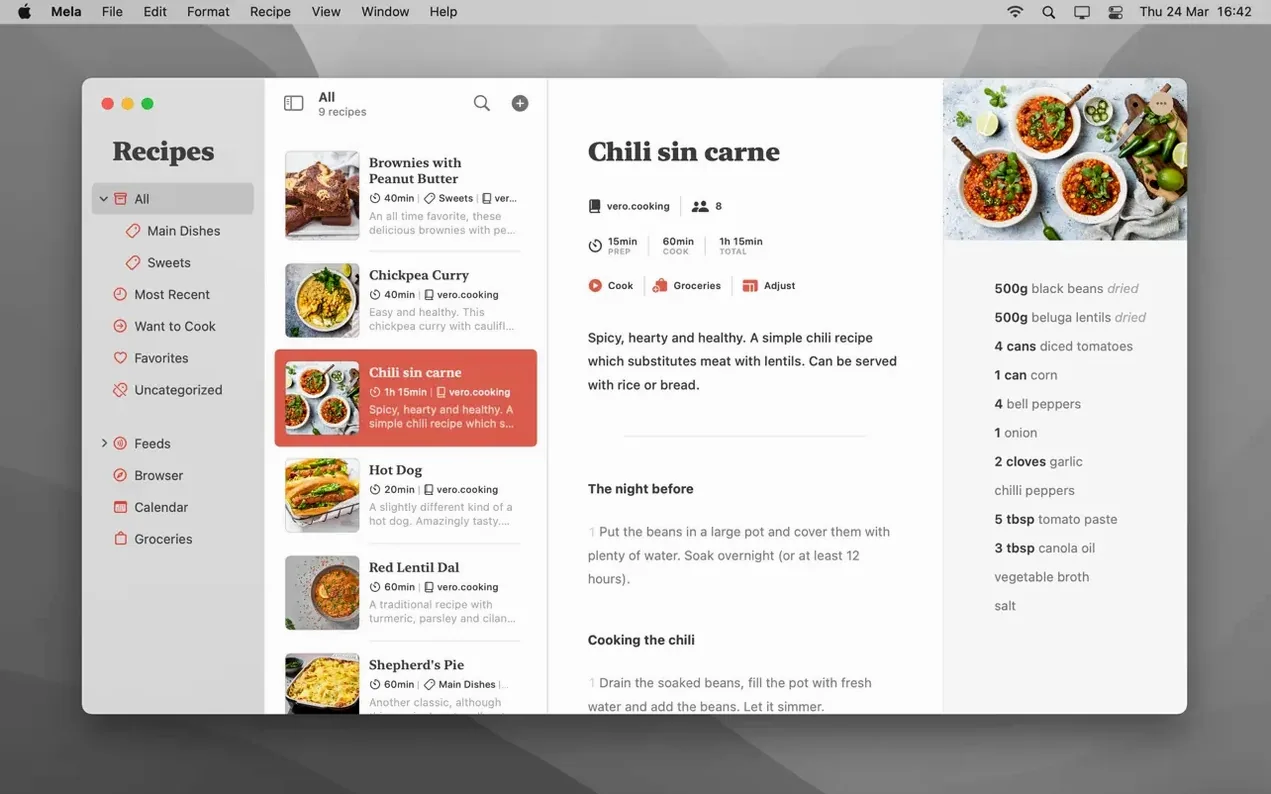
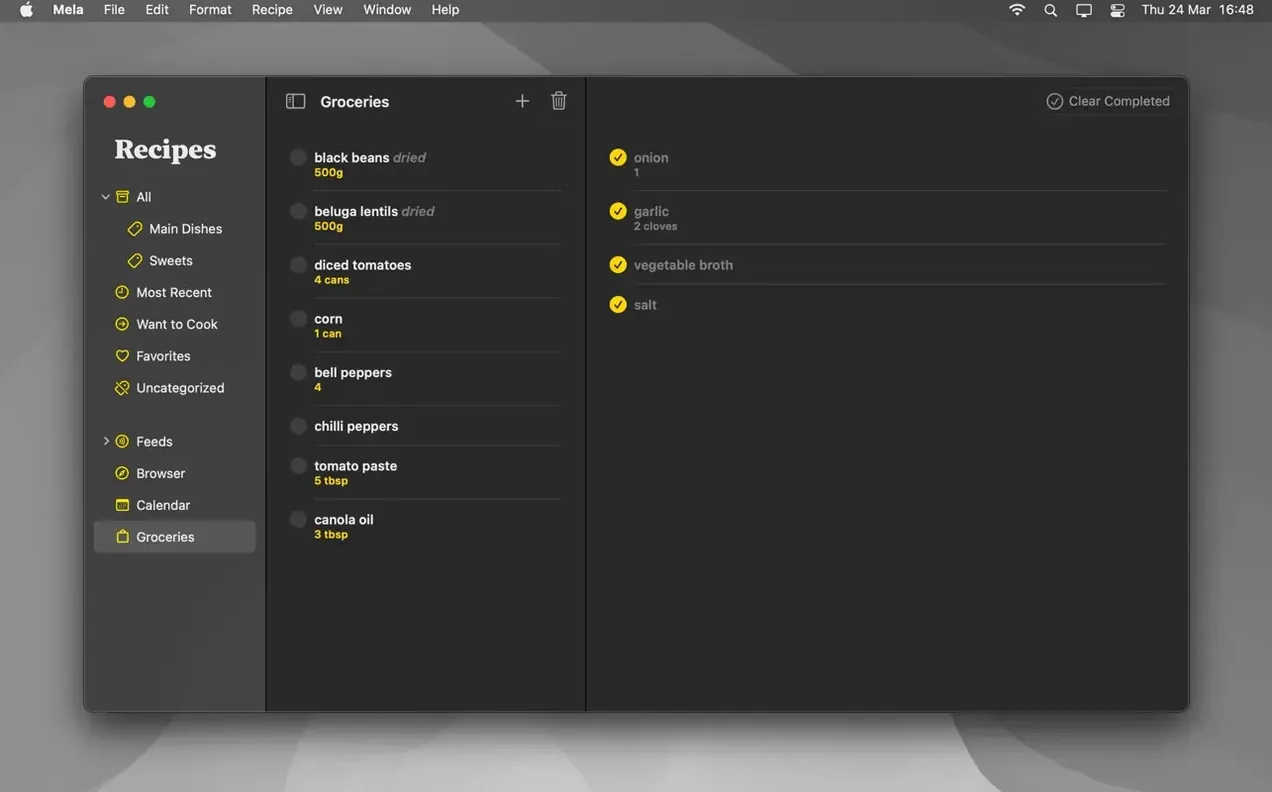
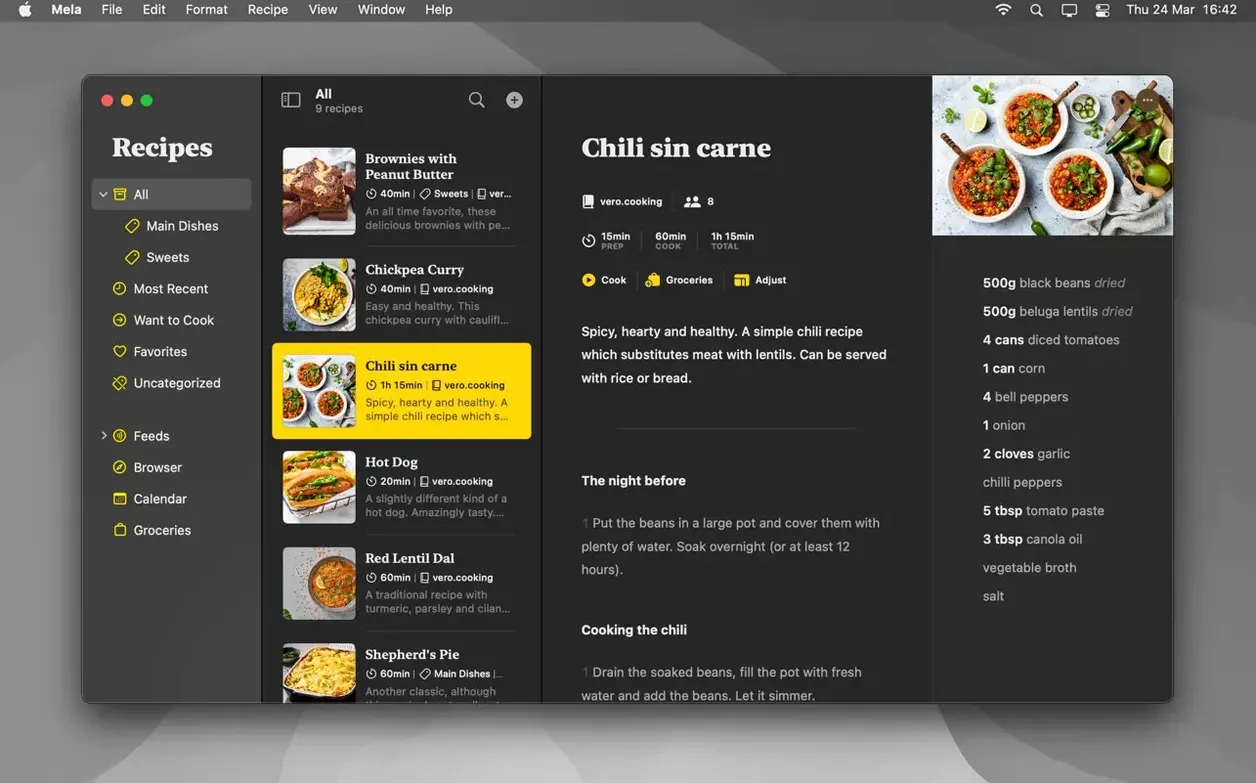
If you use Reminders or Notes as a makeshift recipe box, Mela is the upgrade that stops the scrolling. It reads your saved links and brings proper structure to the chaos.
Can it pull in recipes from anywhere?
It's built to capture recipes from the web, but the real trick is the scanner. Point your camera at a cookbook page and the text recognition pulls the ingredients and steps straight into the app.
What happens when I'm actually cooking?
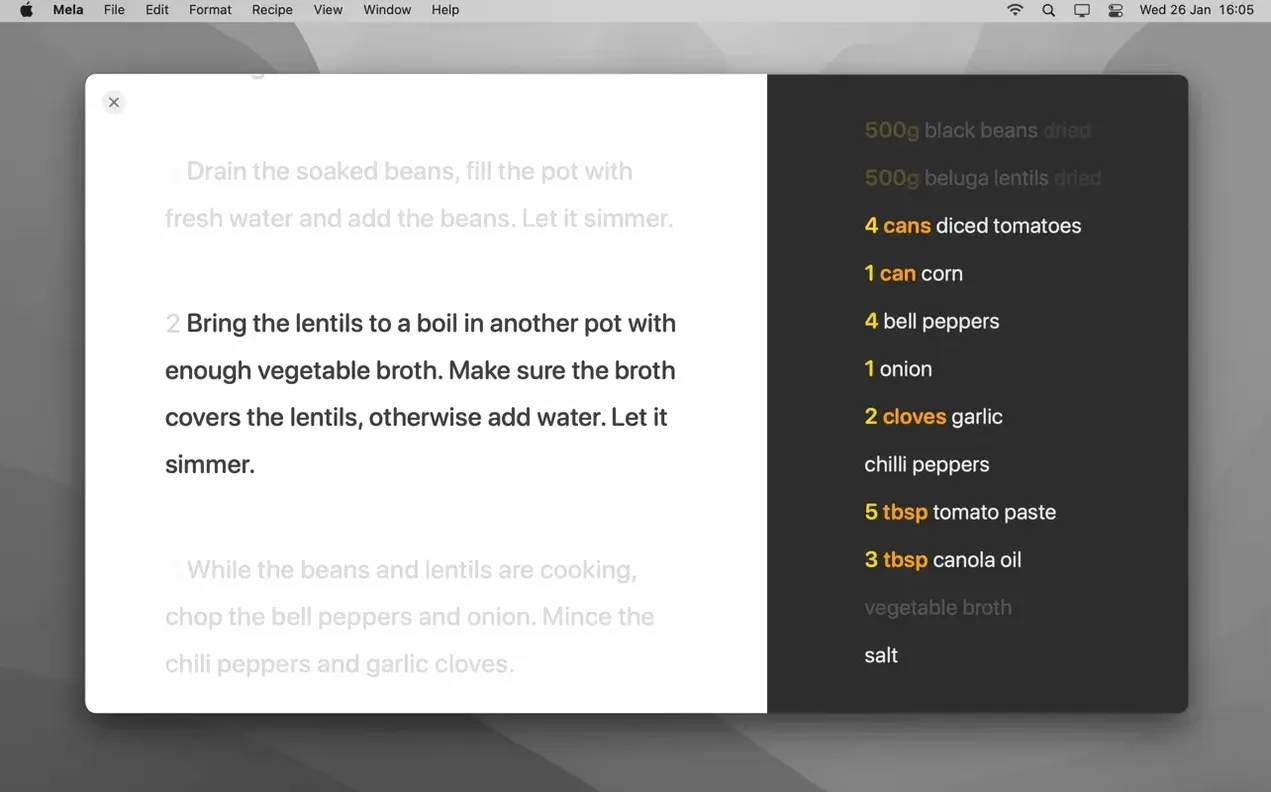
Cooking mode bumps the text size so you can read it from across the counter, runs multiple recipes side by side, and includes built-in timers you can start without leaving the recipe.
iCloud sync ties recipes and meal plans to Calendar
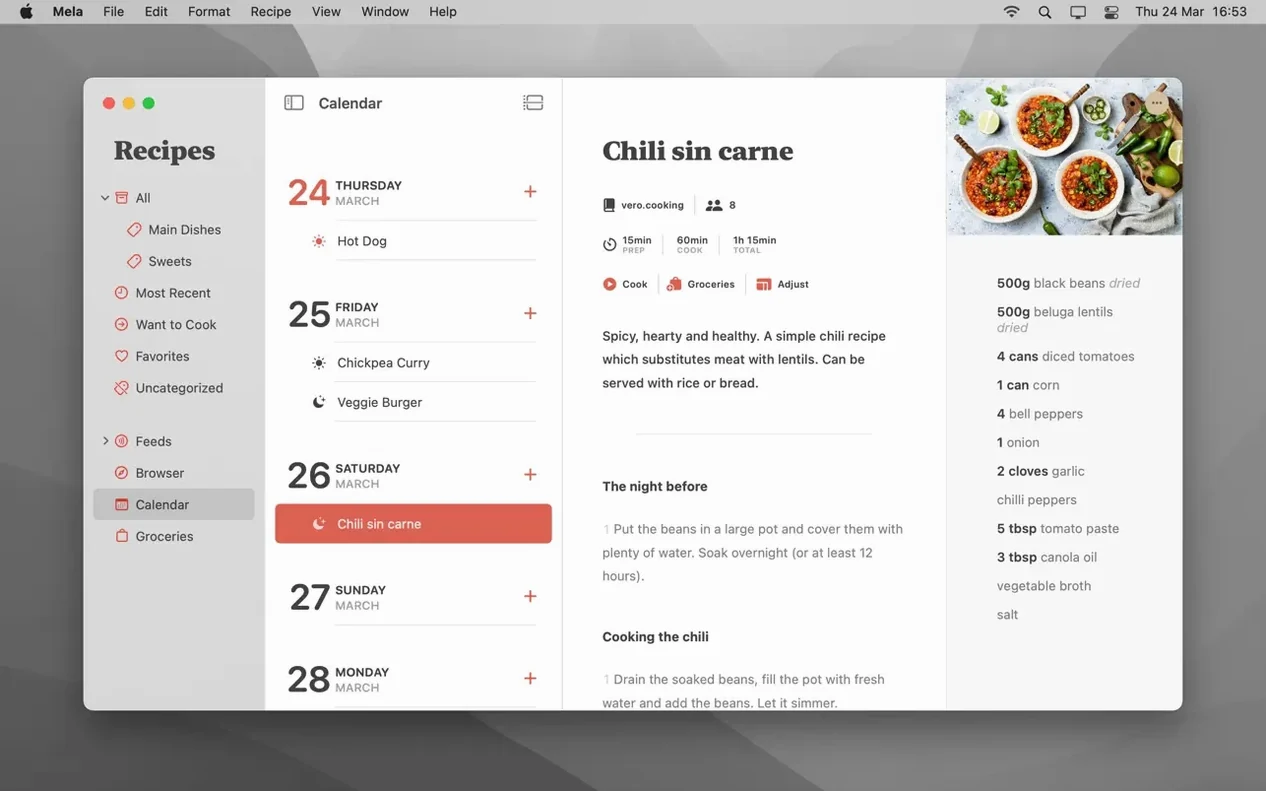
Recipes live in iCloud, so your library appears on every Mac signed into the same account. Meal planning ties into Calendar.app, and you can export any recipe as a PDF or send it straight to the printer.
Shared libraries in 2.6 reshaped household meal rotation
Version 2.6 brought shared recipe libraries into the mix, which changed how a household manages the dinner rotation. Before that, you had one library per iCloud account — fine for a solo cook, but clumsy when two people kept separate lists of the same go-to meals. Now you can invite another iCloud user to a shared library, and edits show up on both sides. The catch is that shared libraries require macOS 12, even though Mela itself still runs on macOS 11.
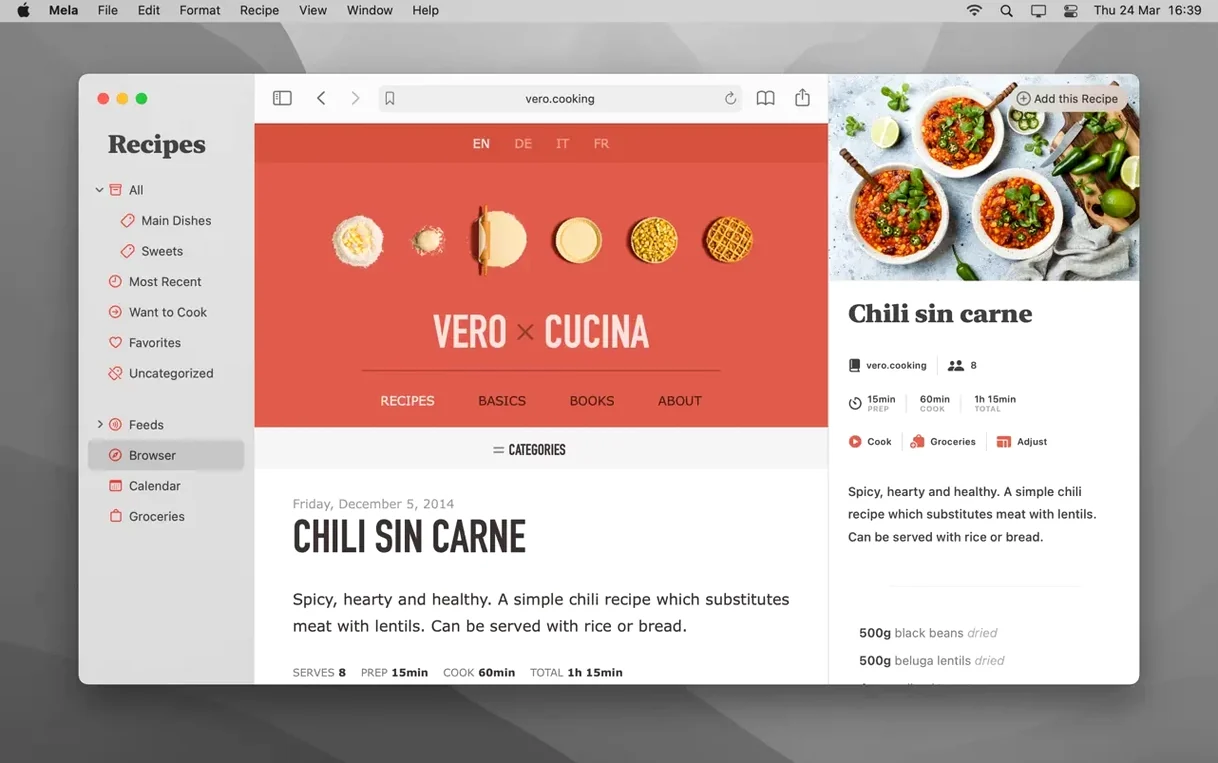
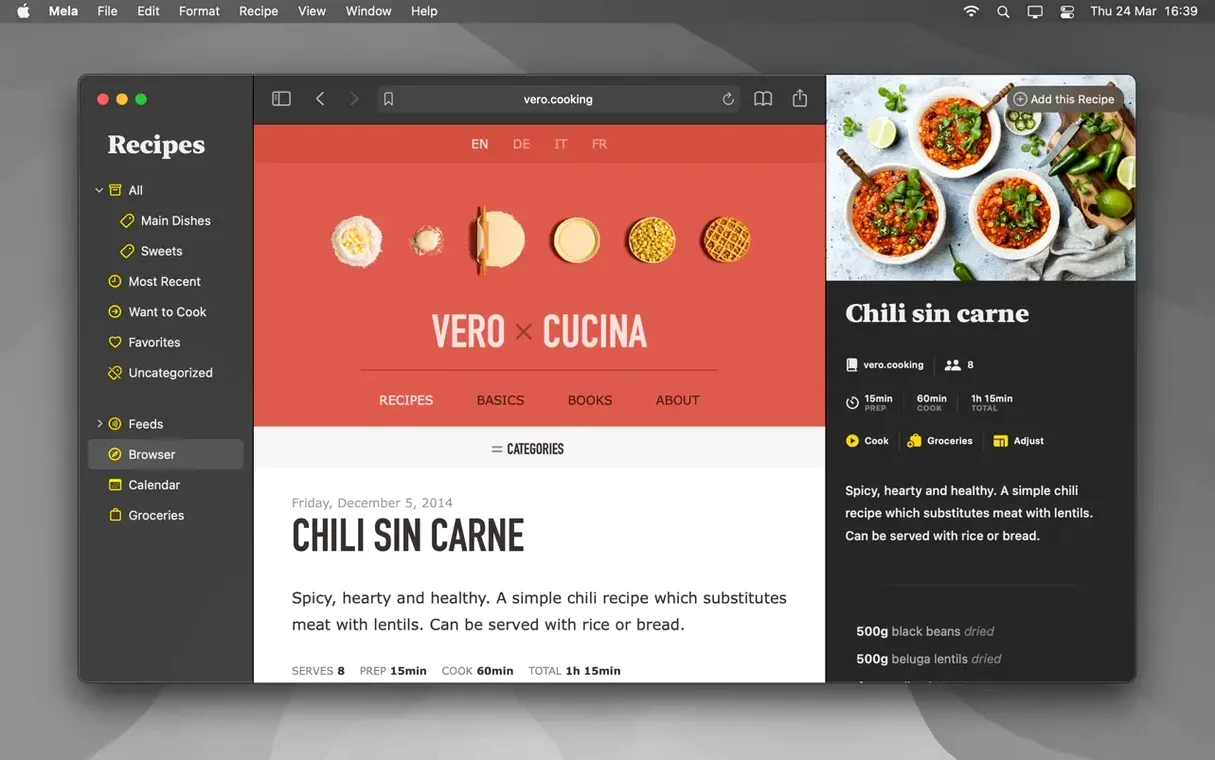
The in-app browser also got smarter about detection. When you land on a recipe page, Mela now surfaces the parsed recipe inside its own viewer without forcing you to tap through the share sheet first. Less friction, fewer half-saved recipes that you meant to come back to.
Calendar integration turns meal plans into literal calendar entries
Mela leans on iCloud for sync, so there is no separate account to create and no server to trust beyond what you already use for Photos and Notes. The calendar integration is literal: meal plans appear as a calendar in Calendar.app, controlled by the same checkboxes and date-picking behavior you already know. That means a meal plan entry can trigger a notification or show up on a shared family calendar without Mela doing anything special.
The share extension slots into Safari and any app that sends a URL through the system share sheet. Highlight a recipe link in an email, hit share, and Mela parses it in the background. The scanner ties into the Mac's camera or an iPhone running as a continuity camera, so the text recognition uses the same engine that drives Live Text in Photos. Export options are straightforward: print directly or save as PDF, which feeds into the system print panel and all its usual destinations — including sending a PDF to Books or marking it up in Preview.
What do beginners get wrong?
- Assuming the scanner needs a flat, perfect page. Mela's text recognition handles angled shots and uneven lighting better than most people expect. The bigger problem is holding the book still enough — prop it open with something heavy, don't try to hover one-handed over the stove.
- Forgetting that shared libraries are opt-in. Turning on iCloud sync does not automatically share your recipes with anyone. You have to create a shared library and invite people explicitly, and both sides need macOS 12 or later for that feature to appear.
- Sending a link instead of parsing the page. If you share a URL from Safari without using Mela's extension or in-app browser, the app stores the link but does not extract the recipe. You end up with a bookmark, not a structured recipe. Always use the share extension or the in-app browser's detection for the full parsing pass.
- Confusing meal plan events with recipe storage. Dragging a recipe onto the calendar in Calendar.app does nothing useful. Plans are created inside Mela; the calendar is a view, not an editor.
Live preview pane parses recipes as you browse blogs
The in-app browser has a live preview pane that updates as you navigate recipe blogs. You can scroll through a site's recipe index and see each parsed recipe appear in the sidebar without committing to saving anything. For blogs you follow regularly, subscribing inside Mela turns their feed into a browsable recipe viewer — no more digging through newsletter archives for that soup you made last winter.
In cooking mode, timers are tied to individual steps, not to the whole recipe. Tap a step, set a timer, and it runs in parallel with timers from other recipes you have open. The label on the timer shows which step it belongs to, so you are not guessing which beep means "pull the pasta" and which means "check the roast."
Categories, Favorites, and Want to Cook are three separate organizational layers. Categories are structural — "Desserts," "Weeknight," "Soups." Favorites is a quick-access filter you can toggle from the sidebar. Want to Cook is a staging area: a place to dump recipes you have not tried yet, which keeps them out of the main list until you decide they earned a proper category. Using all three together stops the library from turning into the same scrolling mess that Notes was.
- macOS 11 or later
- Apple Silicon and Intel 64-bit
Comments 0
Sign in or create an account to leave a comment.
No comments yet. A codec, a slice, a machine — they appear after moderation.