
Mole for macOS

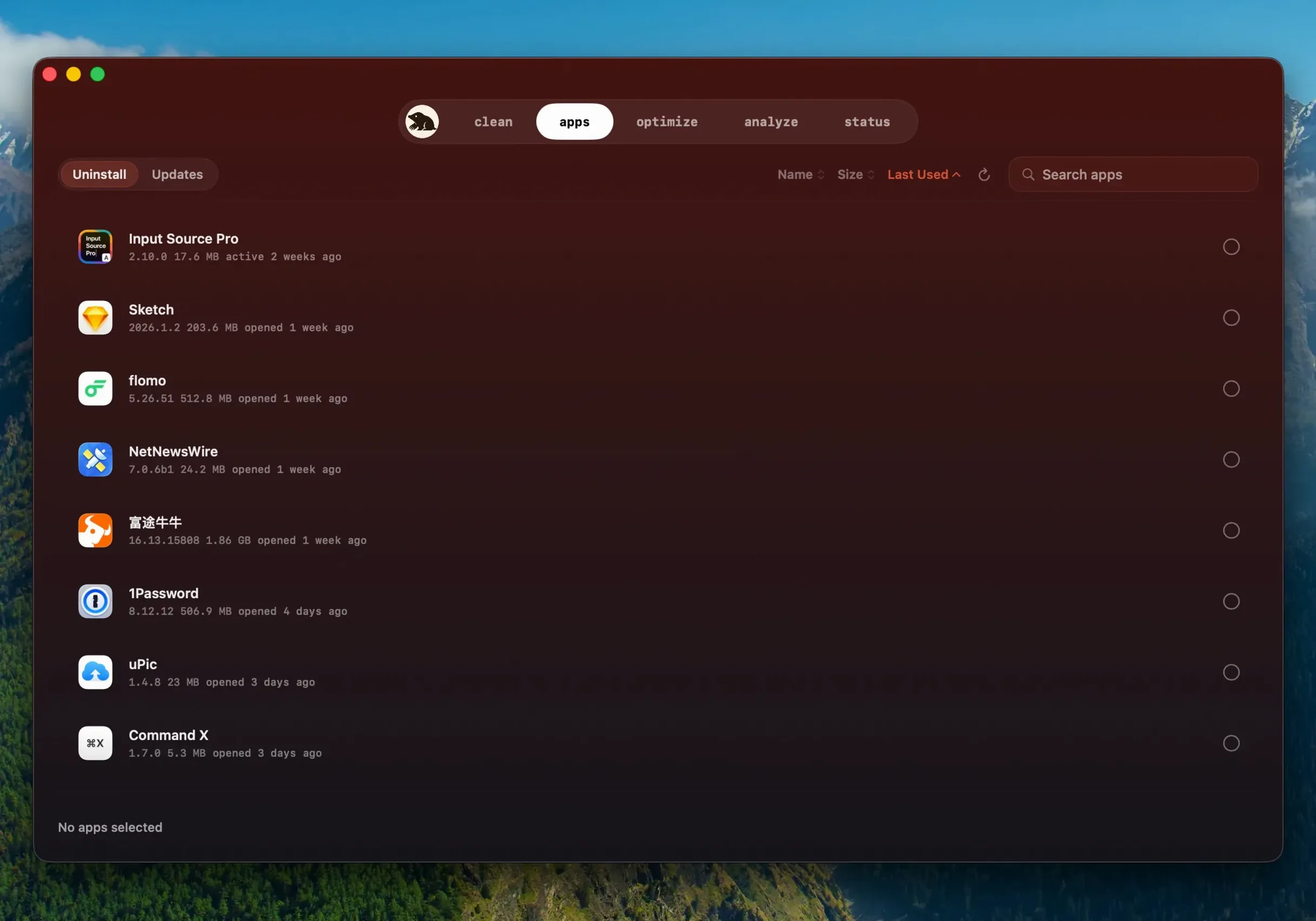

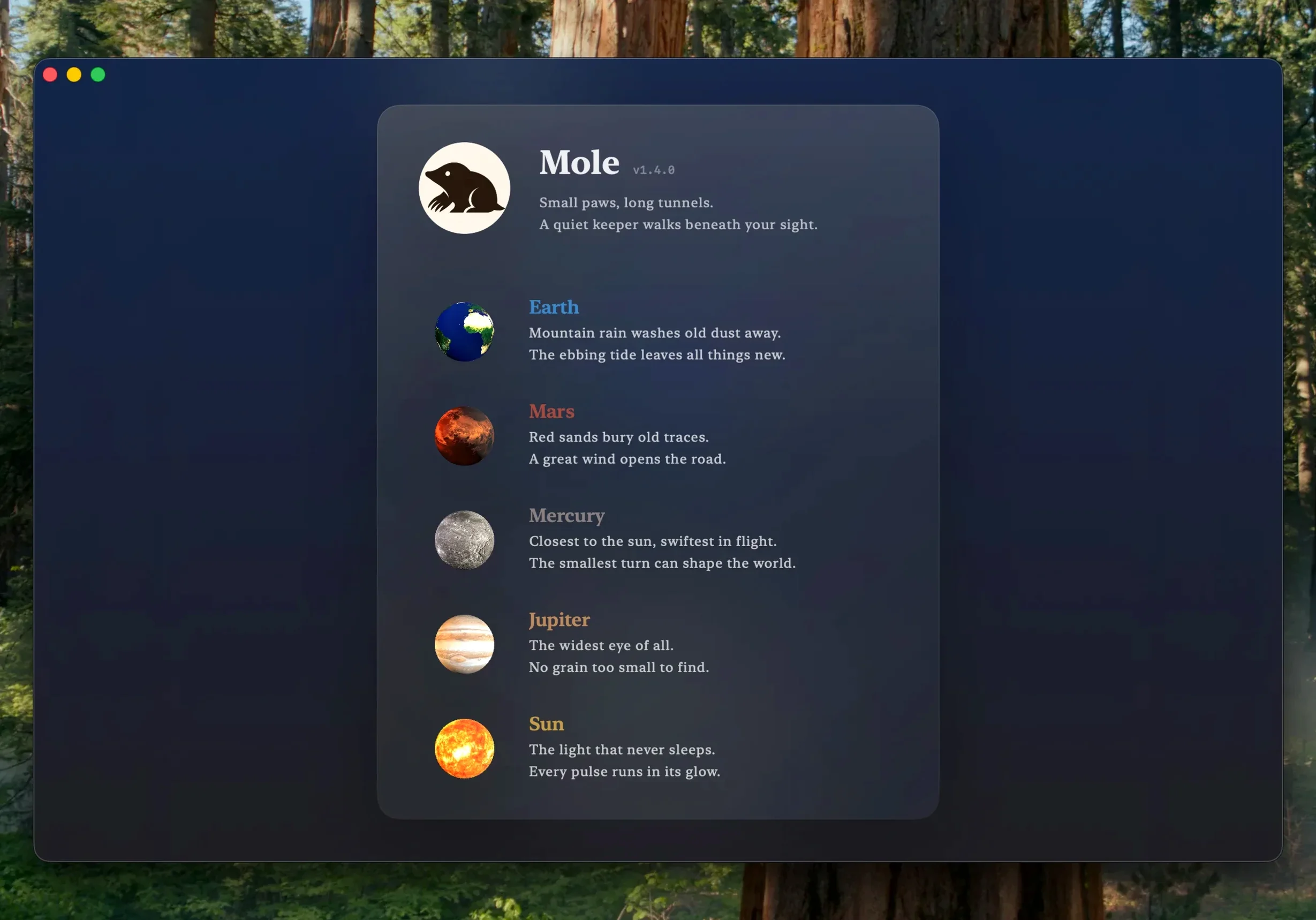
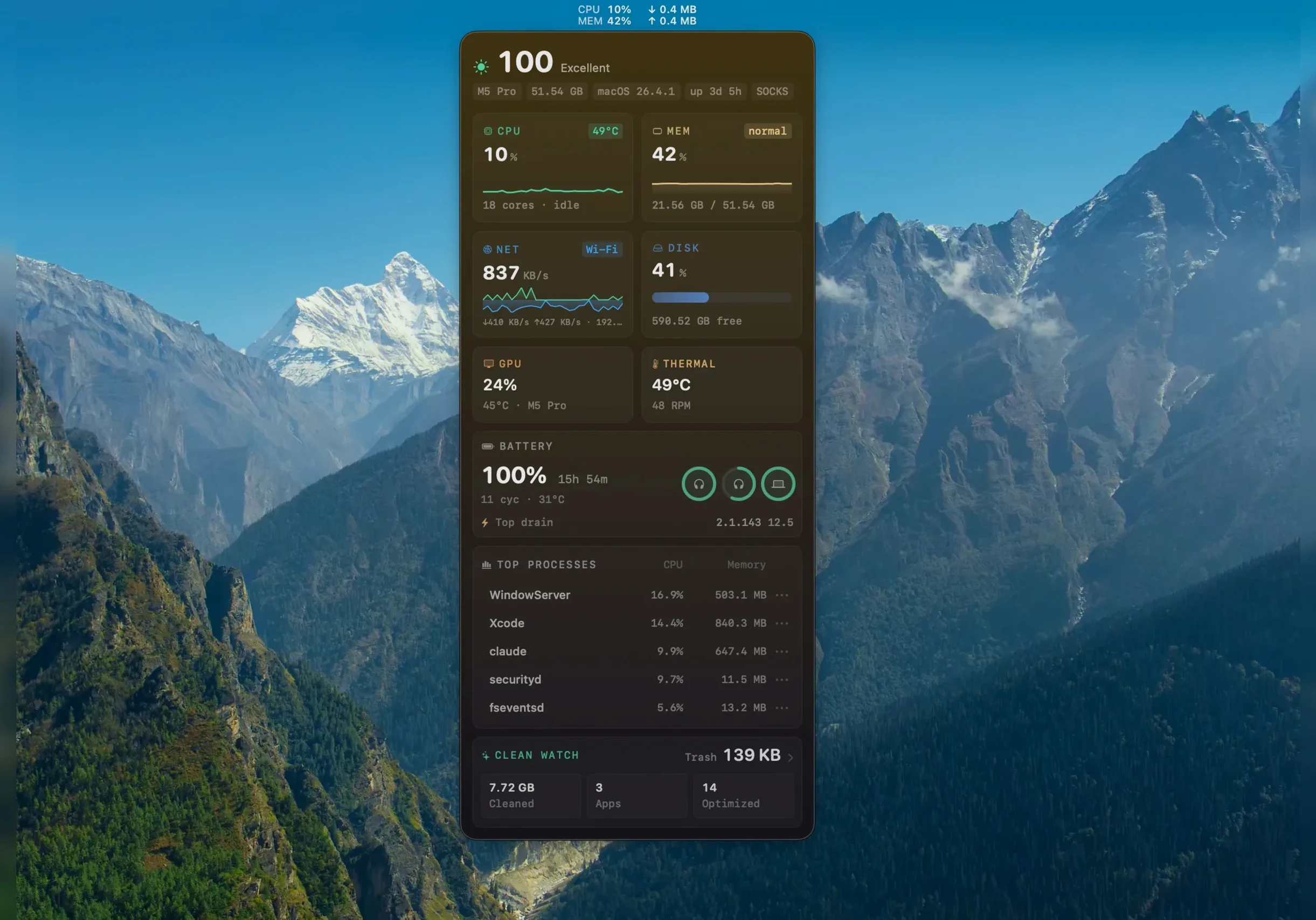
Mole is a local cleanup and maintenance app for macOS that shows you exactly what it found before touching anything.
- Local scanning — cache, log, and temporary file analysis runs on your Mac by default, not through a remote service.
- Confirmation gate — every action waits for explicit approval, with a file list and sizes displayed before processing begins.
- Startup items — Dock and launch items can be reviewed and removed from one place.
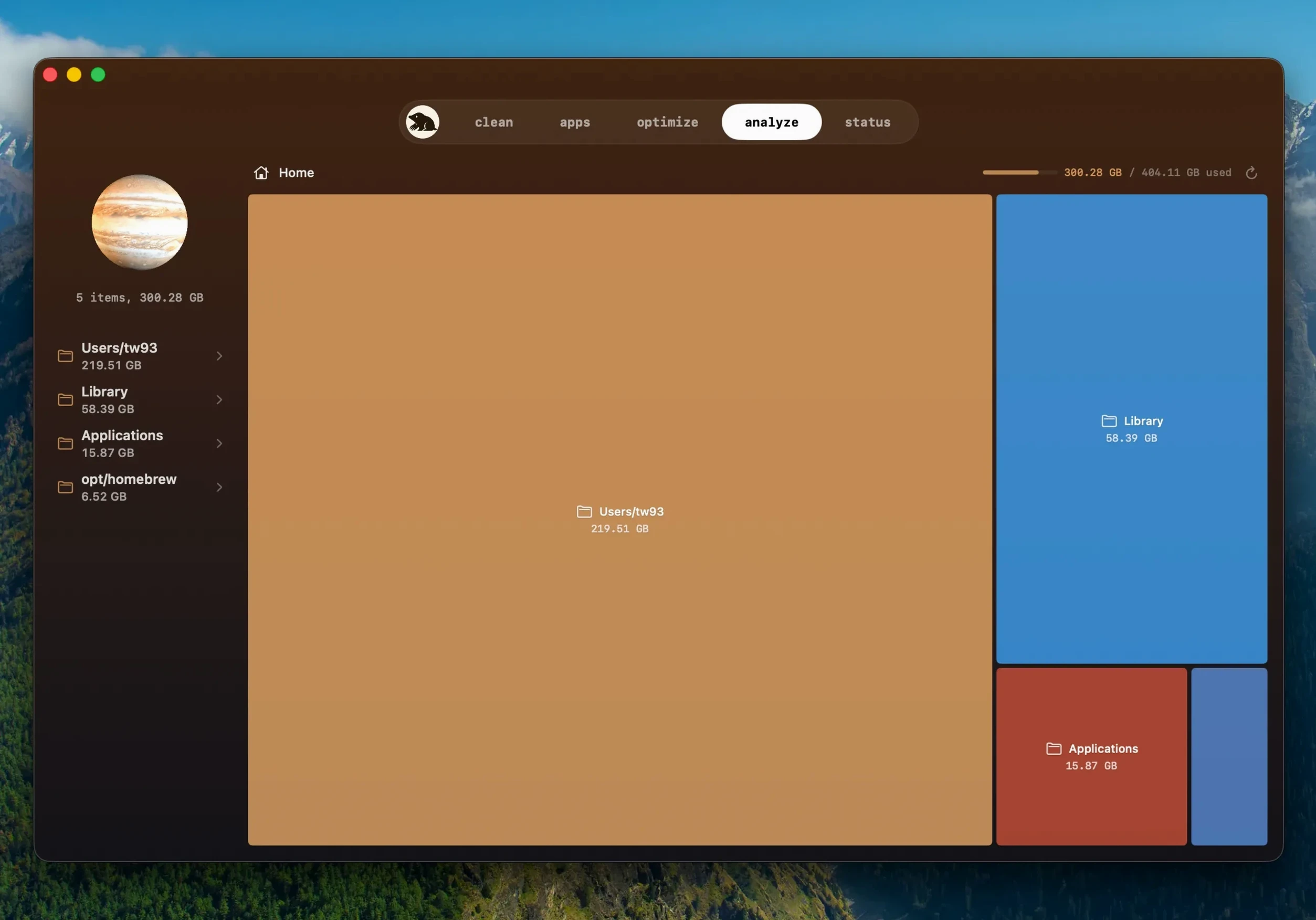
- Tree map analysis — disk space gets a visual breakdown, which makes large directories easier to spot than a flat list does.
- Architecture support — runs natively on ARM and x86 64-bit Macs.
The current build, mole 1.14.0 for mac, also handles updates for apps you downloaded outside the App Store, asking before it quits a running app and relaunching it after installation.
Why 512 GB still feels full by Wednesday
Imagine a freelance video editor working off a 512 GB MacBook Pro. Final Cut libraries and After Effects renders eat space in bursts, and by midweek the system feels sluggish. Disk Utility reports plenty of free space, yet something is off — caches from three NLE apps, leftover render files, and log folders from a plugin that was removed months ago.
They open Mole, grant full disk access for a deep scan, and walk away while it finishes. The tree map highlights a ~/Movies/Render Files/ directory sitting at 78 GB — forgotten exports from a project that shipped two weeks ago. The cleanup panel surfaces 12 GB of system and application caches, including stale .xcactivitylog files Xcode generated when they tinkered with a LUT utility. Before deleting anything, Mole lists every file and its size. Nothing leaves the disk without a click. Ten minutes later, the machine breathes again, and the editor postpones the external SSD purchase another month.
What 1.14.0 changed for daily use
Earlier builds like mole 1.12.1 or mole 1.8.0 left software updates entirely to the user. Dragging a new .dmg over an old .app bundle became muscle memory. The 1.14.0 release shifts a slice of that work into the app itself — specifically for programs you grabbed directly from a developer’s website.
- In-app software updates. Mole now detects when a newer build is available for those apps. It shows the available version, confirms you want to proceed, then handles the download.
- Smarter version detection. A newer build of the same version — say, a silent repack of mole 1.13.0 with a fixed library — no longer slips past unnoticed.
- App lifecycle handling. If the target app is open, Mole asks before quitting it. Once the update installs, it reopens the app automatically. No Finder windows left behind.
- Download reuse. If an update cannot finish — the app won’t quit cleanly, for instance — Mole holds onto the completed download instead of fetching it again on the next attempt.
None of this touches the core cleanup engine; the local-scanning and confirmation-gate behavior is unchanged. What 1.14.0 does is reduce the number of trips to a developer’s release page — a small thing that piles up when you maintain a dozen direct-download tools.
Before installing
Does the app upload my file list or browsing data anywhere?
No. Scanning and analysis run locally by default. File contents, directory names, and browser histories stay on your Mac. There is no remote processing step, so the privacy model is straightforward: if you don’t grant full disk access, Mole sees less; if you do grant it, the scan is still local.
Will it delete something important without asking?
Every action waits for a confirmation. Mole shows a list of what it intends to clean, with sizes, and pauses until you approve. It also skips items it considers suspicious — a safety net for cases where a file looks like a system component rather than a disposable cache.
Does it replace Activity Monitor?
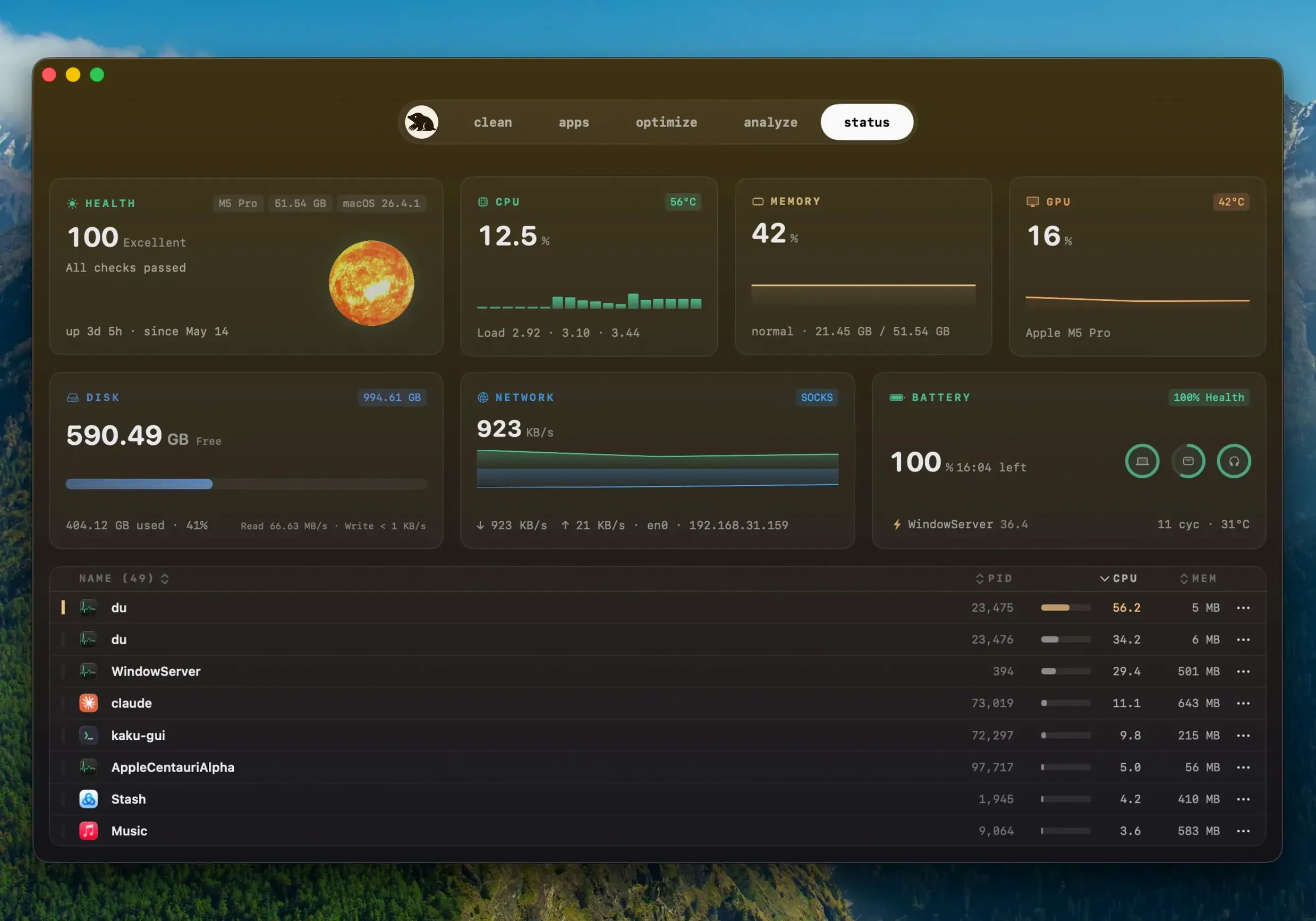
Not exactly. Mole’s status panel shows real-time CPU, memory, GPU, disk, network, battery charge, and temperature data, but it’s designed as a quick glance, not a deep process inspector. You might keep it in the menu bar for battery and thermal checks while using Activity Monitor for per-process investigation.
So you found a "mole torrent" — what's actually inside?
A Mole torrent or repackaged copy will often be an older version — Mole 1.8.0 or Mole 1.12.1 — missing the update smarts of 1.14.0. If you're working with a Mole crack, just make sure to check the bundle's code-signing flags with codesign -dv so the app runs smoothly. The genuine app checks its own integrity on launch, which is a handy reference point.
Living below 20 GB free? The tree map changes everything
Mac users who live close to a full disk. If your storage hovers below 20 GB free, the tree map alone saves hours of squinting at Finder’s “Manage Storage” breakdown. Visual blocks map directly to directories, so you see that ~/Library/Developer/ is the real hog, not your Photos library.
People who install and remove a lot of software. Application leftovers — preferences, caches, and support files — pile up when you test a dozen utilities in a week. Mole’s removal pane catches what a simple trash-the-.app leaves behind.
Developers and tinkerers. Build artifacts, old simulator data, Homebrew cache directories, and npm’s ~/.npm/_cacache balloon quietly. Mole’s deep scan, with full disk access, surfaces these when you run it weekly.
Users who distrust cloud-based cleaners. Because everything happens locally, Mole appeals to anyone who finds the idea of sending a disk map to a server unsettling. There is no account, no telemetry prompt, and no network call during a scan.
If your Mac is a company-managed machine with locked-down permissions, Mole still runs, but the deep scan won’t reach protected paths. For everyone else on macOS 14 or later, it’s a straightforward maintenance tool that shows its work before it acts.
- Apps installed from websites can now update directly inside Mole.
- Newer builds of the same version are detected automatically.
- Before updating, Mole asks to quit a running app and reopens it when installation finishes.
- Requires macOS 14 or later
- Apple Silicon and Intel (x86 64-bit)
- Full disk access supported for deeper scans
Comments 0
Sign in or create an account to leave a comment.
No comments yet. A codec, a slice, a machine — they appear after moderation.