
Sketch for macOS
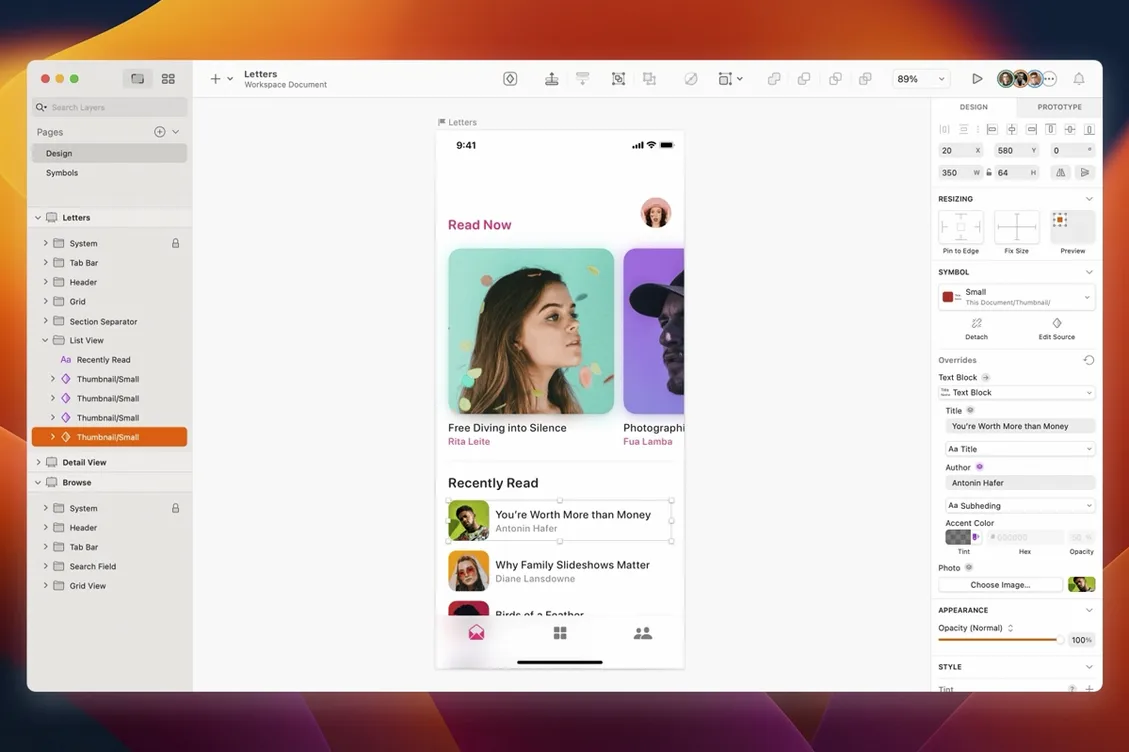
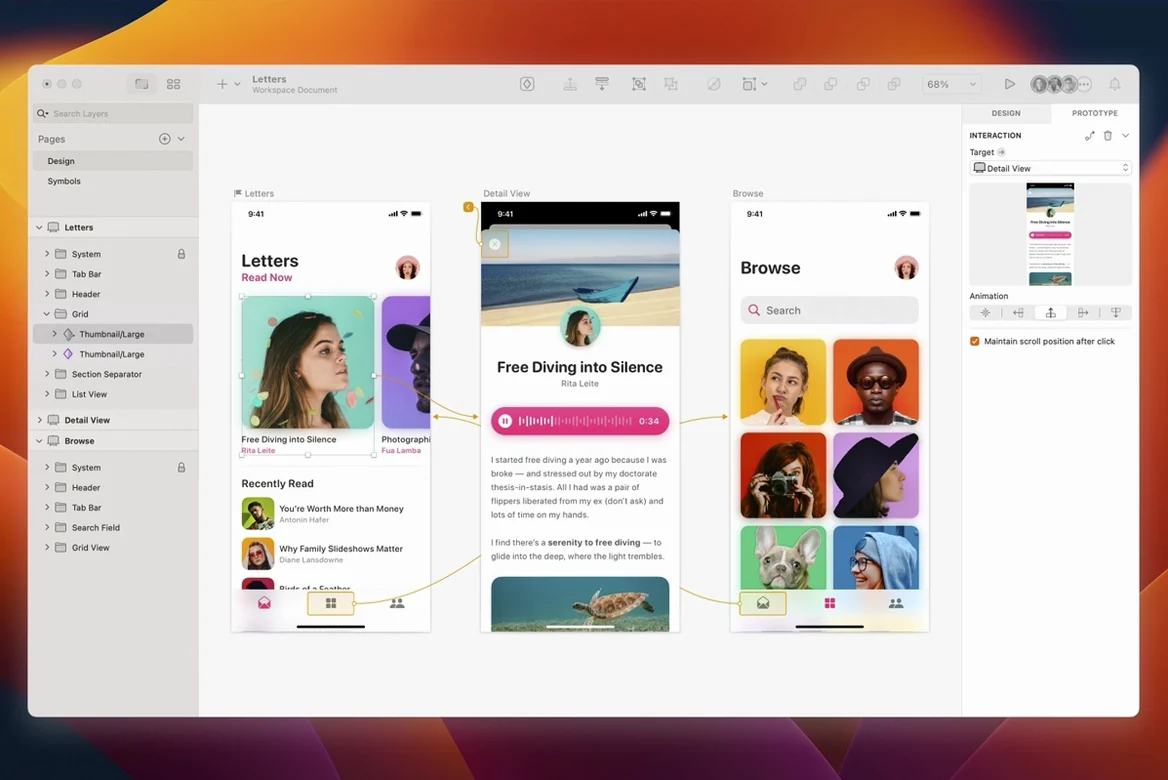
Smart Layout alone reshapes how you think about resizing components, but the real depth for an experienced user sits in the math you can type directly into any inspector field. Mix percentages, pixel values, and basic arithmetic—50%+10—and the canvas recalculates live. It turns manual spacing adjustments into a single keystroke.
| What it handles | Where it runs |
|---|---|
| Vector UI design, prototyping | macOS Sequoia 15.0.0+ |
Beneath the familiar Mac interface, the file format is a zipped folder of JSON documents. That openness is why third-party plugins can automate naming conventions or export asset variants without touching the UI. The plugin architecture supports scripts written in JavaScript that hook directly into the layer model, not just surface-level macros. Paired with nested symbol overrides, where swapping an icon inside a button instance cascades across every artboard using that master, you get a system that rewards disciplined component libraries. The current build also brings the canvas into line with macOS 27 Golden Gate: document windows now adopt the system corner radius, and the stack layout engine correctly respects the minimum width of a text layer.
Why did window corners suddenly feel softer?
The document window corners are no longer squared off — they pick up the macOS Golden Gate system radius automatically. It's a small visual shift, but if you work with multiple windows tiled across a large display, the chrome feels less like a stray holdover and more like a native panel. More importantly, a stack layout quirk that ignored the minimum width of a text layer got patched. Before the fix, a button label set to a min-width inside a horizontal stack could collapse to nothing when the parent resized; now the constraint holds. If you lean on stacks for responsive components, that one bug fix saves a lot of manual overrides.
Two Golden Gate-specific papercuts also disappeared: tooltips near the screen edge no longer clip, and the text alignment controls in Rename Selected Layers look correct instead of drifting left. The blank-canvas glitch while using Writing Tools — where the artboard would vanish mid-sentence — is also resolved, so dictation and inline suggestions work without hiding your work.
Where is the checkbox that stops 1x blur?
After dragging the app to /Applications and launching it, open Preferences and switch on Pixel Fitting under the Layers tab. It rounds point coordinates to whole pixels during resize, which stops hairline blur on 1x exports. Next, create a Library file — even a throwaway one — and add a single symbol. That forces you to understand how external Libraries link, and you'll hit permission dialogs early when they're easy to debug rather than mid-deadline.
In the inspector, type 200+24*2 into a width field. The expression parser accepts parentheses and mixed units, so (100%-24)/3 divides a fluid container into three equal columns with a 24px gutter. Once that habit forms, you'll never drag guides for grid math again. If you're coming from another tool, spend fifteen minutes on the Color Variables panel: name your grays semantically (surface/01, text/secondary) rather than by hex value. The color tokens sync into overrides automatically, and changing surface/01 in the Library propagates everywhere.
Plugins install as .sketchplugin bundles; double-clicking adds them to Plugins › Manage Plugins. Start with a rename helper — batch-prefixing layers with artboard names saves hours when you later export assets for a developer handoff. The plugin console (open it from Plugins › Run Script) lets you paste a few lines of JavaScript to test the layer API directly, which is the fastest way to understand what automatable data the document model exposes.
What do you need before installing?
Does it handle large design systems without choking?
Component Libraries with hundreds of symbols stay responsive because the app loads only the overrides you touch, not the full master tree. If a Library lives on a network volume, the initial link takes a moment, but subsequent saves write only deltas. Artboards with heavy raster content benefit from the Reduce Image Size command, which downsamples placed bitmap data to the actual canvas resolution — useful when mockups pull in high-resolution photography that bloats the file.
Can I share files with someone who doesn't own a Mac?
The native format is .sketch, which is a zip of JSON and binary assets. Anyone can unzip it and inspect the JSON, but for visual collaboration you'll need the web app workspace that reads the same document model. Exported SVGs are clean enough to hand off as production assets, though complex boolean operations sometimes produce path structures that need a Layer › Paths › Flatten pass first to simplify the output.
What if I learned design on a different tool?
Vector editing follows standard bézier conventions — the pen tool, boolean operations, and point mode switching all map one-to-one. The adjustment that trips people is that Sketch treats artboards as self-contained coordinate spaces. A layer at x:0, y:0 inside an artboard is relative to that artboard, not the canvas origin. Dragging an artboard moves its entire coordinate system, which is powerful once internalized but confusing when you first nudge an artboard and everything inside shifts with it.
How do you get past a silent Gatekeeper block?
If the app won't open after mounting the .dmg and copying it, the Gatekeeper dialog may have dismissed without letting you approve. Open Terminal and run xattr -cr /Applications/Sketch.app, then relaunch. On Apple Silicon machines, the first cold launch takes longer because macOS verifies the code signature; subsequent launches are instant.
When a symbol override shows a grayed-out property, check whether the nested symbol's master has that property enabled for override. The chain is strict: only properties explicitly marked Allow Override in the nested master appear upstream. If you need a specific text color to be editable three levels deep, you have to open each intermediate symbol and toggle the override checkbox for that attribute.
Plugins that worked in the previous major version may fail silently after updating. Run Plugins › Manage Plugins and check for a yellow warning badge. Most plugin authors ship patches within a week of a Sketch release, and re-downloading the .sketchplugin file overwrites the old bundle without data loss. If you depend on a plugin that hasn't updated yet, the Plugins › Run Last Script menu item can help you isolate whether the break is in the plugin's UI wrapper or the core API calls it makes.
Export presets sometimes forget their suffix pattern after a version upgrade. Rebuilding them in the Export panel — @2x, @3x, with the scale factor set explicitly rather than left at Auto — produces more predictable file names than relying on the automatic suffix detection, especially when you mix PNG and SVG exports in the same artboard.
- Document windows now match the system corner radius on macOS 27 Golden Gate.
- Stack layout bug fixed: text layers no longer ignore their set minimum width.
- The Rename Selected Layers sheet aligns text correctly on Golden Gate.
- Tooltips no longer clip when they appear near the screen edge.
- Canvas content stays visible while using Writing Tools.
- macOS Sequoia 15.0.0 or newer
- Runs natively on both Intel and Apple Silicon Macs
Comments 0
Sign in or create an account to leave a comment.
No comments yet. A codec, a slice, a machine — they appear after moderation.