ScreenFlow for macOS
ScreenFlow is a screen recording and video editing application for macOS. This page is for checking whether your machine can run version 10.5.2, straight from the facts.
What you need to run ScreenFlow 10.5.2
- macOS: Requires macOS 10.15 Catalina or later, up to and including macOS 26.
- Architecture: Runs natively on both Intel and Apple Silicon Macs.
- Interface languages: English, German, Spanish, French, and Japanese.
What you get in this version
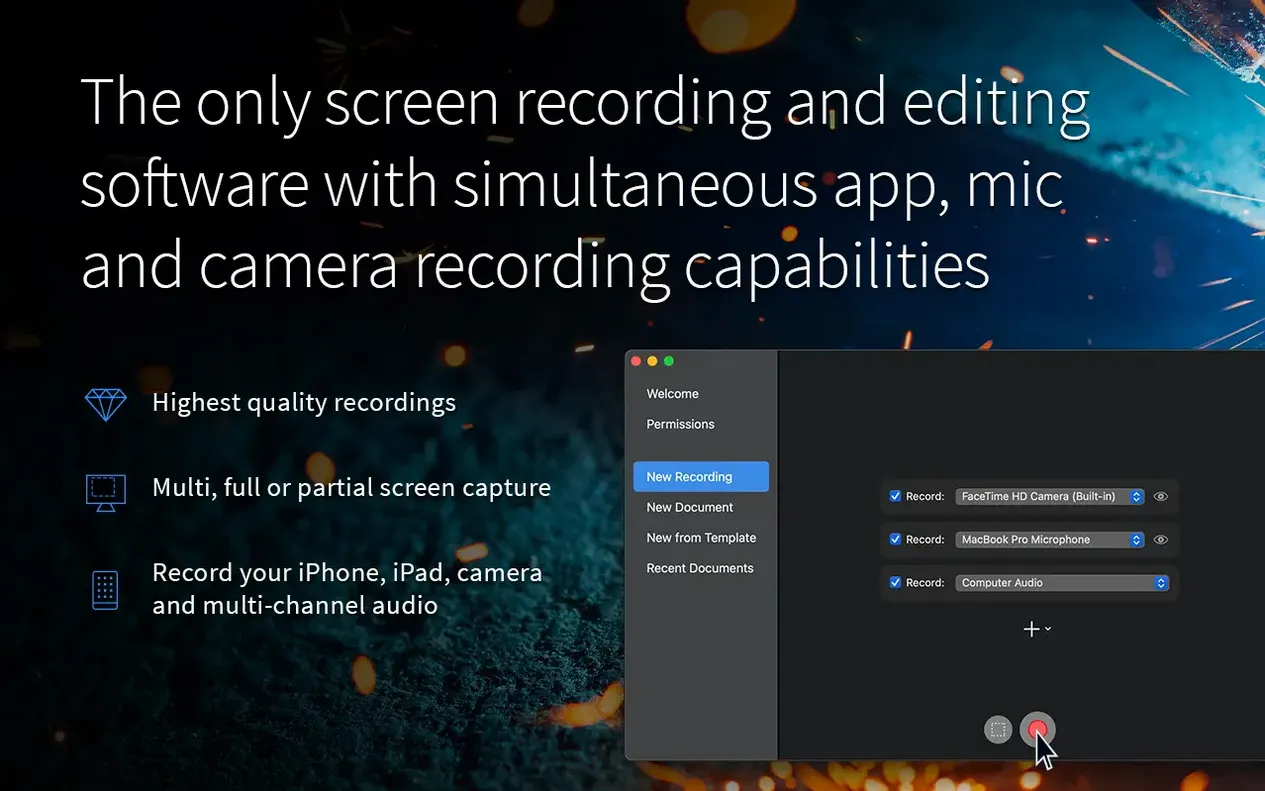
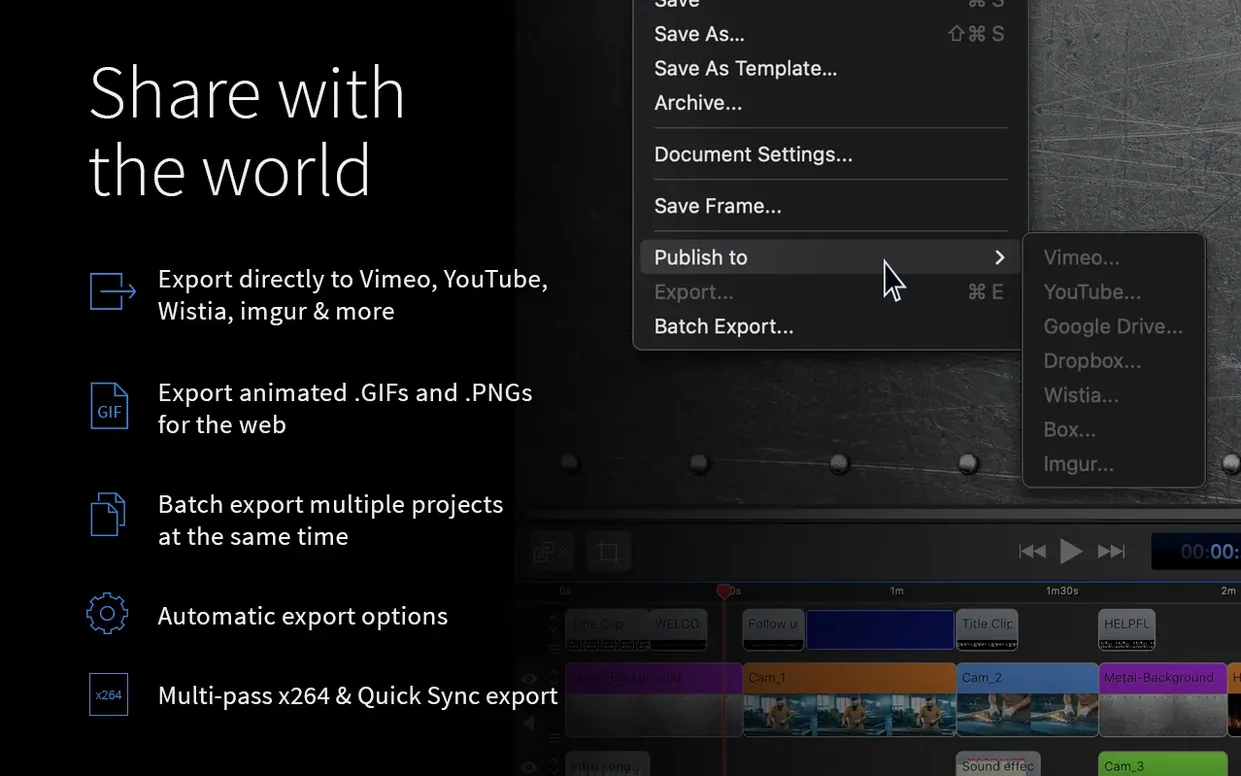
ScreenFlow 10.5.2 captures camera video, iPad or iPhone footage, microphone input, multichannel audio interfaces, and computer audio simultaneously. The built-in editor handles images, clips, text, audio, and other video files, and you can apply zoom and pan effects, callouts, annotations, subtitles, chroma key, and video motion effects. Exports go directly to services like Vimeo, YouTube, Wistia, Google Drive, Dropbox, Box, and Imgur. The app can also create animated GIF and APNG files. This build specifically fixed a crash on macOS 26.2 or later, resolved chroma-key export issues for certain screen recordings, and corrected a broken license management URL.
How does ScreenFlow compare with similar Mac apps?
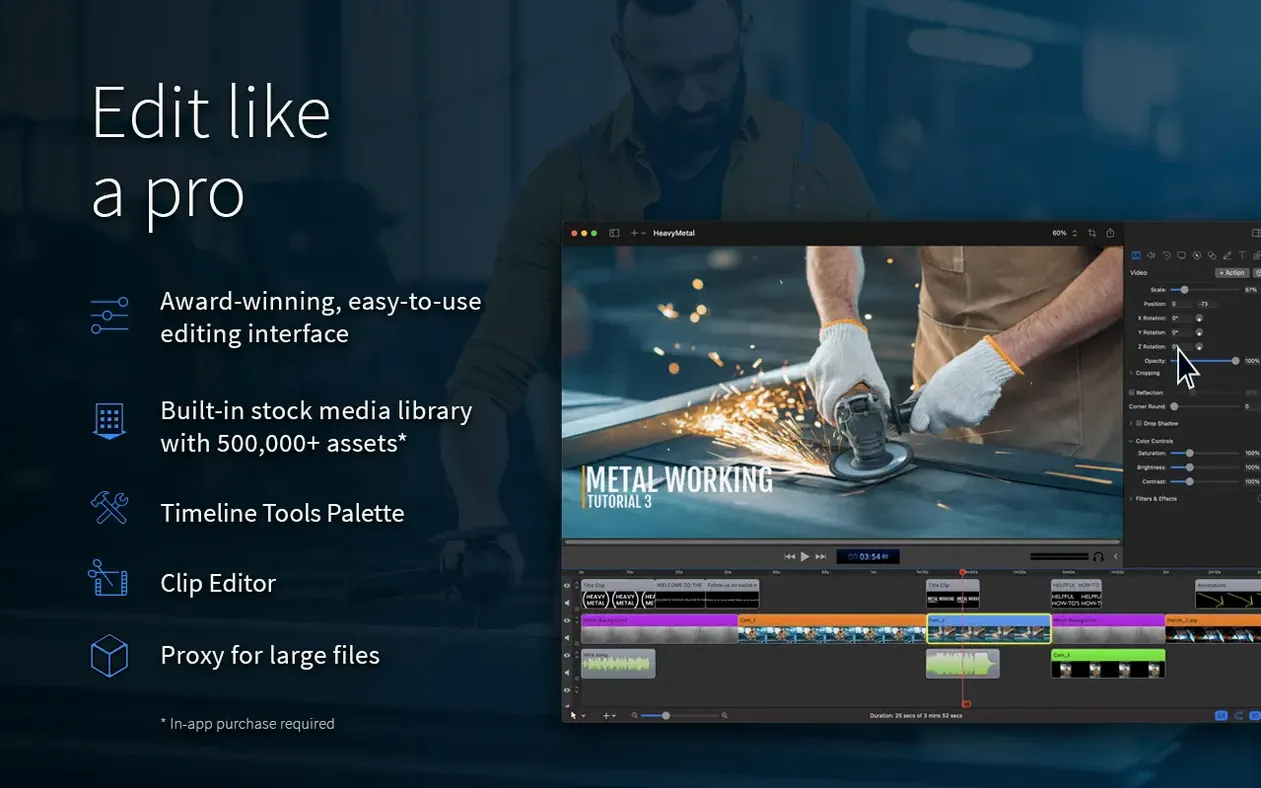
CamStudio has none of the editing depth. OBS Studio records beautifully and costs nothing, but post-production means exporting to another tool. ScreenFlow sits in the middle: the recorder and editor share one timeline, and that changes how quickly a tutorial moves from raw capture to finished upload.
Against OBS, ScreenFlow wins on organization. Scenes in OBS are powerful for live work, but a recorded session with multiple sources becomes a single flattened file unless you plan ahead. ScreenFlow keeps each source as its own track in the timeline, so you can reposition the webcam, duck the mic, or cut a flubbed sentence without re-recording. OBS also lacks built-in callouts, annotations, and motion effects — you would need a separate editor for those.
Against Camtasia, the difference is subtler. Both handle screen recording, multi-track editing, callouts, and direct sharing. ScreenFlow's export presets tend to lean toward ProRes workflows, which matters if you hand files to a colorist or a broadcast editor. Camtasia's strength is broader template support for corporate training. If you spend most of your time recording Xcode sessions, Figma walkthroughs, or gameplay clips, ScreenFlow's timeline feels leaner and gets you to an MP4 faster.
Common snags and how to sort them out
No computer audio in the recording
macOS changed how audio capture works in recent versions. If your system audio track comes out silent, check that ScreenFlow has Screen Recording permission under System Settings > Privacy & Security > Screen Recording. The multichannel audio driver needs that permission even when you only care about sound. Restart the app after granting it.
Chroma key exports looking wrong
Version 10.5.2 fixed an export bug where chroma key would drop out or leave a green fringe on certain screen recordings. If you still see artifacts, re-apply the filter and export again from the timeline rather than using a saved preset. The fix targets the export pipeline, not the preview window.
The app crashes on launch
This was the headline fix in 10.5.2 for macOS 26.2 and later. If you are on an older version and seeing crashes, updating to the current build is the first move. The crash was tied to system-level changes in macOS 26.2, not to project files.
License manager button going nowhere
The manage button under licenses pointed to a dead URL in earlier builds. The 10.5.2 release notes list that as fixed, so the in-app button should now resolve correctly.
What changed in everyday use with the latest versions
The practical takeaways from 10.5.2 are stability fixes rather than new tools. If you record on a Mac running macOS 26.2 or newer, the crash fix alone makes this build worth grabbing. Chroma key export reliability also improved for certain screen recordings — that matters for anyone compositing a webcam over gameplay or an app window.
Earlier 10.x releases had already moved the app toward native Apple Silicon performance and kept the single-timeline workflow intact. What you notice day to day: fewer export failures, fewer unexpected quits, and a license panel that behaves. Nothing in the interface shifted dramatically, which is often the best kind of update for a tool you rely on weekly.
A typical working session, step by step
Say a computer science student needs a short walkthrough of a sorting algorithm for a study group. The session starts with ScreenFlow recording the Xcode window at 1080p, the built-in microphone active, and system audio on for the keyboard clicks and any alert sounds.
First pass: they run through the algorithm once, talking through each step. ScreenFlow captures the editor pane, the debug console, and the voice track as separate recordings. Ten minutes of raw material lands on the timeline.
Then the edit. They trim the intro where the microphone picked up chair noise. They split the clip where a sentence trailed off, delete the dead air, and tighten the gap. A zoom effect lingers on the comparison loop for three seconds. A callout arrow points to the pivot variable. The webcam track stays small in the corner, visible only during the first and last thirty seconds.
Subtitles go in for the two places where the explanation runs quickly. Chroma key is not needed here, but a subtle motion effect smooths one abrupt jump cut. The timeline is maybe six minutes now.
Export as MP4 for the group chat, then a second export as an animated GIF for the class forum. The direct share to Dropbox handles distribution without leaving the app. The whole session — record, edit, export, share — took under an hour.
- Fixed a crash occurring on macOS 26.2 and later versions.
- Fixed exports with Chroma Key applied to certain screen recordings.
- Fixed the Manage button under licenses routing to a non-functional URL.
- macOS 10.15 Catalina or later, through macOS 26
- Compatible with Intel and Apple Silicon
$ man screenflow | grep -A2 "?"
What sources can ScreenFlow record at the same time?
It can capture camera video, iOS device video, microphone input, multichannel audio input, and computer audio all in a single session.
Does ScreenFlow 10.5.2 fix the crash on the latest macOS?
Yes, the release notes state that version 10.5.2, released on 2026-02-12, fixes a crash on macOS 26.2 or later.
What animated formats can I export from the editor?
ScreenFlow can create animated GIF and APNG files directly from your recordings and edits.
Comments 0
Sign in or create an account to leave a comment.
No comments yet. A codec, a slice, a machine — they appear after moderation.