RightFont for macOS
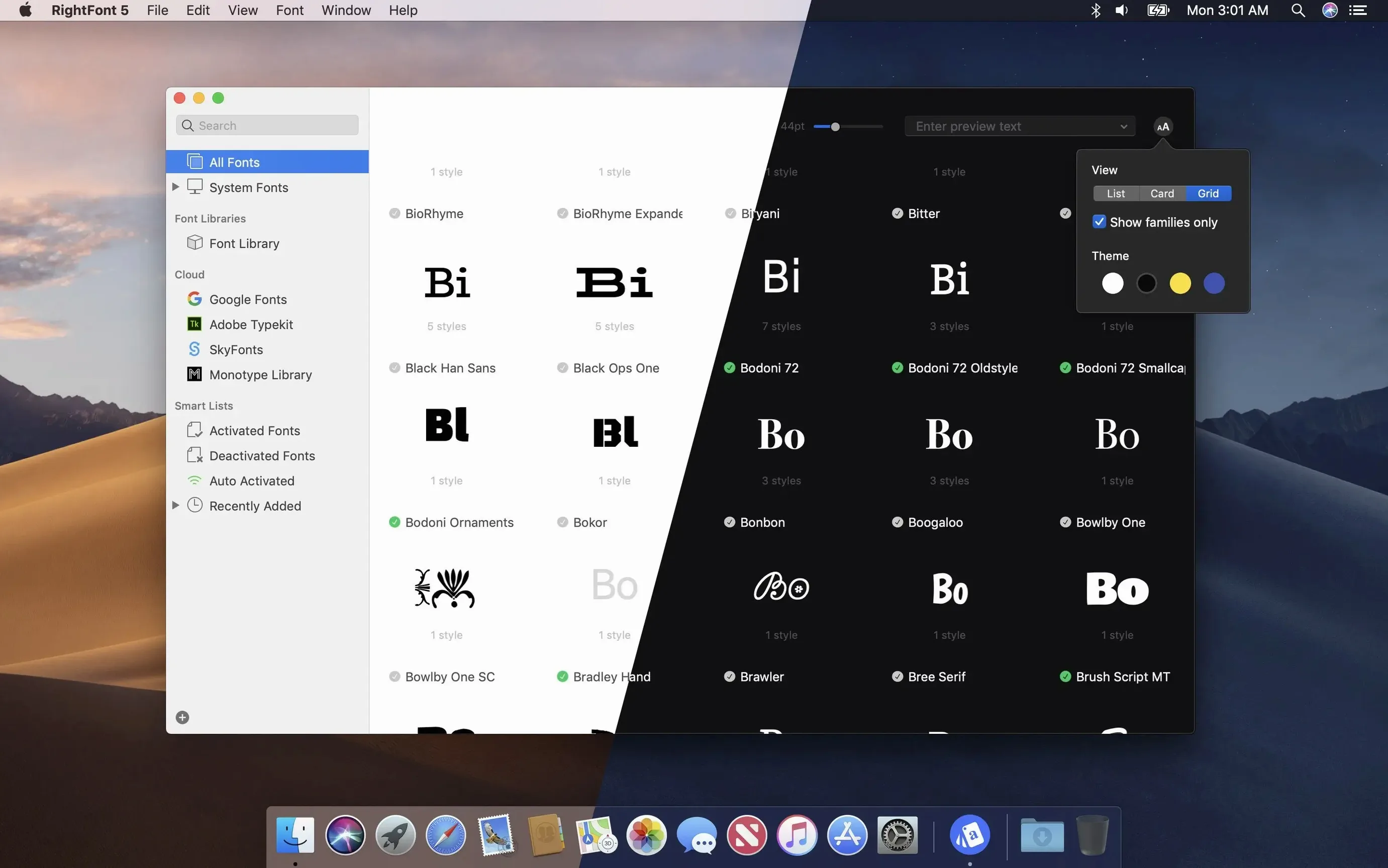
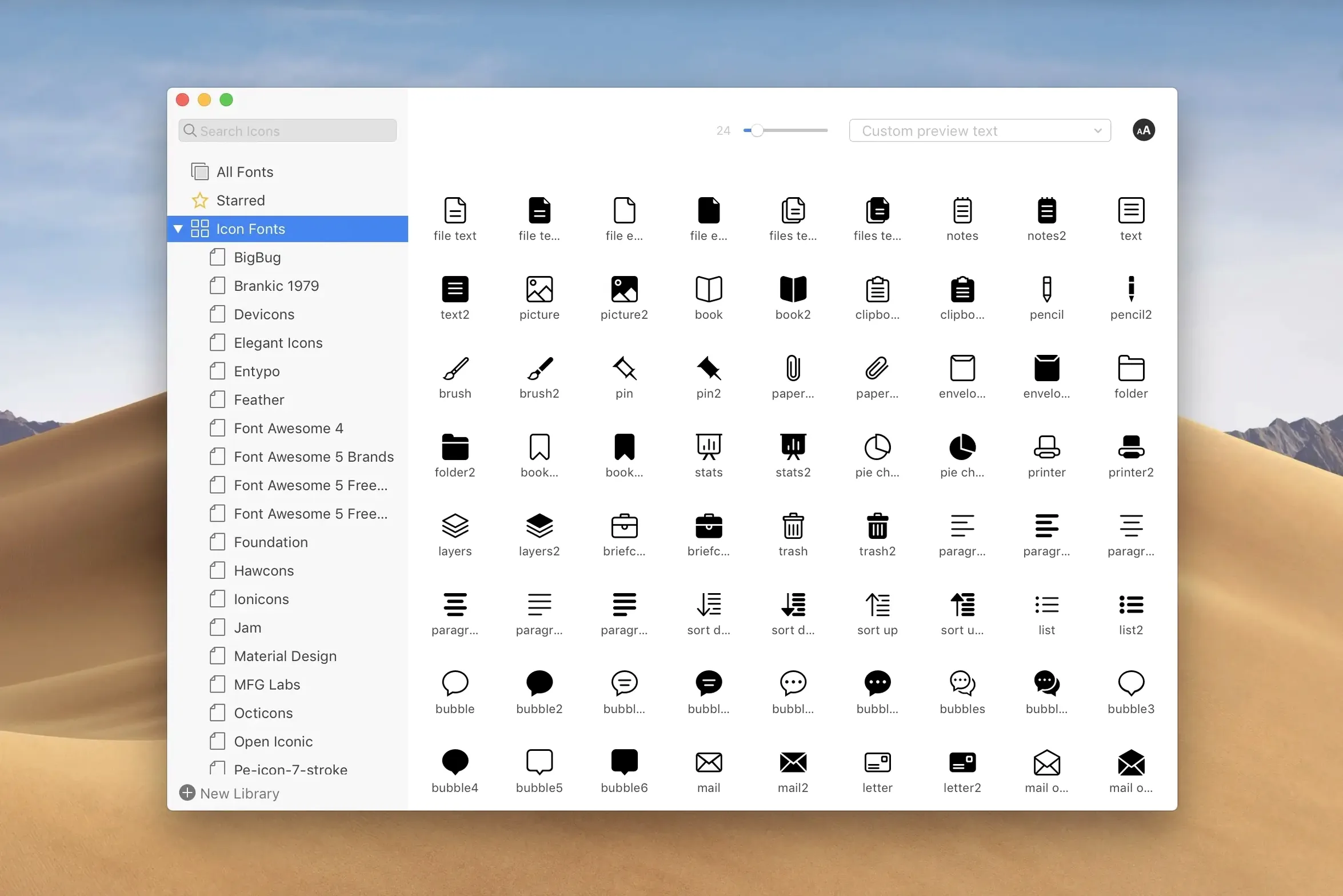
Version 10.2.1 cleans up a handful of rough edges. Imports now finish with a clear finalization stage and a count of any unsupported files, so you are not left guessing whether a folder full of old Type 1 fonts actually made it in. Tag management got smarter too—subtags can be dragged back to the main Tags section, which keeps the taxonomy from drifting into chaos. Adobe Illustrator and QuarkXPress users also get fixes for the font activation hooks those apps rely on.
Browse and activate from the menu bar
The menu bar panel shows the full library. Results filter as you type, and you can narrow by classification, width, or weight without opening the main window. It stays out of the way when you need it to.
Work directly with design tools
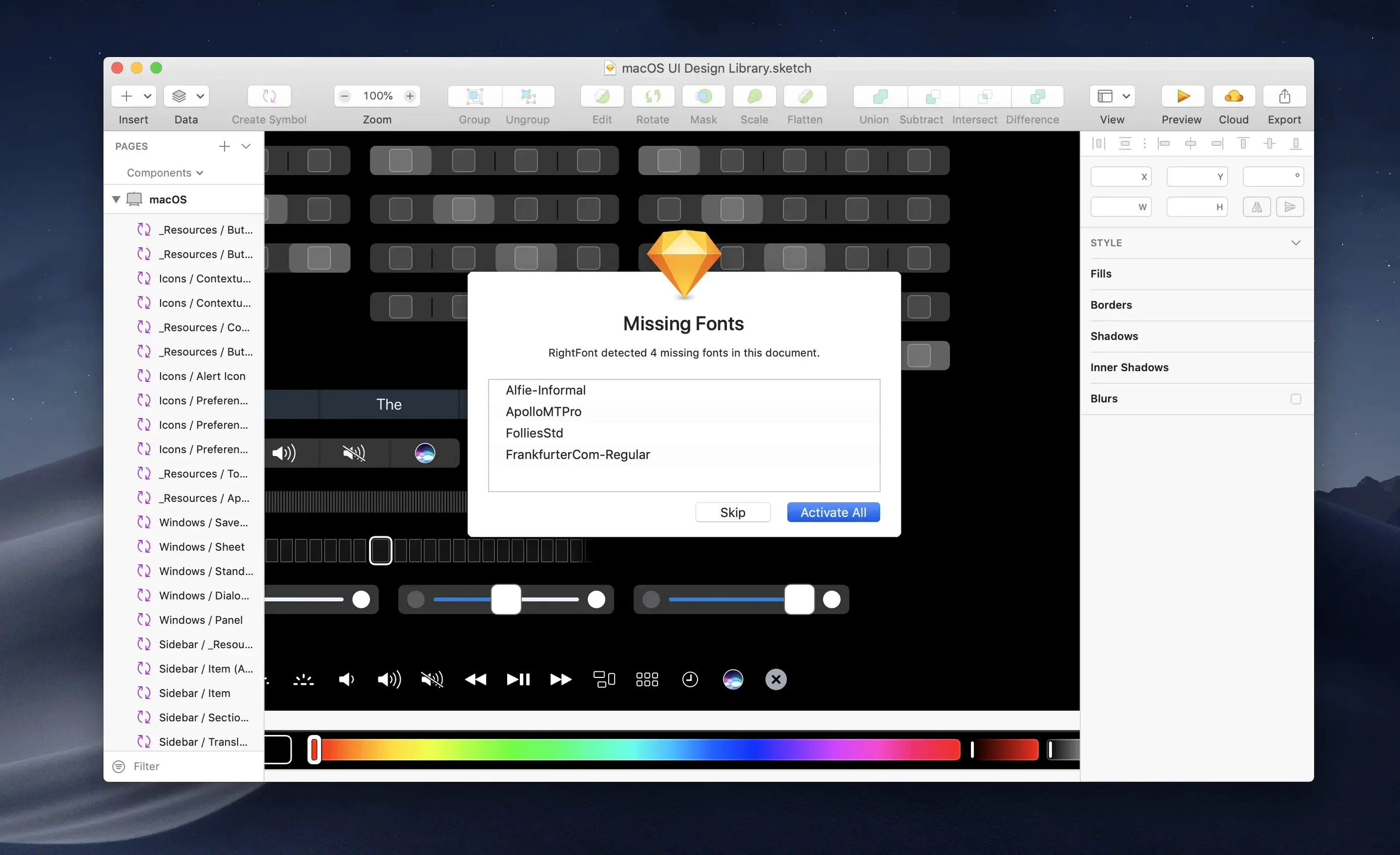
RightFont plugs into apps like Sketch and Adobe Illustrator. You can change a text layer’s font just by double-clicking a new one in RightFont—no dropdown hunting through the character panel.
Build focused font lists
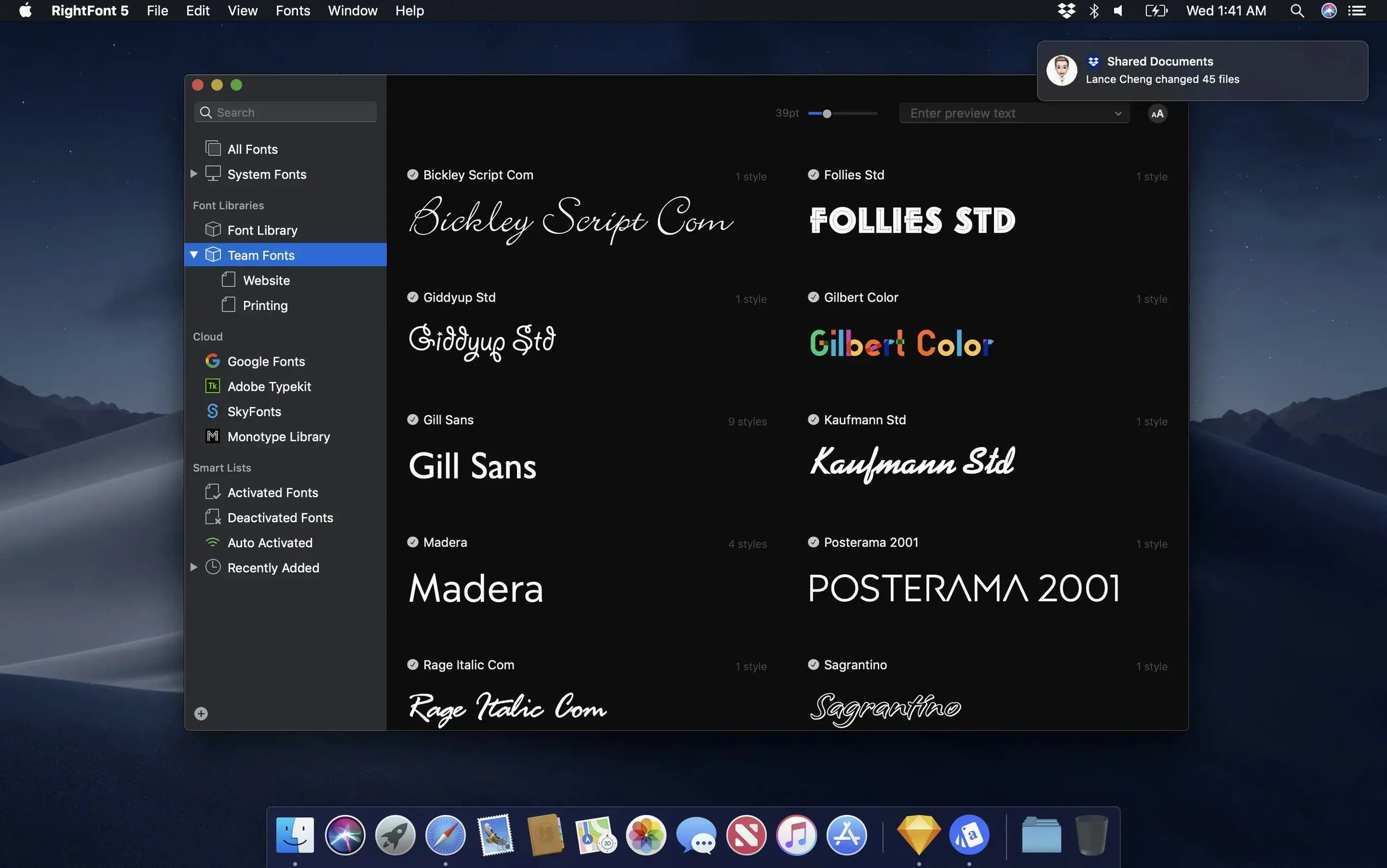
Create lists for projects, clients, or style guides. Drag fonts into a list, activate the whole set with one click, and deactivate it when you move on. The import improvements in 10.2.1 make populating those lists from loose font files a lot less fragile.
Hold Option and drag to copy font files instantly
Hold Option while dragging a font from RightFont onto the desktop or a Finder folder, and you get a copy of the font file itself—useful for packaging assets without digging through ~/Library/Fonts. In the glyph table view, double-clicking any character copies it to the clipboard, so grabbing a specific swash or arrow for a comp takes one motion instead of opening Apple's Character Viewer.
The font info panel shows more than the basics. Click the little info icon next to any font name and you will see the number of glyphs, embedding permissions, Panose classification, and which OpenType layout features are present. That last bit saves you from activating a font only to discover it lacks true small caps or old-style figures halfway through a layout.
RightFont respects ~/.glyphs shortcuts if you use the Glyphs font editor, and it picks up the Adobe Fonts folder automatically—no manual pointing required. If you have ever had Illustrator complain about missing fonts while RightFont shows them as active, check the auto-activation plugin status under Preferences > Integrations. Sometimes a Creative Cloud update silently disables it.
Why importing your entire hard drive at once backfires
The most common one: importing an entire hard drive's worth of fonts at once. RightFont handles large libraries fine, but activating hundreds of fonts simultaneously from a single import will slow the system font cache and make every app's font menu lag. Import in batches and use font lists to activate only what a project needs.
Another: ignoring the conflict resolution dialog. When a font you are importing has the same PostScript name as one already in the library, RightFont asks what to do. Clicking "Keep Both" blindly creates duplicate entries that will confuse auto-activation later. Preview the version you already have before deciding.
Beginners also tend to deactivate system fonts from the Library folder without knowing which ones macOS expects to find. RightFont lets you deactivate anything, but pulling fonts like HelveticaNeue.ttc or .Apple Color Emoji UI can break rendering in system dialogs. Stick to managing your own added fonts, and leave /System/Library/Fonts alone unless you enjoy troubleshooting garbled menus.
Finally, the auto-activation plugin for Adobe apps works when RightFont is running and the plugin is installed. If you launch InDesign before RightFont, fonts in your document will show as missing until you toggle activation off and on again. Launch RightFont first, then your design apps—the small habit prevents a lot of false alarms.
Switching type families each issue without chaos
Imagine a freelance editorial designer working on a quarterly print magazine. Each issue pulls from a different set of headline and body families—one season it is Harriet Text and Forma DJR, the next it switches to Untitled Serif and Söhne. The designer keeps a RightFont list per issue, each containing around a dozen families with specific optical sizes noted in the list's description field.
Monday morning, the art director sends a revised style guide and a folder of six new weights. The designer drags the folder into RightFont; version 10.2.1 shows a progress bar, then reports "2 unsupported files"—two old suitcase-format fonts that would have failed silently in earlier versions. Those go straight to the trash. The remaining four get tagged with the issue name and dropped into the active list. By the time InDesign finishes loading the template, the new weights are live in the font menu, no restarts, no font cache clearing. When the issue ships, the whole list gets deactivated in one click, freeing up system resources for the next project.
Browsing by width or weight class instead of scrolling
Typography-heavy designers who switch between branding projects benefit the most. If your work involves pairing serif and sans families across multiple weights, RightFont's classification filters let you browse by width or weight class faster than scrolling a flat alphabetical list in Font Book. The direct-to-layer activation in Sketch and Illustrator also means fewer trips to the character panel—small savings that add up across a workday.
Teams sharing a font server or cloud font folder get value from RightFont's list-based workflow. A lead designer can curate a list, export it, and pass it to the rest of the team. Everyone activates the same set, so there is no drift between what the comps use and what production renders. Version 10.2.1's improved import reliability matters here: corrupted or duplicate fonts in a shared folder cause fewer disruptions when the app clearly flags them.
Typeface testers and foundry contributors also find a good fit. Dragging a folder of beta .otf files into RightFont, previewing them across sample text, and comparing glyph coverage in the info panel is quicker than installing and uninstalling through Font Book. When the next beta revision arrives, importing over the old set keeps the library clean without leaving orphaned versions behind.
If you mostly use the three system fonts that ship with macOS and occasionally grab something from Google Fonts, RightFont is probably overkill. But for anyone whose font library is measured in hundreds or thousands of files—and whose deadlines do not allow for "why does this look wrong?" debugging—it earns its place in the dock.
- More reliable font imports with a clear finalization stage and a count of unsupported files.
- Improved tag management—subtags can now be dragged back to the main Tags section.
- Fixes for font activation in Adobe Illustrator and QuarkXPress, plus a compatibility fix for macOS 27.
- macOS 11 or later
- Apple Silicon and Intel Macs
$ man rightfont | grep -A2 "?"
Can I filter fonts by width and weight?
Yes. RightFont lets you filter your library by classification, width, and weight to quickly narrow down large collections.
Does RightFont work inside Adobe Illustrator?
It integrates directly. You can change a text layer’s font by double-clicking a new one in RightFont, and version 10.2.1 includes specific fixes for Illustrator.
Comments 0
Sign in or create an account to leave a comment.
No comments yet. A codec, a slice, a machine — they appear after moderation.