Raycast Pro for macOS
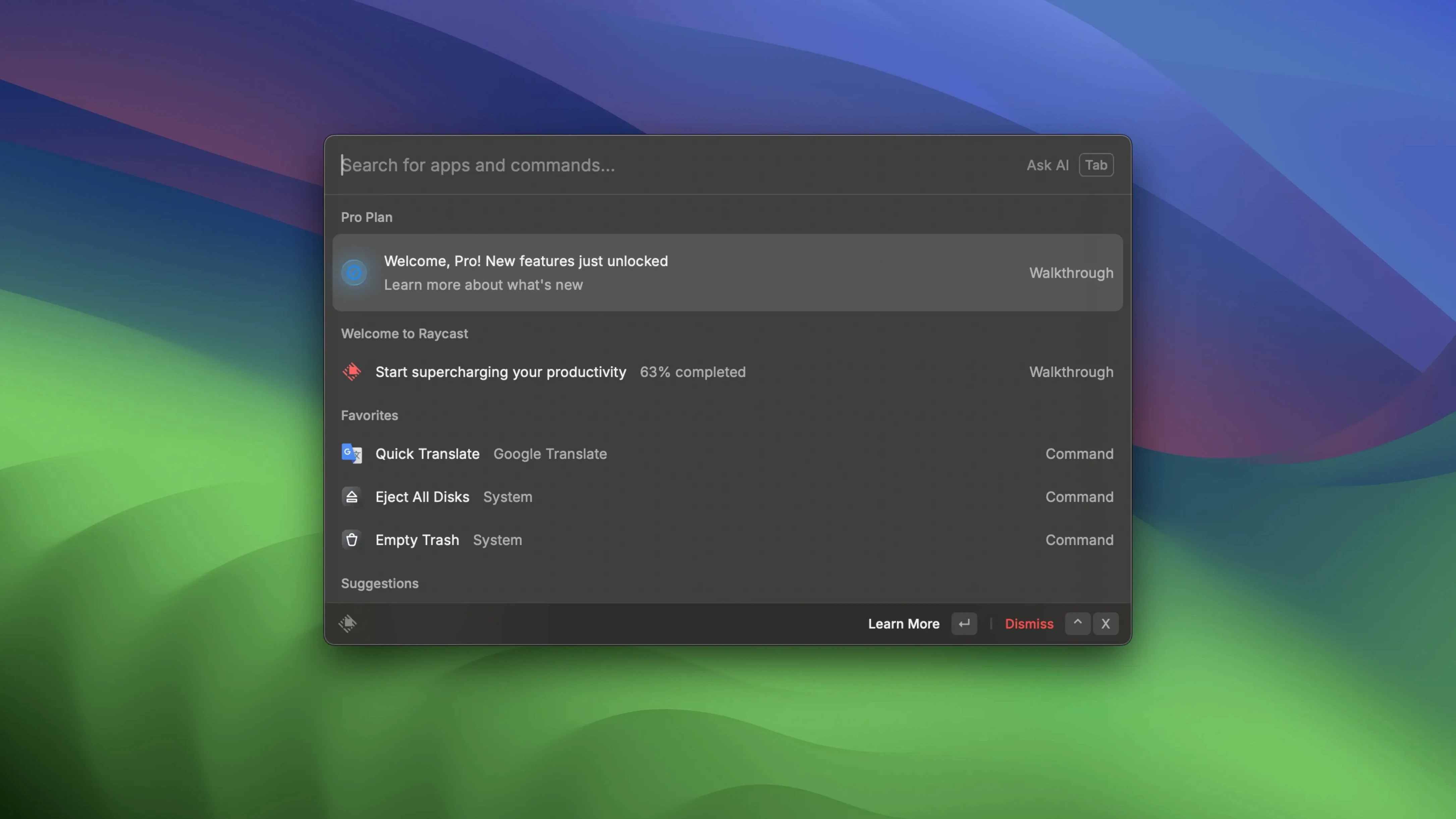
Developers, power users and anyone who prefers typing to clicking a dock icon keep Raycast running all day. It replaces Spotlight, your old launcher, and a handful of small utilities with a single ⌘Space invocation.
- Call up the command palette and type the first two letters of an app. Raycast learns your habits, so the right result usually appears by the time you blink.
- Search local files the same way — file names, not content — without opening a Finder window.
- Create a floating note when an idea strikes. Type it, then copy to the clipboard, send it through iMessage or push it straight to Apple Notes.
- Connect Zoom once and Raycast handles the rest: schedule a meeting, join the next one, or glance at what's coming up, all from the keyboard.
- Build a personal library of quick links — a two-character alias can open any web page you define.
- Write a custom script command in Bash, Python or AppleScript, and Raycast runs it inline alongside its built-in actions.
Under the hood, the host process in the current release line (version 2.6 landed on 2026-10-05) uses roughly half the memory it did before, and a memory leak that grew with uptime has been patched. The app ships as a universal binary for Apple Silicon and Intel Macs, requires macOS 12, and installs from a disk image. It ties into macOS Shortcuts and Launchpad so you can trigger existing shortcuts without leaving the keyboard. The interface is English only, and online-dependent features are not functional in this build.
Does it finally feel faster after days of uptime?
Most changelogs talk about memory in percentages, which is fine, but the real question is whether the app feels different. With version 2.6, the answer is yes — in two specific situations.
First, if you leave Raycast running for days between reboots. The old leak meant the host process slowly crept upward, and by day three or four you might notice the command palette lagging half a second behind your typing. That's gone. The host sits at roughly half its previous baseline now, and it stays there.
Second, extension-heavy setups. Each extension process — the thing that runs a Zoom command or a Google Drive quick action — uses about 30% less memory at startup. If you run eight or ten extensions, that adds up. The palette opens with the same speed on a Friday afternoon as it did on Monday morning. No restart ritual needed.
For anyone running the build covered here (2.4.1.0), these improvements aren't in place yet. The host is stable, but on long uptimes you may want to quit and relaunch once in a while. The 2.6 line is worth watching if you keep Raycast open permanently.
What made you hesitate before clicking install?
Does it conflict with Spotlight?
No. Raycast and Spotlight coexist without fighting over keyboard shortcuts. You assign Raycast to ⌥Space (the default) or any combination you prefer, and Spotlight keeps ⌘Space untouched. They index separately and don't interfere. Some people leave Spotlight for file-content searches and use Raycast for everything else; others map both and forget Spotlight exists.
What exactly doesn't work offline?
Any feature that phones home — extension store browsing, cloud-synced snippets, and some third-party integrations that rely on the Raycast API servers — won't function. Local commands, file search, quick links, floating notes, custom scripts, and Zoom integration (once authenticated) all work fine. The core launcher never touches the network. If someone searches for a raycast pro crack or a raycast cracked build, they'll find the local launcher and offline commands work perfectly — the online parts are server-side and simply stay dormant, so just focus on setting up your local workflows and scripts to get the most out of it.
Can it replace my clipboard manager?
Partly. Raycast has a built-in clipboard history that covers the basics — text snippets, recent copies, a searchable list. It doesn't do everything a dedicated tool like Maccy or Paste does (no persistent collections, no iCloud sync between machines in this build), but for quick recall of the last few things you copied, it's enough that some users uninstall their standalone clipboard utility.
Is it safe to grab a raycast torrent or a raycast pro cracked version?
Leaving the obvious aside, the practical problem is that any build downloaded outside the developer's distribution channel is a black box. Malicious actors have bundled modified Raycast copies with extra processes that phone home with your command history, clipboard contents, and file-search queries. The app itself is free to download and use — there's no functional reason to reach for a torrent. The raycast crack scene exists mostly around imaginary paid features; the base launcher already does everything most people need.
Is Alfred’s GUI workflow builder still the deeper tool?
Three apps occupy roughly the same space on macOS, and each makes different trade-offs.
Alfred. The closest cousin. Alfred's Powerpack unlocks workflows that are deeper than Raycast's script commands — you can chain actions with GUI-based nodes instead of writing code. Alfred's file navigation (browsing folders from the launcher) is stronger too. Raycast wins on extension discoverability: the built-in store lets you add Zoom, Google Drive, or Jira support in seconds, while Alfred requires downloading and importing workflow files. Alfred also feels slightly lighter on older Intel machines. Both are universal binaries; both require macOS 12 or later in current versions.
LaunchBar. Older, leaner, and built around abbreviation-based search. LaunchBar learns that "ff" means Firefox after you type it twice, and from then on it's nearly instant. It has fewer integrations than Raycast or Alfred, but its file-handling actions — renaming, moving, tagging — are more fluid. LaunchBar's clipboard history predates both competitors and still holds more items by default. The interface looks dated next to Raycast's polished palette, but muscle-memory users rarely notice.
Spotlight. Free, already installed, indexes file contents. That last part is the only reason to keep it around if you switch. Raycast searches file names, not the text inside PDFs or Word documents. For a quick calculator, app launcher, or dictionary lookup, Raycast is faster because it doesn't wait for a web-suggestion fetch. Spotlight's advantage is deep content search and zero setup.
A real workflow: writing a quick note and getting it into Apple Notes
Say you're reading documentation in a browser and an idea for a script fix pops into your head. You don't want to break flow. Here's the Raycast path from idea to saved note, in about ten seconds.
- Hit
⌥Spaceand typefloat. The Floating Notes command appears; pressReturn. - A small window opens on top of everything. Type your idea — no title needed, just the content. "Fix the retry loop in the backup script — it doesn't handle timeout errors."
- Hit
⌘Kto open the action menu for the note. Choose Send to Notes. - Apple Notes opens a new note with your text already pasted. Add a title if you want, then close it.
Alternate ending: instead of step 3, press ⌘C while the floating note is focused. The entire text lands on the clipboard. You can then paste it into a code comment, a Slack thread, or anywhere else. The note stays floating until you dismiss it, so you can come back and add more lines throughout the day.
This flow replaces what used to be: open Notes, wait for iCloud sync, click New Note, type, close. The floating note removes the friction of switching contexts. For developers who live in a terminal and an editor, it's one of those small things that accumulates into hours saved over a month.
The 2.5.1.0 build applies targeted corrections that keep command lookup and extension interactions predictable.
- macOS 12 (Monterey) or later
- Apple Silicon or Intel 64‑bit Mac
$ man raycast-pro | grep -A2 "?"
Can Raycast replace macOS Spotlight?
Yes — it handles app launching and local file search, and adds floating notes, meeting scheduling, custom scripts and quick links that Spotlight does not offer.
What languages does Raycast support?
The interface is available in English only.
Does Raycast work on Intel Macs?
Yes, the app ships as a universal binary that runs natively on both Intel and Apple Silicon Macs with macOS 12 or later.
Comments 0
Sign in or create an account to leave a comment.
No comments yet. A codec, a slice, a machine — they appear after moderation.