
QuickBooks Mac Plus for macOS
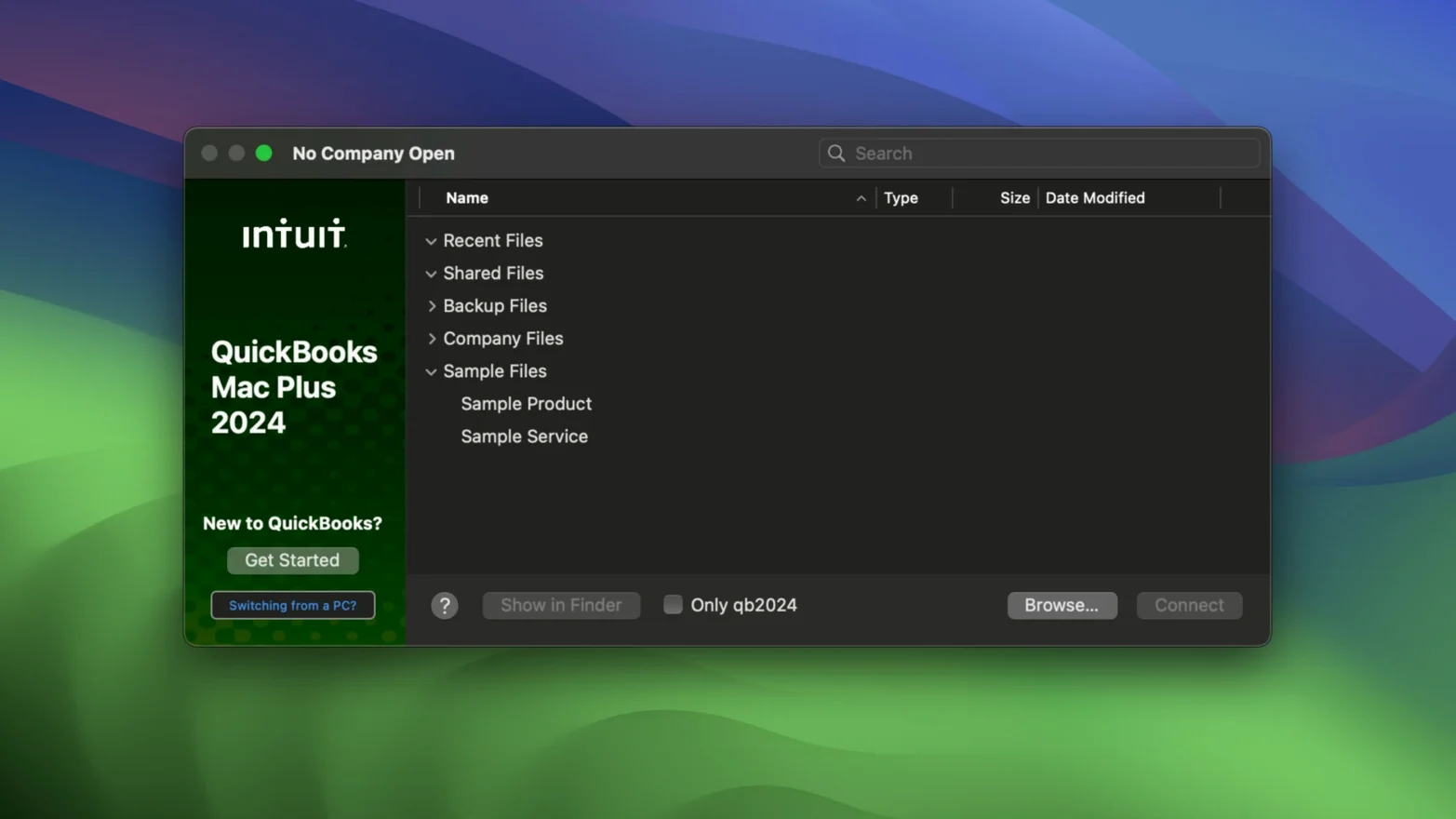
QuickBooks Mac Plus is a desktop accounting application built by Intuit for small businesses that want their company data stored locally on a Mac.
How a typical workflow looks
- Open your
.qbcompany file — everything lives in one place, no browser tab sprawl. - Import opening balances from an Excel spreadsheet or pull in a chart of accounts from a Xero export to avoid retyping.
- Enter products and services into the inventory tool. Quantity-on-hand updates in real time as you create invoices and purchase orders, so stock counts stay current without a separate reconciliation step.
- Run payroll with the built-in tool. Employee details, pay rates and deductions all sit inside the company file.
- Build a report — profit and loss, balance sheet, sales tax summary — from the detailed reporting engine. Filter by date range, customer or account and send it straight to your accountant.
The whole app speaks one language — English — and works on any Mac running macOS 12 Monterey or later, whether it has an Intel chip or Apple Silicon under the lid. Both architectures are handled natively, so there is no Rosetta overhead on M-series machines.
Freelancers who invoice a handful of clients and track project expenses
This is first and foremost a desktop ledger, so the people who click with it tend to share a few traits. Freelancers and sole proprietors who invoice a handful of clients each month and want to track expenses against projects find the local .qb file reassuring — everything sits in a folder they control, not on someone else's server. Small retail shops and light manufacturers use the inventory module daily; the real-time quantity tracking spares them from running a separate stock spreadsheet. Bookkeepers who juggle multiple company files prefer the desktop model because switching clients means opening a different file, not logging into a different web portal. And anyone who has endured flaky rural broadband will appreciate that bank feeds aside, the core workflow runs entirely offline.
Larger teams with a dozen concurrent users or field sales staff who need to enter orders from a phone will probably find a cloud-native tool more practical. But for a single-owner operation or a family business with one person managing the books on a Mac, the feature set lines up well.
Jenna opens the dashboard and sees three overdue invoices
Imagine a three-person screen-printing business. The owner, Jenna, arrives at her iMac at 8:15. She opens the company file and the dashboard tells her three invoices are overdue. She emails reminders from inside the app. A new purchase order for blank t-shirts arrived yesterday, so she enters the shipment into the inventory tool — the stock count for white Gildan tees jumps from 12 to 156 automatically. Mid-morning she runs payroll for the part-time designer; the tax calculations populate without her looking up a withholding table. Before lunch she exports a 90-day projected income report and forwards it to her accountant, who asked for a cash-flow snapshot. No browser, no subscription login, just the app and a local file.
Name your backup locations deliberately from day one
A few habits pay off early when you are getting a company file off the ground.
- Name your backup locations deliberately. The R10 update added company-specific backup paths, so set one for each
.qbfile right away. A folder like~/Documents/QB_Backups/PrintShop/costs nothing and saves confusion later. - Import your chart of accounts before you enter a single transaction. Pulling in an Excel or Xero export on day zero keeps account codes consistent. Retrofitting account numbers after a month of data is tedious.
- Link bank accounts early, but reconcile manually the first week. Automatic feeds save time, but watching how transactions categorize themselves teaches you what the matching rules get right and what they miss.
- Enter products and services before you create invoices. The inventory tool's real-time tracking only works if the items exist in the system. Adding them mid-invoice works, but it is slower and risks typos in SKU fields.
- Run a dummy payroll for a test employee. Before you pay a real person, process a zero-dollar run to confirm deduction settings, tax tables and direct-deposit details. Fixing a payroll mistake after money moves takes far longer.
How we resolve sync conflicts and payroll tax-table errors
The company file won't open after a macOS update
Intuit sometimes lags behind new macOS releases. If the app bounces in the Dock and quits, check that you are on the latest 23.1.9.R10 Plus build. If you are and it still fails, hold Option while launching and choose a different company file — sometimes a corrupted .qb file is the culprit, not the app itself.
Bank feeds stop syncing
Disconnected feeds are usually a credentials issue on the bank's side, not Intuit's. Re-enter your online banking password in the connection settings. If that does not fix it, delete the feed link and re-add it — the app pulls the last 90 days of transactions fresh without duplicating previously matched entries.
Inventory quantities drift from physical counts
The real-time tracker subtracts stock when an invoice is created, not when it is paid. If you issue pro-forma invoices or estimates that later convert, the count adjusts at conversion time. Run a stock status report monthly and do a physical count — small discrepancies usually trace back to voided transactions that were not fully reversed.
Payroll tax tables look out of date
QuickBooks Mac Plus bundles its tax tables inside the application bundle. When tax rates change, Intuit ships an update. If you see old withholding amounts, confirm the version number under the app's About window matches the current release. Sometimes a manual backup restore can roll back an update, so avoid restoring old .qb files over the top of a freshly updated app.
- Backup Save As: R10 adds a manual backup option — choose Backup Save As to write a copy wherever you need it, when you need it.
- Company-specific backup locations: The app now remembers a separate backup folder per company file, so you are not constantly navigating back to the right directory.
- macOS 12 Monterey or later
- Apple Silicon (M-series) or Intel 64-bit Mac
- Interface language: English
Comments 0
Sign in or create an account to leave a comment.
No comments yet. A codec, a slice, a machine — they appear after moderation.