Ableton Live for macOS
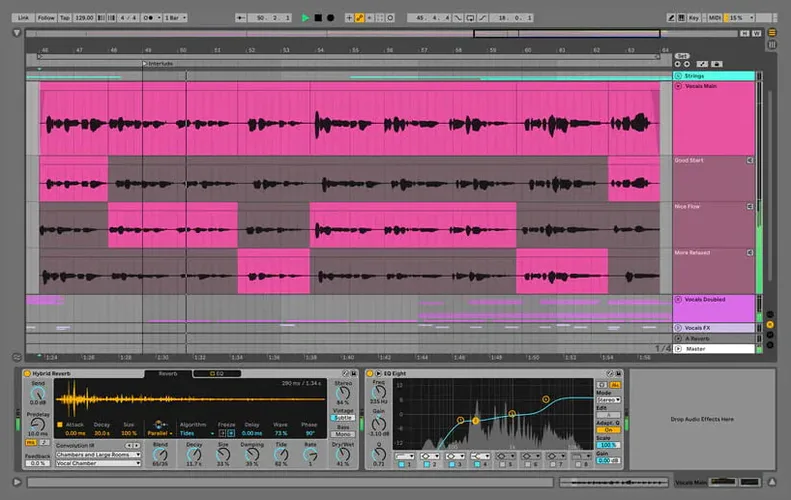
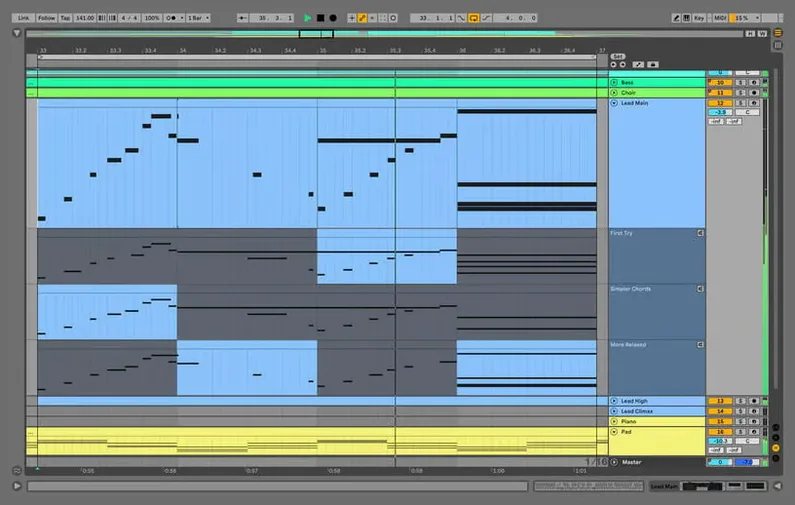
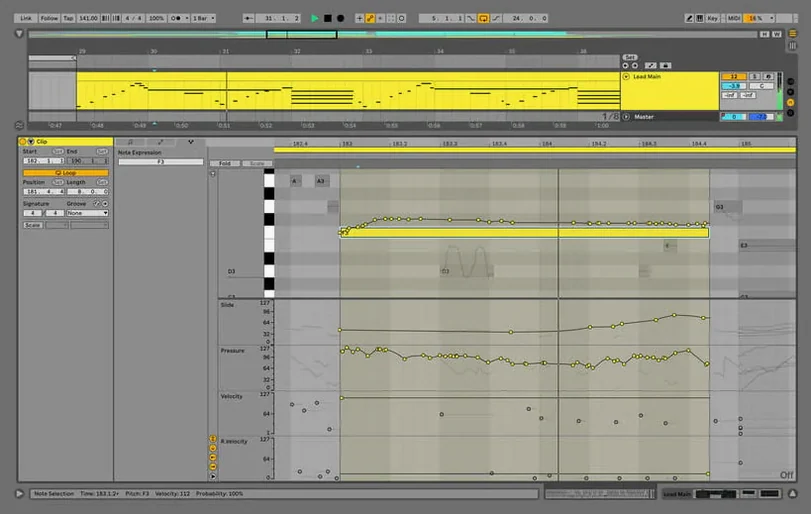
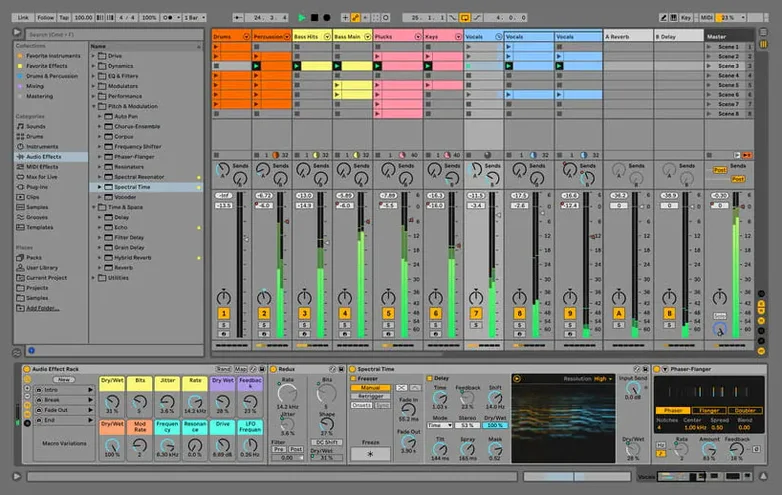
Live is a digital audio workstation that treats the studio and the stage as a single creative space. The real depth lies in what it lets you do without stopping playback: swap clips, tweak devices, and resample ideas while the transport keeps running, which turns the timeline into a sketchpad rather than a fixed document.
How does non-destructive editing keep a session flowing?
You can change clip properties, warp modes, and device chains without ever hitting stop. This is the Session View at work — a grid of slots that fire independently, letting you test variations while the arrangement plays on. The fixed hang during rendering with Beats Warp Mode and Transients Granular Resolution in large Sets has been resolved in version 12.4.6.
What content and instruments are available for sound design?
The Suite edition bundles a curated set of instruments, drum kits, loops, and sample packs that are installed alongside the application. These are integrated into the browser with metadata tags, so you can pull up a synth pad or a hi-hat loop without breaking the flow of a recording session.
How does project recovery and backup work?
AbletonAutoSave runs as a companion process, appearing in the menu bar when Live is open. It writes backup copies of your project at a user-defined interval and exits automatically when you quit the main application, giving you a safety net during long production sessions.
Blank piano roll after loading a plug-in?
A blank piano roll when you load a third-party instrument is almost always a MIDI routing issue. Check that the track's input is set to All Ins or your specific controller, and that the monitor switch on the track is set to In or Auto while you're playing. If the track is armed but you still hear nothing, glance at the track's output routing — it may be sending to an Ext. Out that doesn't match your interface.
Projects that refuse to open after a macOS update usually point to a plug-in scanning problem. Hold the Option key while launching Live to skip the VST/AU scan, then re-enable plug-ins in batches from Preferences to find the one causing the hang. The culprit is often an older AU that hasn't been updated for Apple Silicon — running Live under Rosetta temporarily can get you back into a session while you track down a native replacement.
If the interface feels sluggish with a large Set, the first place to check is the audio buffer size in Preferences. A buffer of 512 or 1024 samples during mixing gives the engine more breathing room. Also, freeze tracks that you aren't actively editing — it's non-destructive and recovers CPU cycles instantly.
Does it run natively on Apple Silicon?
Does it run natively on Apple Silicon? Yes. The 12.4.6 build is a universal binary with native ARM and Intel 64-bit slices, so it runs without Rosetta 2 on M-series Macs. Third-party plug-ins still need to be native themselves — Live can't make a plug-in universal on its own — but the application itself is fully native.
Can I move projects between Mac and Windows? You can, as long as you collect and save all external files. The Collect All and Save command in the File menu bundles every sample, impulse response, and recorded audio into the project folder. The .als file format is identical across platforms, so a Set saved on a Mac opens directly on a Windows machine running the same or newer version of Live.
Will it work with an Ableton Live 11 Mac torrent or older Set? Live 12 opens Sets created in Live 11 and earlier. The backwards compatibility is solid — it converts older documents on load, though once saved in the 12 format, they won't open in version 11. Keep a duplicate of the original file if you need to go back.
How does activation work? After copying the application into your Applications folder, launch it and drag the file Authorize.auz into the app window. The authorization is then stored locally and doesn't require an internet connection afterwards. The AbletonAutoSave helper starts and quits alongside Live, visible from the menu bar, and can be set to back up your work at whatever interval suits your workflow.
How does it connect to other macOS audio tools?
Live plays well with other macOS audio tools through standard plug-in formats. The application hosts Audio Units (AU) and VST3 plug-ins, so instruments and effects from other developers appear directly in the browser alongside the built-in devices. Max for Live devices go further, bridging into custom DSP and visual programming territory.
For routing audio between applications, Live supports Core Audio input and output, which means you can pipe sound from a standalone synth or a browser-based tool into a Live track using a virtual audio driver like BlackHole or Loopback. M4L devices can also send MIDI and OSC to other applications over the network, turning Live into a timing hub for video software, lighting controllers, or external hardware sequencers.
On the macOS side, Live respects system-level shortcuts and Spaces, so you can keep the Session View on one desktop and the Arrangement View on another. The menu bar icon for AbletonAutoSave gives you a quick visual reminder that backups are running, and you can open its preferences with a right-click to adjust the save interval without switching back to the main window.
Who finds the Session View and stock instruments fastest?
Electronic producers building tracks from scratch find the combination of the Session View and the built-in instrument collection a fast way to turn a loop into an arrangement. Dragging clips between scenes, recording parameter automation live, and resampling internally all happen without stopping playback, which suits the iterative, experimental way most electronic music comes together.
Live performers who launch clips, tweak effects, and remix on the fly depend on the stability under CPU load that the 12.4.6 render fix addresses. A Set with dozens of audio tracks in Beats Warp Mode and Transients Granular Resolution won't lock up during a performance when you need to bounce a stem or consolidate a clip between songs.
Recording musicians with an ableton cracked mac setup that includes outboard gear appreciate that the warping engine preserves transients correctly now, which matters when you're comping takes and need the timing locked in without artifacts. The take lanes and comping workflow introduced in Live 12 make it straightforward to record multiple passes and assemble the best performance.
Sound designers and post-production editors who work inside Max for Live devices push the application beyond a linear DAW. The integration with Cycling '74's visual programming environment opens up custom synthesis, generative composition, and real-time audio analysis that you can't get from a standard plug-in chain. The native Apple Silicon support means those Max patches run efficiently even when they're doing heavy FFT processing.
A day inside a producer's session
A producer working on a remix opens a Set with roughly forty audio tracks — stems from the original artist, plus their own synth layers and drum programming. Several tracks use Beats Warp Mode with Transients Granular Resolution to keep the timing tight without the metallic flanging that can creep in at slower tempos. In version 12.3, hitting Export Audio could lock up the application, forcing a force-quit and a lost half-hour of automation tweaks. With the 12.4.6 update, the same export runs cleanly.
They work through the afternoon with AbletonAutoSave set to five-minute intervals. Around 3 PM, a plug-in crashes — a third-party reverb that hasn't been updated for two years. Live's engine isolation catches it without bringing down the whole session, and the auto-save file from two minutes earlier restores everything except the last plugin parameter change. They pull the misbehaving AU out of the Components folder, restart Live, and finish the mix by evening.
Before shutting down, they drag the finished stems into a new Session View scene, fire off a few alternate arrangements using clip follow actions, and record the results into the Arrangement View as a rough live set skeleton for the weekend gig. The whole session never leaves one application window, and the transport never stops until the lid closes.
Version 12.4.7 is available with the developer's latest fixes and performance improvements — check the official release notes for the full breakdown of what changed.
- macOS 12 (Monterey) or later
- Apple Silicon or Intel 64-bit — runs natively on both
$ man ableton-live | grep -A2 "?"
What languages is the interface available in?
The interface can be switched between English, German, Spanish, Italian, French, and Japanese from the preferences.
Comments 0
Sign in or create an account to leave a comment.
No comments yet. A codec, a slice, a machine — they appear after moderation.