Amadeus Pro for macOS
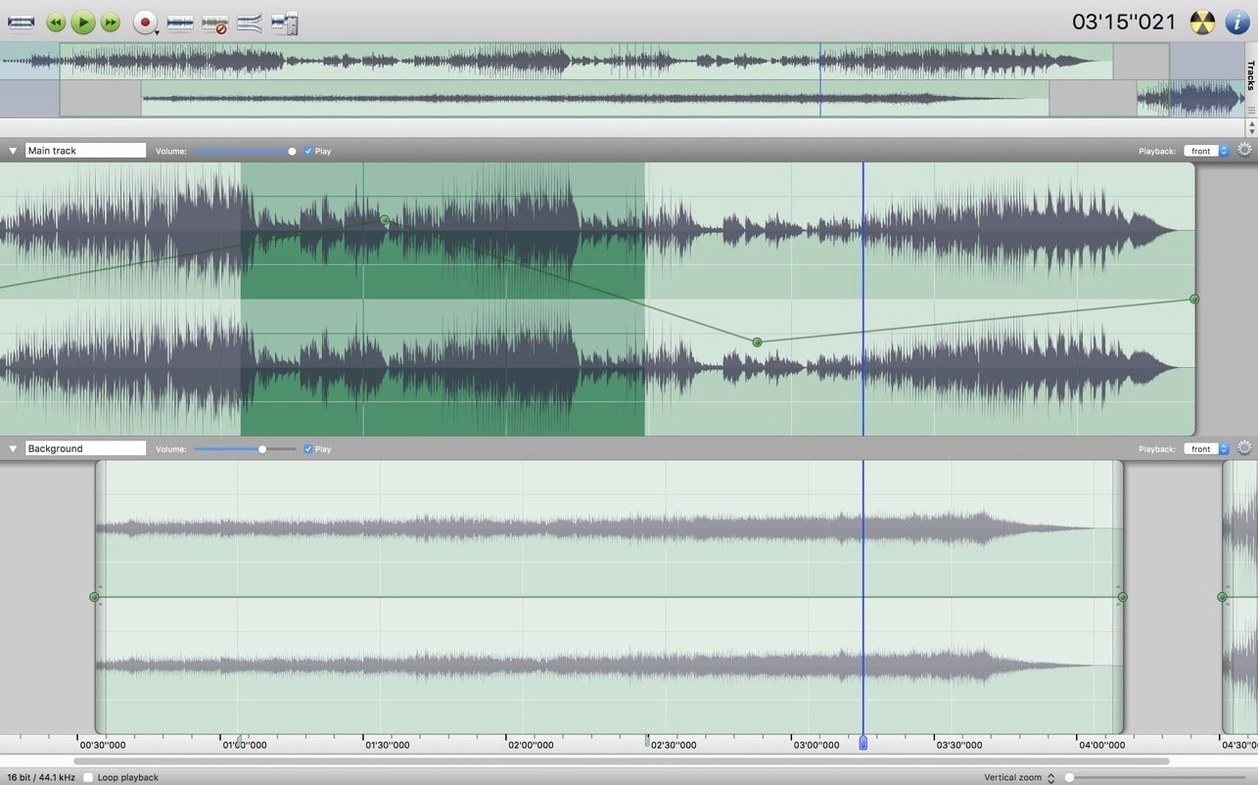
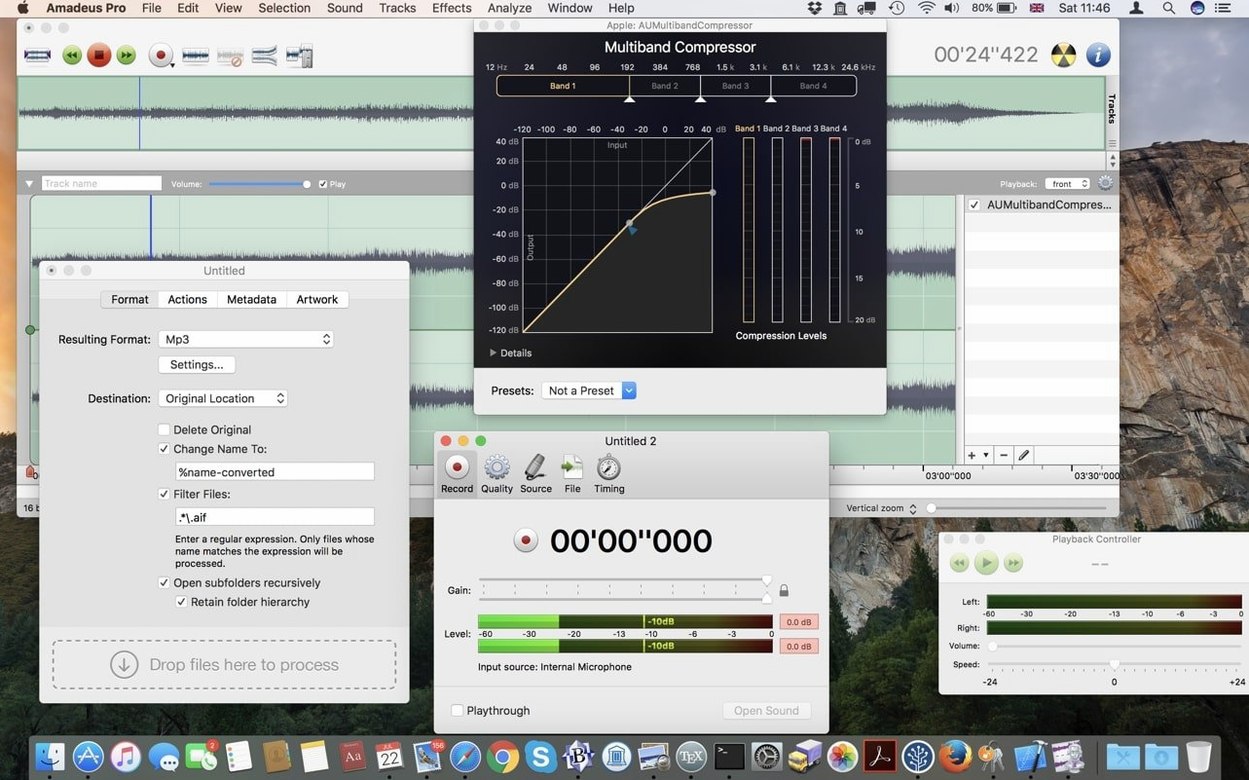
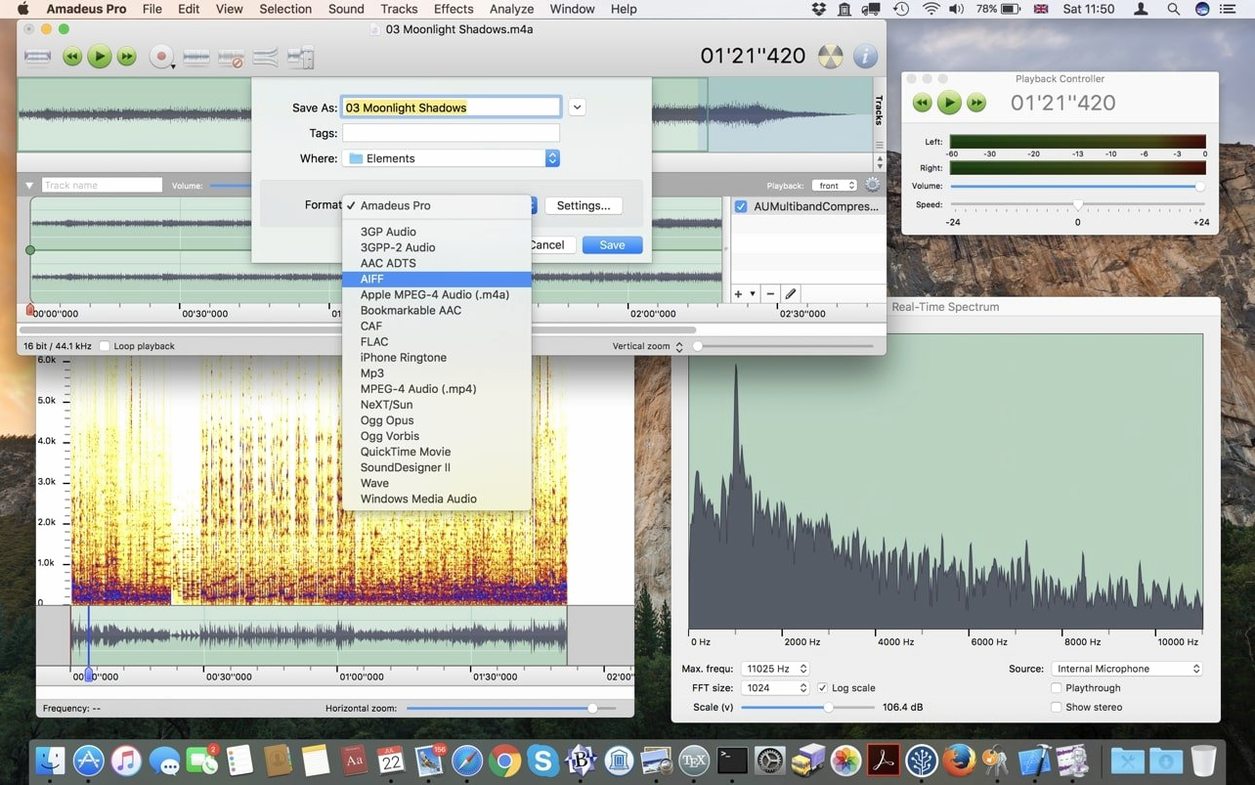
Open the Favorite Actions panel, and you immediately see the point of Amadeus Pro: it’s built for getting repetitive audio tasks done without ceremony. Say you’ve recorded a long voice memo on an iPhone — the file lands on your desktop as an .m4a. You drag it into the waveform window, select a noisy section of room tone, and capture a noise profile. Apply that across the full track with a couple of clicks, then drop markers at the start of each natural break. Export the marked regions as individual FLAC files through a single batch command you saved in that Favorites panel. That’s the workflow in a nutshell.
Splice multitrack, batch-process effects, and export podcast markers
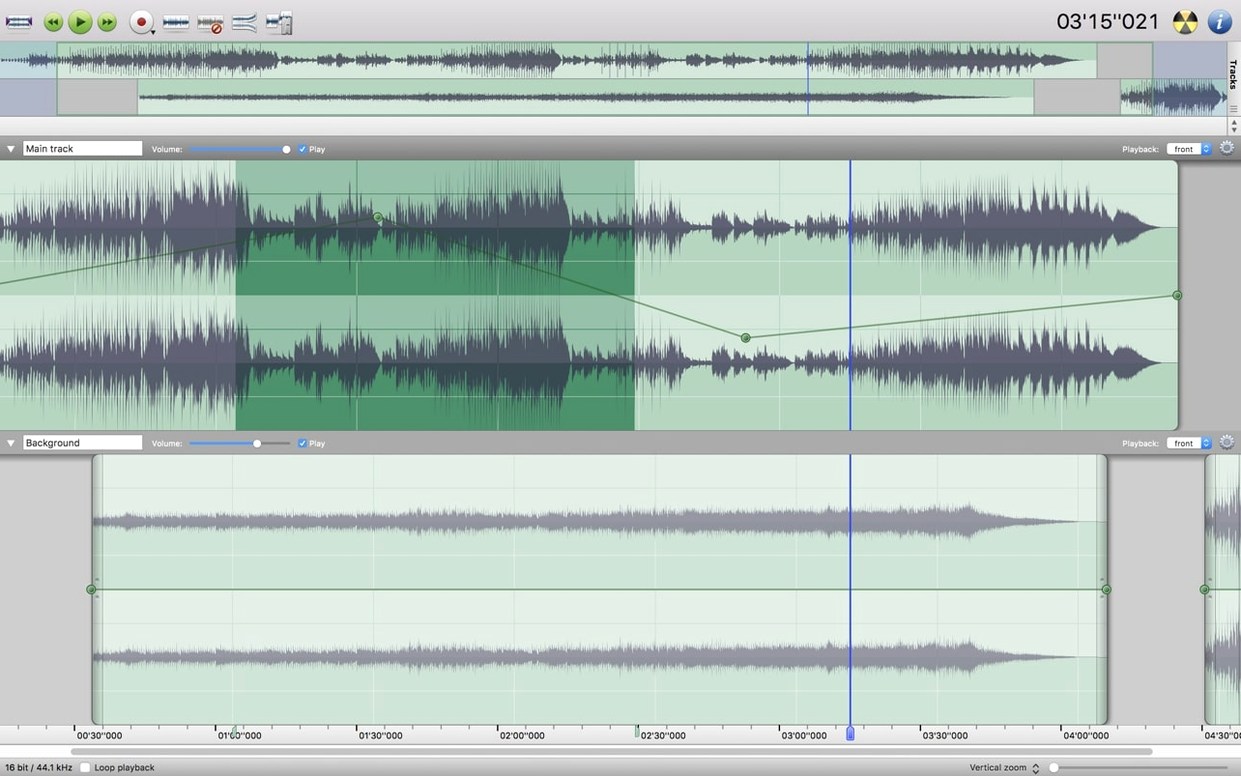
- Quick multi-track editing and splicing without a full DAW
- Batch processing: format conversions, applying Audio Unit effects chains
- Detailed noise reduction on selections or entire files
- Marking and exporting podcast or lecture segments
No native Apple silicon support yet
- Runs on 64-bit Intel Macs; no native Apple silicon support yet
- Interface is functional, not flashy — prioritizing control density over modern aesthetics
- Waveform caching helps with long files, but initial analysis can take a moment on slower drives
Chain normalize, denoise, and export to FLAC as one button
The Favorite Actions panel deserves more attention than it usually gets. You can chain a sequence of steps — normalize, apply a noise reduction profile, flatten, export as FLAC — and save the whole thing as a single button. Once you have a few of these saved, batch processing becomes a one-click affair. The panel accepts drag-and-drop reordering, so you can tweak a chain without rebuilding it from scratch.
A less obvious shortcut: holding Option while clicking a marker lets you rename it inline instead of opening the marker list. Small thing, but it saves a surprising number of trips to the menu bar when you're marking up a long recording.
The direct-to-disk processing model also means you can start editing a file while it's still being recorded. If you're digitizing a tape or capturing a live stream, you don't wait for the recording to finish — you can trim, normalize, or apply a denoiser to the portion that's already on disk. It's one of those features that feels invisible until you need it, then it becomes the reason you keep the app open.
Missing VSTs? It skips 32-bit plugins on 64-bit hosts
VST plugins not showing up. Amadeus Pro scans the standard locations — /Library/Audio/Plug-Ins/VST and ~/Library/Audio/Plug-Ins/VST — but it won't load 32-bit VSTs on a 64-bit host. If a plugin you rely on is missing from the effects menu, check whether you have the 64-bit version installed. Audio Units tend to be more reliable here since the app was built with macOS plug-in infrastructure in mind.
Waveform caching can lag on first open. When you open a long file — say a two-hour WAV captured from vinyl — the waveform overview takes a moment to generate. The cache file lives alongside the audio file with the same name and a .amadeusWaveformCache extension. If the cache seems stale or corrupted, deleting it forces a fresh rebuild on the next open. This is worth knowing if you're working with files on a network volume where caching sometimes gets out of sync.
Batch processing order confusion. When you queue up a batch of files, the processing order follows the list as it appears in the batch window — not the order you added them and not alphabetical. Dragging rows into the sequence you want before hitting Start avoids surprises. Also worth noting: batch output overwrites existing files with the same name without a warning dialog, so it's smart to set a dedicated output folder rather than writing back to the source directory.
~150–200 MB RAM with hour-long WAVs open
On an Intel Mac this is a lean application. Memory usage during normal editing hovers around 150–200 MB with a couple of hour-long WAVs open, and the direct-to-disk architecture means it's not trying to hold the entire file in RAM. That matters when you're working with multi-gigabyte recordings — the kind you get when digitizing a box of old tapes at 96 kHz.
Processing speed depends mostly on the Audio Unit or VST chain you apply. The built-in operations — normalize, fade, silence, noise reduction — are fast because they operate at the sample level without the overhead of a real-time plugin host. Applying a heavy convolution reverb across a 90-minute file will take longer, naturally, but the progress bar is honest and the app stays responsive throughout. I've never had it beachball during a long batch run.
Stability is one of those things you stop noticing after a while, which is a compliment. The beta label on version 2.8.14 doesn't translate into crashes in daily use — it's been around long enough that the rough edges are in the interface, not in the processing engine. If you're the sort of person who downloads an amadeus pro mac build expecting it to handle mission-critical audio work, you'll find it quietly dependable.
Can it capture Zoom calls and internet streams?
Does it record internet streams or just local audio? It can capture any audio that passes through the system, including internet streams, Zoom calls, and app output — provided you route them correctly. The simplest method is to install a virtual audio driver like BlackHole and set it as both the output device and Amadeus Pro's input source. It's not a one-click "record Spotify" button, but the plumbing works once you set it up once.
Can I make iPhone ringtones with it? Yes, and it's straightforward. Trim a clip to under 30 seconds, export as AAC with the .m4r extension, and drop it onto your phone in the Finder. The export dialog doesn't have a dedicated ringtone preset, but the format conversion does the heavy lifting.
Is this the same thing as an Amadeus movie torrent, or a music-related thing? The name is shared with the film, but there's no connection — this is an audio editor for macOS. If you searched for amadeus torrent or amadeus movie torrent looking for the Milos Forman picture, you've landed on the wrong page. If you were looking for an amadeus pro download to edit audio, you're in the right place.
- macOS: 10.9 or later
- Architecture: 64-bit Intel
- Interface languages: English, German, Danish, Spanish, Italian, Finnish, French
$ man amadeus-pro | grep -A2 "?"
What formats does it handle?
Amadeus Pro reads and writes MP3, MPEG-4 AAC, AIFF, WAVE, WMA, CAF, FLAC, and Ogg Vorbis files natively.
Does it work with Audio Unit plugins?
Yes, it supports Audio Unit plugins, so you can integrate third-party EQs, compressors, and other effects directly into your editing and batch workflows.
Comments 0
Sign in or create an account to leave a comment.
No comments yet. A codec, a slice, a machine — they appear after moderation.