Airfoil for macOS
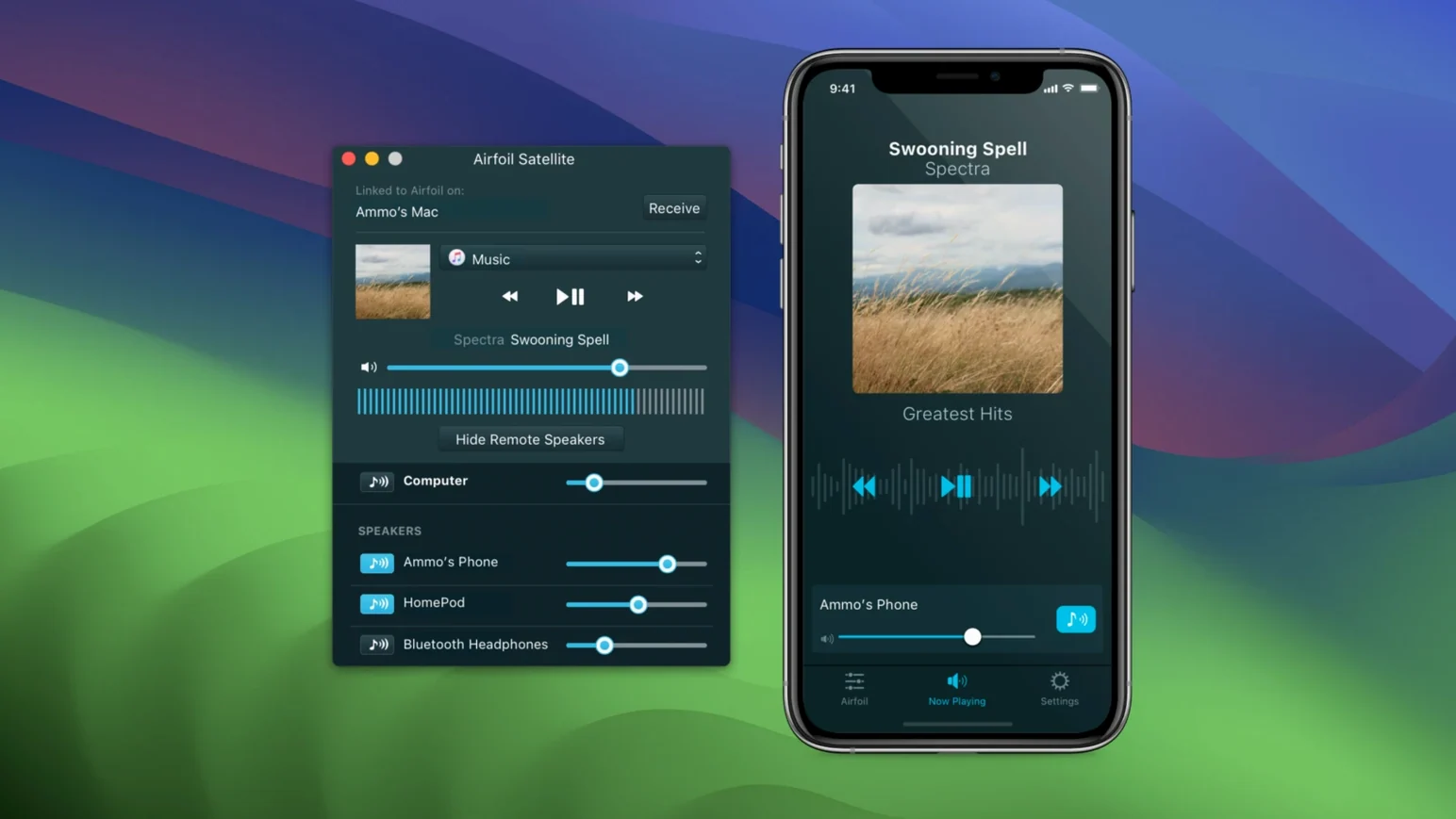
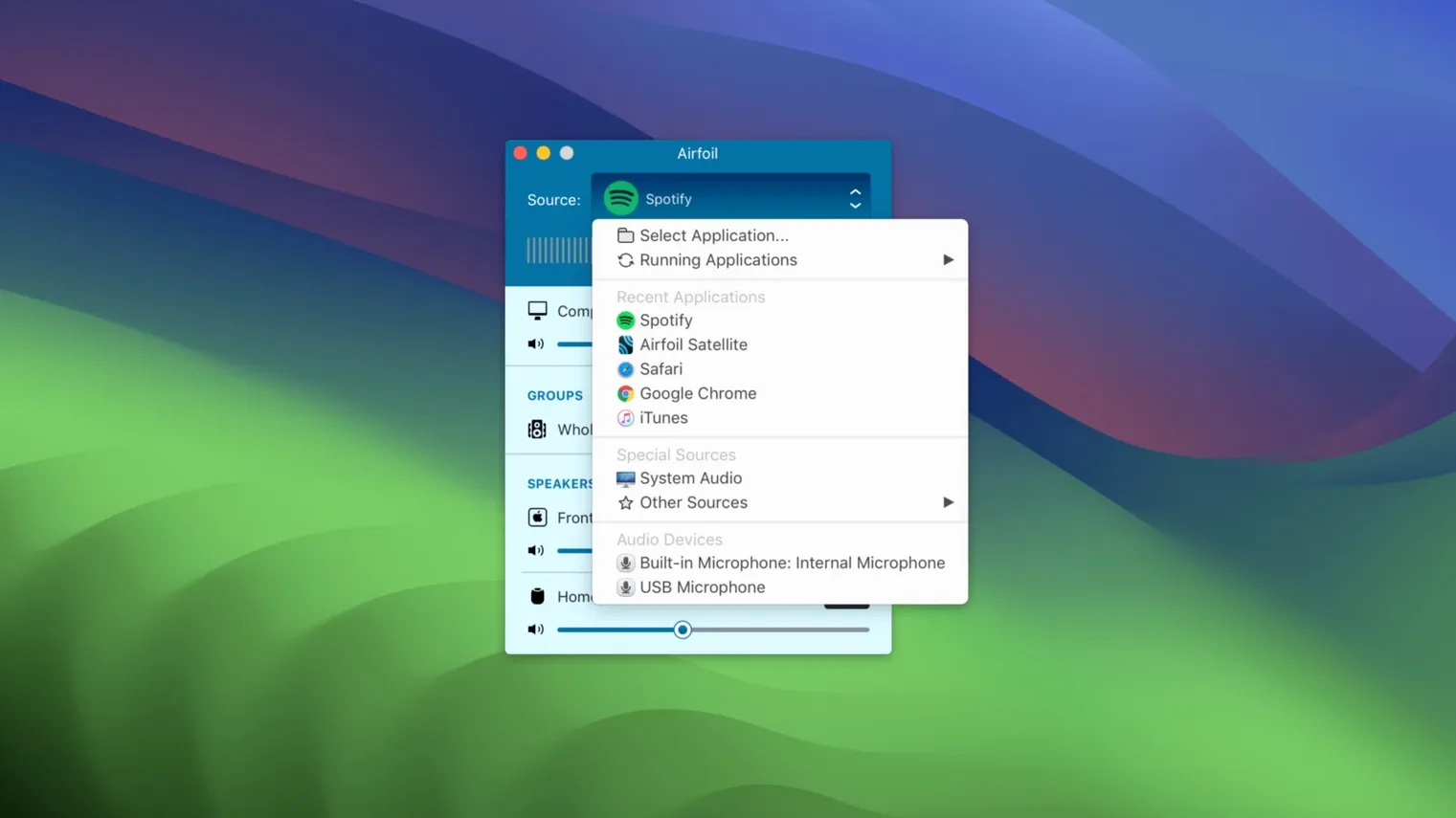
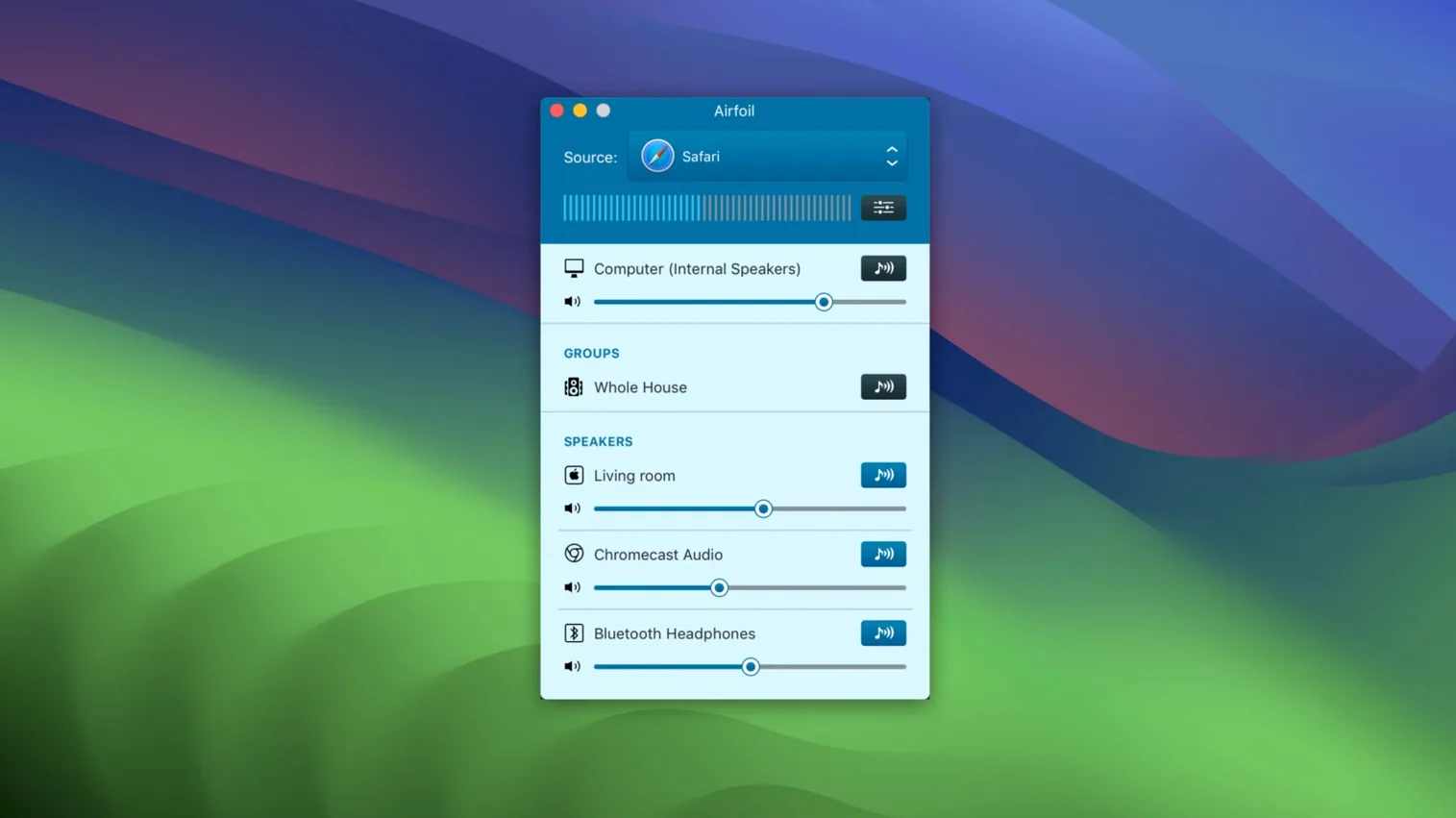
Airfoil is a native Apple silicon and Intel app, fully compatible with macOS 14.4 through macOS 27. It turns your Mac into an audio source that targets a mixed fleet of remote hardware: AirPlay receivers, Google Cast sticks, Bluetooth speakers, iPhones running the companion app, and even other Macs or Windows PCs. What sets it apart for someone comfortable in Terminal or poking around Audio MIDI Setup is the control it gives you over exactly which audio gets sent and how it behaves.
- Per-application audio capture. You can grab a single app’s output — Safari, Music, a DAW — while the rest of the system stays silent on the remote speakers. The capture driver appears in
/Library/Audio/Plug-Ins/HALand shows up as a standard Core Audio device. - Apple Lossless transport. Audio is encoded as ALAC before transmission, so you are not cascading lossy compression on top of an already-compressed source. Bit-perfect, assuming the target device decodes it cleanly.
- Equalizer built into the sender. A 10-band graphic EQ applies per-device. Adjust for a room’s resonance or a speaker’s weak low end without touching the host app’s output.
- Multi-device sync controls. Stream to several devices simultaneously and tweak each one’s volume and EQ independently, or link them for grouped control. The app handles clock drift between protocols without requiring a dedicated hardware mixer.
- Automatic startup routing. Set a preferred remote device and Airfoil will connect to it the moment the app launches, useful for a headless Mac Mini feeding a whole-home system.
The 5.13 update restores streaming to Apple TV and HomePod, which had been broken by recent tvOS changes. If you have been stuck using Bluetooth as a fallback with its inherent latency, this brings back the direct AirPlay path.
How does Airfoil compare to similar Mac audio streamers?
Three other apps tend to come up when Mac users look at Airfoil-style streaming: AirServer, Reflector, and the built-in AirPlay menu in macOS. They solve related problems but the direction matters.
AirServer and Reflector are receivers first. You install them on a Mac to make it act as an AirPlay, Google Cast, or Miracast target. They are excellent for mirroring an iPhone screen or receiving audio from another device, but neither one sends a specific app’s audio out to a Chromecast in the kitchen. Airfoil works in the opposite direction — it is the transmitter, not the receiver. A setup that uses both Airfoil and AirServer on different Macs around the house is common: one machine pushes audio, the other catches it.
The macOS system AirPlay menu (the icon in Control Center) sends your entire system output to a single AirPlay speaker. No per-app isolation, no equalizer, no Google Cast, no Bluetooth fallback chain. Airfoil replaces that with a routing matrix: Safari audio goes to the living room HomePod while Music plays locally through USB, and the EQ is saved per output.
If you only need to mirror a podcast from one Mac to one HomePod, the built-in menu is fine. If you maintain a heterogeneous mix of AirPlay 2 speakers, old AirPort Express units, Android TV dongles, and Bluetooth headphones that all need to play at once, Airfoil earns its place. It also avoids the “everything or nothing” audio capture that system AirPlay forces.
When your home spans AirPlay 2, Google Cast, and old AirPort Express units
Three profiles benefit in ways that simpler tools do not handle.
- Multi-room audio tinkerers. If your home spans AirPlay 2, Google Cast, and a pair of old AirPort Express units with analog outs, Airfoil is the glue. It talks all three protocols from one window and lets you level-match outputs so the kitchen and patio do not fight each other.
- DAW and production users who need reference checks. Sending a mix from Logic Pro to a Bluetooth speaker, a HomePod, and wired monitors simultaneously — each with its own EQ curve — is a fast way to hear translation. Because the capture driver is per-app, you are not accidentally streaming system alert sounds into the reference chain.
- Headless Mac Mini owners. A Mini tucked in a rack or a closet, running without a display, can boot straight into Airfoil and auto-connect to the house speakers. No remote desktop needed just to start playback. Pair it with Airfoil Satellite on an iPhone and you get transport controls and volume sliders from anywhere on the local network.
If your setup is a single MacBook and one pair of AirPods, Airfoil is overbuilt. The moment you add a second output zone or a mix of device brands, the per-device control becomes the reason to keep it running.
80 MB of RAM and 1–2 percent CPU on an M1 MacBook Air
On an M1 MacBook Air, the Airfoil process and its background helper together sit under 80 MB of RAM during a single-device ALAC stream. CPU hovers around 1–2 percent. Adding three simultaneous outputs — Apple TV, a Google Nest speaker, and a Bluetooth soundbar — pushes RAM toward 120 MB and CPU to roughly 5 percent on the performance cores. The encoding is handled efficiently; ALAC is not a heavy codec and the scheduler clearly yields time when other apps need the cores.
Latency varies by protocol. AirPlay to a HomePod mini adds about 80–100 ms, which is fine for music and podcasts but noticeable if you are watching video. Google Cast devices on the same Wi-Fi network land in a similar range. Bluetooth is the outlier: SBC codec paths routinely hit 150–200 ms. Airfoil does not invent a magic low-latency Bluetooth mode — it inherits the stack macOS gives it — but the per-device volume control means you can compensate for delay by balancing a wired local speaker against a wireless zone and letting your brain adjust.
Stability under 5.13.0 has been uneventful across several days of uptime. No Core Audio halts, no sudden disconnects from the HomePod after tvOS sleep cycles. The restored Apple TV path holds a session through display sleep and wake, which had been a pain point in the 5.12.x line. If you have been hunting an airfoil for mac release that finally brings Apple TV streaming back to parity with the rest of the device list, 5.13 closes that gap. Memory pressure stays flat over multi-hour sessions; no evidence of leaks creeping into the AirfoilAgent process after eight hours of continuous streaming.
- Restores audio streaming to Apple TV and HomePod devices.
- macOS 14.4 or later
- Apple silicon or Intel (64-bit)
$ man airfoil | grep -A2 "?"
Can Airfoil send audio to several devices at the same time?
Yes. You can stream to multiple AirPlay, Google Cast, Bluetooth, and iOS devices simultaneously, with independent volume and EQ per device.
Comments 0
Sign in or create an account to leave a comment.
No comments yet. A codec, a slice, a machine — they appear after moderation.