Kontakt for macOS
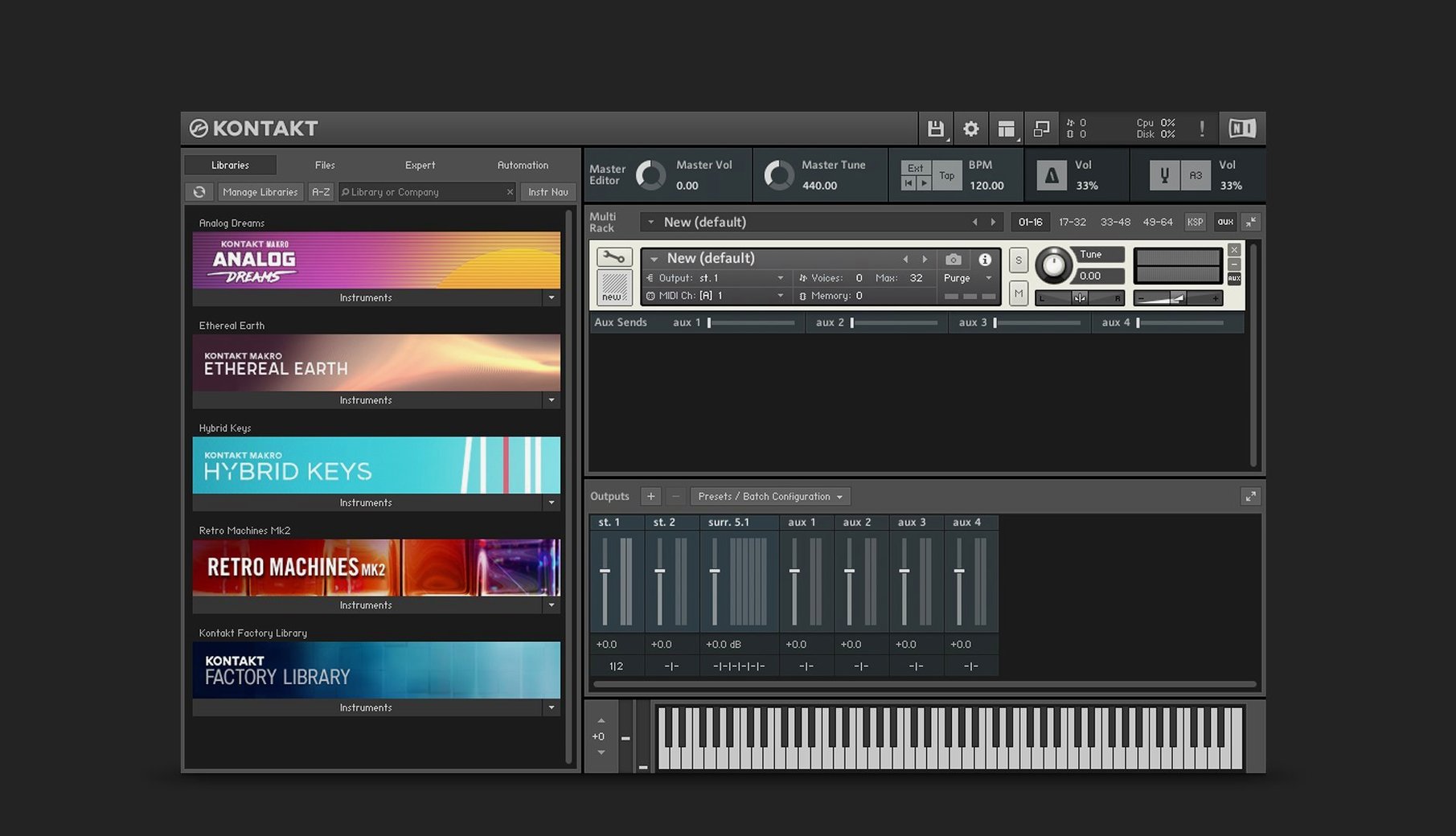
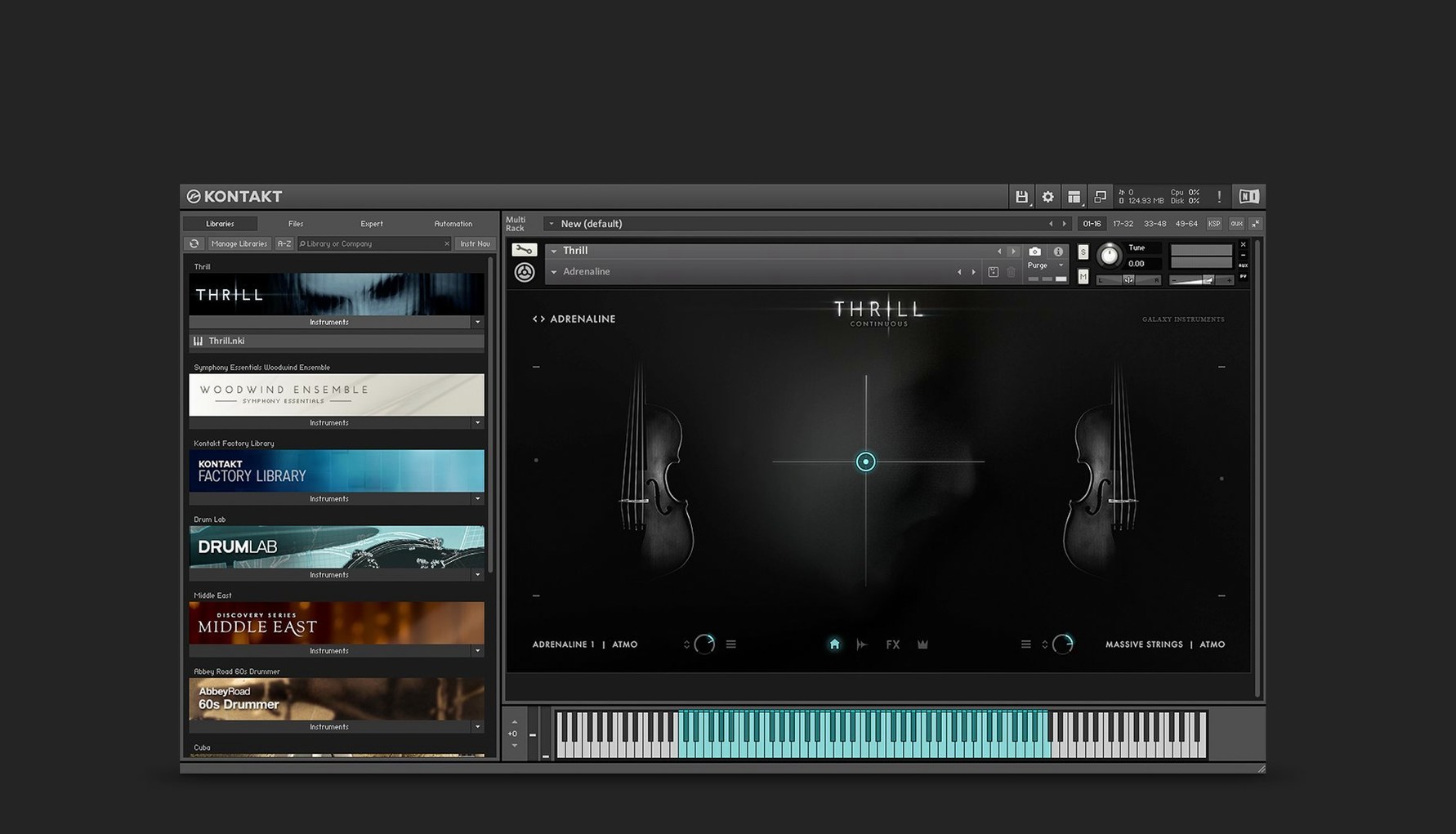
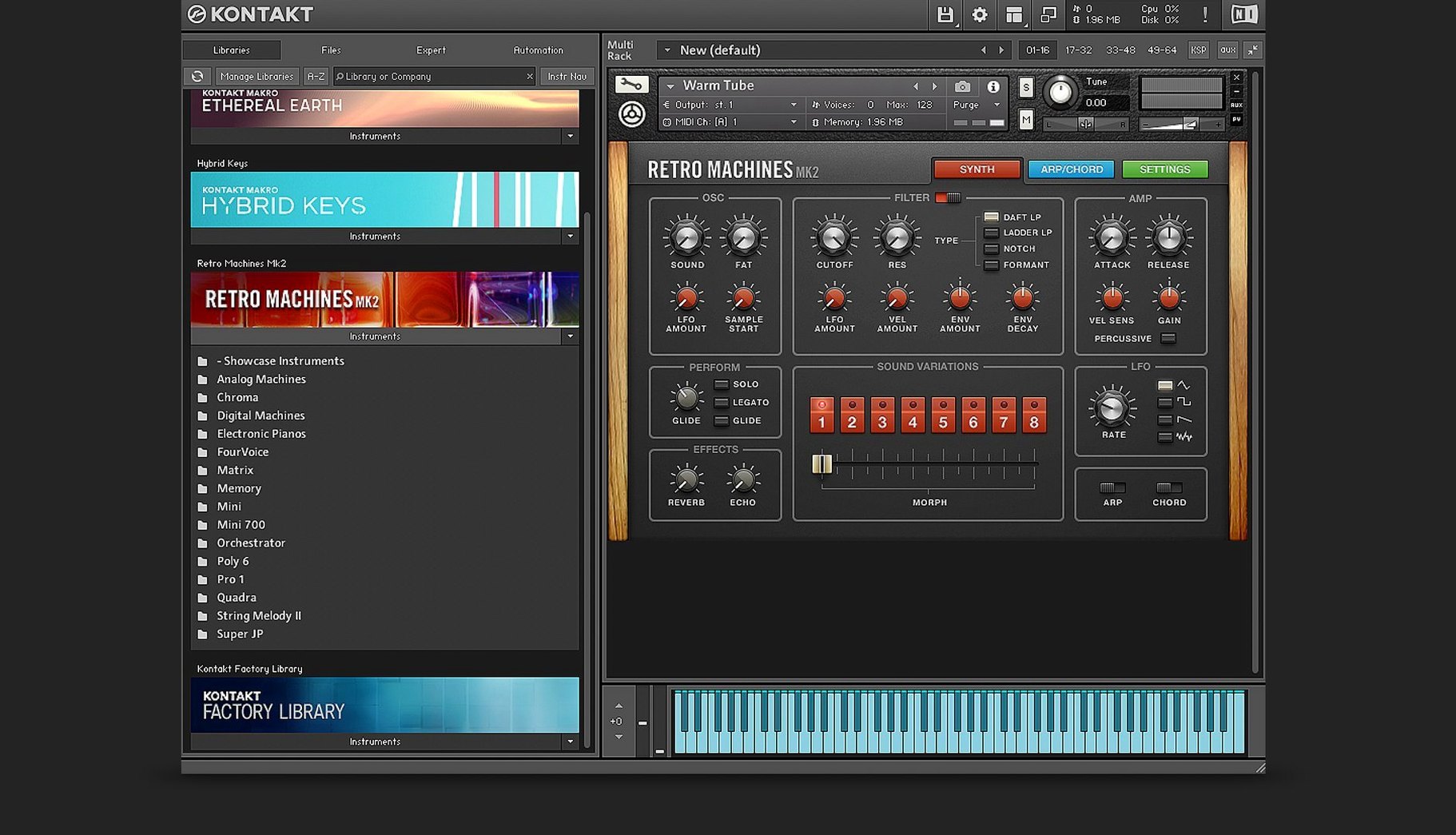
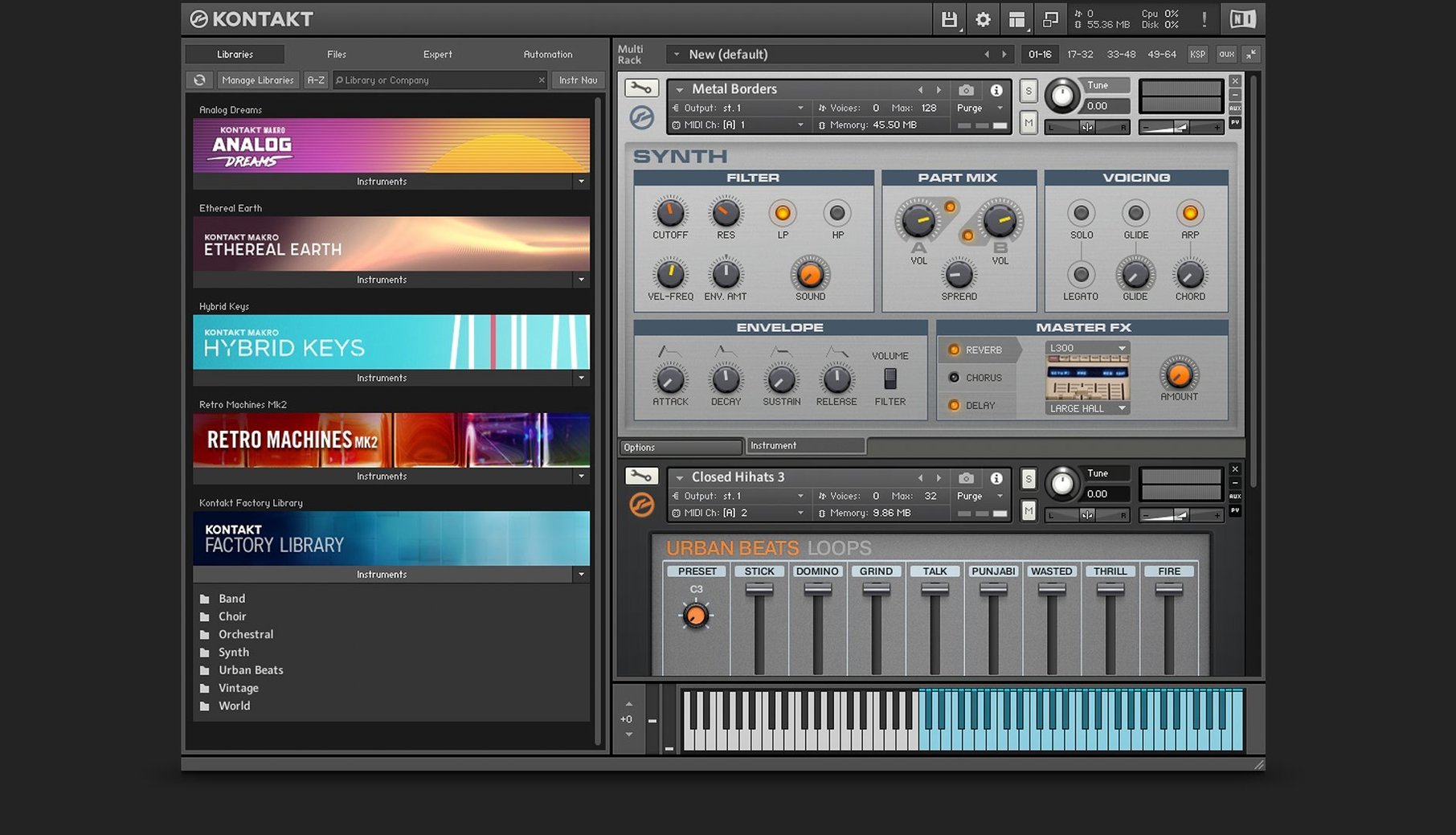
If you've spent time in any DAW, you've probably bumped into Kontakt the way you bump into a utility library in a codebase — it's everywhere, and half the instruments you load are built on it. The current release, 8.13.1, keeps that role while adding a few modules that change how you interact with samples and MIDI.
| Detail | Value |
|---|---|
| Developer | Native Instruments |
| Version | 8.13.1 |
| Architecture | ARM and x86 64-bit |
| Companion | Kontakt 8 Player |
The Wavetable module is the clearest sign of where the engine is heading. It now carries a modulation oscillator and a second Form shaper, so a single source can move further from its original timbre before you reach for external processing. Kontakt 8 also introduces Leap for loops and one-shot samples, a side pane for connecting Tools to instruments, and Komplete UI for high-DPI interfaces. Downloading, activating, and updating all happen through Native Access.
What settings do you change first?
Fresh install, default preferences — Kontakt 8 ships with sensible defaults, but a few things are worth adjusting before you load your first instrument. Open the standalone app or the plug-in window and head to the settings gear.
Turn on Multiprocessor support if it isn't already active. On an Apple Silicon machine, the scheduler distributes voice allocation across performance and efficiency cores reasonably well, but you want Kontakt explicitly allowed to use all available threads. While you're there, check the Disk caching slider — if you're working from an external SSD over Thunderbolt, you can keep it moderate; if your library sits on the internal drive, push it higher. The buffer size in the standalone app doesn't share its value with your DAW, so set it independently. I keep it at 128 samples during composition and bump it to 512 or 1024 when I'm mixing and Kontakt is just one of sixty tracks.
The Default view is new in version 8 and worth a moment. You can choose between the classic rack-style instrument view and a more compact library-focused layout. If you spend most of your time browsing libraries and tweaking macros, the compact view strips out the empty rack slots and gets you to the instrument faster. If you're building multi-instrument setups or layering patches, the rack view still makes more sense.
One last thing: in the Handling tab, you'll find "Ask for confirmation when loading a new instrument." Disable it. You'll thank yourself three hours into a sound design session when you're auditioning patches at speed.
First days with Kontakt 8 — practical things that help
The first day with a sampler platform this large is mostly about orientation. You don't need to learn every module; you need to know where things live and what trips people up.
Get your library paths sorted early
Kontakt doesn't scan arbitrary folders the way some synths do. Libraries that appear in the left-hand browser are registered through Native Access, and their content folders need to stay where Native Access put them. If you move a library manually, the entry in the browser breaks, and re-locating it means pointing Native Access to the new path — not Kontakt itself. Third-party libraries that aren't encoded for Kontakt Player appear under the Files tab and load through the Quick Load menu or a standard file dialog. Set up a dedicated folder structure now: /Samples/Kontakt/Full Libraries and /Samples/Kontakt/Loose NKI, or whatever naming convention keeps you sane six months from now.
Quick Load is your speed dial
Right-click any empty space in the Kontakt window and you'll see the Quick Load option. This is a customisable shortcut panel that floats independently of the main browser. Populate it with your go-to instruments, your own saved patches, and any utility multis you build. It's saved as a folder structure on disk, so you can back it up and carry it between machines. I keep a "Writing," "Mixing," and "Sound Design" hierarchy inside Quick Load — it cuts browsing time by half when you're in flow.
Watch the memory meter
Kontakt shows a small memory readout in the header bar. Click it to see per-instrument usage. Some modern piano libraries will pull 2–3 GB on their own; a full orchestral template can eat 32 GB without blinking. If you're on a machine with 16 GB of RAM, get comfortable with the Purge button on each instrument header. Purging unloads samples from RAM but keeps them mapped, so they stream from disk only when MIDI data calls for them. It's not instant on heavy patches, but it's the difference between a session that runs and one that chokes.
Logic’s sampler, Falcon, and HALion take three very different philosophies
Three other instruments tend to come up in the same conversation: Logic's Sampler, UVI Falcon, and Steinberg HALion. They all load and manipulate samples, but the philosophy behind each is distinct.
Kontakt vs. Logic Sampler
Logic's Sampler — the reborn EXS24 — is tightly integrated, fast, and free with Logic Pro. It reads EXS, SoundFont, and DLS files, and the mapping editor is straightforward. For a producer who builds their own instruments from field recordings or synth bounces, Logic Sampler covers a lot of ground without leaving the DAW. Where Kontakt pulls ahead is the ecosystem: thousands of third-party libraries ship as Kontakt instruments, and many of them use scripting that goes far beyond what Logic Sampler's modulation matrix can express. The MIDI Tools in Kontakt 8 — arpeggiators, chord generators, phrase manglers you can chain together — are something Logic Sampler simply doesn't have. If your work depends on commercial sample libraries, you're in Kontakt because the libraries are in Kontakt.
Kontakt vs. UVI Falcon
Falcon is the synth-nerd's sampler. It treats everything as a node in a semi-modular tree: oscillators, samplers, effects, modulators, script processors all branch from a common signal path. You can drop a wavetable oscillator into the same patch as a granular engine, pipe both through an IR reverb, and modulate parameters with a Lua script. Kontakt 8's Wavetable module and Leap for one-shots and loops close some of that gap, but Falcon's architecture is deeper — and harder to learn. Kontakt's advantage is pragmatic: the browser, the library format, and the fact that you can open a string quartet in three clicks. Falcon rewards patience and sound design curiosity. Kontakt rewards getting work done when the deadline is tomorrow.
Kontakt vs. Steinberg HALion
HALion sits somewhere between the two. It has a powerful wavetable engine, a capable sampler, a granular section, and a macro page designer that rivals Kontakt's instrument-building tools. The Komplete Script language introduced in Kontakt 8 and the Komplete UI framework for high-DPI interfaces are Native Instruments' answer to HALion's custom interface designer. In practice, HALion's instrument-building workflow feels more self-contained — you design the UI, the scripting, and the sound engine inside one application. Kontakt's ecosystem is broader, but if you're the kind of user who wants to build and sell your own instruments, HALion and Kontakt are now competing more directly than they were three years ago.
Why the new default view skips the empty rack first
The move from Kontakt 7 to 8 brought changes that show up in daily work, not just in feature lists.
The new Default view is the most immediately visible shift. Earlier versions loaded a rack full of empty slots even when you only wanted a single instrument. Kontakt 8's compact default shows the instrument you loaded and hides the rest. It's a small interface change that removes visual noise during long sessions.
Leap — the loop and one-shot performance panel — changes how you audition and perform rhythmic material. Instead of loading a loop into a sampler patch and mapping it across keys, you drag audio directly into Leap and it maps slices or the full loop to a performance grid. For beatmakers and electronic producers who work with construction kits, this cuts out several steps that used to require third-party tools.
The side pane for Tools introduces a modular MIDI-processing chain that you attach per instrument. Arpeggiators, note repeaters, chord generators and humanisers sit in a drag-and-drop chain on the left side of the window. Before version 8, MIDI processing was either part of a specific instrument's script or handled by the DAW. Now you can stack a chord tool, a strum simulator, and an arpeggiator inside Kontakt itself, and save the whole chain with your patch. For anyone who builds multis or performs live, this moves a significant chunk of MIDI routing out of the DAW and into the instrument rack where it belongs.
The Wavetable module and its modulation oscillator and second Form shaper mean you can design hybrid instruments — sampled attacks with synthesized sustain tails, or wavetable sweeps layered under cinematic strings — without opening a separate synth and worrying about inter-plugin MIDI routing.
Twelve cues, a lunch deadline, and a single project template
Imagine a media composer working on a documentary score. The timeline has twelve cues, each needing a different instrumental palette, and the director just asked for a revision on cue four before lunch.
She opens the project template — a Logic Pro session with sixteen Kontakt instances, each hosting a single orchestral instrument. The woodwinds are a commercial Kontakt library; the strings are a boutique library from a small developer that ships as unprotected NKI files. Before loading anything, she checks the memory meter across the template: 28 GB active. She purges the brass and percussion sections that aren't needed until the third act, dropping memory usage to 18 GB and letting Logic breathe.
Cue four needs a pulsing, rhythmic texture under the strings. She opens Leap, drags in a field recording of rain on glass that she captured the week before, and slices it into sixteenths. A few clicks in the performance grid turn the rain into a syncopated pattern that locks to the project tempo. She drops Kontakt's arpeggiator Tool onto the Leap instance, sets it to a three-octave spread, and suddenly the rain pattern is a melodic bed that doubles the string ostinato.
The director calls — the cue needs more tension. She opens the Wavetable module in a fresh Kontakt patch, selects a vocal formant table, and routes the modulation oscillator to the second Form shaper with a slow LFO. The result is a shifting, breathy tone that sits behind the orchestra without competing in the midrange. She saves the Leap setup and the wavetable patch into Quick Load under "Doc Score — Cue 4" so they're recallable if the director asks for something similar on cue eight.
Before exporting stems, she checks that every Kontakt instance uses the AU plug-in format — Logic's native format avoids an extra wrapper layer — and confirms the buffer is at 512 for stable bounce. The revision goes out before lunch. The template stays lean because she purged what she didn't need, and the two new sounds she built during the morning are now part of her permanent toolbox.
- The header overhaul for instruments and processing tools has reached its next stage.
- Sidebar, overlay browser, and hardware browser now keep item state and order in sync more reliably.
- The sidebar browser got a quality-of-life bump: content lists and preset lists are displayed separately and resize dynamically as you work.
- Default View gains a global parameters editor and a patch save function — less jumping between views for quick tweaks.
- The standalone Leap tab is gone from the browser. Leap instruments now live under the regular Instruments section where they belong.
- Fixed a crash when loading older instruments in Kontakt versions newer than 8.11.1.
- Fixed an intermittent crash when selecting an instrument header in Rack View.
- Fixed partial UI clipping on some legacy instruments.
- Memory usage readout in the Classic View header now displays correctly.
- Fixed screen flickering and interface freezes in Cubase on Windows.
- Fixed a case where the sidebar browser could show up empty.
- Fixed a problem with migrating non-Player libraries inside multi‑instance Kontakt projects.
- Fixed a bug where switching between snapshots could disrupt the audio engine on some Apple Silicon machines.
- Fixed leftover DAW processes sticking around after closing a project that had Kontakt loaded.
- Komplete UI updated to version 1.10.
- Claude AI integration added to Komplete UI Builder for creating and validating interfaces from Figma mockups.
- Squashed audio artifacts when using the Program Out command in a chain with a processing tool.
- Fixed LFO tempo sync with the DAW in instruments that use these modulators.
- Fixed a memory release issue that had been hanging around since version 6.3.2.
- macOS 14 or later
- Apple Silicon or Intel 64‑bit processor
$ man kontakt | grep -A2 "?"
Does Kontakt 8 run natively on Apple silicon?
Yes, version 8.13.1 is listed for both ARM and x86 64-bit architectures.
What is the difference between Kontakt 8 and Kontakt 8 Player?
Kontakt 8 Player is the streamlined companion version for running Kontakt instruments, while the full Kontakt 8 also includes the instrument-building tools.
How do I install Kontakt 8 on macOS?
Open the downloaded disk image and run the standard installation procedure.
Comments 0
Sign in or create an account to leave a comment.
No comments yet. A codec, a slice, a machine — they appear after moderation.