iReal Pro for macOS
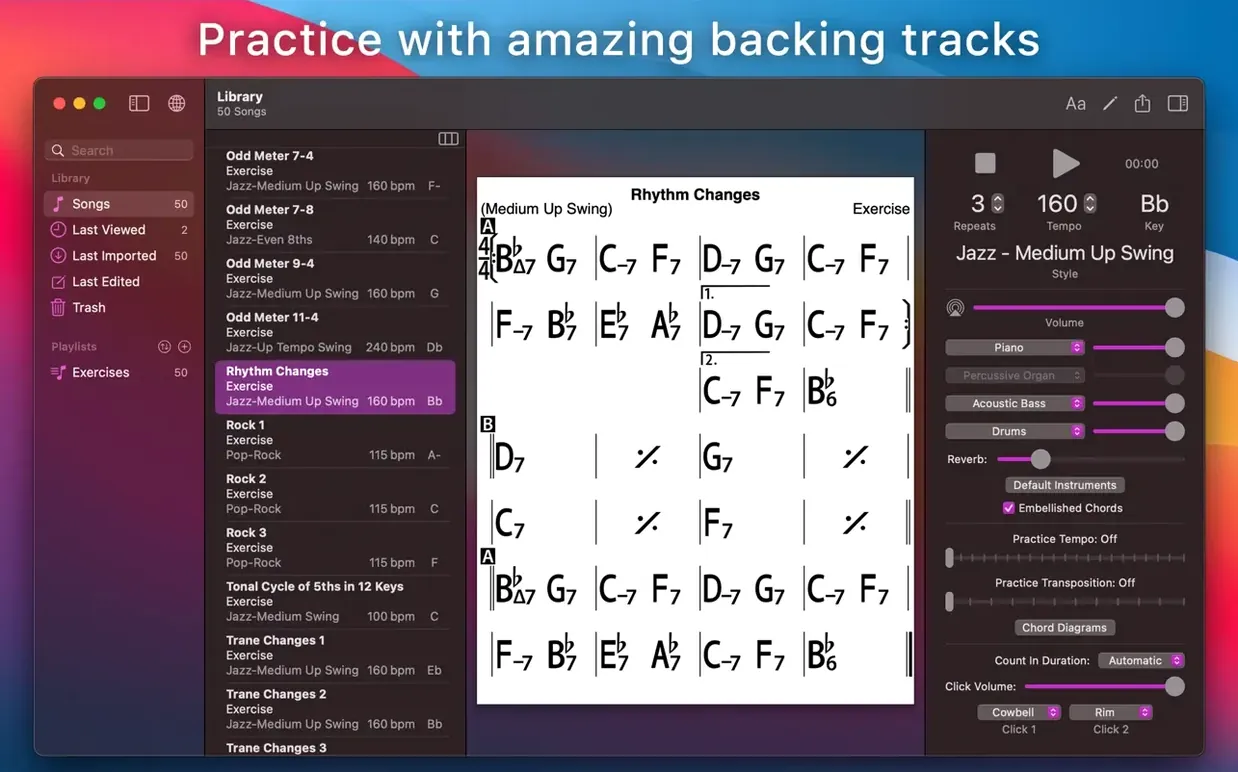
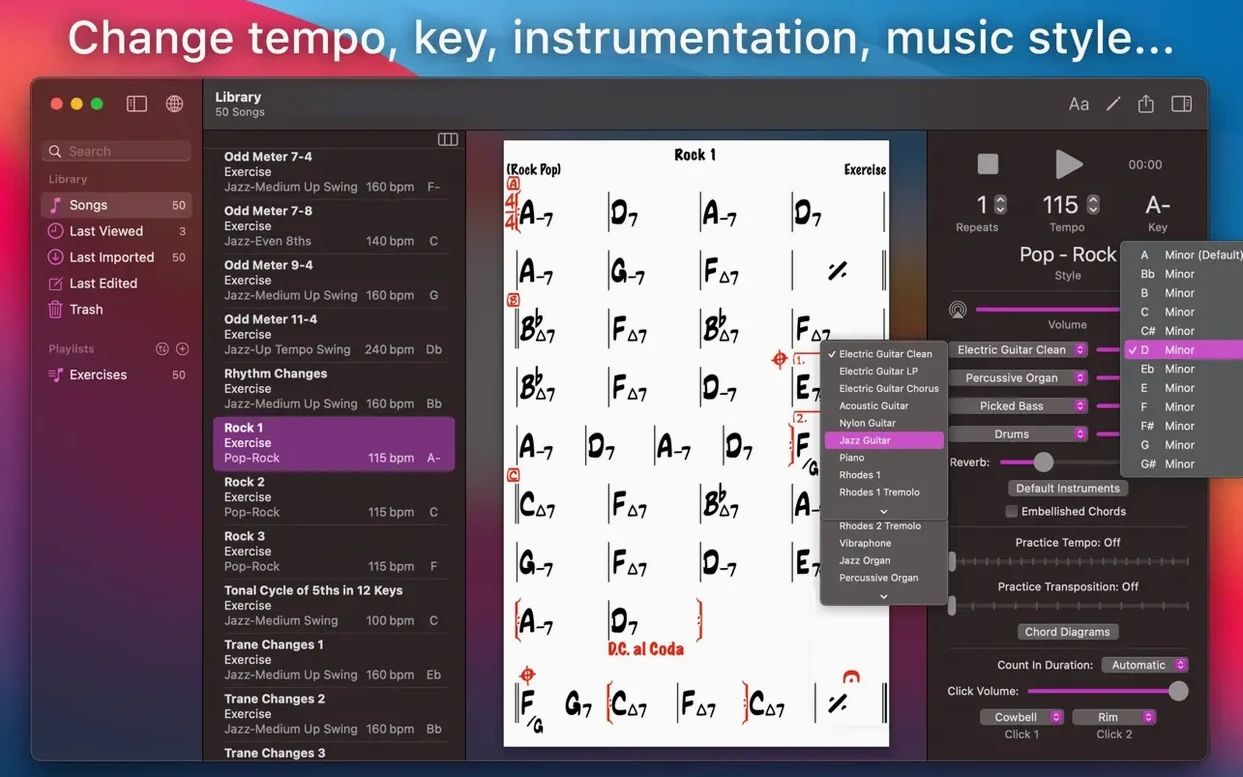
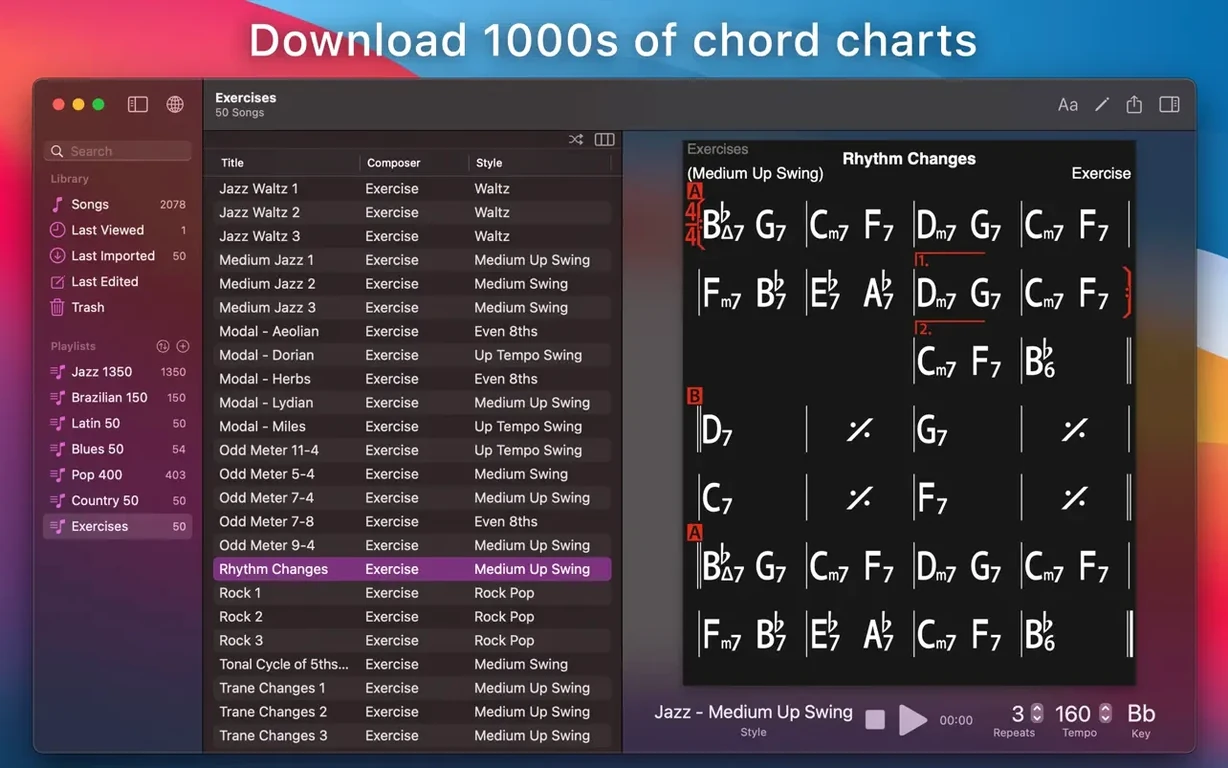
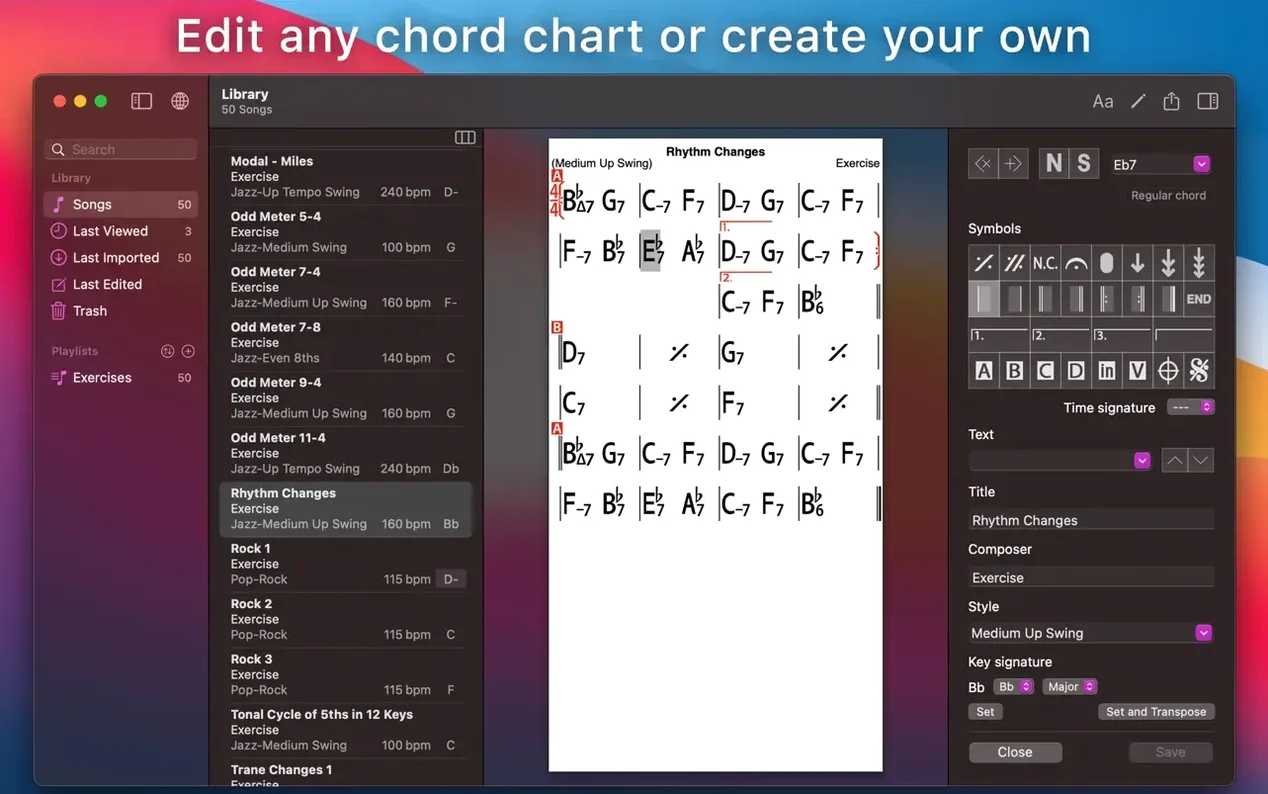
Learning a new standard or woodshedding a tricky progression is much easier when you can hear the full band. iReal Pro puts a piano, bass, and drums behind your chord charts so you can practice with a real rhythm section instead of a sterile click. Before you install it, though, you need to know one thing: will it even run on your machine?
- Confirm your macOS version. iReal Pro requires macOS 12.4 Monterey or later. It runs natively on both Intel and Apple Silicon, so Rosetta 2 isn’t part of the equation—the binary is universal.
- Pick or build a chart. The app ships with a library of chord progressions, and you can create your own lead sheets from scratch. Each chord symbol can trigger scale suggestions, which is useful when you’re working on improvisation vocabulary.
- Choose your rhythm section. The mixer lets you adjust piano, bass, and drums independently. Tempo, style, and key are all tweakable on the fly.
- Record your take. You can capture your playing or singing right over the accompaniment inside the app.
- Export the results. Audio bounces out as WAV, AAC, or MIDI. MIDI export means you can pull the backing tracks into a DAW and swap out the virtual instruments later.
Chord charts and playlists sync across devices through iCloud, so a chart you edit on a Mac shows up on an iPad without any manual file wrangling. The interface is localized in ten languages, including Japanese, Korean, and Russian.
When did playback sync finally survive a four-bar break?
Version 2026.3.2 didn't rewrite the rulebook, but a handful of tweaks smoothed out friction points I used to grumble about. Playback sync across long rests is tighter now — if your chart has a four-bar break before the solo section, the count-in doesn't drift by a sixteenth note anymore. For horn players who practice with the app running while they flip through a paper lead sheet, that matters.
The chord-recognition engine got slightly more forgiving with alternate bass voicings. Slash chords like C/E that used to trigger a brief hesitation in the piano comping now resolve cleanly on the first beat. On the export side, MusicXML output preserves rehearsal marks and section text more reliably, so charts you send to a notation program arrive with structure intact instead of as a flat stream of bar lines.
One under-the-radar fix: the mixer panel no longer resets your balance when you switch accompaniment styles mid-playback. If you ride the bass up and the piano down for a walking-line feel, you can flip from "Jazz – Medium Swing" to "Latin – Bossa Nova" without reaching for the faders again.
Why do I drag a MIDI chart into Logic Pro?
iReal Pro isn't a DAW, and it doesn't try to be one. Where it earns its keep is as a sketchpad that talks to the rest of your setup. Export a chart as MIDI, drag it into Logic Pro or Ableton Live, and the bass line, piano voicings, and drum pattern land on separate tracks. From there you can swap the General MIDI sounds for Spitfire or Native Instruments libraries and build a production-quality backing track from what started as a practice tool.
The MusicXML export route connects to Sibelius, Dorico, or MuseScore. I've used it to rough out a lead sheet during a rehearsal break, then pull it into notation software later for clean parts. Charts also export as PDF, which slots straight into forScore on an iPad — useful if you're running a dual-screen practice rig with the Mac playing accompaniment and a tablet displaying the chart.
Audio export to WAV or AAC means you can bounce a backing track and drop it into an Anytune or Transcribe! session for tempo-slowdown work without keeping iReal Pro open. And because the app syncs playlists through iCloud, a setlist built on the Mac appears on an iPhone for the gig. No cables, no AirDrop, no "wait, I thought I emailed that."
Which preferences turn it from a utility into a band?
The defaults are reasonable, but a few preferences flip the experience from "practice utility" to "actual band." Hit ⌘, and look at these first:
- Repeats & endings handling. Under Playback, switch "Count in" to two bars if you're reading a chart cold — that extra bar gives your brain time to find the first chord shape. While you're there, set "Play N times" behavior to match how your charts are written; the default sometimes glosses over D.C. al Coda markings.
- Mixer preset. The piano can dominate the mix out of the box. Dial it back to about 60% and nudge the bass to 85%. Save that as a preset called "Flat" so you have a neutral starting point that doesn't favor any register.
- Chord display font size. If you're reading charts on a MacBook screen from a music stand three feet away, the default size is optimistic. Bump it up two points in the Display tab.
- Scale suggestions. They're off by default. Turn them on under Practice Settings — each chord symbol will show compatible scales above the staff, which turns any downloaded chart into an instant improvisation drill.
- Auto-transpose on import. If you're a tenor sax or trumpet player, set the global transpose to B♭ or E♭ so every chart you pull from the forums lands in your key without manual tweaking.
What jumps straight to the next rehearsal mark?
iReal Pro buries a few friction-killers in plain sight. The spacebar starts and stops playback, obviously, but ⌘→ and ⌘← jump to the next or previous rehearsal mark — faster than clicking through a dense chart. Holding Shift while dragging a chord symbol copies it instead of moving it, which speeds up chart creation when a tune has repeated four-bar phrases.
The chord-entry field accepts Nashville number notation directly. Type 1, 4, 5 and the app interprets it in the current key, then you can toggle between number and letter display with one click. For transcribing tunes by ear without committing to a key, that's a genuine time-saver.
In the mixer, Option-click any fader to snap it back to 100%. Right-click a style in the style browser to preview it with your current chart without closing the browser — useful when you're auditioning a Latin feel against a swing chart and don't want three extra clicks per attempt. The built-in exercise library (50 common chord progression drills) lives under the Practice menu, not the File menu, and plenty of users never notice it because they're looking in the wrong place. Each exercise loops with automatic transposition up a half-step every chorus — a metronome-and-band hybrid for ii-V-I vocabulary work.
- macOS 12.4 or later
- Universal binary — native on Apple Silicon and Intel
$ man ireal-pro | grep -A2 "?"
Can I print chord charts from iReal Pro?
Yes, you can create, edit, and print chord charts directly from the Mac app, as well as publish and share your collections.
Comments 0
Sign in or create an account to leave a comment.
No comments yet. A codec, a slice, a machine — they appear after moderation.