Guitar Rig for macOS
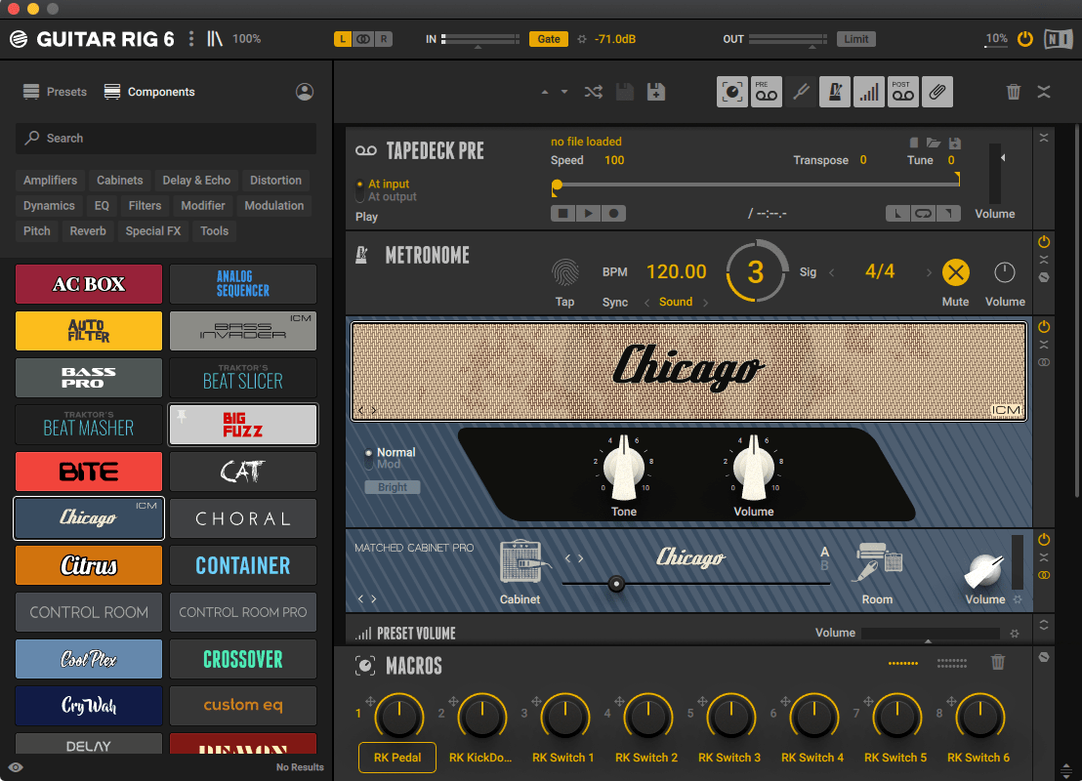
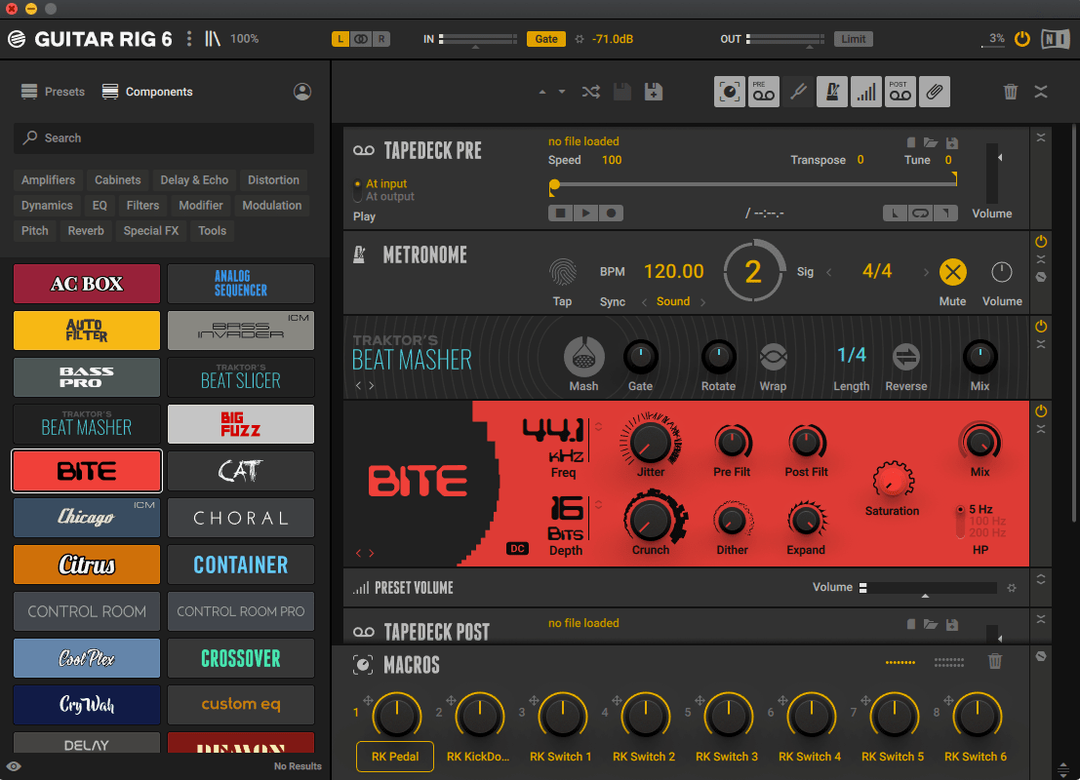
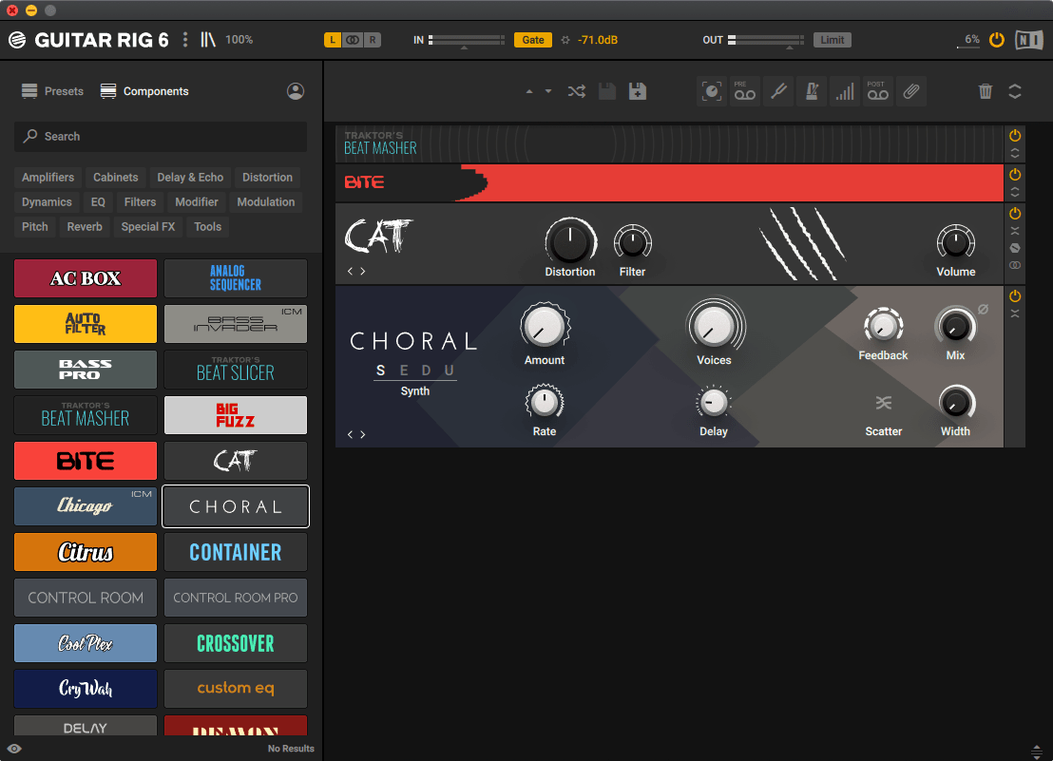
Guitarists and bass players who sculpt their tone inside the box know Guitar Rig as the long-running software rack from Native Instruments. The current version is 7.0.2, and the Pro edition still operates as a multi-effects rack and amp simulator running natively on both Intel and Apple Silicon Macs under macOS 11 and later.
What arrived with version 7
Version 7 rebuilt the way you find sounds. A tag-based preset browser sits at the front, so you filter by amp type, style, or effect chain rather than scrolling through flat lists. Quick-access panels put core tools and effects within a click or two, and a tuner sits ready for the obvious task. A metronome with sync settings and a volume preset with multiple options round out the utility side — small things that keep you from reaching for separate apps while you dial in a tone. Underneath, the binaries are universal, handling ARM and x86 64-bit architectures without translation. The official product page lists macOS 13, 14, and 15 as supported on both platforms.
The virtual rack and routing you already know
The core identity hasn't shifted: it's still a guitar and bass processing tool built around the idea of dragging components into a virtual rack. The amp models, cabinets, modulation effects, and routing flexibility that filled Guitar Rig 6 remain intact. Version 7 added search and convenience layers on top of that foundation rather than rewriting the signal path. If you're coming from an earlier release, the familiar components are all there — you just reach them through a newer browser structure.
Why Guitar Rig greets you with the tuner first
You plug in, launch the standalone app, and the tuner is the first thing you see. That's deliberate — Guitar Rig knows you'll check tuning before anything else, so it places the tool where your eyes land. A couple of strums, a quick twist of the low-E peg, and you're green across the strings.
Next you hit the preset browser. The tag system means you type crunch and narrow by Style: Rock and Amp Type: British. Three clicks later you've landed on a Plexi-style stack with a room reverb tail and a Tube Screamer already in front. You audition it with an open G chord, then palm-mute a chug on the low E — the response feels immediate, no perceptible latency on the M-series Mac it's running on.
You want less gain and a shorter reverb decay. You click into the rack view, where the chain of components sits in order: stomp compressor, overdrive, amp head, cabinet, EQ, reverb. Each block opens its own panel when you double-click it. You dial the drive knob back on the overdrive, swap the cabinet impulse response to a 4×12 with ribbon mics, and pull the reverb time down to about 800 milliseconds. None of this requires reading a manual — the knob labels match what a physical unit would say.
With the tone roughed in, you open the metronome, set it to 120 BPM with a triplet subdivision, and hit the sync toggle so it locks to your DAW's clock later. You record a minute of double-stops and muted chugs straight into the looper component you dragged to the end of the chain. The playback loops cleanly while you tweak the cabinet mic angle in real time, listening for the sweet spot where the pick attack cuts through without brittleness.
When you're happy, you save the preset under a name that actually means something — Bridge Chug – 4×12 Ribbon — and tag it with Custom and Rhythm. Later, in your DAW, you load the AU version of Guitar Rig on the armed track, recall that preset from the browser, and the metronome syncs automatically. The whole session from tuning to a tracked idea took under twenty minutes, and half of that was playing.
Selecting your interface in audio settings before browsing presets
After the installer finishes and you've mounted the .dmg, there are a few things worth doing before you get lost in presets. First, open the standalone app and go to the audio settings. Select your interface directly rather than leaving it on the system default — Guitar Rig will show the exact device name, sample rate, and buffer size. Set the buffer to 128 samples for tracking; you can push it to 256 or 512 later if a heavy chain starts glitching.
Second, spend five minutes tagging the factory presets you actually like. The browser ships with a broad set of tags, but your own Favorites tag is what makes the search fast. Mark anything that sounds usable even if you'll tweak it later — you're building a shortlist, not a final collection.
Third, drag the tuner and metronome components into a blank rack and save it as a template called Utility. When you just need to check tuning or practice to a click, you load that template instead of a full amp chain. It uses almost no CPU and starts faster than a heavy preset.
Fourth, test the AU, VST3, and AAX plug-in formats in your DAW of choice. On Apple Silicon, all three should appear without needing Rosetta, but some older DAW versions may only scan VST3 correctly. Confirming this on day one saves confusion when a session is already running.
Why your rack is silent even when the tuner shows input
The most common head-scratcher is a silent rack. The signal path looks right, the tuner registers input, but no sound reaches the output. Nine times out of ten, a component late in the chain has its output level or mix knob at zero. The cabinet module's volume control, in particular, defaults low on some presets. Check the last three blocks in the chain before you touch anything upstream.
Another frequent issue is missing presets after installation. If the browser shows only a handful of entries, the content library likely didn't install to the expected path. On macOS, Guitar Rig 7 looks for its factory content inside the user's ~/Documents/Native Instruments/ folder (or a shared location set during installation). Re-running the installer and pointing it to the correct directory fixes this. The .dmg contains the full library, so you don't need to download anything separately.
Latency complaints often trace back to the audio buffer, but if adjusting it doesn't help, check whether your DAW is inserting latency-inducing plug-ins after Guitar Rig on the same channel. A linear-phase EQ or a lookahead limiter sitting downstream will add its own delay. Move those to a bus or print the guitar track before adding them.
On Apple Silicon Macs running macOS 15, a few users report that the standalone app doesn't see their audio interface until they grant microphone permissions in System Settings. It seems odd — a guitar input isn't a microphone — but Core Audio routes through the same privacy gate. Open System Settings → Privacy & Security → Microphone and toggle the switch for Guitar Rig.
Why it feels more modular than Amplitube's pedalboard
Next to Amplitube 5, Guitar Rig feels more like a modular rack and less like a collection of stompbox-and-amp emulations arranged as a pedalboard. Amplitube's strength is its visual realism — the on-screen gear looks and behaves like the hardware. Guitar Rig's interface is flatter and more schematic, which some players find faster for building complex chains and others find less inviting. Amplitube leans into the amp-room fantasy; Guitar Rig treats the signal path as a workflow.
Neural DSP's Archetype series takes the opposite approach altogether: each plug-in models one specific amplifier family with a tightly curated set of effects. The sound quality is exceptionally detailed, but you get no routing flexibility beyond the fixed signal chain the developer designed. Guitar Rig trades that single-minded polish for breadth — you can build a chain with three different amp heads in parallel if you want, and nobody stops you from feeding a bass cabinet into a pitch shifter into a rotary speaker. It's a sandbox where Neural DSP is a boutique pedalboard.
Logic Pro's built-in Amp Designer and Pedalboard come closest to the Guitar Rig concept without leaving the DAW, and they cost nothing extra if you already own Logic. The amp models are solid, but the effects selection is narrower, and there's no standalone app for practice outside a Logic session. Guitar Rig's component count — the number of amp heads, cabinets, modulation units, and studio effects — runs deeper, and the preset ecosystem is larger because it's cross-platform and cross-DAW.
Where Guitar Rig stands out is in the sheer configurability of the rack itself. Split paths, parallel processing, and unusual effect orderings are trivial to set up. The other three products each win in a specific area — Amplitube in interface nostalgia, Neural DSP in raw amp detail, Logic in integration — but none of them offers the same combination of routing freedom, component count, and standalone operation in a single bundle.
- Version 7.0.2 available through the official downloads page for Guitar Rig 7 Player.
- macOS 11 or later
- Intel (x86 64-bit) or Apple Silicon (ARM 64-bit)
- Official support listed for macOS 13, 14, and 15
$ man guitar-rig | grep -A2 "?"
Does Guitar Rig 7 Pro run natively on Apple Silicon?
Yes. The official product page confirms support for Apple Silicon Macs running macOS 13, 14, or 15, and the binaries handle ARM 64-bit natively.
What macOS versions does Guitar Rig 7 require?
It requires macOS 11 or later, with macOS 13, 14, and 15 officially listed as supported on both Intel and Apple Silicon Macs.
Does Guitar Rig 7 include a tuner and metronome?
Yes. Version 7 includes a tuner, a metronome with sync settings, and a volume preset with multiple options alongside the amp and effects rack.
Comments 0
Sign in or create an account to leave a comment.
No comments yet. A codec, a slice, a machine — they appear after moderation.