Guitar Pro for macOS
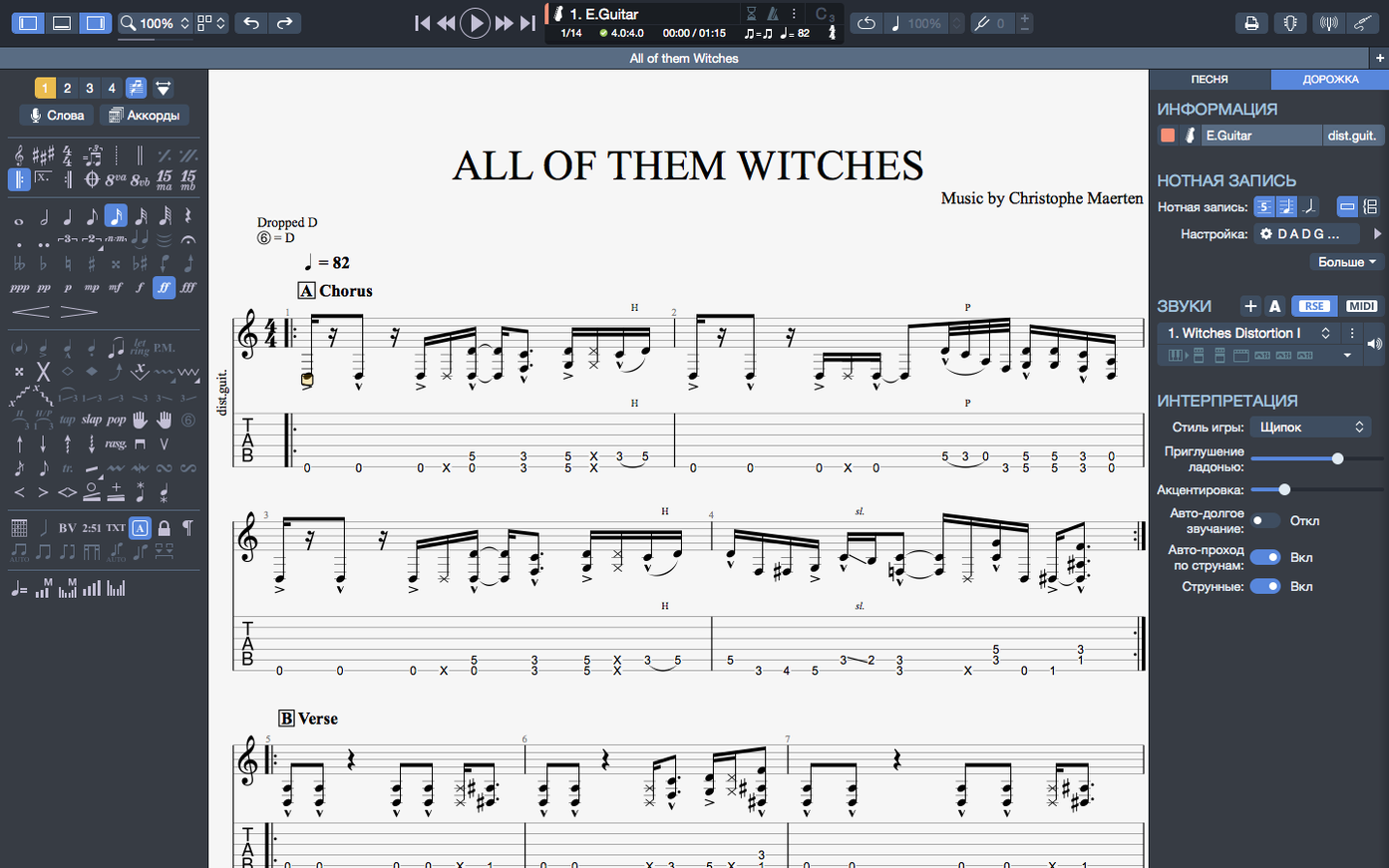
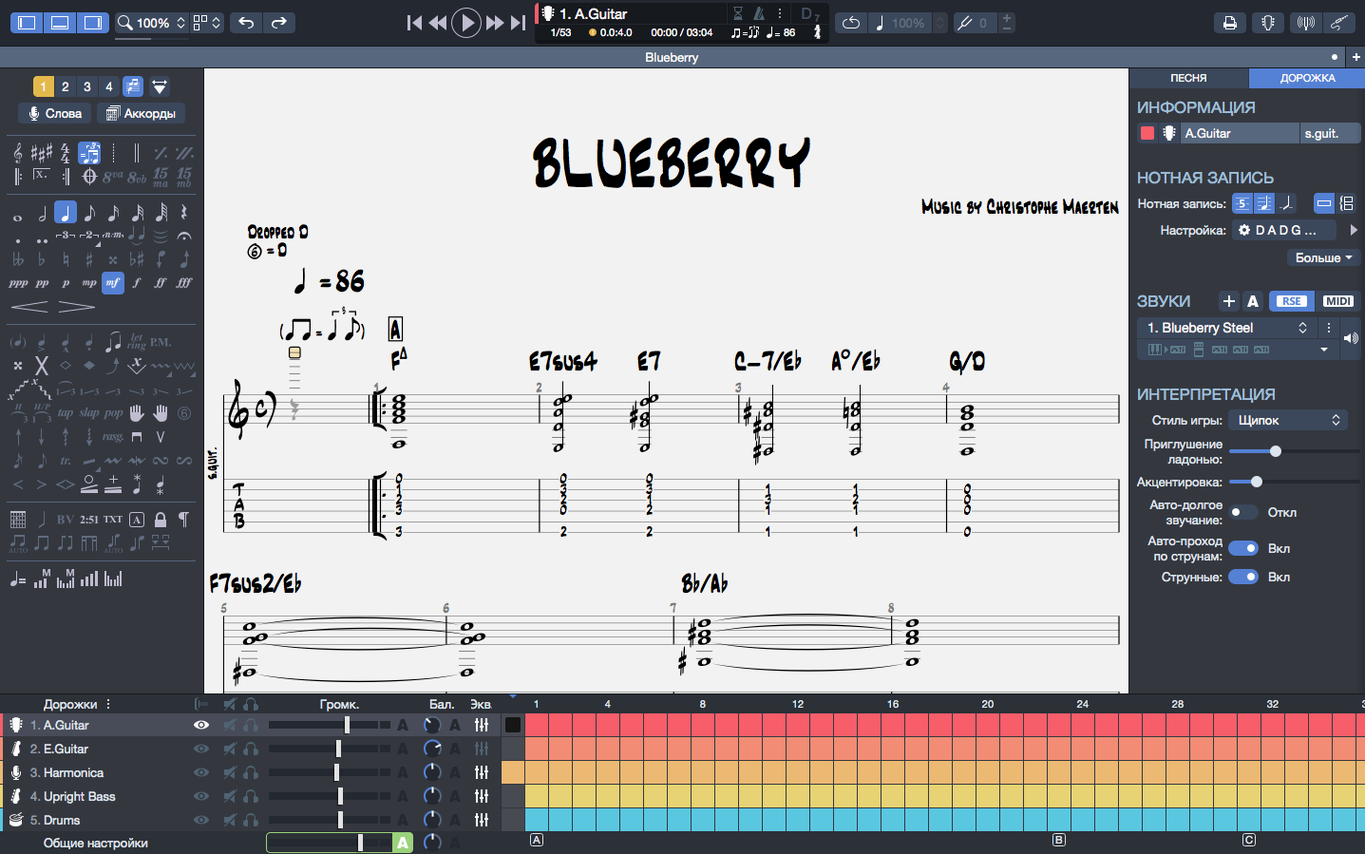
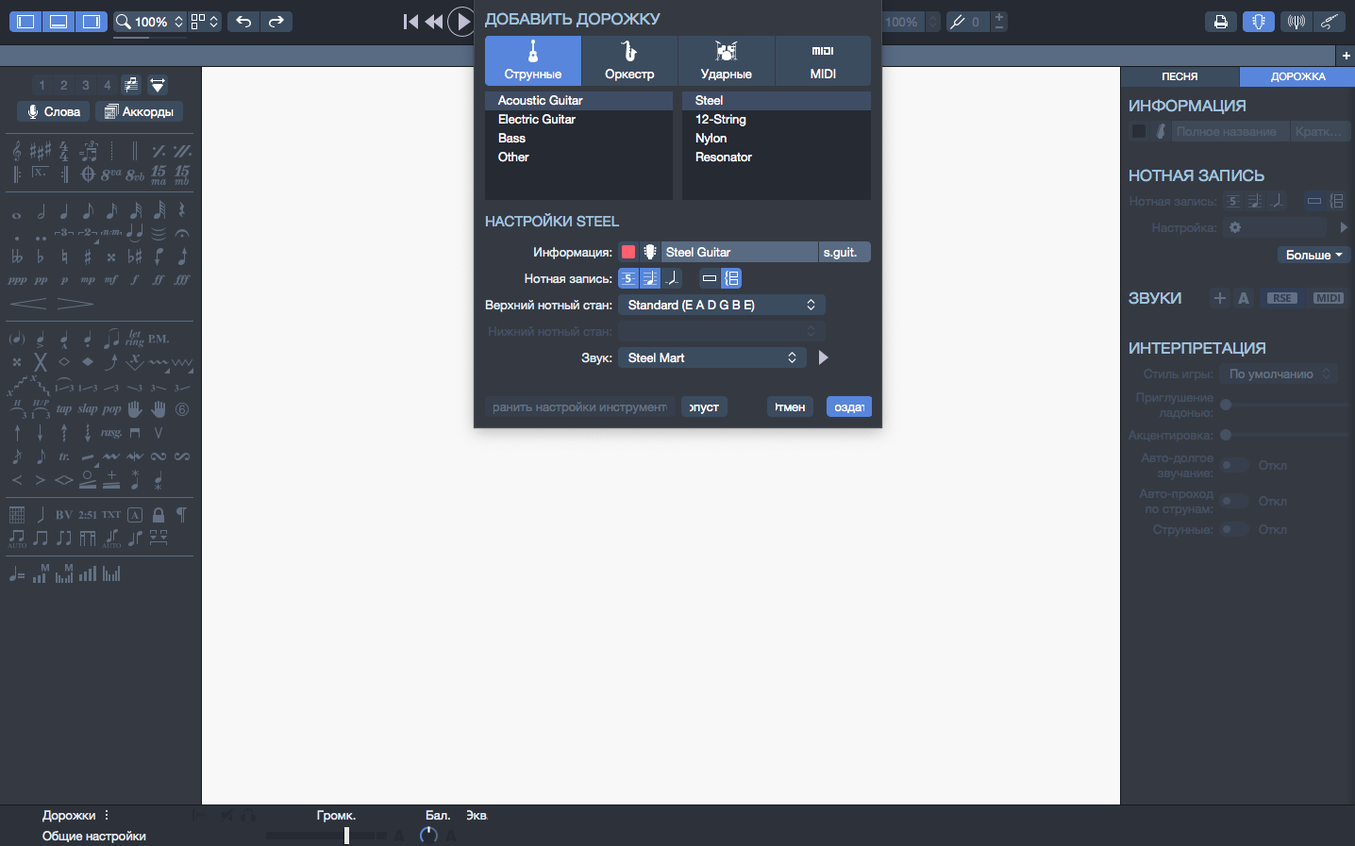
Before anything else, let's confirm your Mac can run it: Guitar Pro 8 is a universal binary, so it runs natively on both Apple Silicon (M1, M2, M3) and Intel-based Macs, as long as you're on macOS 10.13 High Sierra or newer.
Guitar Pro for Mac — a notation and tablature editor built for guitar, bass, and even Hawaiian guitar, with a playback engine that can also serve as a backing band for drums or piano.
Tab editing — write and edit scores in standard notation and tab, with a built-in MIDI editor for precise tweaking. When you transpose a piece, chord names and fingerings move together automatically.
Playback — version 8.1.5 smooths out a long-standing macOS annoyance: plugging in or unplugging an audio interface no longer interrupts playback.
Export — scores can be rendered to PNG with a transparent background, which is handy if you're dropping diagrams into a lesson plan or a document without a white box ruining the layout.
Pinned files — you can now pin scores in the recent files section on the homepage, so your current project stays put instead of getting pushed out of the list.
Which workflows do its closest rivals actually serve?
Three apps tend to come up in the same sentence as Guitar Pro when Mac users talk about tab and notation. They overlap in places, but they're built for different workflows, and knowing the differences saves you from installing three things that all do half of what you need.
MuseScore is the open-source heavyweight for standard notation. It handles orchestral scores, parts, and layout with a sophistication that Guitar Pro doesn't aim for — but MuseScore's tab support is an afterthought compared to Guitar Pro's. If you're writing for a string quartet, MuseScore wins on engraving quality. If you're writing a guitar solo with bends, slides, and vibrato you want to hear played back accurately, Guitar Pro is the tool you keep open.
TuxGuitar is a free, cross-platform tab editor that reads and writes Guitar Pro files up to the .gp5 format. It feels like a time capsule from 2010 — functional, lightweight, but missing the playback improvements, the chord builder, and the visual polish of Guitar Pro 8. People sometimes grab a Guitar Pro 8 torrent looking for something free, run into TuxGuitar instead, and quickly discover why the real thing matters: the playback engine alone is worth the difference. TuxGuitar's MIDI output is serviceable; Guitar Pro's soundbank makes your scratch tracks sound like a band, not a cheap doorbell.
Logic Pro's Score Editor deserves a mention because it's already on many Mac musicians' machines. It can produce beautiful printed scores, and it understands guitar tab. But it's not a tab-first environment — you fight the interface to add a hammer-on, and the playback is tied to Logic's full mixer paradigm. Guitar Pro is purpose-built. You open it, you see six strings, you click a fret number, you press Space. That immediacy is something DAWs can't match when you just want to get an idea down.
What's it like to use day-to-day?
On an M1 MacBook Air with 8 GB RAM, Guitar Pro 8 launches in about three seconds and sits comfortably under 300 MB of memory with a moderately busy score open. Playback doesn't spike the CPU — the universal binary keeps things on the efficiency cores most of the time, which means the fan never kicks in (there isn't one) and battery drain is negligible during a two-hour practice session.
Stability in version 8.1.5-31 is what you'd hope for from a point release. The arpeggio fix at the top of a score means you no longer get that jarring silence where a cascading chord should be. Stem direction overrides actually stick now — small but telling: you can set a stem direction, save, reopen, and it's still there. The macOS device-plugging fix is the kind of quality-of-life improvement you don't notice until you remember how annoying the old behavior was. Plug in an interface mid-playback? The audio keeps rolling.
One honest note: the interface can feel dense. Arobas Music adjusted contrast and colors for reading comfort, and the dark mode implementation is genuinely easier on the eyes than the version 7 era, but there's still a lot on screen. A 13-inch display feels cramped with the inspector panel open. On a 27-inch external monitor, it's a different story — the layout breathes, and the chord builder sits neatly alongside the score without overlap.
Who relies on the chord-transposition and PNG export combo?
Three groups stand out.
Guitar teachers and students benefit from the transparent PNG export and the chord transposition that moves names and fingerings together. A teacher can prepare a lesson sheet with chord diagrams, export it cleanly, and drop it into a worksheet without a white background breaking the page design. Students using a guitar pro for mac setup can slow down a tricky passage to 50% speed without pitch change and loop it until muscle memory kicks in — a practice technique that's tedious with YouTube but effortless here.
Songwriters building full arrangements use the drum and piano backing tracks as a sketchpad. You don't need to open a DAW to hear whether the bass line works against the kick pattern. Type it in Guitar Pro, hit play, and the soundbank gives you a credible band simulation. It won't replace a produced track, but it's a fast way to iterate on structure before committing to a recording session.
Transcribers and cover artists who need accurate tab that plays back correctly lean on the MIDI editor for fine-tuning note lengths and velocities. The ability to pin files on the homepage is small but practical — your current transcription project stays visible every time you launch, rather than disappearing under a pile of recent experiments.
If you only need to look at a tab someone else wrote, grabbing a Guitar Pro 8 crack or a quick Guitar Pro Mac torrent lets you explore the full feature set without commitment. The playback engine, the export options, and the editing tools are where the value lives. Reading a tab is half the picture; hearing it played back with bends, slides, and vibrato rendered correctly is the other half.
Why does the Apple Silicon build change every launch?
The jump from Guitar Pro 7 to 8 brought the Apple Silicon native build, which matters every time you launch the app. Version 7 under Rosetta worked, but the translation layer added a beat of delay on startup and slightly higher memory pressure during long sessions. Version 8 on an M-series chip feels like a properly native Mac app.
The 8.1.5 update is quieter but practical. The arpeggio fix at score position zero is something classical and fingerstyle players will notice immediately — a piece that opens with a rolled chord now sounds correct from the first beat. The stem direction fix addresses a frustration for anyone who prints scores: if you've ever had to manually re-set stem directions after reopening a file, that annoyance is gone. And the device hot-plugging improvement is a nod to the reality of Mac setups, where USB hubs and audio interfaces come and go throughout a session.
SVG export appeared earlier in the 8.x cycle and quietly changed how people prepare scores for the web. Vector output means you can scale a chord chart or a full score to any size without pixelation, which matters if you're embedding notation in a website or a printable PDF that needs to stay sharp at high resolution.
A workflow: transcribing a riff from recording to playable tab
Here's a concrete walkthrough for a common task — lifting a riff from a song and turning it into tab you can practice, share, and play back.
1. Set up the score. Launch Guitar Pro and create a new file. Pick the guitar track template (six-string, standard tuning) and set the tempo to match the song — tap it out with the built-in metronome if you don't know the BPM. Set the time signature. For a blues-rock riff, 4/4 at 120 bpm is a safe starting point.
2. Enter the notes. Click on the tab staff at the first beat. Use the number keys or the on-screen fretboard to place notes — fret numbers appear on the tab line and standard notation populates above automatically. For a hammer-on, select the first note, press H, and the curved legato line connects it to the next note. Bends get a small arrow; click and drag to set the bend depth in quarter-tones or full steps.
3. Layer the rhythm part. Add a second track for the rhythm guitar. Enter the chord progression using the chord builder — pick Gm7, the builder shows fingerings across the fretboard, and you click the voicing you want. Drop it on beat one of each bar. The chord name and fingering diagram appear above the staff.
4. Add drums for context. Create a drum track, pick a basic rock pattern from the preset library, and drag it across the bars. Now when you hit Space, you hear the riff against a backbeat — much closer to how it'll sound when you play along with the recording.
5. Check playback and fine-tune. Listen through at full speed, then slow it to 70% to catch timing slip-ups. Open the MIDI editor on any note that sounds off — adjust velocity if a picked note pops too loud, or shift the start time a few ticks to fix a rushed hammer-on.
6. Export for practice. Pin the file on the homepage so it's there tomorrow. Export a PNG with transparent background for your notes app, or export an SVG if you're adding it to a web page. Loop the tricky bar at 60% speed, hands on the fretboard, and work it up gradually.
- Arpeggios placed right at the start of a score now trigger correctly during playback instead of being skipped.
- Fixed edge cases where stem directions couldn't be changed manually.
- Playback continuity on macOS is now stable when plugging or unplugging audio devices mid-session.
- macOS 10.13 High Sierra or later
- Apple Silicon or 64-bit dual-core Intel/AMD processor
- 4 GB RAM
- 2 GB free disk space
- Administrator rights required for installation
$ man guitar-pro | grep -A2 "?"
Does Guitar Pro 8 run natively on Apple Silicon Macs?
Yes, Guitar Pro 8 is a universal binary that runs natively on both Apple Silicon (M1, M2, M3) and Intel processors, with improved efficiency on Apple Silicon Macs.
What can Guitar Pro edit besides guitar tablature?
It can edit scores and tablatures for guitar, bass, and Hawaiian guitar, and includes a built-in MIDI editor along with the ability to create backing tracks for drums or piano.
Comments 0
Sign in or create an account to leave a comment.
No comments yet. A codec, a slice, a machine — they appear after moderation.