Logic Pro for macOS
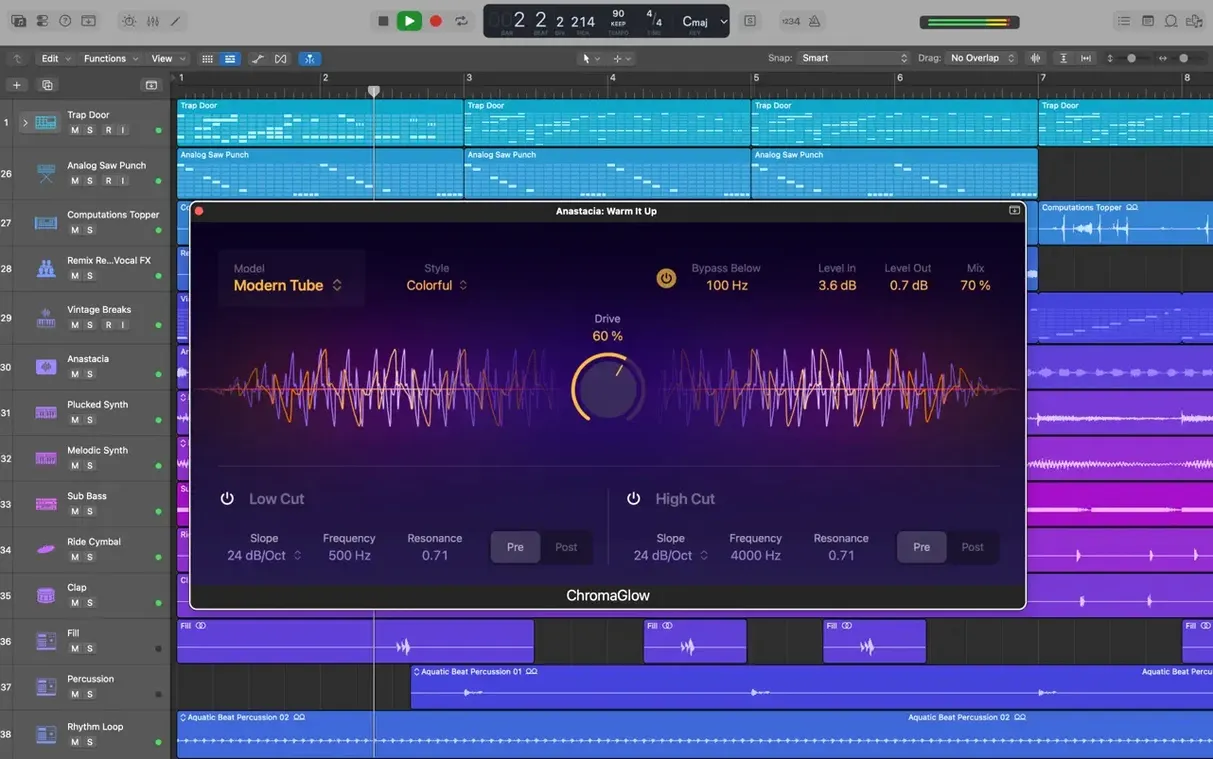
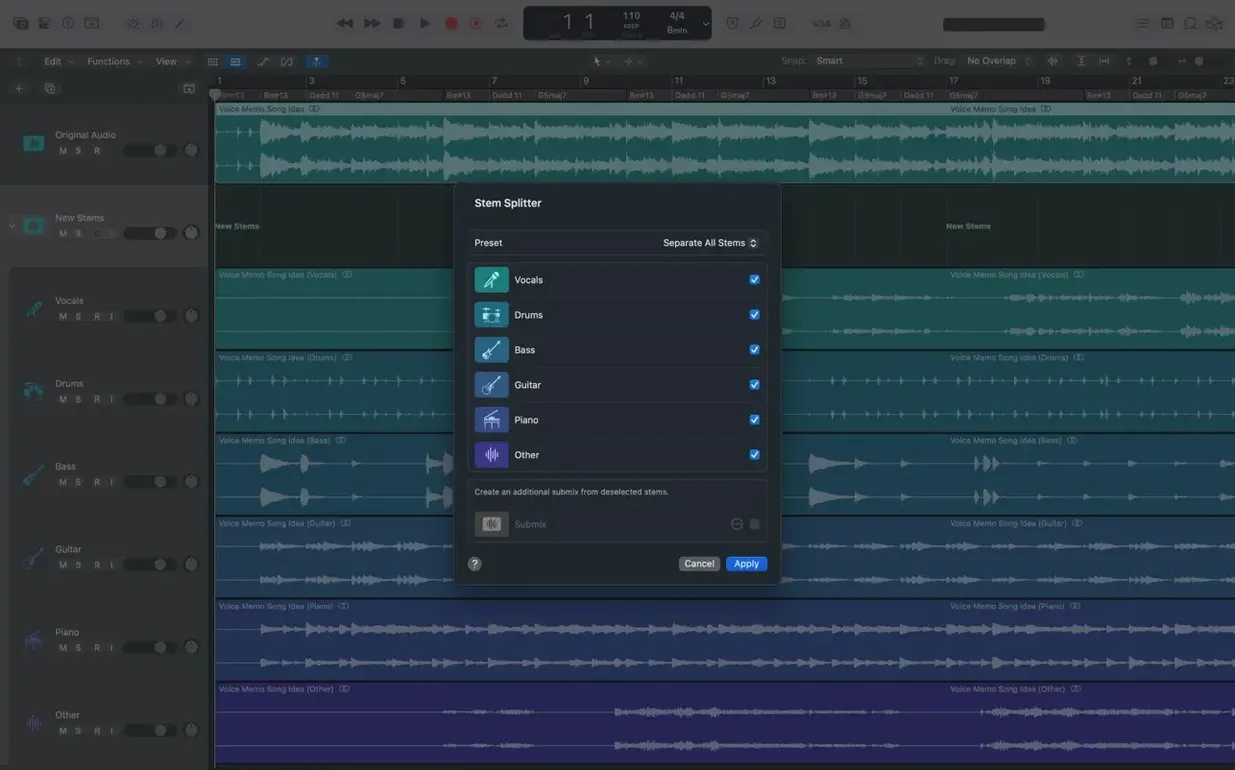
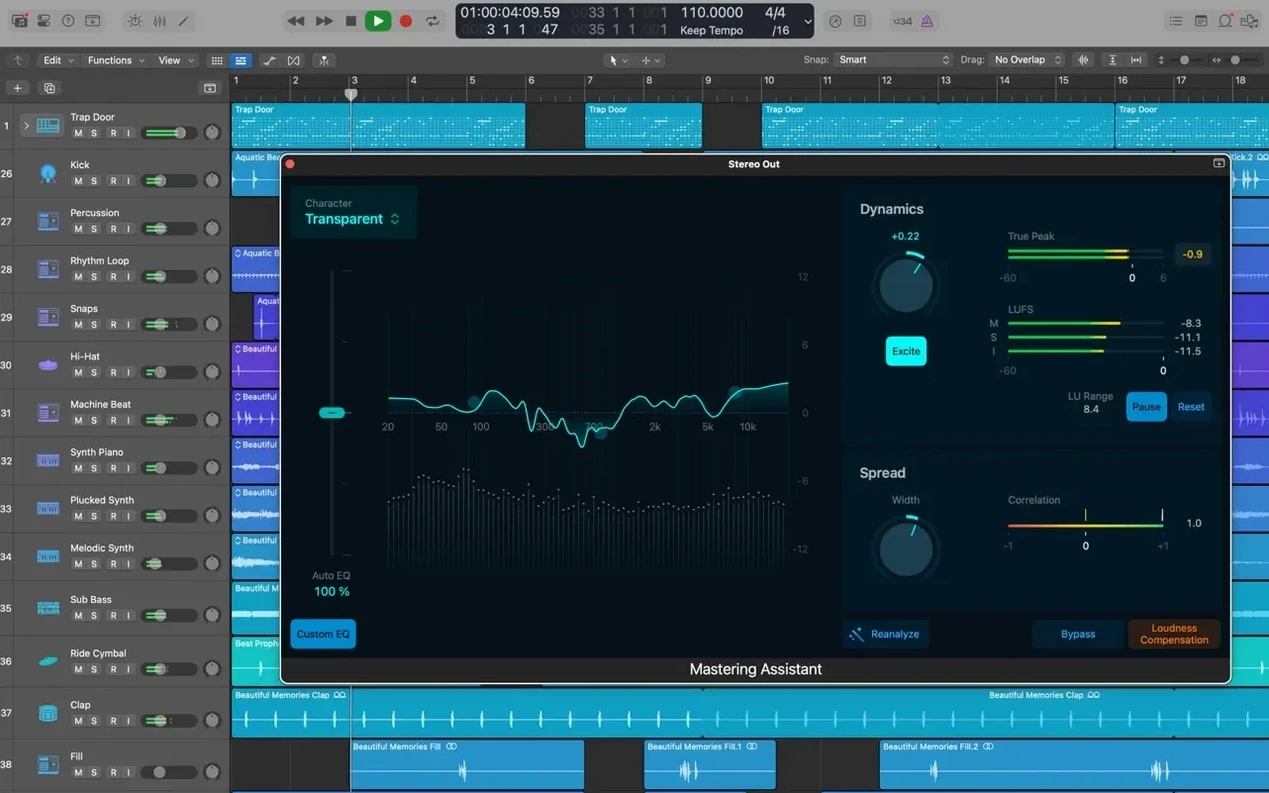
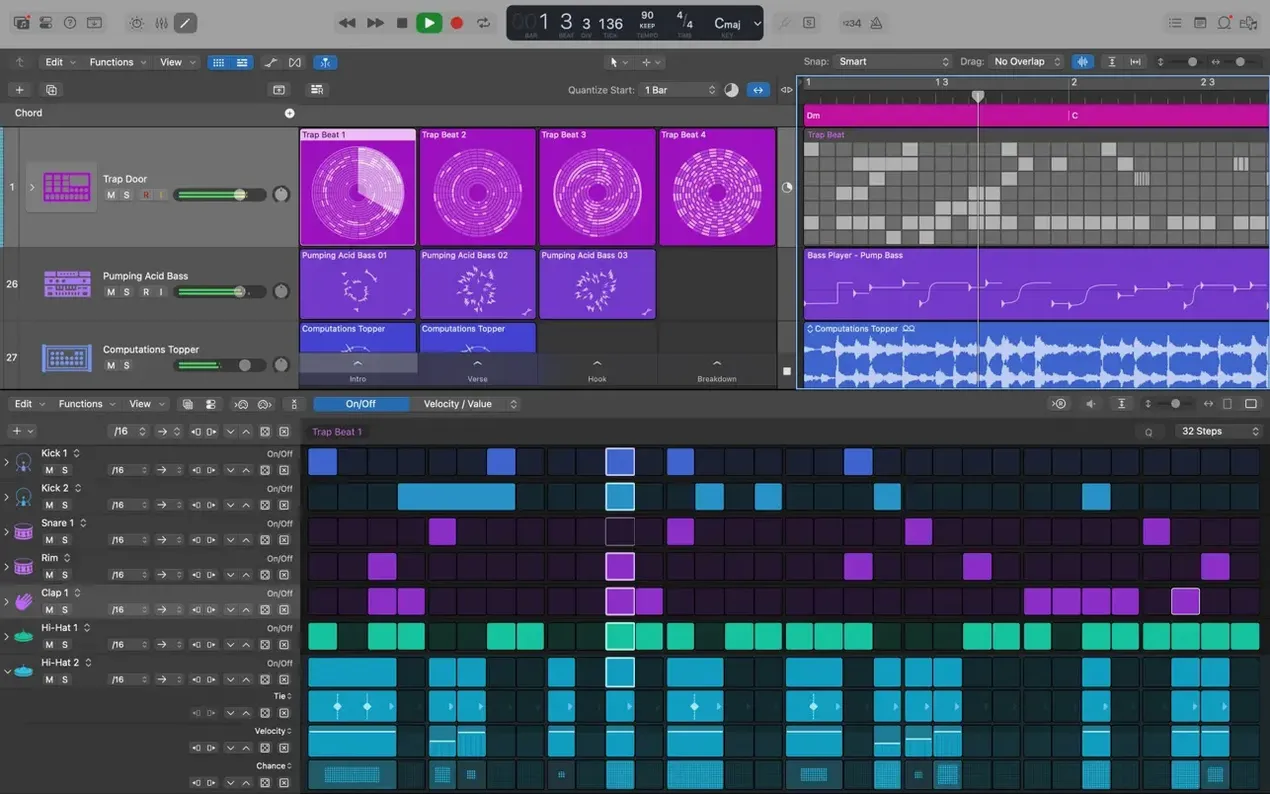
Version 12.3.1 is mostly a maintenance release, but it fixes a few things that have been annoying people. You can once again relocate beat mapping transients — that broke in an earlier update and made tempo mapping a headache. The Score editor now pays attention to Staff Style changes you make in the Inspector, and the right side of a crossfade is draggable and extendable without it snapping back. A crash when playing MIDI in projects that contain video has been squashed, and general performance with track stacks full of regions is better.
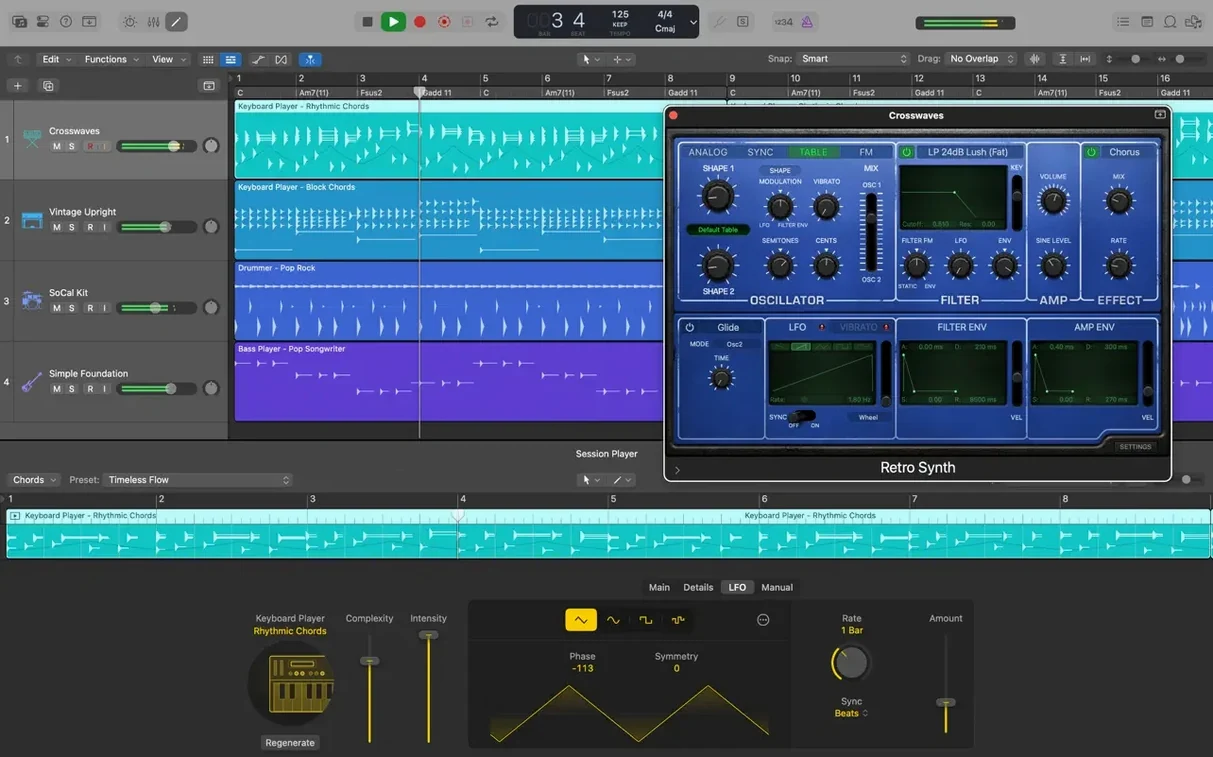
Logic is a full recording and mixing environment. It gives you a timeline where you can record, arrange, and edit both audio and MIDI regions. Take management is handled by Quick Swipe Comping, which lets you swipe across the best sections of multiple takes to build a single composite performance. For grouping and organizing, Track Stacks let you collapse multiple tracks into a folder-style hierarchy — useful when you are layering synths or managing multi-mic drum recordings.
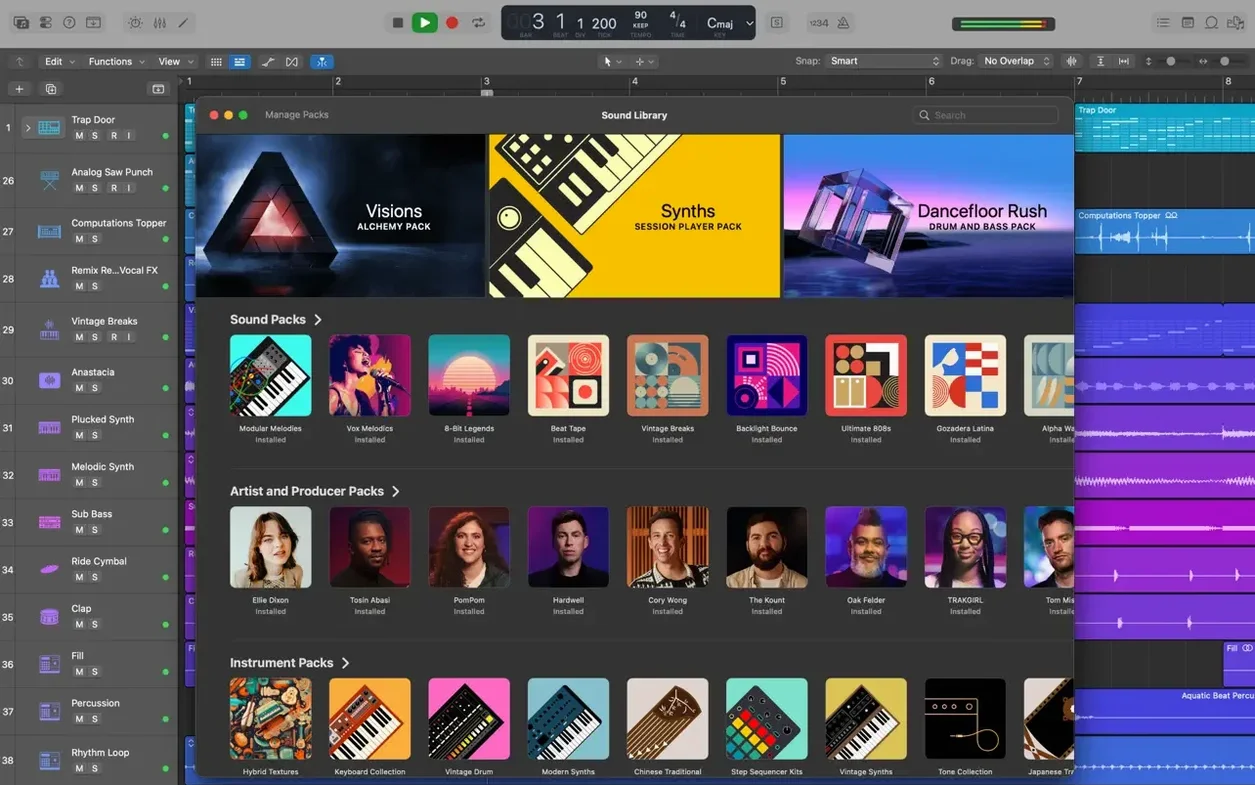
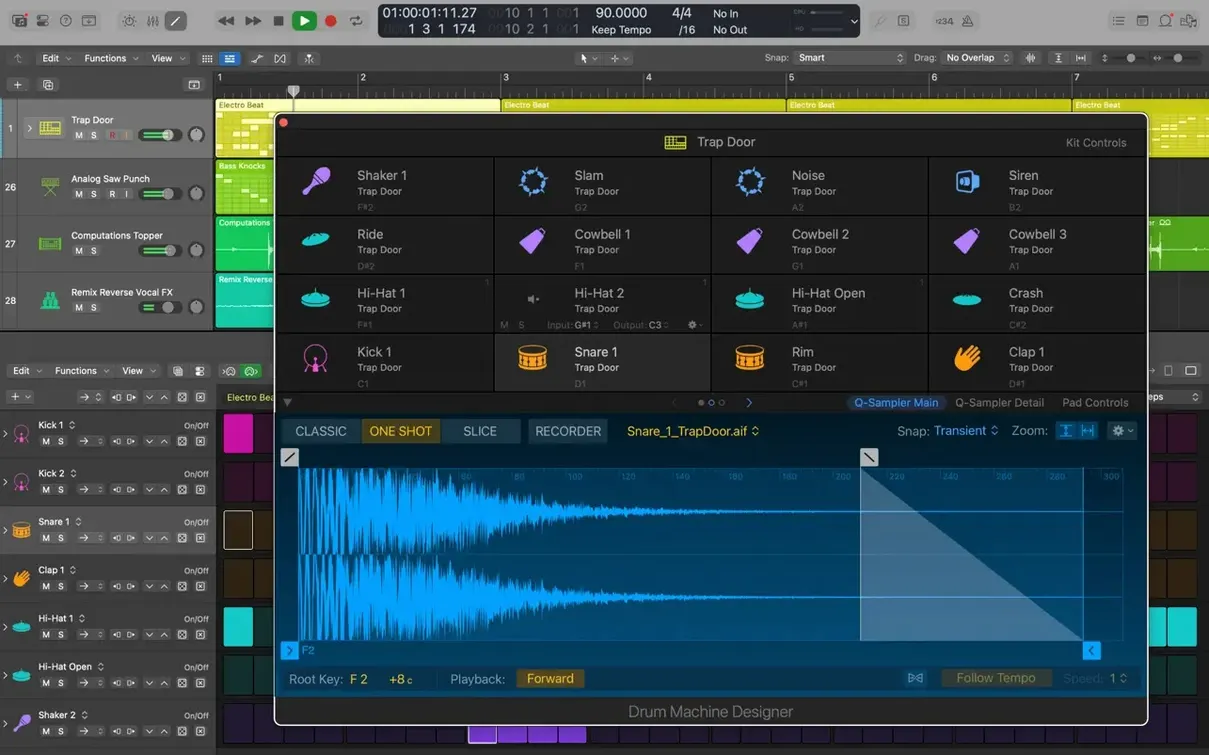
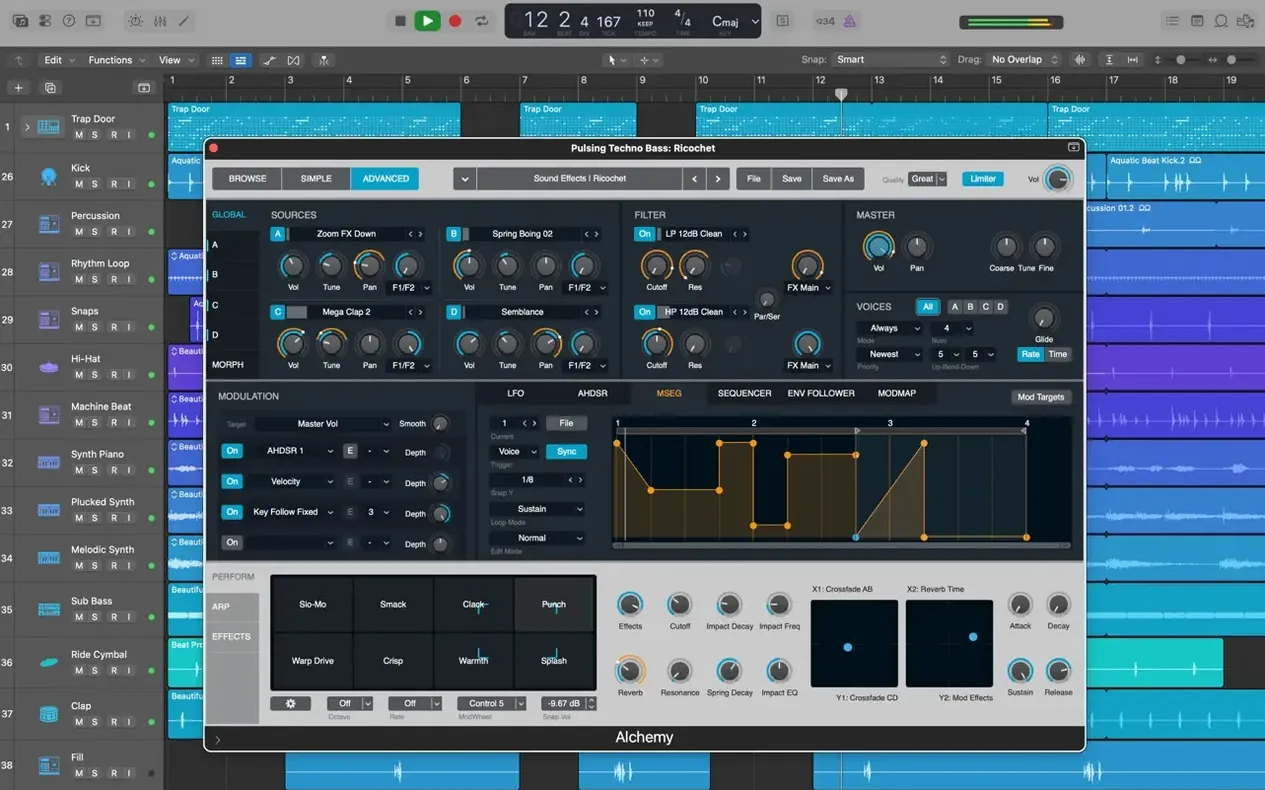
The built-in instrument library is substantial. Alchemy is the flagship sampler synthesizer, capable of granular, additive, and spectral resynthesis. Drum Kit Designer gives you sampled acoustic kits with per-piece microphone control. Across the whole library, you get around 1,000 sampled instruments and more than 2,800 instrument and effect patches to start from. The effect side includes Space Designer, a convolution reverb that loads impulse responses, and Pedalboard, which lets you chain stompbox-style effects in a signal path. Logic ships as part of Apple Creator Studio, so MainStage comes with it for live performance.
How does a songwriter move from a verse idea to a deadline?
Walk through an afternoon with a songwriter who has a verse idea, a rough vocal and a deadline. This is not a tutorial — it is the shape of how Logic gets used when you are moving fast.
She opens a project that started on an iPad the night before. The iPad session came across through iCloud as a GarageBand export — three vocal takes and a piano sketch, already sitting on separate tracks. The first thing she does is set the tempo. The original recording is a little loose, so she turns on Flex Time on the piano track. Logic analyzes the transients and she drags a few markers to pull the timeline into something steadier. No grid-snapping yet, just tightening the feel.
She records a new vocal pass directly into Logic using a condenser mic through an Audio Unit interface. The take is decent but the second chorus is flat. She opens Flex Pitch, selects the notes in question, and nudges them up by a semitone. The formant follows naturally — no chipmunk artifacts. She then swipes together a comp from the old iPad takes and the fresh one using Quick Swipe Comping. Three takes, one composite, done in under two minutes.
Next, drums. She creates a Drummer track and picks one of the 28 players — the "Brooklyn" kit, slightly swung, playing behind the beat. She draws a region across the whole song and adjusts the kick and snare pattern with the simple pattern wheel and intensity slider. It follows the arrangement markers she placed earlier, so the chorus lifts automatically. She converts the Drummer region to MIDI and opens Drum Kit Designer to swap the snare for a deeper wooden-shell sample and pull the overhead mics down 3 dB.
A bass part comes next. She loads Alchemy, hunts through the "Bass" category, and lands on a sub-heavy moog-style patch. She plays the part on a MIDI keyboard, quantizes to 1/16 notes, then nudges the timing back 5 ticks for a human feel. The track gets tucked into a Track Stack together with the kick for sidechain compression later.
By hour two, the arrangement is in place: drums, bass, two synth layers, a piano bed and the comped vocal. She adds a Pedalboard insert on a send, chains a tremolo into a spring reverb, and automates the mix knob so the effect swells only on the bridge. Final step: export. She bounces the stereo mix as a 24-bit WAV, ticks the box to include the tempo and key metadata for a Final Cut editor waiting downstream, and saves the project. The whole thing stays under 16 tracks and never once opens a menu that requires reading the manual.
What editing gaps did version 12.3.1 close?
Version 12.3.1 does not add new instruments or flashy features. What it does is close gaps that interrupted repetitive editing work. If you use beat mapping to align the tempo grid to a freely recorded performance, you know the pain of losing the ability to relocate a transient after placing it. That is back now — drag the transient line and the grid recalculates without having to redo the whole map.
The Score editor fix is similarly invisible until it matters. Staff Style changes made in the Inspector now stick immediately. Before the fix, you might switch a part from treble to bass clef for a lead-sheet printout and see nothing update, which led to wasted time toggling views. Now the part displays correctly on the first try.
The crossfade edit bug was a small thing: you could drag the left edge of a crossfade but the right edge would not extend. Audio editors who trim breaths and room tone between phrases noticed this within seconds. It now behaves symmetrically — both edges of the fade zone respond to the mouse.
Cursor Tool behavior improved as well. There used to be a subtle lag where you would press T to switch to the Scissors tool or Marquee tool and nothing happened until you moved the pointer. The tool now activates on keypress, so you can split a region at the playhead position without a micro-pause. That shaves milliseconds per edit, but over a day those milliseconds add up.
The crash when playing MIDI in a project containing video was a showstopper for people scoring to picture. A composer loading a QuickTime reference movie could hit play and Logic would just vanish. That is resolved. Performance with many short regions — common when chopping drum loops or assembling dialogue — also got attention. Track stacks with hundreds of sliced regions now scroll and zoom without stuttering.
Why does an arrangement open in Final Cut Pro X?
Logic sits comfortably inside Apple's ecosystem in ways that are not immediately obvious. The most concrete bridge is Final Cut Pro X. You can export an arrangement as an XML file and hand it to an editor who drops it into a Final Cut timeline. All the track names, volume automation and region boundaries come across. The reverse path works too: a video editor can export an FCPXML with dialogue stems and Logic will reconstruct the multitrack layout. No AAF translation layer, no third-party converter — just an XML handshake that has been stable for years.
The iPad handoff is simpler. Open GarageBand on an iPad, sketch some ideas, and export to iCloud. On the Mac, Logic picks up that GarageBand project and pulls the tracks in as raw regions. The regions land with their original timing and instrument choices, and you keep editing on the desktop without re-recording anything. The workflow also works in reverse: bounce stems out of Logic, drop them into an iPad session for vocal takes on the couch, then merge them back later.
On the plug-in side, Logic loads any 64-bit Audio Unit instrument or effect. That means instruments from Native Instruments, Arturia, and Spitfire Audio slot in exactly like the built-in library. AU presets appear in Logic's Library browser, so you can audition third-party patches through the same left-panel workflow you use for Alchemy or Drum Kit Designer. The one constraint: VST and VST3 formats are not supported. Everything must be Audio Unit. For most Mac-native music software, that is already the default packaging format.
macOS integration runs deeper than the file system. Logic reads and writes .caf and .wav files with embedded tempo and key metadata that Spotlight indexes. You can search for "120 bpm C minor loop" in Finder and the Apple Loop library populates alongside your own recordings. Core Audio handles the low-latency driver layer, so any class-compliant USB interface works without a driver installation. And because the app runs natively on Apple silicon, the entire signal chain — from the microphone input buffer to the Alchemy granular engine — stays inside the Media Engine coprocessor blocks without touching Rosetta.
What helps in the first days?
Logic rewards a few early configuration moves. First, download the full Sound Library. The installer asks for 6 GB for the minimum set, but the full set of sampled instruments, loops and impulse responses needs 63 GB. Do that overnight. If you skip it, patches marked with a download icon will stall you mid-session while they fetch samples.
Second, park the Library browser on a second display or keep it visible on the left. New users often close it to gain screen space and then wonder where the patch list went. Press Y to bring it back. The same goes for the Mixer — X toggles it. Learn those two key commands before anything else.
Third, set your recording path. By default, Logic buries audio files inside the project package. If you prefer to see raw audio files in a folder structure, save the project as a folder instead of a package and point it to a dedicated audio drive. Do this at project creation; converting later is messy.
Fourth, spend half an hour with Drummer. Drag a Drummer track into an empty project, pick a player, and watch how the pattern wheel and the "Follow" checkbox interact with the other tracks. The moment you add a bass or keyboard part, Drummer adjusts the kick and hi-hat pattern to lock in. It is the fastest way to get a rhythmic bed under a scratch idea without touching a MIDI piano roll.
Fifth, understand Track Alternatives before you need them. Every track has a small triangle on the header that reveals alternative playlists. Duplicate your vocal track's alternative before you start destructive editing — comping, Flex Pitch, strip silence. That way the original stays untouched and you can switch back with one click. This is separate from the project-level undo history and survives a project close and reopen.
Finally, map the Capture Recording key command. By default, Logic only saves a MIDI performance if you press Record. But if you were jamming without the transport running and played something you like, pressing Shift-R captures everything you just played as a region at the playhead. It retroactively grabs the last pass from the MIDI buffer. That key command alone changes how you explore ideas because you stop worrying about hitting Record in time.
Why does the songwriter-producer hybrid stay inside Logic?
The songwriter-producer hybrid is the obvious fit. Someone who records vocals, programs drums, plays a few keyboard parts and wants to build a full arrangement without bouncing between three different apps. The combination of the Drummer, the Alchemy library and Quick Swipe Comping covers the ground that used to require a drum machine, a sampler and a separate comping tool.
Audio post-production editors benefit more than people expect. The XML round-trip with Final Cut Pro is unusual — most DAWs require a clunky AAF export or manual stem alignment. If you clean dialogue, place sound effects and deliver back to a video editor regularly, Logic sits inside that pipeline cleaner than most dedicated audio editors. Selection-based Processing also matters here: you can highlight a section of dialogue, chain an EQ, a compressor and a de-esser, and render the result destructively to the region without bouncing the whole track.
Guitarists and bassists who record direct get a lot from Amp Designer and Pedalboard. Instead of miking a cabinet, you plug into an audio interface, pick a modeled amp — anything from a small tube combo to a full stack — and shape the tone with the same parameters you would turn on the physical hardware. Pedalboard then lets you build a chain of stompboxes in a visual rack, dragging overdrive into delay into tremolo. You can save the whole chain as a patch and recall it per song, which is faster than re-cabling a physical board.
Live performers who also record should pay attention to MainStage, included alongside Logic. Where Logic is the studio environment, MainStage takes the same instrument and effect library and puts it into a performance-friendly window with set lists, patch changes mapped to MIDI footswitches, and a full-screen live view. A keyboardist can build a concert of Alchemy and vintage electric piano patches in MainStage, then open the same patches in Logic later to record. The preset format is shared.
Beginners who want to grow without switching software are well served too. The library of over 2,800 patches and 7,000 Apple Loops means you can drag pre-built sounds and loop-based arrangements onto the timeline and hear a full production before you learn what a compressor ratio means. Then, when you are ready, the Smart Controls peel back one layer: a single knob might adjust three plug-in parameters at once, which lets you shape sound without diving into the plug-in window. Over time, you open the plug-in directly and see what the macro was doing, learning the signal chain from the top down instead of from the wiring diagram up.
- Restores the ability to relocate beat mapping transients.
- The Score editor now responds correctly to Staff Style changes made in the Inspector.
- The right side of a crossfade can be dragged and extended again.
- Fixes an unexpected quit when playing MIDI in a project that contains video.
- Performance improvements when working with tracks that contain a large number of regions.
- macOS 15.6 or later
- Apple silicon or Intel Mac
- 4 GB RAM
- 1280 × 768 display or higher
- 64-bit Audio Unit plug-ins required
- 6 GB free disk space for minimum installation; 63 GB for the full Sound Library
$ man logic-pro | grep -A2 "?"
Does Logic Pro include instruments and effects?
Yes, it ships with instruments like Alchemy and Drum Kit Designer, effects such as Space Designer convolution reverb and Pedalboard, and over 2,800 patches.
What is Quick Swipe Comping?
Quick Swipe Comping is a take-management feature that lets you swipe across the best parts of multiple recorded takes to assemble a single composite track.
Comments 0
Sign in or create an account to leave a comment.
No comments yet. A codec, a slice, a machine — they appear after moderation.