Roland Cloud Legendary Series for macOS
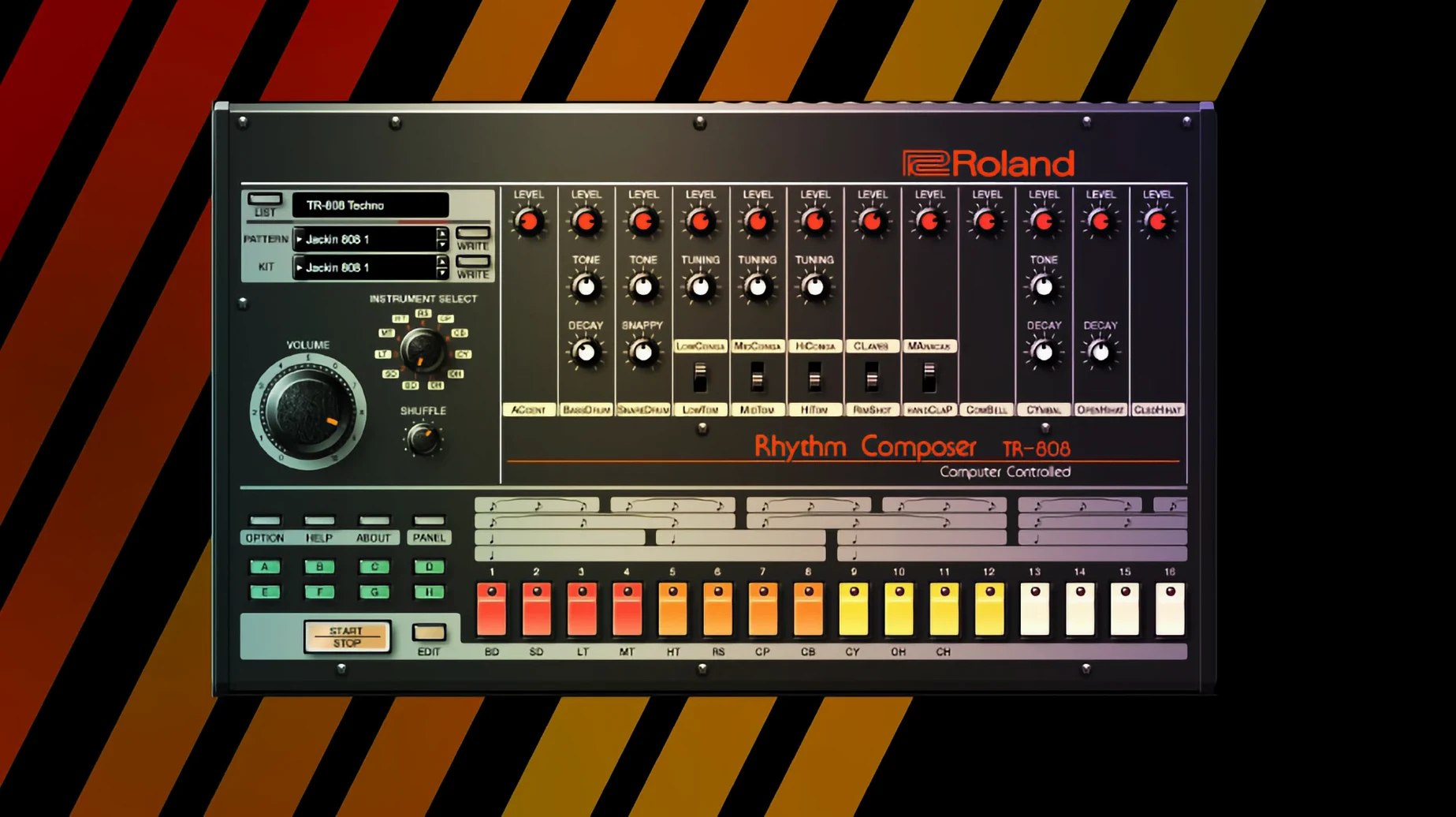
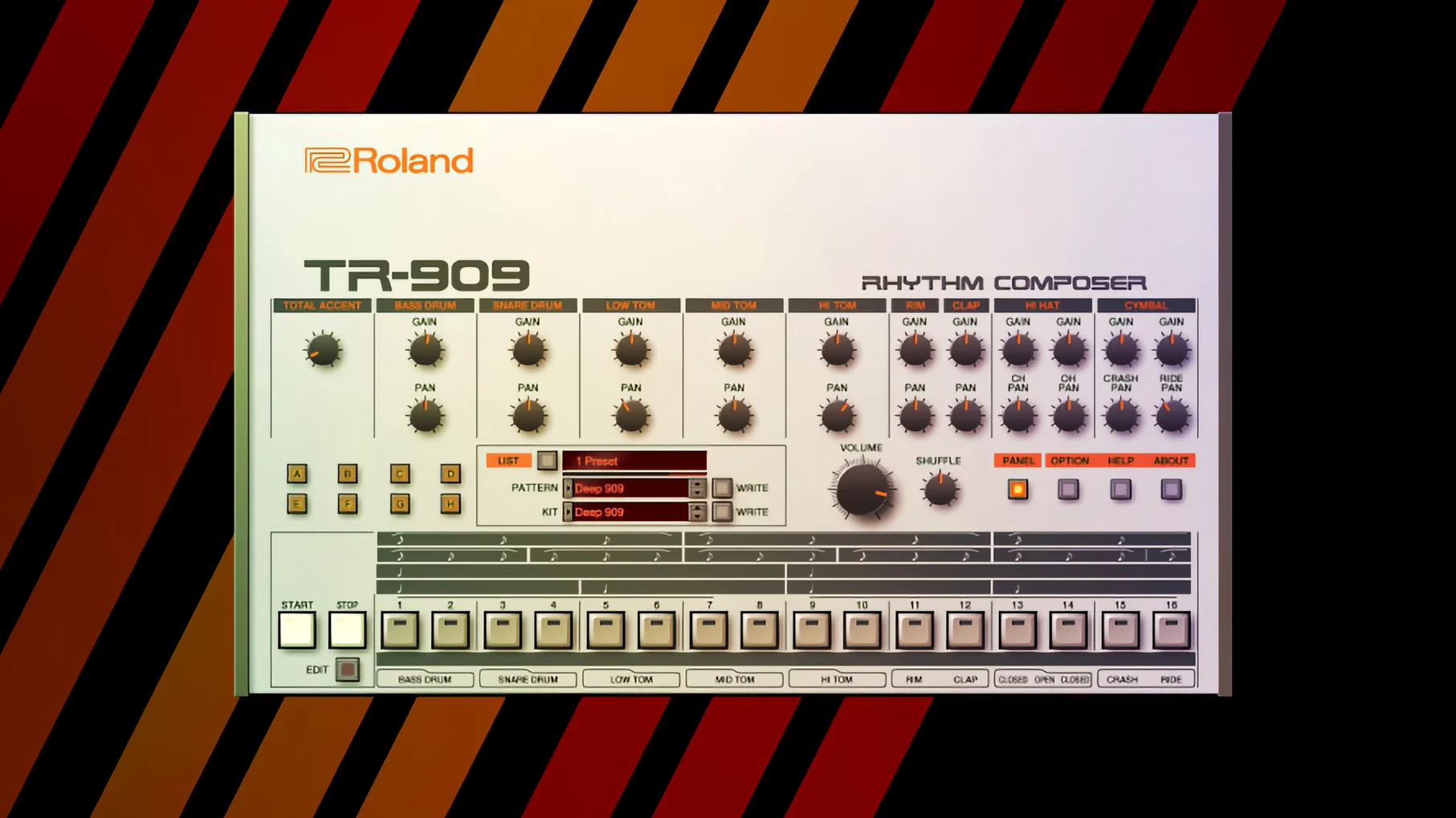
5 classic Roland instruments in one download — the Legendary Series isn't a single synth but a collection, each with its own install and its own voice. On the Mac side, everything lands as AU and VST3 plug-ins, native for both Apple Silicon and Intel, so Logic users and Ableton Live users are covered without a Rosetta bridge in the signal path.
Which five Roland hardware instruments are modeled?
| What | Detail |
|---|---|
| Instruments | D-50, JUNO-60, JUPITER-8, TR-808, TR-909 |
| Architecture | Apple Silicon / Intel (64-bit) |
| Plug-in formats | AU, VST3 |
| Interface | High-resolution for v2 models (JUPITER-4, JUPITER-8, JUNO-106) |
In a track, the D-50 sits where you'd expect a late-80s digital synth to live — pads that float behind a vocal, glassy bells, the breathy "Fantasia" territory everyone associates with the original hardware. The JUNO-60 and JUPITER-8 handle the analog-style duties: basses with weight, leads that cut through a dense arrangement, and chord stabs that sit neatly in a bus with a little compression. The TR-808 and TR-909 show up on drum tracks, but splitting the kick, snare, and hi-hat out to separate channels is where they really become useful — treat the 808 kick with its own EQ and suddenly the low end locks into the bassline instead of fighting it. Everything integrates at the DAW level, so automation, multi-out routing, and preset recall all work without a wrapper or a workaround.
Where do the .component and .vst3 files live for Logic and Ableton?
Drop the .component files into ~/Library/Audio/Plug-Ins/Components/ and the .vst3 bundles into ~/Library/Audio/Plug-Ins/VST3/ and Logic Pro picks them up on the next launch. Ableton Live scans the VST3 folder by default — no custom path needed. Both hosts see all five instruments as individual entries, so you load a JUNO-60 instance without dragging in the whole collection.
On the macOS side, the collection plays nice with a few things that are easy to overlook. Audio Unit validation happens at first scan; occasionally the D-50 takes a few seconds longer than the others, but it clears without intervention on macOS 14 and later. If you use the auval tool in Terminal to check a specific instrument, pipe the output to a text file — the list scrolls fast for all five. MIDI mapping through Logic's Smart Controls works out of the box, and the plug-ins respond to standard CC assignments without a separate learn routine. For producers running multiple audio interfaces, each instance remembers its output assignment across sessions — no phantom resets when you swap from the built-in output to an external interface.
Why switch the JUPITER-8 from polyphonic to unison with detune?
A few defaults in the Legendary Series aren't wrong, but they're conservative. First stop: the JUPITER-8's voice mode. It defaults to polyphonic, and that's fine for pads, but switching to unison with two or four voices and detuning slightly — around 12 to 15 cents — thickens a lead so much that the downstream compressor barely needs to move. The JUNO-60 chorus is another one; Roland modeled both modes accurately, but the default level sits at noon. For bass patches, pull it back to about 9 o'clock or switch it off entirely — the low end stays tighter, and you lose the slight phase smear that muddies a kick relationship.
On the TR-808, the default output routing sends everything to the stereo master. Open the multi-out assignment and split the kick to output 3–4, the snare to 5–6, and the hi-hats to 7–8. In your DAW, create separate aux tracks for each pair. Now you can sidechain the bass to the kick without touching the snare, and you can give the hi-hats their own short reverb without washing out the transient. The TR-909 benefits from the same treatment, especially the open hat — isolate it and a bit of 10 kHz shelf lift brings it forward in a way that a full-kit EQ never can.
The D-50's partial structure is worth a look early on. Each tone consists of two partials plus an upper and lower tone; the default balance often leans toward the upper partials. Dropping the lower tone's level by 3–4 dB and adding a touch of the built-in reverb creates a sense of depth that stock presets hint at but don't fully deliver. Save that as your init patch and you start every session closer to a finished sound.
Which older interfaces refuse to scale on a 4K or 5K display?
One recurring headache: the plug-in UI opens at a tiny size on 4K and 5K displays, especially the older D-50 and TR-909 interfaces. The v2 instruments — JUPITER-4, JUPITER-8, JUNO-106 — scale properly, but the others don't auto-detect Retina resolution. In Logic, right-click the plug-in window header and choose a larger scaling percentage; in Ableton, the zoom slider in the plug-in bar does the same. The graphics pixelate slightly at 150%, but the controls remain usable.
Another snag surfaces when multiple instruments load from the same cloud-based library path. If the D-50 opens with a "content not found" message, the .bin files probably landed in a different folder than the plug-in expects. The fix: each instrument stores its content path in a .plist inside ~/Library/Preferences/. Locate the file named after the instrument — something like com.roland.d50.plist — and check the content directory key. Point it to wherever the installer dropped the sound banks, typically /Library/Application Support/Roland/ or a custom location you chose. Restart the DAW and the message disappears.
CPU spikes on the JUPITER-8 happen when you stack voices with the unison mode and hold a six-note chord. The Analog Circuit Behavior modeling is cycle-accurate, not an approximation, so it asks a lot of a single core. If the core meter jumps into the red, bounce the part to audio early — a quick freeze or bounce-in-place in Logic solves it in seconds, and you keep the unison thickness without the real-time load. On Apple Silicon Macs, the instruments run as native processes, so the load distributes better than under Rosetta, but the single-core limit still applies.
How fast does Logic validate the D-50 when you insert it on a new track?
You open a project with a verse that feels thin. A pad would fill the gap, so you insert the D-50 on a new instrument track. Logic validates it in under ten seconds — it passed auval the first time a month ago — and the interface appears at its default scale. You browse to the "Fantasia" category, but the preset is too recognizable. Instead, you start from an init patch, switch one partial to a breathy PCM waveform, and tune the second partial up a fifth. A slow LFO on the amp gives it movement. By the time the chorus hits, the pad sits behind the vocal with a high-pass filter at 200 Hz cutting the mud that crept in from the lower partials.
Next, the bass. You load the JUNO-60, pull up a saw wave with the sub-oscillator at half volume, and close the filter to about 400 Hz. The chorus stays off — the kick already occupies that space from the TR-808 loaded on another track. A little envelope modulation on the filter adds the pluck that the verse lacked, and sidechain compression from the 808 kick ducks the bass just enough to keep the low end breathing. Three instruments, each doing one thing, and the arrangement already sounds like a record.
What tempo and 909 pattern anchor the synthwave drum foundation?
Start with the drums. Load the TR-909 on an instrument track and set the tempo to 110 BPM. Program a four-on-the-floor kick, a snare on beats two and four, and an offbeat open hat. Assign the kick, snare, and hats to separate outputs in the plug-in's routing panel. In your DAW, create three aux tracks for those outputs. On the kick aux, insert an EQ with a 3 dB boost at 60 Hz and a sharp cut at 300 Hz — the 909 kick has a midrange knock that interferes with a JUNO-60 bass later, so removing it now saves headroom. On the snare aux, a gated reverb with a 1.2-second decay and a -20 dB threshold gives the snare that massive 80s tail without bleeding into the next hit.
Next, the bassline. Load the JUNO-60 on a new track. Set a saw wave, sub-oscillator at 50%, filter cutoff around 350 Hz, and envelope amount at about 40%. Program a root-note pattern that follows the kick rhythm — eighth notes with occasional sixteenth-note runs work for synthwave. Sidechain the JUNO-60 track to the 909 kick aux so the bass ducks 3–4 dB on every kick hit. The groove tightens immediately.
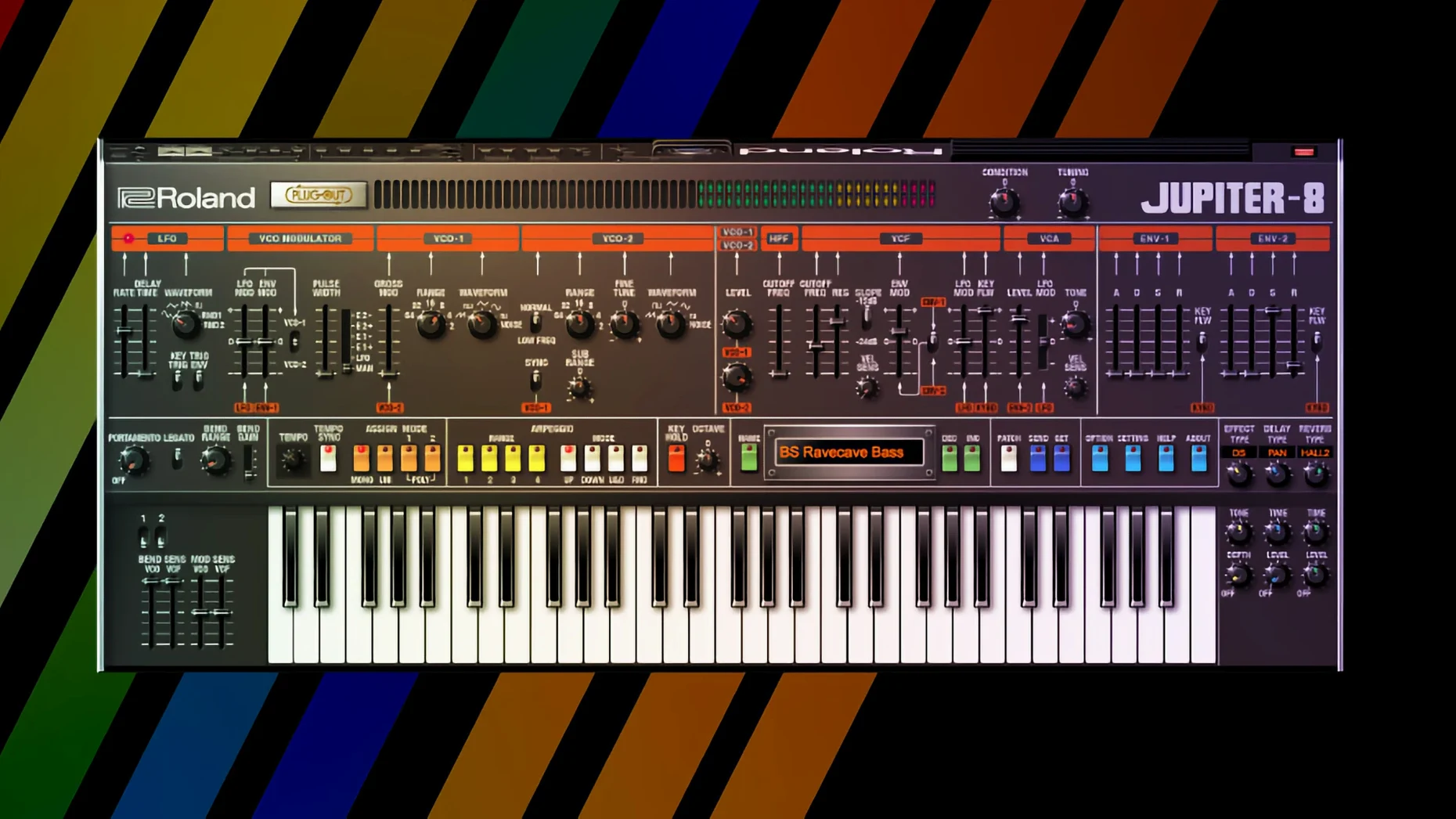
Now the chords. Load the JUPITER-8. A dual-oscillator patch with one saw wave and one square wave tuned a fifth apart, filter wide open, and a slow LFO on the pulse width. Play sustained chords — minor sevenths and suspended fourths are the vocabulary here. The high-resolution v2 interface means the LFO rate knob is easy to dial in precisely at 0.8 Hz without squinting. Add the built-in ensemble effect at about 30% wet.
For the lead, load a second JUPITER-8 instance — or the JUPITER-4 if you want a slightly grittier tone — and switch to unison mode with two voices, detuned 12 cents. A fast LFO on the filter cutoff creates the rhythmic pulse typical of the genre. Play a simple melody that leaves space between phrases; the detuning fills the silence on its own.
Finally, the D-50 adds the high-end sparkle. A bell-like patch with a long release, high-pass filtered at 800 Hz, plays sparse octave stabs on the offbeats. The contrast between the analog warmth of the JUPITERs and the digital clarity of the D-50 is what makes the Legendary Series feel like an actual studio rack rather than a folder of plug-ins. Render the stems, toss them into a mix session, and the track is 80% there before a single third-party effect touches it.
- macOS 11 or later
- Apple Silicon or Intel processor (64-bit)
$ man roland-cloud-legendary-series | grep -A2 "?"
Which classic Roland instruments are in the Legendary Series?
The collection includes the D-50, JUNO-60, JUPITER-8, TR-808, and TR-909, with newer v2 models like the JUPITER-4 and JUNO-106 featuring high-resolution interfaces.
Comments 0
Sign in or create an account to leave a comment.
No comments yet. A codec, a slice, a machine — they appear after moderation.