Roland ZENOLOGY Pro for macOS
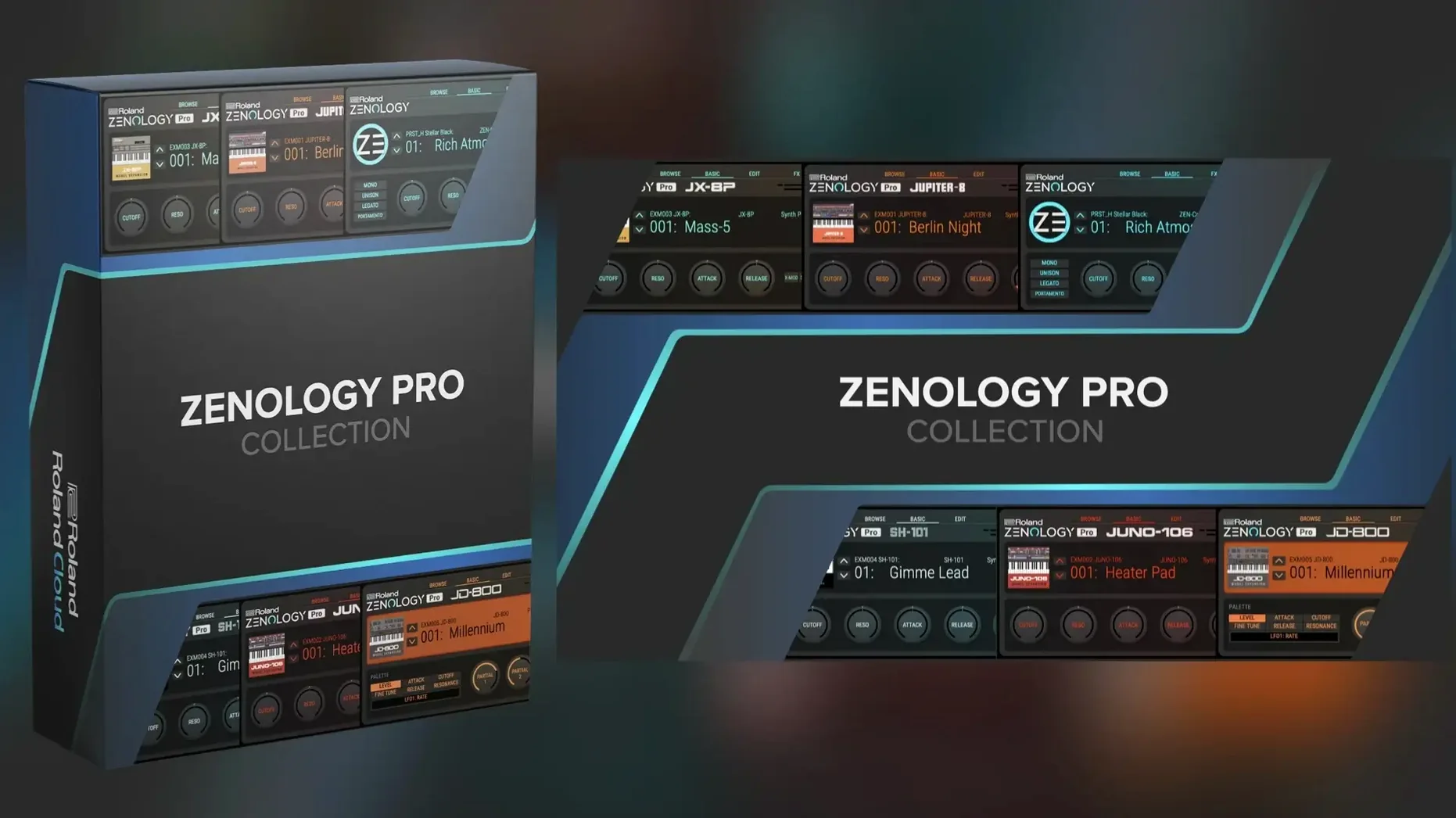
Sound designers and hardware players who own a FANTOM or JUPITER-X already know the ZEN-Core engine. ZENOLOGY Pro puts the same architecture inside a DAW, minus the physical knobs. For a computer science student, the interesting bit is that it's not a closed preset machine — every tone is a patch file you can edit, export, and load back into compatible Roland hardware.
Which DAWs and Mac plug-in formats are supported?
- Runs in any DAW that hosts AU, VST3, or AAX plug-ins.
- Native Apple Silicon and Intel builds ship inside the same
.dmginstaller. - Requires macOS 11 or later.
- Installs as a standard
.pkgbundle — no custom wrapper or bridge process needed.
The engine that drives it
ZENOLOGY Pro is built on ZEN-Core, Roland's current virtual-analog-plus-PCM architecture. The factory library includes 1,840 PCM waveforms, more than 4,000 tones, and 200 drum kits. Each tone can stack up to four partials — Roland calls these "parts per tone" — with their own oscillator, filter, amplifier, and dual LFO routing. The ten filter models include the JUPITER-8 and JUPITER-6 lowpass types, plus a collection of over 90 effects lifted from Roland's hardware history. Because the patch format is shared, you can move a sound from the plug-in straight into a FANTOM or JUPITER-X and it'll play identically. Sound Packs and Wave Expansions from Roland Cloud drop right into the browser, which supports favorites and custom user banks.
What does it feel like day to day?
After a week of daily use, a few things become clear. ZENOLOGY Pro loads fast — once the plug-in window is open, patch switching is nearly instant on an Apple Silicon Mac. The tone browser caches thumbnails after the first scroll, so hunting through the 4,000-strong factory library doesn't stutter. I've thrown it into Logic sessions with 40-plus tracks and it doesn't spike the CPU in the way some wavetable synths do when you stack unison voices. Memory use sits around 180–220 MB for a single instance, which is reasonable given the PCM waveform pool it keeps warm.
Stability is solid under AU and VST3. AAXX on Pro Tools 2025 hangs every few hours — Roland's release notes acknowledge the issue and a point fix is in the works. The resizable UI scales cleanly to 4K without blurring; vector elements redraw properly even when you drag the window corner aggressively. One small annoyance: the plug-in sometimes forgets its last window size when you reopen a session. Closing and re-opening the editor fixes it.
Why choose ZENOLOGY Pro over Pigments or other Mac synths?
Three comparisons come up often when people research zenology mac alternatives.
ZENOLOGY Pro vs Arturia Pigments. Pigments is a wavetable-plus-virtual-analog engine with a more open modulation architecture and a cleaner flat-design UI. ZENOLOGY Pro fights back with sheer sound count — 4,000 tones and 1,840 PCM waveforms out of the box dwarfs Pigments' factory library. Pigments' effects section is more colorful and visual, but ZENOLOGY Pro's 90-plus algorithms cover the Roland hardware catalog exhaustively. If you need patch portability with FANTOM or JUPITER-X hardware, Pigments isn't in the conversation at all. For pure sound design without hardware ties, Pigments offers deeper modulation routing.
ZENOLOGY Pro vs UVI Falcon. Falcon is a modular monster — semi-modular signal paths, scripting, and an oscilloscope built in. ZENOLOGY Pro is a fixed-architecture four-partial engine, and that's the point. Falcon rewards programmers who want to build synthesis from first principles; ZENOLOGY Pro rewards musicians who want a JUNO pad or a JUPITER lead in three clicks. Falcon's PCM engine handles user samples; ZENOLOGY Pro's PCM side is locked to Roland's waveform set. The Roland Cloud expansion ecosystem tips the scale slightly if you're after classic Roland sound packs without third-party sample conversions.
ZENOLOGY Pro vs Korg's software collection. Korg's plug-in synths (MS-20, Polysix, Wavestate native) each model one instrument. ZENOLOGY Pro wraps a whole family of Roland synthesis history into one plug-in. The trade-off is interface depth — Korg's one-synth-one-window approach feels immediate; ZENOLOGY Pro's tabbed partial editor has a learning curve, but the payoff is a broader tonal palette without switching plug-ins.
A patch from scratch, step by step
Yesterday I opened an empty Logic project and dropped ZENOLOGY Pro on an instrument track. The browser defaulted to "All Tones," so I clicked the "User" bank tab, hit the plus button, and named a new bank "CS Guide Patches."
I initialized a blank tone from the menu and clicked the Edit button. The editor expands to show four partial slots across the top — only Partial 1 was active. I set Oscillator 1 to PCM SYNC and scrolled through the waveform list until I found a vocal formant sample around waveform slot 900. The oscillator display updated to show the raw waveform shape, a small touch that helps when you're scanning by ear.
The filter defaulted to Roland's standard ladder model. I switched it to the JUPITER-8 lowpass, dropped the cutoff to 800 Hz, and added about 40% resonance — the familiar squelch appeared immediately. I routed LFO 1 to filter cutoff with a sine shape at a slow 0.4 Hz rate. For Partial 2, I copied the settings from Partial 1, changed the oscillator type to Supersaw, and detuned it by +7 cents. The combination of the formant PCM and slightly detuned Supersaw created a vocal pad that sat nicely behind a clean guitar part.
I added a touch of the Roland Dimension D chorus effect from the MFX slot and set send levels to the global reverb — the SRV-2000 plate model. The whole process from empty track to usable pad took about four minutes. I saved the tone to the user bank and exported it as a .zpt file from the File menu, ready to load onto a FANTOM-06 later that evening.
Which ZENOLOGY Pro settings should you change first?
- Set the default browser view. Open the tone browser, click the small gear icon, and set "Startup View" to "User" or "Favorites" if you don't want to scroll 4,000 factory tones every session.
- Lock the global effects section. On the Edit page, the small lock icon next to the reverb and chorus slots keeps your effect chain when you change patches. Without it, switching tones resets to the saved effects of the new tone.
- Increase the UI scaling. The default 100% setting is tiny on a 5K display. Under the menu, set it to 125% or 150% — the vector engine stays sharp at all sizes.
- Turn off "Load Expansion Content on Startup." If you've installed several Sound Packs, this preference in the Library tab will shave a few seconds off plug-in instantiation time. The expansions still appear in the browser; they just aren't pre-cached at boot.
- Enable MIDI CC mapping for partial levels. Out of the box, only the master volume responds to CC7. In the MIDI learn panel, assign CC12–15 to each partial's level slider for real-time mixing from a controller.
Does ZENOLOGY Pro run natively on Apple Silicon?
Does this run natively on Apple Silicon? Yes. The .dmg ships a universal binary. When you mount the disk image and run the .pkg installer, it places the correct architecture build automatically. No Rosetta 2 translation layer is involved for AU or VST3 on M-series chips.
Can I use it without Roland hardware? Absolutely. ZENOLOGY Pro is a full software synthesizer. The hardware patch compatibility is a bonus — you lose nothing by running it purely inside a DAW. The browser, editor, and all effects work identically whether a FANTOM is connected or not.
How much disk space does it eat? The core plug-in is compact — under 300 MB. The real footprint comes from the PCM waveform library and any Sound Packs you install. A full installation with several Wave Expansions can reach 2–3 GB. The installer lets you choose which expansions to download, so you can keep it lean if disk space is tight.
Is this the same engine as the JUPITER-X? The ZEN-Core synthesis engine is identical. The JUPITER-X adds hardware-specific modeling for vintage Roland synths on top of ZEN-Core — ZENOLOGY Pro doesn't include those dedicated ABM (Analog Behavior Modeling) models. The PCM waveforms, filters, and effects are the same across both platforms.
What's the difference between ZENOLOGY and ZENOLOGY Pro? The standard ZENOLOGY plug-in is a playback engine with a simplified interface — you can browse and play tones but not edit partials or deep parameters. ZENOLOGY Pro unlocks the full editor, all four partials, the filter models, and the patch export functions. The tone library is shared between both versions.
Does it work with cracked or custom DAW setups? Some users searching for zenology vst crack mac or zenology vst free download mac are running modified DAW environments. The plug-in loads as a standard VST3 or AU bundle and doesn't phone home during normal operation, so it's agnostic about the DAW's licensing state. The installer is a vanilla .pkg that writes components to /Library/Audio/Plug-Ins/Components and /Library/Audio/Plug-Ins/VST3 — nothing exotic.
- macOS 11 or later
- Apple Silicon or Intel Mac
- AU, VST3, or AAX-compatible host
$ man roland-zenology-pro | grep -A2 "?"
Does ZENOLOGY Pro replace the free ZENOLOGY plug-in?
The standard ZENOLOGY plug-in offers the same core sounds in a streamlined interface. ZENOLOGY Pro adds full editing access — you can open up every partial, tweak the filters, and build tones from scratch.
Can I share patches between the plug-in and Roland hardware?
Yes. ZENOLOGY Pro saves in the same ZEN-Core format used by instruments like the FANTOM and JUPITER-X, so patches move in both directions.
How many filter types are included?
Ten filter models are built in, including circuit-modeled JUPITER filters, with over 90 effects available for processing.
Comments 0
Sign in or create an account to leave a comment.
No comments yet. A codec, a slice, a machine — they appear after moderation.