
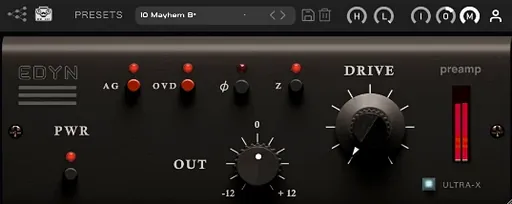
Tone Empire EDYN for macOS
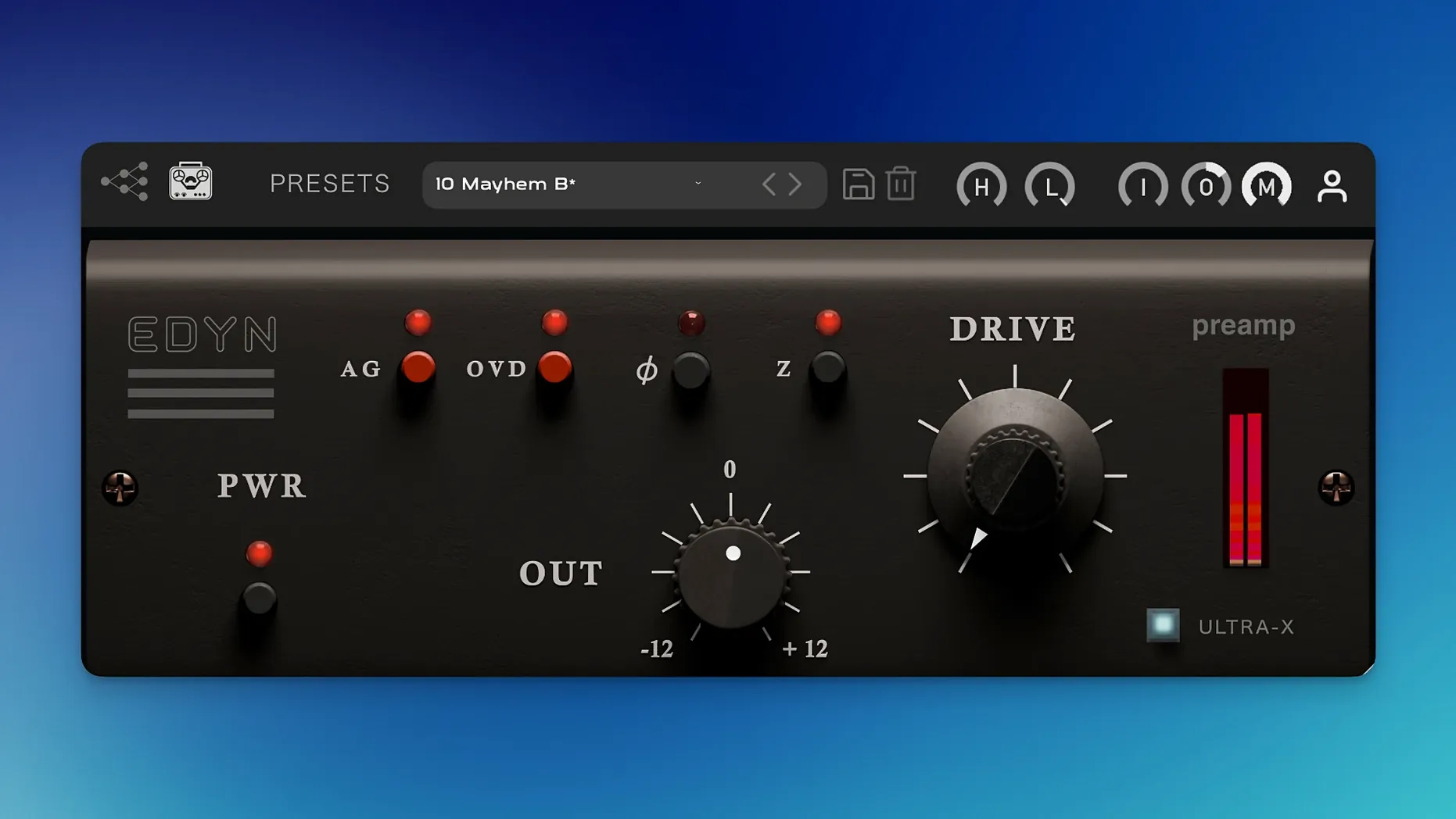
EDYN ships with a 2x oversampling engine as standard. It’s a preamp plugin modeled on the signal path of a vintage American console, built to add density and grit without collapsing the source material.
Dial in the console weight
Start with a clean DI bass line that feels a little flat. Load the plugin and immediately engage the 200-ohm input impedance — it tightens the transient and pushes the low-mids forward. Drive the input until the gain reduction meter just starts to tickle, then dial back the output to compensate.
Carve and overdrive
Use the high-pass filter to clear out mud below 40 Hz, then nudge the low-pass down to 8 kHz to round off any DI fizz. Flick on the OVD overdrive mode. It folds in harmonic saturation that sounds more like tape compression than a distortion pedal, giving the bass a thick, present body in a dense mix.
Render and commit
After checking the character in context, bounce the track. The current 1.0.2 build handles Apple Silicon efficiently, keeping CPU load low enough for a full session. It also includes automatic gain compensation, so you can toggle the effect in place without being fooled by a volume bump.
AU validation in Logic Pro now passes on macOS Sequoia
If you grabbed an early build, the jump to 1.0.2 is mostly about stability, but it changes day-to-day use in a couple of concrete ways. The big one: AU validation in Logic Pro on macOS Sequoia no longer fails. Before the fix, Logic would sometimes reject the plugin on scan, especially after a system update — you’d open a session and find EDYN greyed out on every channel. That’s gone.
Offline rendering on the master output was unreliable in 1.0.1. If you bounced a mix with EDYN on the 2-bus, the rendered file could sound different from what you heard during playback — usually cleaner, missing the saturation tail. The 1.0.2 patch corrects that, so what you hear in real-time is what ends up in the .wav.
Multiple-instance crashes in Logic Pro are also patched. A session with EDYN across ten or twelve channels would sometimes beachball and quit, particularly when toggling the OVD mode during playback. That’s been stable here. Parameter automation in Pro Tools got attention too — automating the Drive knob or the Mix control no longer causes a jump to zero at the start of a pass.
Performance-wise, the Apple Silicon optimization is noticeable on M-series machines. CPU load per instance dropped, so you can run it across drum shells without freezing tracks. The interface now scales for high-resolution displays, which means no more fuzzy text on a Retina screen.
No sound? Check the phase inversion switch by the output knob
One recurring issue: the plugin passes no audio after inserting it on a track. Nine times out of ten, the phase inversion switch is to blame — it sits right next to the output knob and gets clicked by accident. Flip it back and signal returns.
Another snag involves the impedance toggle. Switching between 50-ohm and 200-ohm settings while audio plays can cause a short but loud pop. The workaround is simple: change impedance during silence, or automate the switch at a zero-crossing point. It’s not a bug, just the nature of a circuit-modeled parameter that alters the load instantly.
If EDYN disappears from your plugin list after a macOS update, rescan your AU cache. On Sequoia, open Logic Pro, go to Plugin Manager, select EDYN, and force a rescan. The 1.0.2 build passes validation cleanly now, but a cached failure from an earlier version can linger until you manually clear it.
Blown-out tone from cranking Drive with Mix at 100%
The most common one: cranking Drive with the Mix control at 100% and wondering why the track sounds blown out. EDYN’s saturation character is aggressive in series — the OVD mode especially. Start with Mix around 30–40% and blend the wet signal in. You want the console weight underneath the dry source, not replacing it entirely.
Another misstep is ignoring the filters. The high-pass and low-pass sit before the Drive stage, which means everything you let through gets saturated. If you’re processing a full drum bus without rolling off the sub-bass, the low end will swallow the Drive headroom and turn into a woolly mess. Filter first, then drive.
People also overlook the input impedance setting and leave it at the default 50 ohms for everything. A vocal track tracked through a modern interface often benefits from the 200-ohm setting — it softens the transient slightly and shifts the midrange forward in a way that helps a vocal sit in a dense arrangement. Try both on every source; the difference is not subtle.
Switch to 200-ohm impedance before you judge the sound
Out of the box, EDYN loads with the 50-ohm impedance, no filters engaged, and OVD off. It’s a neutral starting point, but not where the plugin shines. Make these three changes before you judge the sound:
- Switch to 200-ohm impedance for vocals, acoustic guitar, and anything with a sharp transient. The softer knee and mid-forward shift flatter most modern recordings.
- Engage the high-pass filter at 60–80 Hz on every track except kick and bass. The console circuit modeled here pushes low-end weight aggressively, and that builds up fast across a mix. Pre-filtering keeps the density without the mud.
- Set Mix to 50% as a starting position, not 100%. You get the harmonic complexity of the preamp without losing the transient detail of the original signal. Adjust from there.
If you’re processing a drum room mic or a parallel crush bus, flip on OVD and push the Drive past 3 o’clock. The overdrive mode folds harmonics in a way that reads as tape-like compression — it holds the transient together even when you’re deep into saturation. That setting turns a flat room recording into something with the density of a 1970s console print.
- Offline rendering bugs on the master output have been fixed.
- AU validation now passes correctly in Logic Pro on macOS Sequoia.
- Crashes when running multiple instances in Logic Pro have been resolved.
- Parameter automation in Pro Tools now behaves as expected.
- Performance on Apple Silicon has been optimized, reducing overall CPU load.
- The interface is now scalable for better support on high-resolution displays.
- macOS 10.14 or later
- Intel or Apple Silicon Mac
- English interface
$ man tone-empire-edyn | grep -A2 "?"
What is the OVD mode doing under the hood?
The OVD mode is an overdrive circuit in the signal path that saturates the audio signal, adding harmonic complexity and a perceived density that works well on sources like bass and drums.
Why does the input impedance switch matter?
The switchable 50-ohm or 200-ohm input impedance changes the loading on the source, altering the frequency response and transient shape before the gain stages to mimic classic hardware patching.
Comments 0
Sign in or create an account to leave a comment.
No comments yet. A codec, a slice, a machine — they appear after moderation.
More in VST Plugins
cd ../ Tokyo Speirs RoundTrip
VST Plugins 186 MB
 Toontrack EZkeys
VST Plugins 707 MB
 Toontrack EZmix Bundle
VST Plugins 977 MB
 T-RackS
VST Plugins 2.3 GB
 Synapse Audio The Legend HZ v2.0.2.R1
VST Plugins 472 MB
 UJAM Beatmaker VICE
VST Plugins 262 MB
 uJAM Cinedream
VST Plugins 3.5 GB
 UJAM Symphonic Elements STRIIIINGS
VST Plugins 4.4 GB