UnderTone Audio UnFairchild for macOS
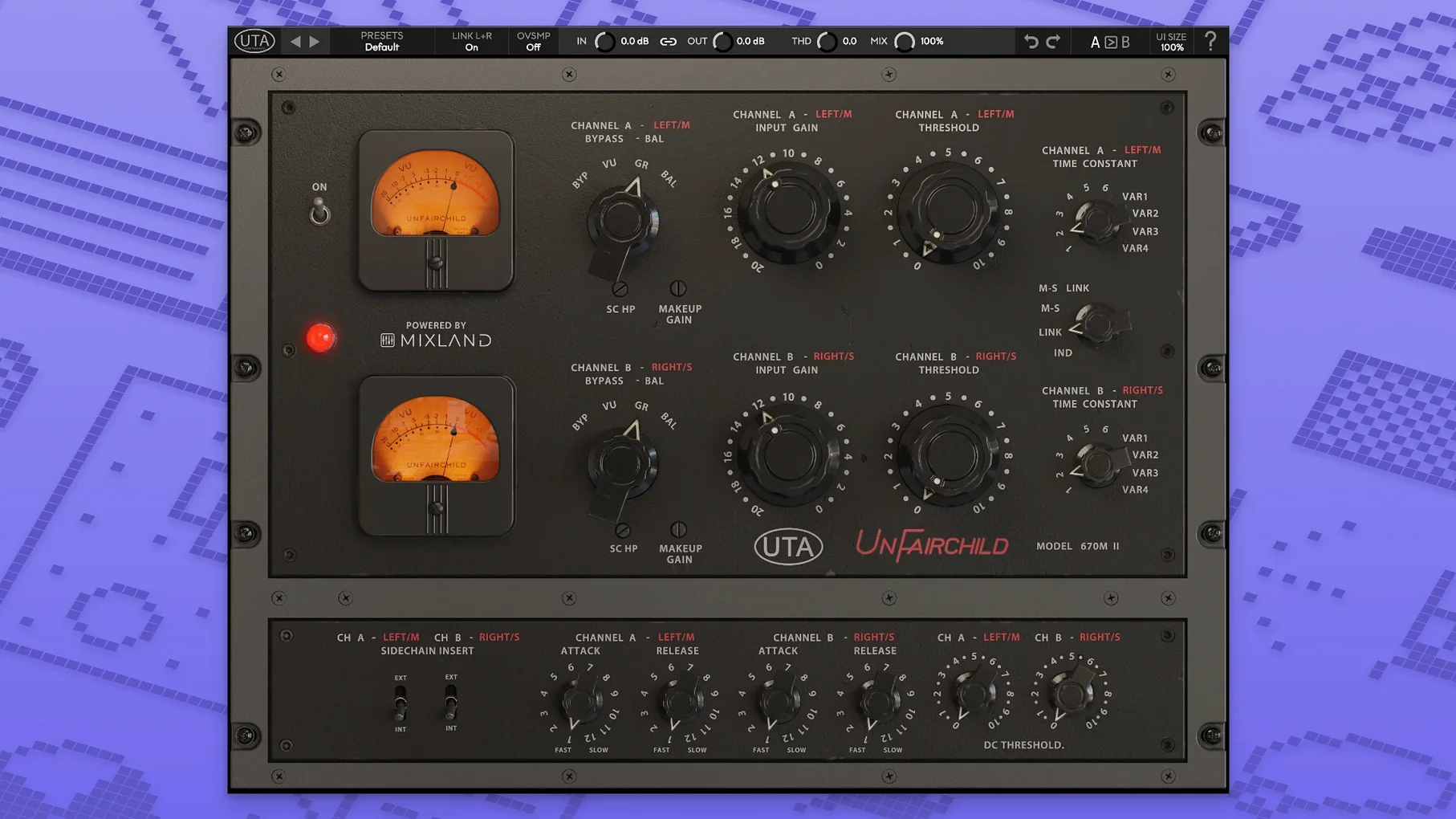
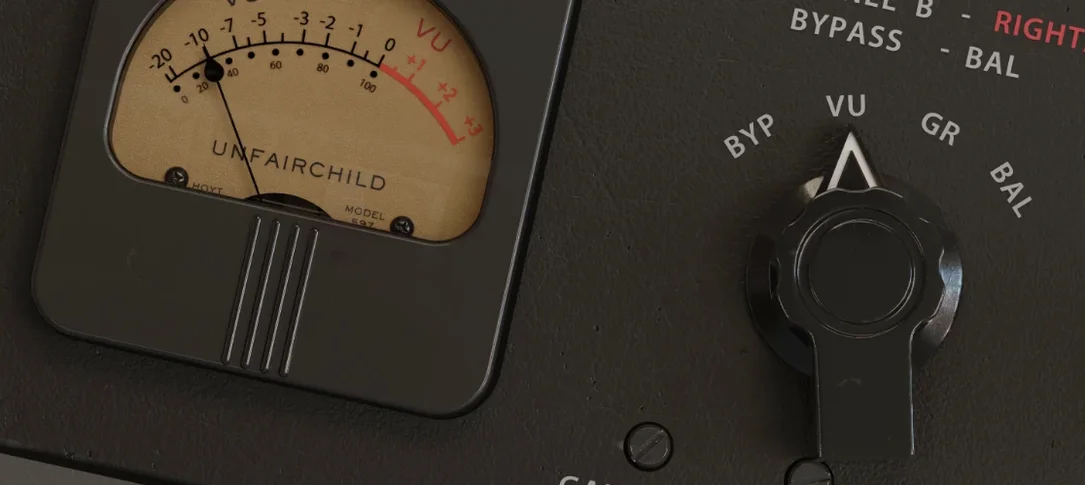
Version 1.0.8 keeps the ship steady with no headline feature changes—what you're running is a mature build of a plugin that models the UnFairchild 670M mkII hardware. UnderTone Audio built this with Eric Valentine and MIXLAND, so the math inside targets the same feedback vari-mu topology as the rack unit, right down to the time constant behavior that gives a Fairchild-style compressor its grab-and-release fingerprint.
Can it smooth out a vocal that jumps from whisper to belt?
- Vocals that need to sit without poking out. The program-dependent release keeps syllables even without clamping down on the performance. It's the kind of control that works when a singer moves from a whisper to a belt in the same take.
- Drum bus glue. Running a stereo instance across the kit pulls the room mics and close mics into a single image. The six preset time constants—position 1 through 6 from the original design—give you the classic attack shapes, while the four variable settings let you dial outside the historical ballpark when the song calls for it.
- Parallel drum crush. Individual kick and snare tracks through a fast constant, blended underneath, adds density without losing the transient up top.
What happens when you bias the side chain before the threshold?
- The DC Threshold control isn't a simple input gain trim. It biases the side chain, so pushing it changes how hard the detector sees the signal before you touch the threshold knob. Small moves here can shift the compression knee from round to firm.
- MS function means you can compress the mid and side signals independently. On a stereo bus, grabbing the center without squeezing the reverb tails is faster than setting up a multiband workaround.
- Side chain processing is onboard, but how you route it depends on your DAW. The plugin listens on the standard side chain input—patch it from a kick track to duck a bass line, or from a vocal to gently push a guitar bus out of the way.
Why does the plugin refuse to load on a mono track?
The plugin loads as a stereo instance only. If your DAW shows a mono track with the insert grayed out, that's expected—the UnFairchild models a dual-channel hardware unit, so it needs a stereo path. Wrap it on a stereo aux or flip the track to stereo before you insert it.
Another common head-scratcher: the DC Threshold knob seems to do nothing at first. The trick is that it works in tandem with the main threshold. If your threshold is set very high with almost no gain reduction showing, the DC bias shift won't manifest audibly. Pull the threshold down until you see a dB or two of compression, then nudge the DC Threshold—you'll hear the knee tighten or relax depending on which way you go.
On Apple Silicon machines running macOS 10.13, the plugin sometimes fails its initial AU validation in Logic Pro. Restarting the Mac and re-scanning from the Plug-in Manager usually clears it. If it doesn't, check that you're on version 1.0.8; earlier builds had a code-signing quirk that tripped Logic's validator.
Feed-Back and Feed-Forward mode switching can cause a brief dropout in some hosts. This is a topology change, not a simple routing toggle—the plugin recalculates its internal gain structure, and a few DAWs interpret the silence as a buffer reset. It's harmless, but if it bothers you, automate the switch at a moment of silence in the arrangement rather than during a held note.
Does blending in dry signal keep your drum bus level intact?
The wet/dry control isn't a simple crossfader—it maintains unity gain through the parallel path, so blending in dry signal doesn't drop your overall level. On a drum bus, that means you can dial in 40% wet and hear the compression density without constantly compensating with the output knob.
Double-clicking any knob resets it to its default value. This isn't documented prominently, but it saves time when you've twisted the time constant or THD control into unfamiliar territory and want to snap back to a known starting point.
The true bypass button doesn't just mute the processing—it routes the input straight to the output, bypassing the entire DSP chain. On larger sessions, toggling it frees up a measurable chunk of CPU headroom, which matters when you're running multiple instances.
The left/right balance trim is fine enough for mastering-grade adjustments. Holding Shift while dragging the control gives you a slower, higher-resolution sweep—useful for correcting a half-dB channel imbalance on a stereo mix without breaking out a separate utility plugin.
Did the Apple Silicon update drop Rosetta overhead?
Version 1.0.8 is a stability release. UnderTone Audio and MIXLAND focused on Apple Silicon optimization: the plugin now runs as a universal binary, so Intel and ARM hosts both get native performance without Rosetta translation overhead. If you upgraded from a pre-1.0.6 build, you'll notice faster GUI drawing on Retina displays and smoother knob response when automating from a control surface.
The preset manager was rewritten to use a standard .aupreset format on macOS, which means your saved settings now survive a plugin version bump without disappearing. Older builds stored presets in a custom location that some DAWs didn't index after a re-scan.
One quiet fix: the side chain input now respects host buffer size changes without requiring a plugin window close and reopen. If you're tracking at a low buffer and switching to a high buffer for mixing, the detector stays locked to the external key signal instead of briefly losing sync—a small thing that removes a recurring annoyance in Pro Tools and Studio One.
- Operating System: macOS 10.13 or later
- Architecture: Native Apple Silicon (ARM) and 64-bit Intel
- Host: DAW supporting AU or VST3 formats
Comments 0
Sign in or create an account to leave a comment.
No comments yet. A codec, a slice, a machine — they appear after moderation.