
attn LED for macOS
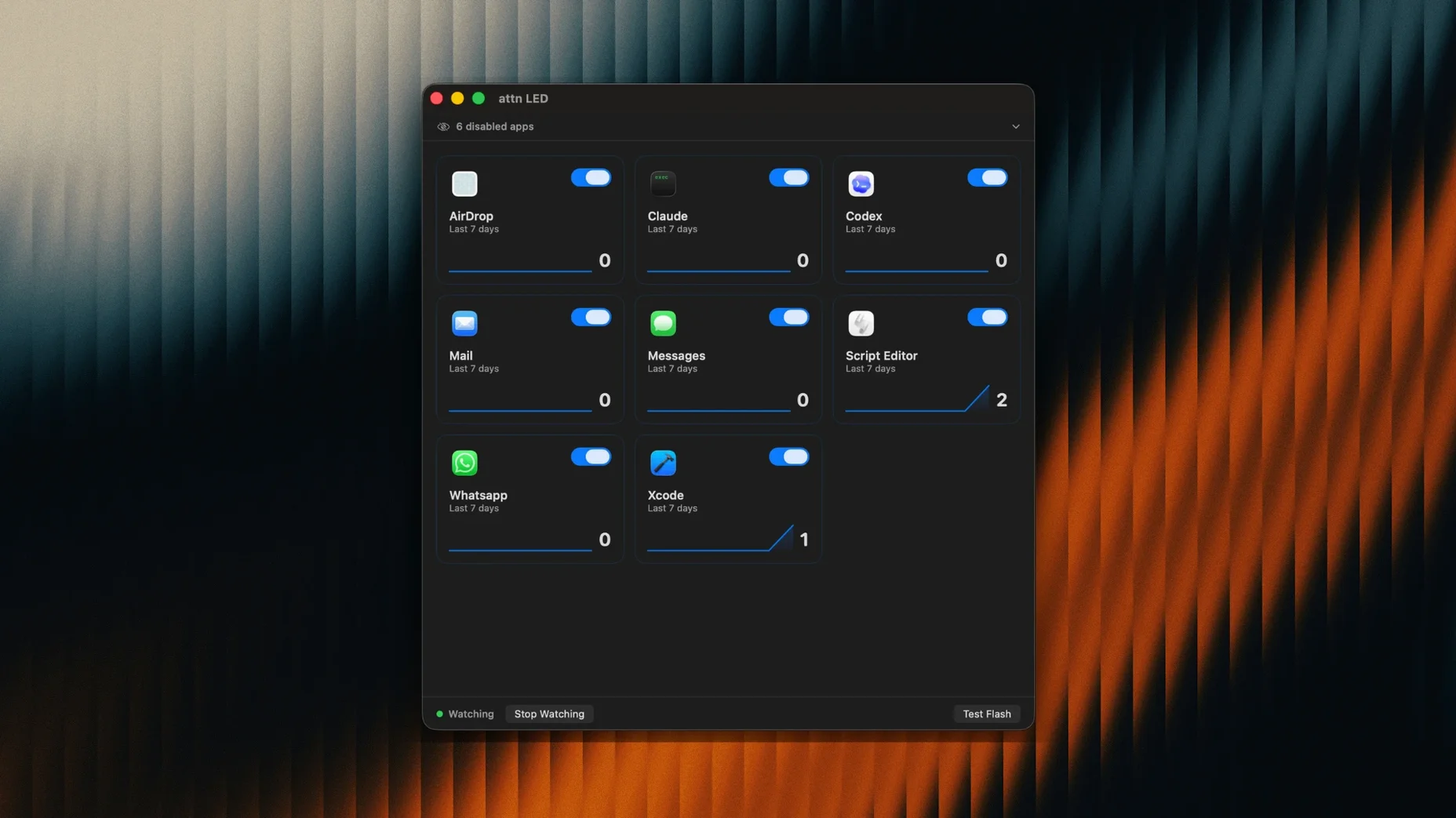
One green light, visible from across the room. That is the core of attn LED 1.0 — it repurposes the MacBook camera LED as a physical notification indicator, so you can close notification banners, mute every sound, and still know when Slack or Mail has something new.
It does this by watching the macOS notifications database through FSEvents, which lets it react even when Focus Mode would normally suppress alerts. The result is a hardware-level notification system that works alongside the Focus and Do Not Disturb tools you already use, not against them.
Catch priority alerts in deep focus without sound or banners
Good for:
- Deep focus sessions where banners and sounds are off but you still want to catch priority alerts.
- Users who keep their MacBook open nearby and want a glanceable signal — the LED is bright enough to notice without looking directly at the screen.
- Selective notification filtering: you can limit LED alerts to specific apps like Messages, Teams, Discord, Telegram, or Mail and ignore the rest.
- Video calls — the app detects FaceTime and other conferencing activity and pauses LED blinking so it does not interfere mid-meeting.
Keep in mind:
- It only works on MacBook models with a physical camera indicator LED — desktops and external displays are out.
- Version 1.0 requires macOS 12 Monterey or later; it runs natively on both Apple Silicon and Intel Macs.
- The automatic app detection for new notifying apps is helpful, but you will probably want to curate the list so only meaningful apps trigger the blink.
- There is no sound or banner fallback — if you miss the LED flash, the notification is gone visually until you check Notification Center.
LED won’t blink after install? It’s probably a permissions issue
A few things trip people up with attn LED 1.0, especially in the first hour. The most frequent: the LED does not blink at all after install. Nine times out of ten it is a permissions issue. Open System Settings → Privacy & Security → Notifications and confirm that attn LED appears in the list with alerts enabled. Without that toggle, the app sees nothing in the notifications database and stays silent — no blink, no signal.
Another gotcha: the app is running, the permissions look right, but the LED still refuses to flash for a particular app like Teams or Telegram. Check the app list inside attn LED's preferences. The default behaviour is to monitor everything, but if you have previously curated the list down to a handful of apps and later reinstalled, the filter may be narrower than you remember. Add the missing app manually or toggle on automatic detection to rebuild the list.
A subtler snag involves video calls. The app pauses LED blinking during FaceTime and most conferencing software, but a handful of lesser-known VoIP tools do not register as video calls to macOS. If the LED blinks mid-call with one of those, you can usually work around it by quitting attn LED before the call starts and relaunching afterwards — version 1.0 has no manual pause button yet.
On Intel Macs running macOS 12, some users report the LED blinking once and stopping even though the triggering app was never opened. This tends to trace back to Notification Center clearing the alert itself — if macOS decides the notification is stale before you look, attn LED loses the trigger. Keeping notifications set to Persistent (not temporary) in System Settings prevents the early dismissal.
Glanceable signal for MacBooks kept open on a stand
The obvious audience is anyone who lives in Focus Mode — developers, writers, researchers — but the people who rave about attn led mac setups tend to share a specific work pattern. They keep the MacBook open on a stand to one side while working on an external monitor, and they want exactly one physical interrupt channel. Not sound. Not a banner sliding in from the edge. Just the green light. For that workflow, the LED is genuinely more useful than any software-only alert: you notice it with peripheral vision, the timing is immediate, and the signal does not break your train of thought unless you choose to act on it.
The other group that benefits unexpectedly is anyone in a shared workspace. Banners and notification sounds broadcast to everyone around you what apps you use and roughly how many messages you get. An LED blink tells only you, and only if you are looking at the machine. It is a small privacy win in open-plan offices.
People who rely on Apple Watch notifications for silent alerts may still find attn led 1.0 useful as a secondary signal. The Watch tap is easy to miss when you are typing or deep in a diagram, whereas the camera LED sits in a fixed position and keeps blinking until you open the relevant app. The two mechanisms complement each other rather than competing.
Does the camera turn on when the LED blinks?
Does the camera turn on when the LED blinks? No. The app only addresses the indicator LED itself — the camera sensor stays off. The light is controlled independently on MacBook hardware, and attn LED does not touch the image capture pipeline at all.
Will this drain the battery faster? Negligibly so. Watching FSEvents and polling the notifications database is low-overhead work; the CPU impact is on par with a menu bar weather app. The LED itself draws a trivial amount of current. On Apple Silicon MacBooks, you are unlikely to notice any difference in daily battery life.
Can I set different blink patterns for different apps? Not in version 1.0. Every allowed app triggers the same continuous blink — short on-off pulses that repeat until you open the sender app. There is no per-app colour or rhythm configuration yet.
What happens if two apps send notifications at the same time? The LED blinks for the most recent one. As soon as you open that app and clear its alert, attn LED checks whether any other unread notifications remain from monitored apps. If there are, the blinking continues for the next one in the queue. The sequence is first-in-first-out based on delivery time.
Does it work with the lid closed? No. The camera LED is only powered when the MacBook is open and awake. Clamshell mode with an external monitor disables the signal entirely — this is a hardware limitation, not something the app can override.
- macOS 12 Monterey or later
- Apple Silicon or Intel MacBook with a camera indicator LED
$ man attn-led | grep -A2 "?"
Does attn LED blink during video calls?
No — it pauses blinking automatically when FaceTime or other conferencing apps are active, so the camera LED behaves normally during calls.
How does it detect notifications when Focus Mode is on?
It monitors the macOS notifications database through FSEvents, which lets it see incoming alerts that Focus or Do Not Disturb modes would otherwise suppress.
Can I choose which apps trigger the LED?
Yes. You can limit LED notifications to a selected set of apps like Slack, Mail, Discord, Teams, and Telegram, leaving everything else silent.
Comments 0
Sign in or create an account to leave a comment.
No comments yet. A codec, a slice, a machine — they appear after moderation.