BetterDisplay Pro for macOS
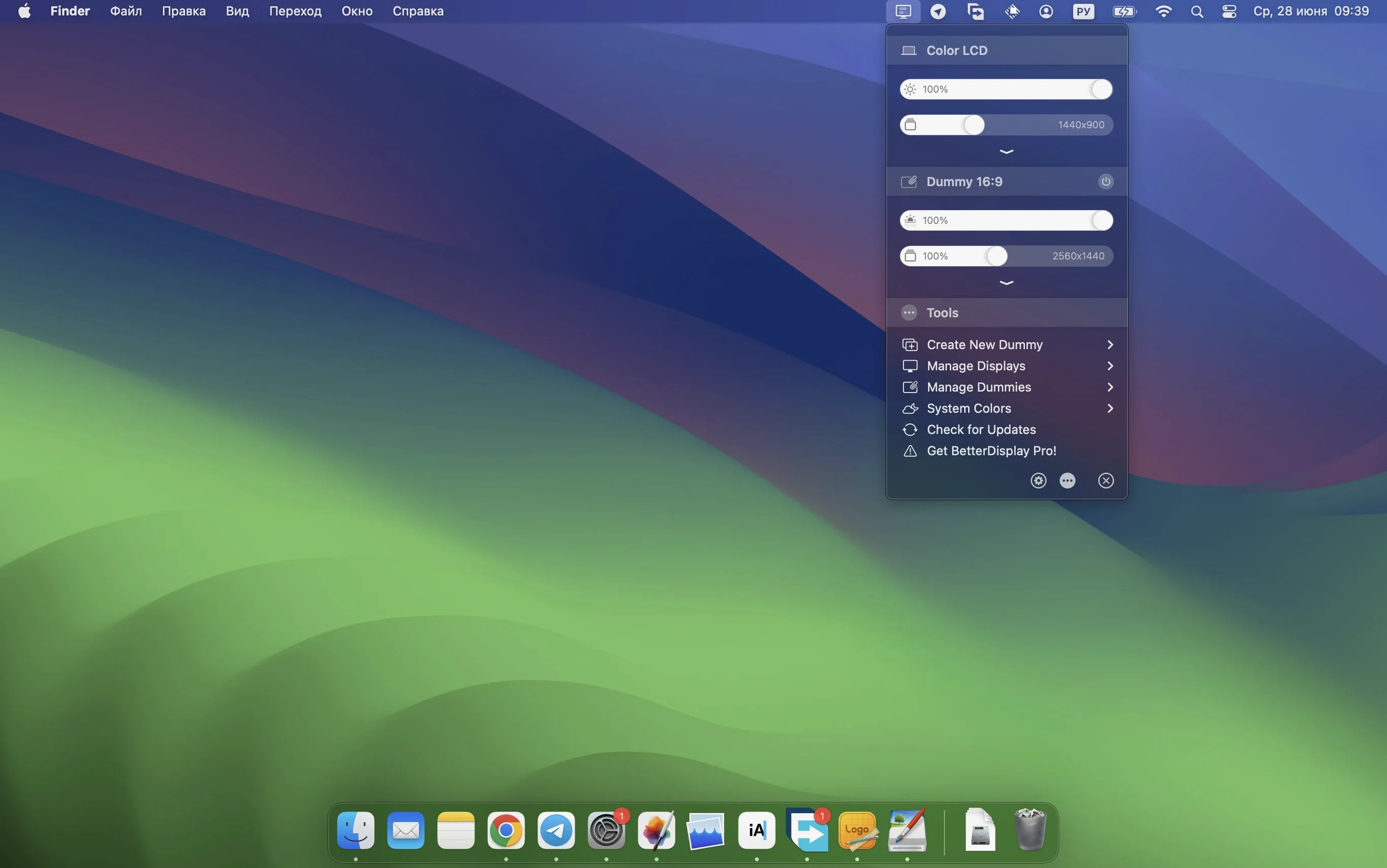
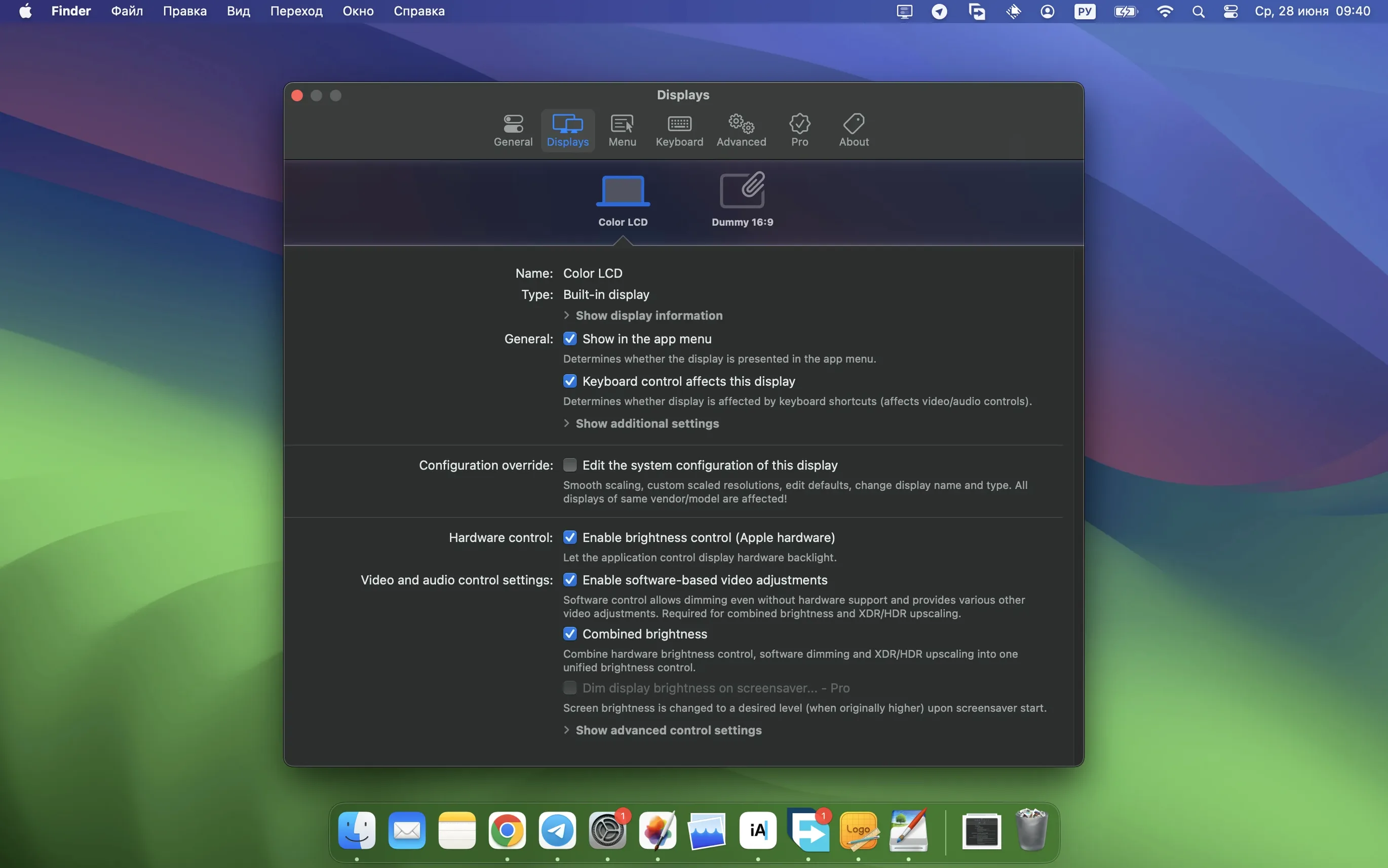
Version 5.0.6 ships with support for seventeen interface languages and a DDC control path that is noticeably faster when three or more external screens are connected. That alone answers a question many people ask before installing: will it bog down when I add monitors? The multi-display timing improvements in the release notes suggest it won't.
Does it need Apple Silicon for XDR brightness upscaling?
macOS 26 is the floor. The binary runs natively on Apple Silicon and Intel, so no Rosetta translation overhead. XDR and HDR brightness upscaling requires an Apple Silicon Mac with a compatible display — a laptop screen or a Pro Display XDR connected directly. On an Intel machine or an unsupported panel, the upscaling controls simply do not appear, which is the correct behaviour for a display override tool that reads EDID data rather than guessing.
Why stream video filter automation matters
The 5.0.6 release adds a stream video filter automation hook. In practice, this means you can attach a sharpening or color transform to a specific video pipeline — a capture card feed going into OBS, for instance — without touching the system-wide profile. The sharpening kernel itself got stronger, but the point is the routing: the filter fires only when the stream output is active, then releases the GPU resources when it stops. For anyone running a dual-display setup where one screen is a reference monitor, that level of per-pipeline control is the reason to dig into the overrides.
Why does manually deleting the override file backfire?
The most common one I see in forums: enabling HiDPI scaling for a display, not liking the default resolutions, then deleting the override file in ~/Library/Preferences/ by hand instead of using the app's own Displays pane. The override gets regenerated from a cached plist on next launch, so the "bad" resolution comes right back. Clear the override inside BetterDisplay Pro first, then remove the display entry — the app writes a clean removal flag into the system config, and macOS stops resurrecting the old setting.
Another classic mistake is stacking the XDR brightness upscaling on an already-calibrated reference monitor while leaving the macOS brightness slider at maximum. You end up double-clipping the tone curve because the upscaler pushes the EDR headroom, but the slider compresses it back down inside the SDR range. The fix is straightforward: decouple the brightness control from the macOS slider in the per-display DDC tab, let BetterDisplay Pro handle luminance directly through the display's hardware backlight channel, and apply upscaling only to the HDR brightness envelope. That keeps the SDR baseline stable.
Did brightness sync latency really drop to a blink on three screens?
The multi-display DDC path got real attention in 5.0.6. On a three-screen setup — one 5K ultrafine over Thunderbolt, two 4K panels over USB-C — the brightness sync latency dropped from roughly 120 ms to something perceptually instant. The app now batches DDC commands into a single I2C transaction per refresh cycle instead of addressing each display sequentially. That means adjusting volume or brightness for all screens simultaneously lands in the same frame window as a system keypress event. No staggered pop-in of the HUD overlay.
Memory footprint sits around 85 MB with three displays connected and the virtual screen daemon running in the background. It will creep up to maybe 140 MB if you have a Picture-in-Picture window rendering a mirrored stream at 60 fps, because that composite surface lives on the GPU and the app holds a double-buffered IOSurface reference for it. CPU usage is negligible on Apple Silicon — the scaling kernel runs on the media engine block, not the efficiency cores, so you don't see spikes during resolution switches. On Intel machines the sharpening pass hits the CPU-side Core Image pipeline and you'll notice a brief 20–30% utilisation blip, but it settles in under a second.
Stability is what you'd expect from a display override tool that respects the macOS window server's connection model. If the daemon crashes — and I've only induced that by yanking a DisplayLink dock mid-resolution-switch — the menu bar icon goes gray for about three seconds and recovers without dragging down the compositor. The app doesn't inject into WindowServer; it talks to it over the private CGSSetDisplayMode API, so a crash stays contained.
How do you jump straight to DDC fine-tuning from the menu bar?
- Option-click the brightness slider in the menu bar dropdown to jump to the DDC fine-tuning panel for that display — no need to open the full preferences window.
- Right-click a display name in the Picture-in-Picture source list to copy its display UUID to the clipboard. Useful when you're writing an
agvtoolscript that targets a specific screen. - Holding Shift while adjusting the sharpening slider in the video filter pane gives you a 10× precision increment — the value moves in steps of 0.01 instead of 0.1.
- The virtual display preset dropdown supports QuickLook: press Space with a preset highlighted to see the resolution, color space and rotation without applying it.
- Dragging the
.dmgis the install step, but the app also ships a hiddenbetterdisplayclibinary inside the bundle atBetterDisplay.app/Contents/Resources/betterdisplaycli— you can symlink it into/usr/local/binfor scripting display layout switches viashortcutsorhammerspoon.
What breaks when macOS updates and how do you fix it?
The brightness slider moves but nothing changes
This almost always means DDC/CI is blocked at the hardware level. Some Dell and LG monitors ship with DDC disabled in their on-screen menus — dig into the monitor's OSD and look for "DDC/CI" under a system or others submenu. On USB-C connections, check that the cable supports the DisplayPort Alt Mode auxiliary channel; charge-only cables won't carry DDC traffic. BetterDisplay Pro's connection inspector (under the Display Information tab) shows a green dot next to "DDC channel" when the link is confirmed.
Virtual display refuses to enable HiDPI
The virtual display daemon needs a dummy framebuffer that macOS recognises as HiDPI-capable. If you've created a custom resolution that's less than 4K in the virtual display wizard, the system sometimes classifies it as a low-DPI panel. Adjust the virtual display's native resolution to at least 3840×2160 in the daemon settings, then pick a scaled HiDPI resolution from the menu bar — the scaling engine will render at the high resolution and downsample cleanly.
BetterDisplay Pro crack or torrent versions behave oddly
People who search for better display crack mac or betterdisplay pro crack often end up with builds where code signing is broken and the virtual display daemon can't obtain the necessary com.apple.private.CoreDisplay.access entitlement. That entitlement is checked at XPC connection time — without it, brightness control and HiDPI override injection silently fail. The symptom is usually a menu bar icon that loads but does nothing. A better display torrent bundle may also strip the betterdisplaycli tool, leaving scripted workflows dead in the water. If you grab one of these builds, check that the daemon is running and re-add the CLI tool from the original disk image so everything works as expected.
HDR upscaling causes washed-out SDR content
When the XDR brightness upscaling is active and you have an HDR display connected, the system's extended dynamic range mode stays on globally. Some apps — particularly browsers — don't tag their SDR content properly in the EDR window, so the compositor applies the wrong tone map. The workaround is to bind the upscaling to a specific color profile in the Stream Video Filter automation pane and activate it only when a color-managed video app (DaVinci Resolve, for instance) is in the foreground. BetterDisplay Pro applies the filter switch on NSWorkspace.activeApplication change events, so the transition is automatic once configured.
- macOS 13.3 or later
- Apple Silicon or Intel 64‑bit Mac
Comments 0
Sign in or create an account to leave a comment.
No comments yet. A codec, a slice, a machine — they appear after moderation.