Binary Ninja for macOS
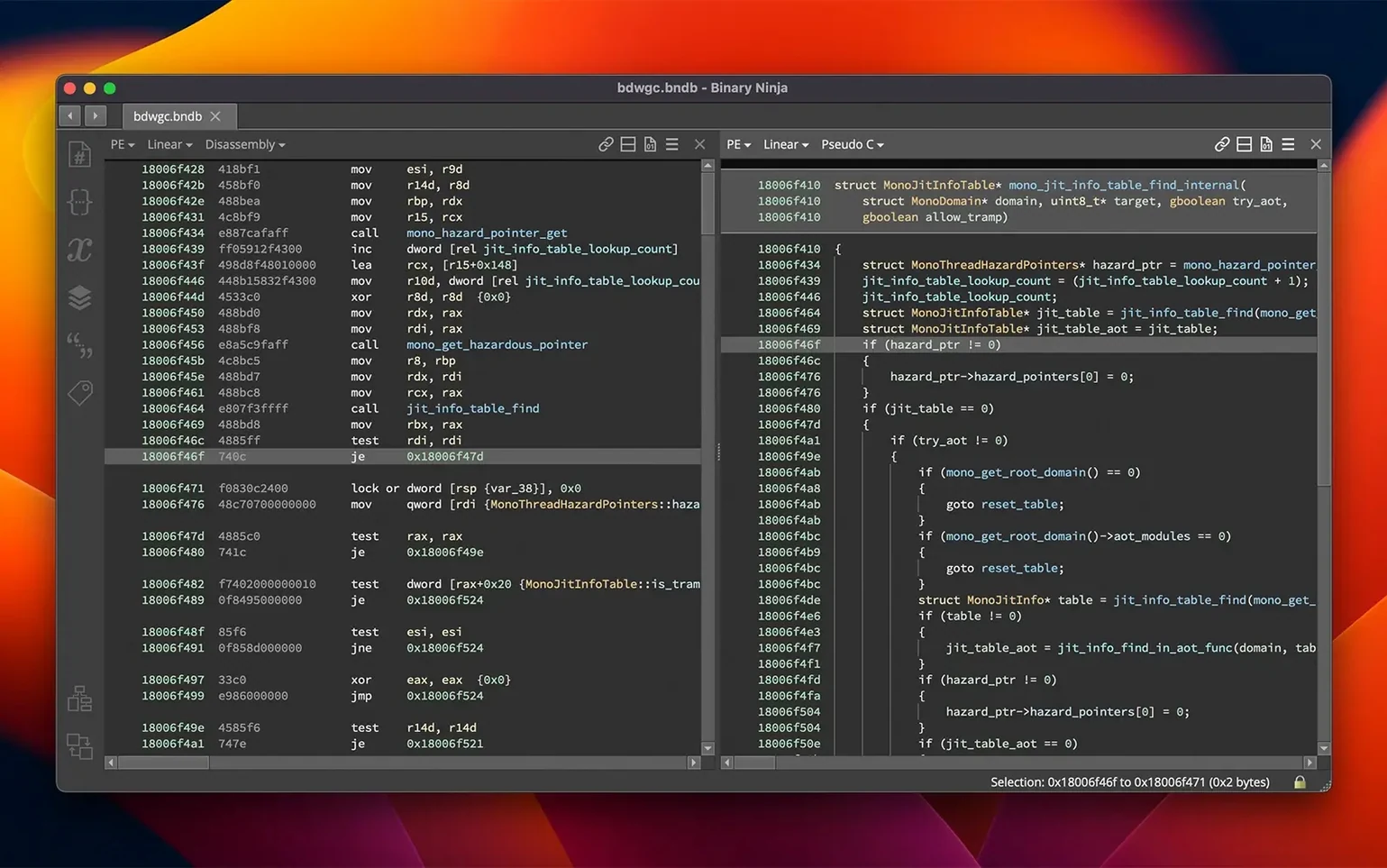
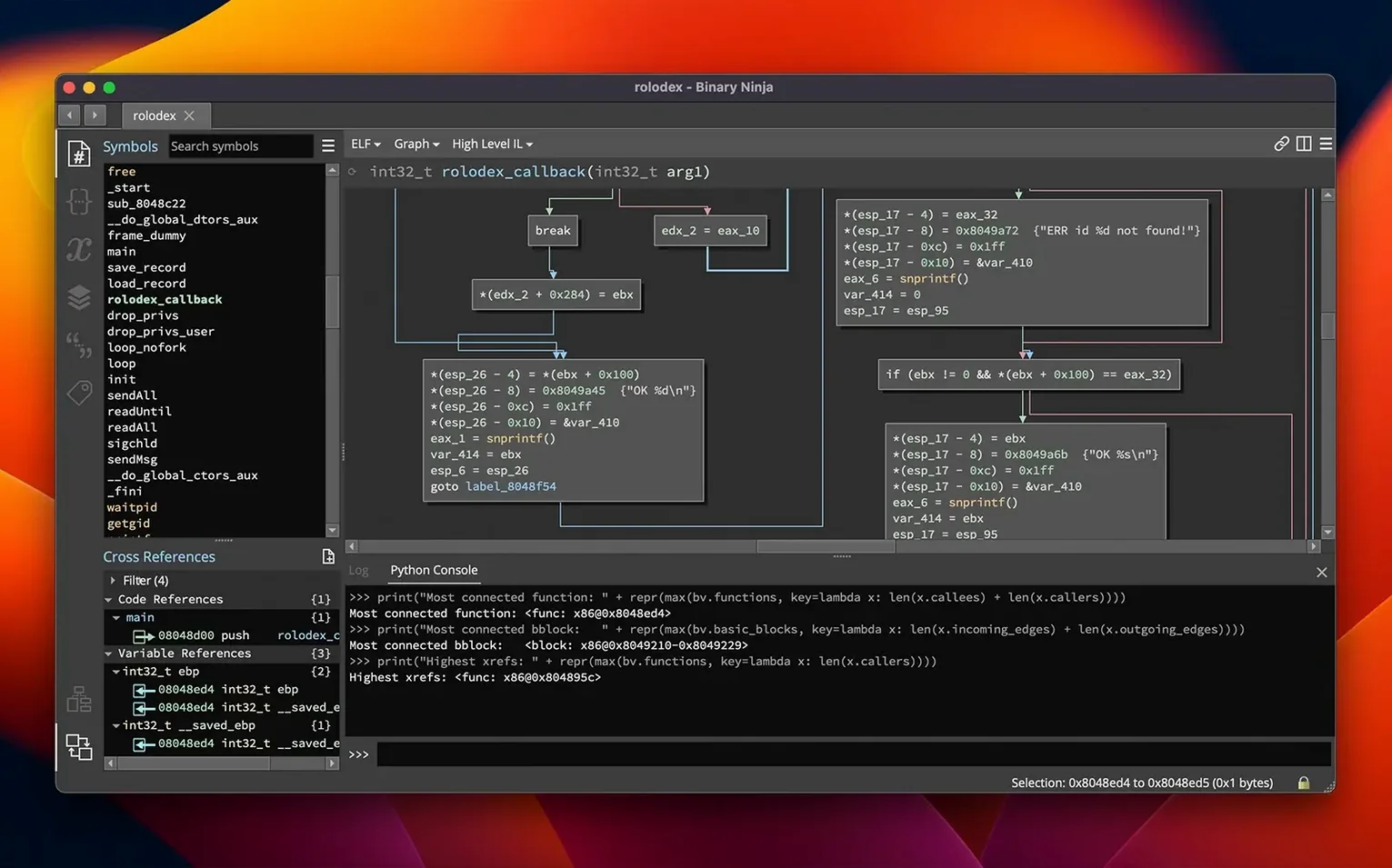
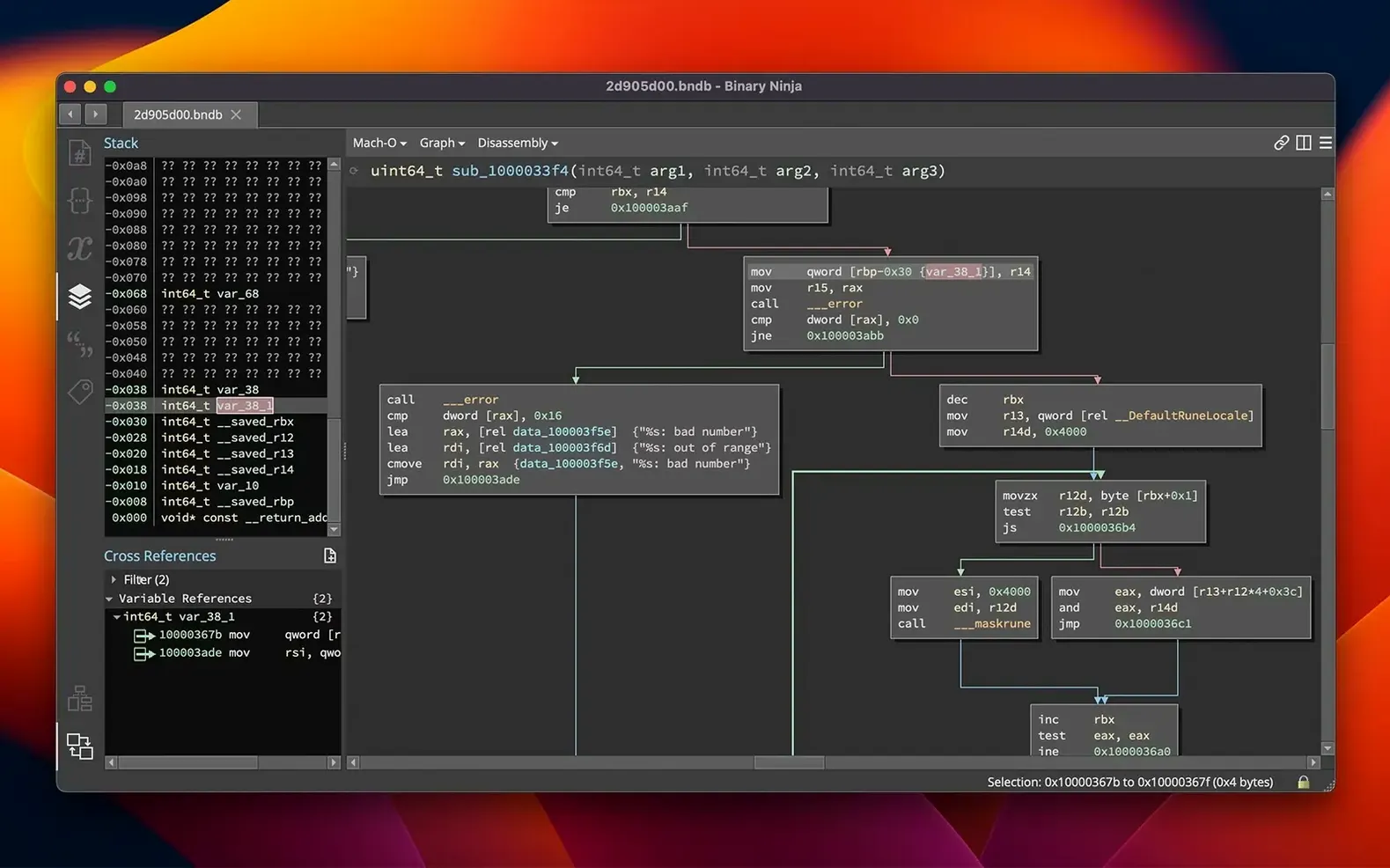
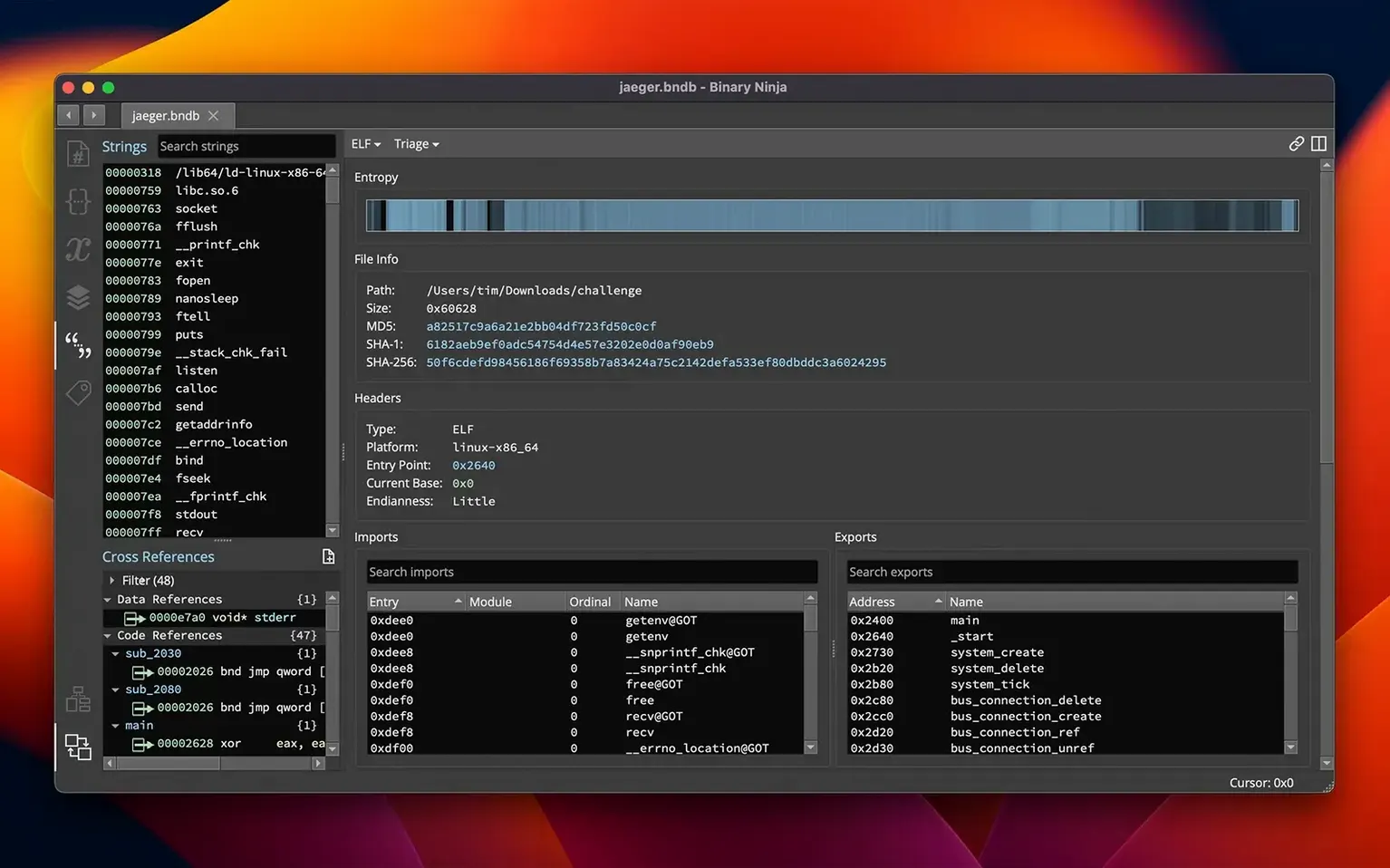
Version 6.0 overhauls the plugin system with a new Extension Manager and introduces a Binary Similarity feature alongside an MCP server. If you’ve just dropped Binary Ninja.app into your Applications folder, the sheer number of panes can feel like staring at a cockpit. The fastest way to find your bearings is to give the tool something real to chew on.
What to try in your first session
- Load a small binary. Drag a Mach-O executable or a simple ELF onto the window. Binary Ninja loads it through its PE, Mach-O, or ELF loader and immediately shows you the disassembly. On Apple Silicon hardware it runs native, so analysis starts instantly.
- Open the Extension Manager. The old Plugin Manager has been redesigned. Browse the available extensions and install something small—a helper script or a syntax highlighter—just to see how the new system handles dependencies.
- Click around the graph view. Once a function is loaded, the interactive control-flow graph is the best orientation tool. Double-click a jump, follow the cross-references, and watch how the decompiler pane updates to show C or BNIL output in real time.
- Name something. Right-click a variable or function and apply a name or a type. Binary Ninja propagates that information across the entire analysis, which is the core workflow you will repeat constantly.
What’s happening technically
The platform exposes APIs for C++, Python, and Rust, so nearly every action you perform—renaming, applying a structure, adding a comment—is a scriptable command. When you edit assembly directly or use the built-in SCC compiler for binary patching, the changes write through the same analysis engine that powers the decompiler. The TMS320C6x architecture joins the supported list in this release, widening the DSP coverage for anyone pulling apart older embedded firmware.
Walking through an ARM64 Mach-O with no symbols
Let’s walk through a real scenario. A friend sends you a small Mach-O binary compiled for ARM64—no source, no symbols, just a raw executable she found in a leftover build directory. She thinks it does some string decoding but isn’t sure. You drag the file into Binary Ninja. The loader picks it up immediately; on an M-series Mac the analysis thread kicks off without a Rosetta hiccup, and within seconds the navigation bar fills with function names—mostly auto-generated, a few recognized from the dyld stub.
You press g and jump to _main. The graph view opens in the center pane. Two basic blocks in, you spot a call to something that looks like a custom XOR loop. You select the function, press n, and name it decode_string. The decompiler pane on the right updates its BNIL output, and the call site in _main now shows the human-readable name instead of sub_100003f80.
Now you mark up the parameters. You highlight the first argument register, hit y, and type uint8_t*. Same for the length. The decompiler rewrites its output again—this time the loop body resolves into something that looks like a textbook single-byte XOR with a hardcoded key. You add a comment on the key byte: ; 0x5A — same key used in the 2023 build. Binary Ninja stores the comment in its database, so the next time you open this binary, the annotation persists.
You open the hex editor view to patch one byte—you want to see if changing the key breaks the output. You flip 0x5A to 0x00, switch back to the decompiler, and the BNIL reflects the new constant. The whole session took about twelve minutes, and you never left one window.
Why a .bndb database and project folder matter early
Once the initial excitement of the graph view settles, a few habits make the tool feel less like a cockpit and more like a workshop.
- Set a project folder early. Binary Ninja stores its analysis database as a
.bndbfile. Point the default save location to a dedicated folder—something like~/Analysis/BinaryNinja—before you accumulate a dozen one-off databases on your desktop. - Learn the keyboard shortcuts in pairs. Don’t memorize the whole shortcut list. Learn
nfor rename andyfor type in the same ten minutes. Thengfor go-to andescfor back. Two pairs per day, and by the end of the week you won’t touch the menu bar. - Install one extension and read its source. The Extension Manager shows what’s available. Grab something small—a Python script that highlights specific instruction sequences—and open its code. The API calls you see there are the same ones you’ll use when writing your own automation later.
- Tag interesting addresses. Binary Ninja lets you bookmark locations with tags. When you’re reversing something and find an important string decode or a suspicious call, tag it. The tag panel becomes a map of your investigation across sessions.
- Don’t fight the auto-analysis. When you load a large binary for the first time, the linear sweep and recursive descent passes run automatically. Let them finish. Pausing early to rename things can confuse the analysis cache. Grab a coffee, let it chew through the code, then start your work.
Loading a 30 MB Mach-O in under three seconds on an M2
On Apple Silicon, the native arm64 slice launches fast enough that you stop noticing the splash screen after a week. Loading a 30 MB Mach-O takes under three seconds on an M2 with 16 GB of RAM; the analysis pass adds another few seconds depending on function count. On Intel Macs running the x86_64 build through Rosetta, the same binary loads in roughly twice the time—still workable, but you’ll feel the difference if you hop between architectures.
Memory usage scales with the binary. A small command-line tool stays under 200 MB. A large application with thousands of functions and a populated type library can push past 2 GB. The 6.0 release improved memory management noticeably—older versions held analysis caches longer, and you’d see the process balloon after five or six loaded files. Now, closing a tab releases memory more aggressively. I’ve kept Binary Ninja open for a full workday with eight or nine small binaries in tabs and never crossed 3 GB.
Stability is a strong point. Crashes are rare during normal disassembly and annotation work. The places where you’ll hit rough edges are extensions. A poorly written Python extension can block the UI thread or leak memory, and the symptom looks like Binary Ninja freezing—but it’s the extension, not the core. Kill the extension from the manager and the UI snaps back. The headless mode is rock-solid for batch processing; I’ve run it overnight on folders of firmware images without a single restart.
The decompiler output updates live as you rename variables and apply types, and I’ve never seen it lag—even on functions with deeply nested control flow. The graph view redraws at interactive frame rates unless you’re zoomed out on a colossal function with hundreds of basic blocks. In that case, switching to linear view temporarily keeps things snappy.
Native Cocoa UI versus a Java VM on macOS
Ghidra is the obvious comparison. Ghidra’s decompiler is mature and its project-sharing model works well for teams, but it runs in a Java VM and feels heavier on macOS. Binary Ninja’s UI is a native Cocoa application—scrolling, zooming, and panel resizing feel immediate in a way that Ghidra’s Swing interface never quite matches. Ghidra wins on breadth of architecture support and the sheer volume of community scripts, but Binary Ninja’s API is cleaner. Writing a Python script to iterate over functions and dump string references takes fewer lines in Binary Ninja, and the interactive console lets you test snippets without restarting anything.
Hopper Disassembler is lighter and starts faster—it’s the tool you open for a quick look at a single function. But Hopper’s decompiler output is less refined on complex ARM64 code, and it lacks Binary Ninja
- Added an MCP server for external tool integration and a new Binary Similarity feature for matching functions across binaries.
- Redesigned the Plugin Manager as the Extension Manager with a refreshed interface.
- Added support for the TMS320C6x architecture.
- macOS 10.15 or later
- Apple Silicon and Intel Macs
- Interface language: English
Comments 0
Sign in or create an account to leave a comment.
No comments yet. A codec, a slice, a machine — they appear after moderation.