BetterTouchTool for macOS
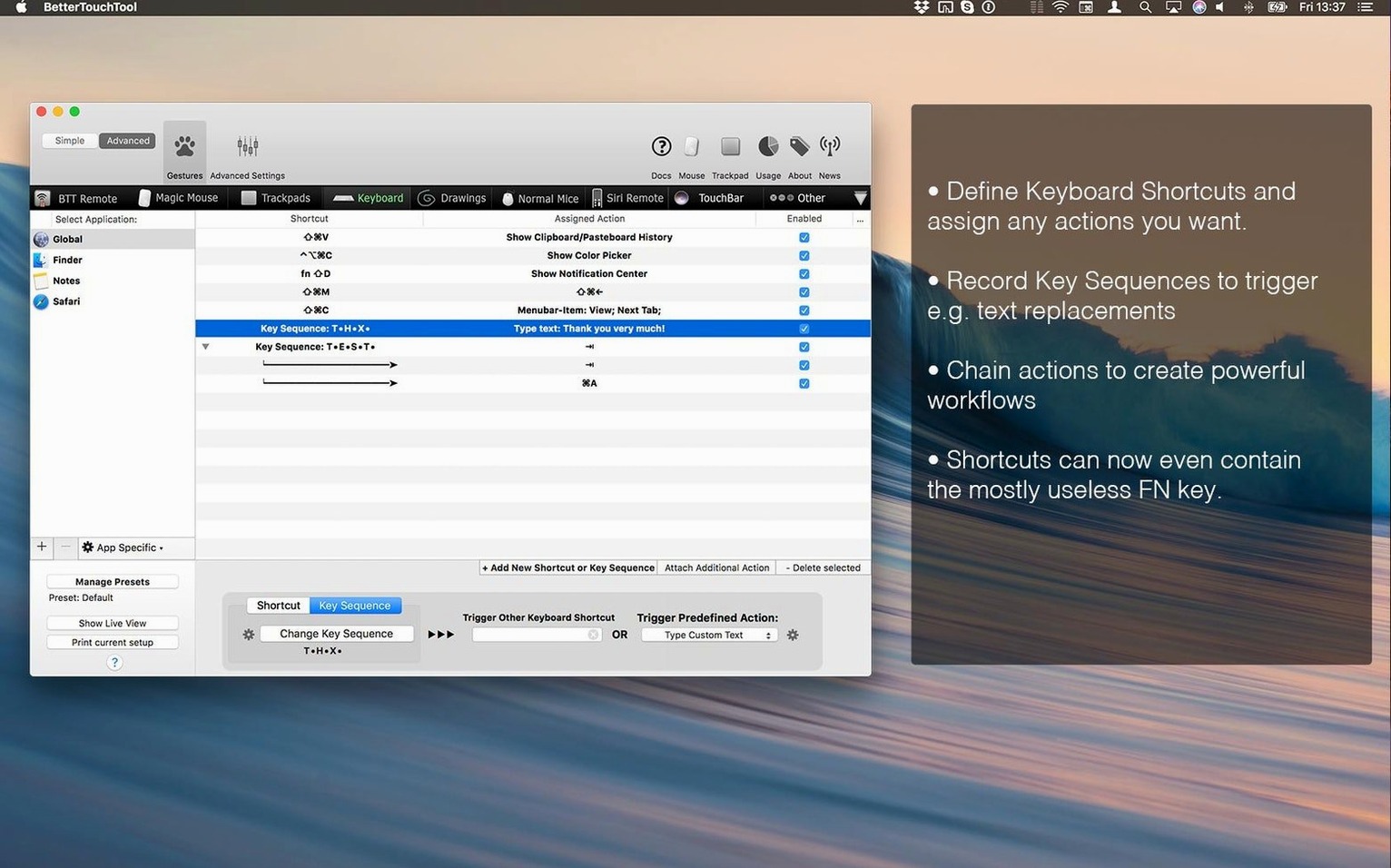
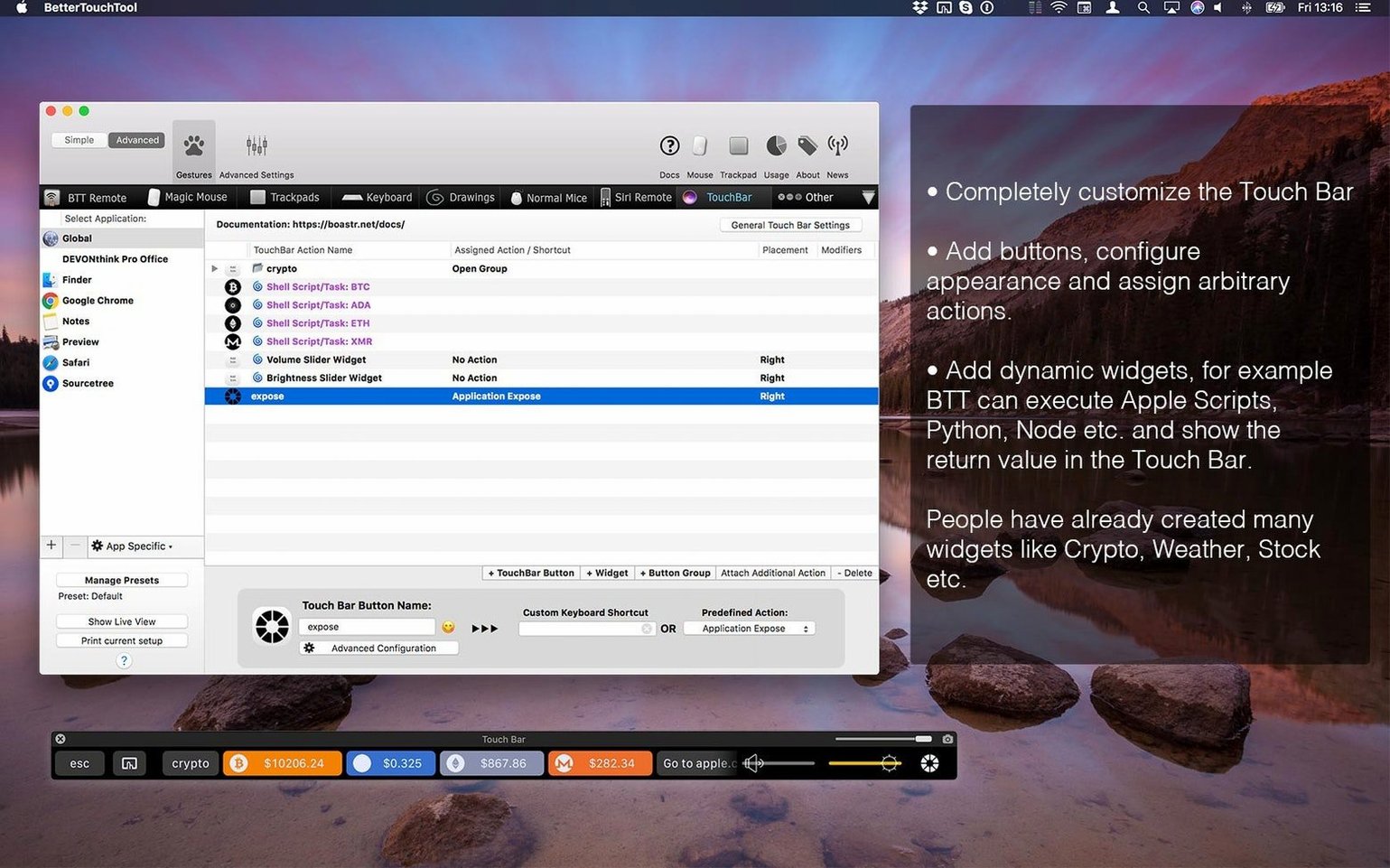
BetterTouchTool runs on any Mac that can handle macOS 10.15 Catalina or newer. The Universal binary is compiled for both Apple Silicon and Intel 64-bit processors, so it loads natively on an M-series chip without Rosetta overhead. It watches input from the built-in trackpad, Magic Mouse, regular mice, the Siri Remote, the Apple Remote, and the keyboard — plus the Touch Bar on older MacBook Pro models that still have one.
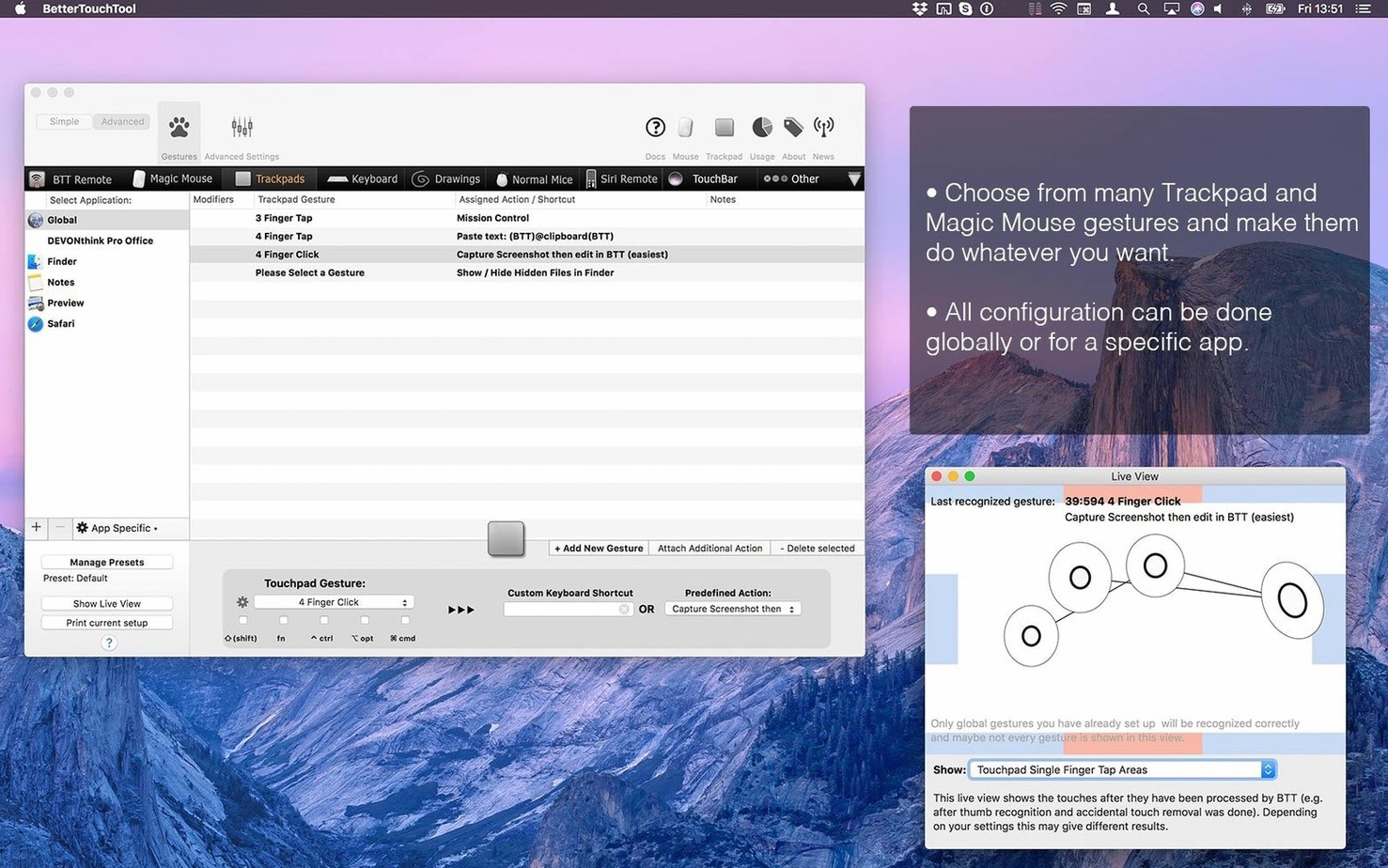
Once it is installed, the most useful first move is making a gesture that works everywhere. Pick a trackpad swipe or a Magic Mouse tap and assign it to something you do a hundred times a day: a keyboard shortcut, a window management action, or even a shell script. The action palette that pops up on screen is a good second experiment — hold a modifier key and a radial menu appears under the cursor with your own commands.
After you have a global gesture working, switch to the app-specific tab and assign the same physical gesture a completely different action inside your text editor or terminal. The rule system distinguishes the frontmost application and fires only the matching trigger, which keeps shortcuts from colliding across work contexts.
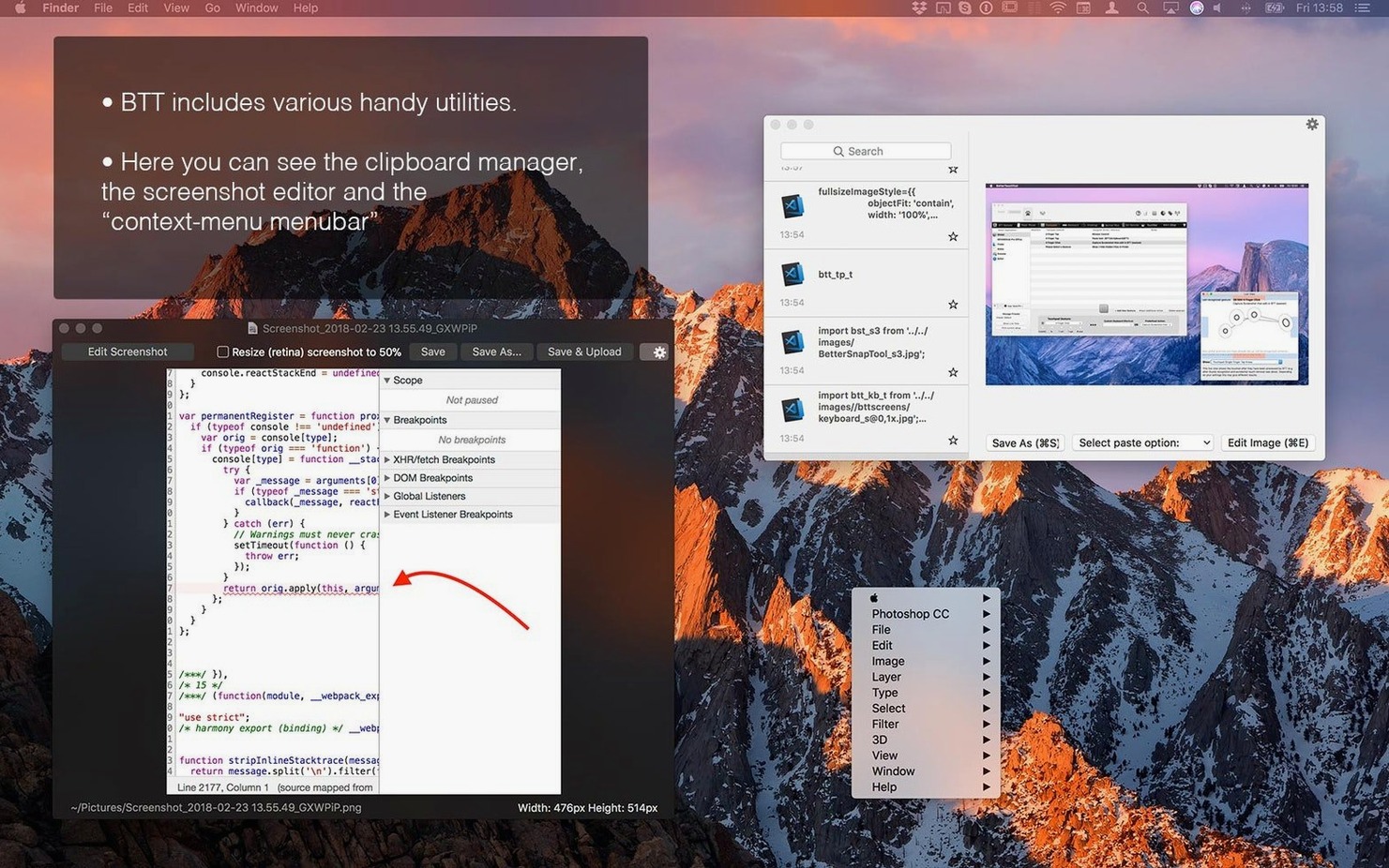
Two built-in tools are worth turning on early. The clipboard manager holds a history of copied items and pastes them through a keyboard shortcut, and the screenshot tool captures a region and opens a quick annotation overlay before the image lands on disk or the clipboard.
Starting the day with a three‑finger swipe
I open my Mac and log in. BetterTouchTool starts as a background agent — no dock icon unless I choose otherwise. The menu bar icon tells me it is running.
First real action of the morning: I three-finger swipe down on the trackpad. That fires a global trigger that opens my project folder in a new Finder window. I did not drag anything to the Dock or type a path. One gesture, one result.
Next I launch my code editor. As soon as it takes focus, BetterTouchTool switches to the app-specific rule set I built for it. The same three-finger swipe down now runs git pull in the integrated terminal. A two-finger tip-tap on the left side of the Magic Mouse jumps to the next compiler error. None of these gestures do anything outside the editor — they are scoped to that application alone.
Mid-morning I copy a database connection string, then an API key, then a chunk of JSON. I press ⌃⌘V and the clipboard manager pops up in a small panel under my cursor. I arrow down to the connection string I copied ten minutes ago and hit Return. Pasted. No fishing around in a notes file.
Later I need a screenshot of a graph. ⌃⌘5 brings up the region selector. I drag over the chart, and before the file is saved an overlay appears with arrows, a blur tool and a text tool. I draw one arrow, type a label, and click Done. The annotated image lands on my desktop.
Before lunch I open the BetterTouchTool configuration window. I drag a new action onto a four-finger tap: an AppleScript that resizes the front window to exactly 1280 by 800 and centers it. I test it once, tweak the pixel values, and it is ready. Total time: maybe ninety seconds.
By the end of the day I have used gestures to move windows between displays, mute my microphone during a call, and trigger a custom URL scheme that opens a Jira ticket template. I never reached for a menu bar command I use more than twice a week.
Where BTT sits between Keyboard Maestro, Alfred and Karabiner
Three apps tend to come up in the same conversation: Keyboard Maestro, Alfred, and Karabiner-Elements. They overlap in places but solve different primary problems.
Keyboard Maestro is a macro engine first. It excels at multi-step automation: watch a folder, rename files, move them, send an email. BetterTouchTool does not try to replace that. Its strength is the input layer — the moment your fingers touch the trackpad, mouse or keyboard, and what happens immediately after. If your automation starts with a gesture or a key combination you want to customise, BetterTouchTool handles that part better. The two tools actually pair well: trigger a Keyboard Maestro macro from a BetterTouchTool gesture.
Alfred is a launcher and search box with workflow capabilities. Its Powerpack lets you string together actions triggered by keywords. The interface is the keyboard — you type, Alfred responds. BetterTouchTool is about physical input: swipes, taps, force clicks, corner clicks. Alfred answers the question “what do I want to find or do?” BetterTouchTool answers “how do I want to tell my Mac to do it?”
Karabiner-Elements remaps individual keys at the driver level. It can turn Caps Lock into a hyper key or swap brackets for a specific keyboard model. BetterTouchTool does not dig that deep into the HID stack. It works higher up, in user space, and covers a wider surface: trackpad, mouse, Touch Bar, remotes. If you need a key to send a completely different keycode to the operating system, Karabiner is the tool. If you want a three-finger force click to run a shell script when Photoshop is frontmost, that is BetterTouchTool territory.
App‑hopping developers, designers and tinkerers
The obvious answer is power users who already customise their setup. Developers who live in a terminal and an editor, and who want app-specific shortcuts that never clash. Designers who move between Figma, Illustrator and a browser and need rapid window management plus a gesture-driven screenshot workflow. Video editors who scrub timelines with a Magic Mouse and want extra controls mapped to touches.
Less obvious: anyone who finds trackpad taps uncomfortable or inconsistent. BetterTouchTool lets you remap force clicks, corner clicks and multi-finger gestures to actions that feel natural to your own hands. People with repetitive strain issues often use it to reduce finger travel — one tap replaces a chord of three keys.
Touch Bar MacBook Pro owners are another group. Apple stopped shipping the Touch Bar in 2021, but the machines are still in active use. BetterTouchTool replaces the stock Touch Bar strip with custom widgets: now-playing info, calendar events, CPU temperature, a row of app launchers. It turns a strip many users ignored into a panel of genuinely useful controls.
Users who juggle multiple input devices benefit too. A Magic Mouse and a trackpad connected to the same Mac can have separate gesture maps. The Siri Remote from an Apple TV can control playback in VLC or Spotify. The old aluminium Apple Remote can still skip slides in a presentation app. BetterTouchTool treats each device as an independent input surface.
Ana swapped app‑clicking for gesture‑switching
Ana runs a small translation business from a MacBook Air. She spends most of her day in a CAT tool, a glossary app, a web browser with reference tabs, and a time tracker. Before BetterTouchTool, she switched apps by clicking the Dock or pressing ⌘Tab repeatedly. Her right wrist ached by Friday.
She sets up three-finger swipes. Left brings up the glossary. Right opens the browser. Down shows the time tracker. Up reveals the Finder folder with the day’s source files. All swipes are global, so they work no matter which app is frontmost.
Inside the CAT tool she maps a two-finger force click to confirm a segment and move to the next one — normally a two-key shortcut she had to hunt for every time. A corner click on the trackpad pastes a boilerplate email response into her messaging app.
She adds a Touch Bar widget — her MacBook Pro is a 2020 model — that shows the current project name and a timer counting up from her first action of the morning. No separate time tracker window needed. A tap on the Touch Bar clock widget starts and stops the timer.
Within a week Ana notices she is not thinking about input anymore. The gestures have become muscle memory. Her wrist pain has eased because she is not stretching for key combinations. The machine feels shaped to her work instead of the other way around.
That is the kind of shift BetterTouchTool makes possible. It does not add features to the Mac. It rewires the ones already there so they fit the shape of a specific person’s working day.
- Version 6.726 is available.
- macOS 10.15 (Catalina) or later
- Apple Silicon or Intel 64‑bit Mac
- English interface
$ man bettertouchtool | grep -A2 "?"
Can BetterTouchTool create custom Touch Bar widgets?
Yes. You can design custom button strips, sliders, and widgets that appear on the Touch Bar globally or only when a specific application is in front.
Does it include a clipboard manager?
It does. A built-in clipboard manager stores multiple copied items and lets you paste any entry with a keyboard shortcut you define.
Is there a screenshot tool inside the app?
Yes. The integrated screenshot tool captures a region and provides on-the-fly image editing before you save or copy the result.
Comments 0
Sign in or create an account to leave a comment.
No comments yet. A codec, a slice, a machine — they appear after moderation.