BetterZip for macOS
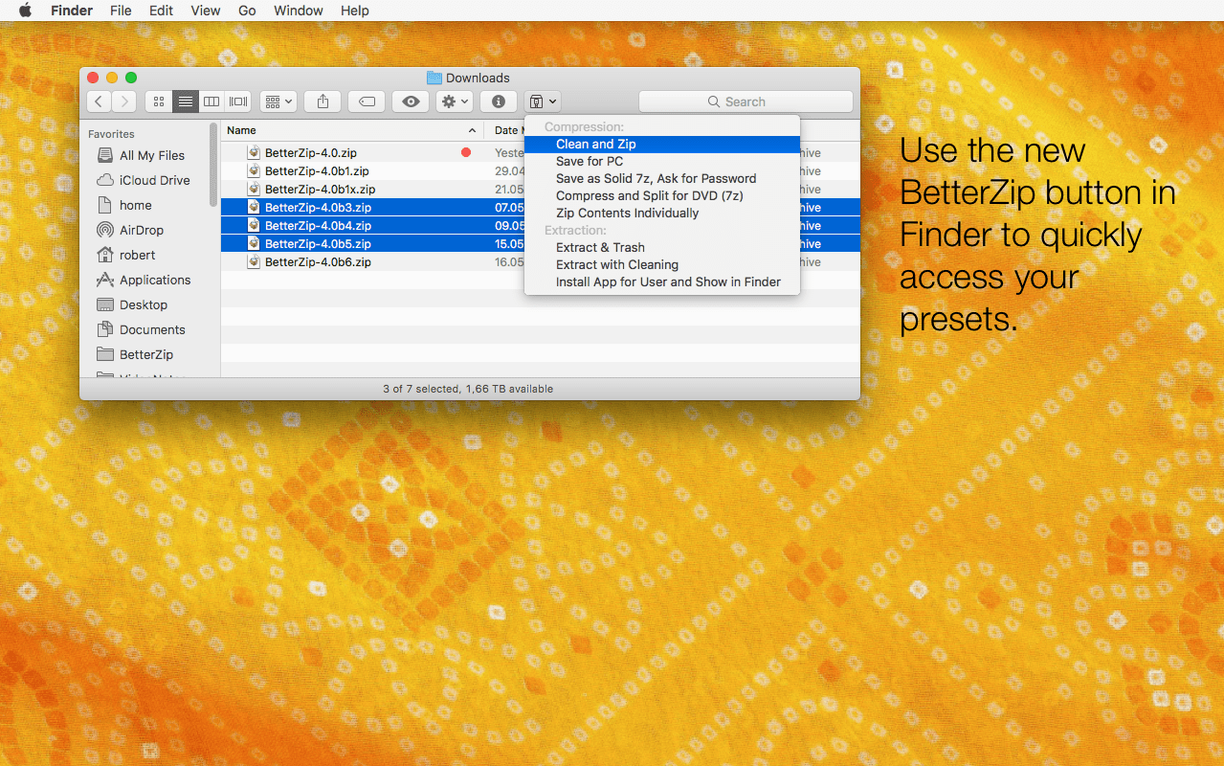
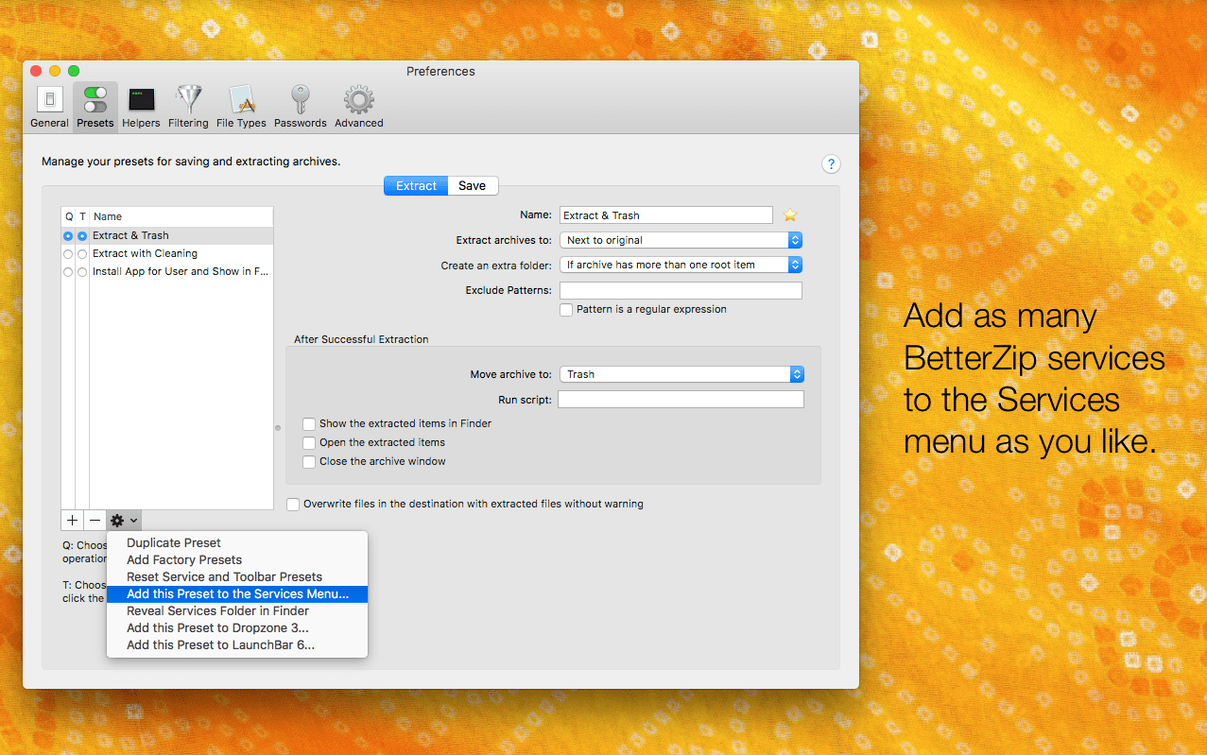
BetterZip 6.0.6 runs on any Mac with macOS 13.5 or later, and the binary includes both Intel and Apple Silicon slices. If you spend time inside .zip, .rar, or .7z files, the app is built around the idea that an archive shouldn't be a dead end. These are the features that make it worth keeping in the Dock:
- In-place editing without repacking — rename or move files and folders inside an archive, and BetterZip only rewrites what changed. On large archives, that's the difference between seconds and minutes.
- Operations queue — line up compression and extraction jobs and walk away. The queue handles them in order, no interaction needed.
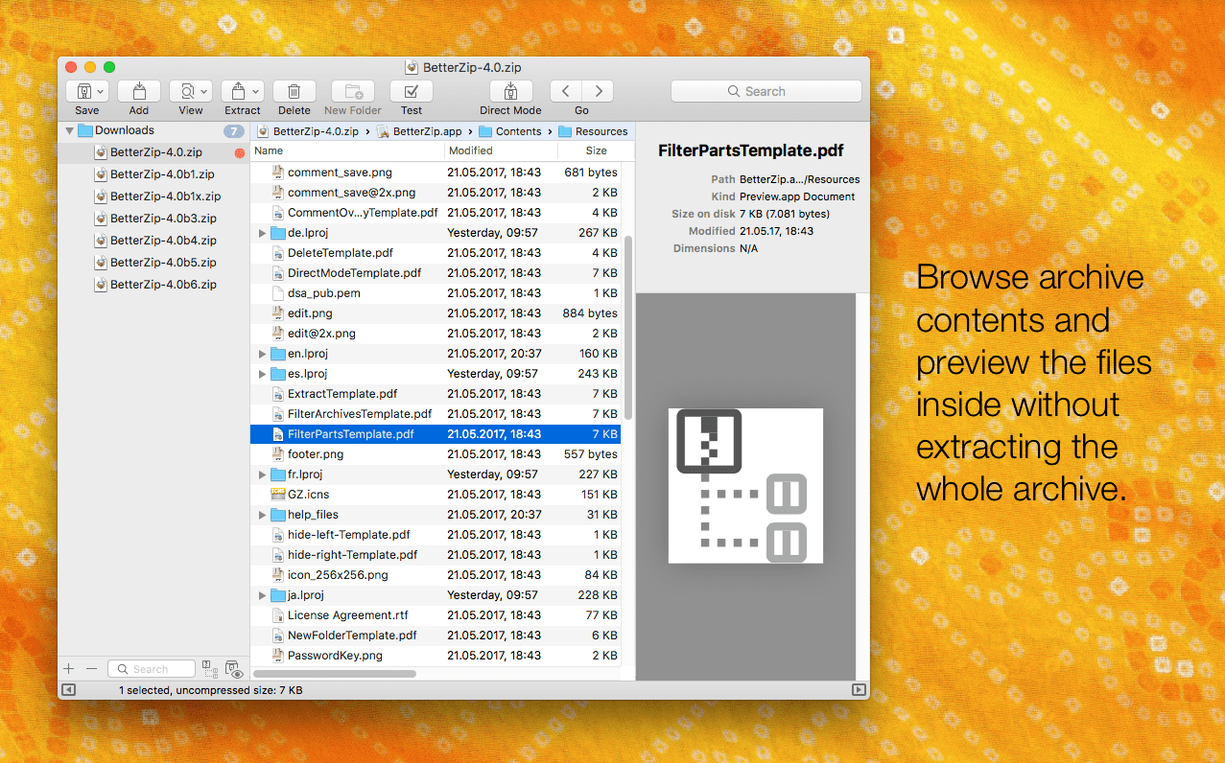
- Quick Look previews — tap the spacebar to see what's inside a file before you extract it. Works on files still sitting in the archive.
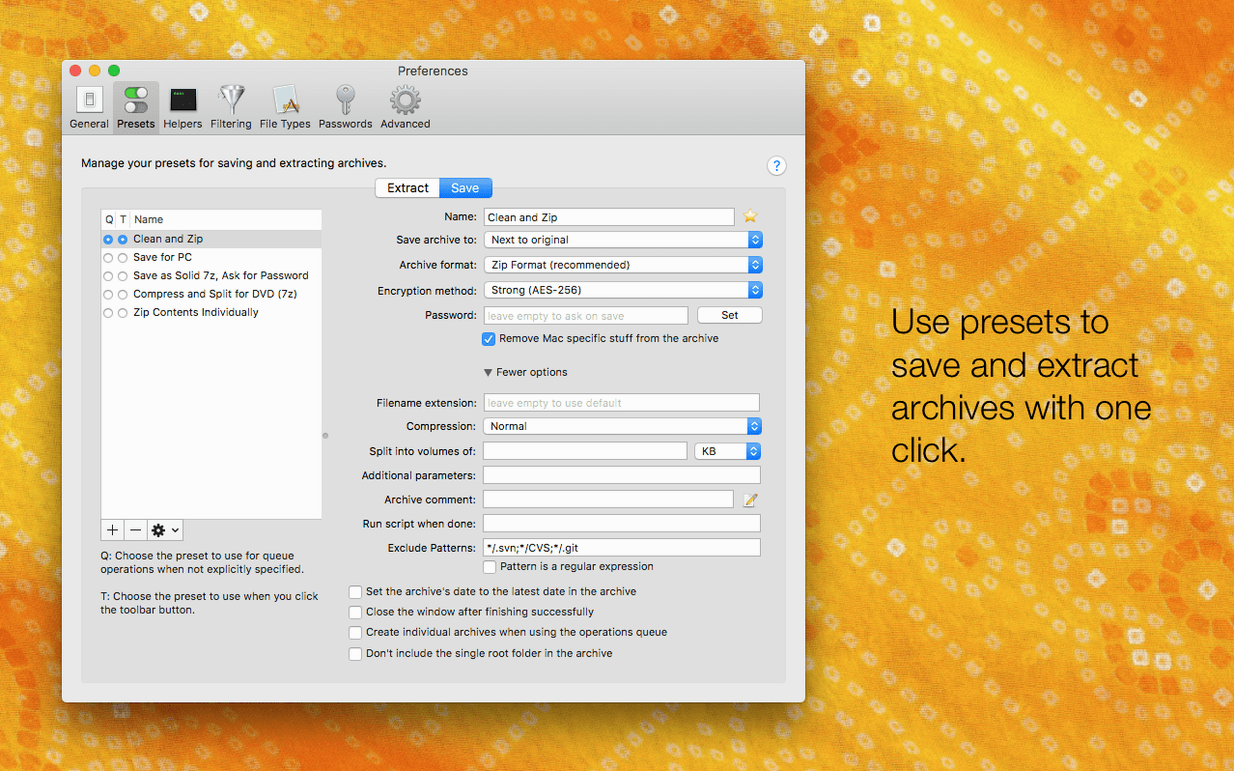
- AES-256 encryption — create password-protected archives when you need to move files somewhere less private than your own disk.
- Comments in ZIP and RAR archives — attach a note to the archive itself, not a readme file inside it. Useful for build labels or revision notes.
- ISO extraction and 30+ formats — pull files out of disk images, open obscure old formats, and let AppleScript hook into your workflows.
Version 6.0.6 updates the bundled zstd and brotli helpers, which matters if you use those codecs for speed or compression ratio. The update also patches a rare crash in the external helper tools.
What's daily use actually like?
On an M3 MacBook Pro with 18 GB of RAM, BetterZip 6.0.6 is the kind of app you forget is running until you need it. Opening a 2 GB .zip with a few thousand files takes about as long as copying the same data in Finder — the progress bar appears immediately, and the archive contents list populates without the beachball. Extraction speed depends almost entirely on your disk and the compression codec involved. With the updated zstd and brotli helpers in this version, decompressing .tar.zst archives feels noticeably snappier than it did a year ago, especially on Apple Silicon where the assembler-optimized 7z helper in v26.03 gets to stretch its legs.
Memory use stays modest. Compressing a 500 MB folder into an encrypted .7z file hovers around 300–400 MB of RAM; the app doesn't try to load everything into memory at once. The operations queue is where the resource discipline really shows — stack five extraction jobs on a warm afternoon, and the machine stays responsive for other work. No fan spin on the MacBook Air I keep around for light tasks.
Stability is uneventful in the best way. The rare helper-tool crash fixed in 6.0.6 is exactly the kind of edge case that once had people grabbing a betterzip mac crack to sidestep earlier builds — now it's gone. The Finder extension hasn't beachballed on me once, and dragging files out of an archive while the queue is busy doesn't confuse the app.
Editing a file in an external app won't update the archive
The number one mistake is treating BetterZip like a Finder replacement for archives. People double-click a file inside an archive, edit it in an external app, save, and expect the archive to update. It won't — you need to use Save to Archive from within BetterZip, or let the in-place editing features do the work. The second: ignoring the operations queue entirely. Dragging a folder onto the Dock icon and wondering why nothing happens is a rite of passage. Open the queue window once, and you'll never go back.
Another trap: extracting an archive with "Restore macOS metadata" turned on (new in 6.0.6, you can now disable this) and then wondering why a clean source tree is littered with ._ files. If you're moving files to a Linux server or a Windows VM, switch that option off. Beginners also tend to set a password on a .zip archive without checking whether the recipient's tool supports AES-256 — classic ZIP encryption is weaker, and BetterZip defaults to AES-256, which some older Windows utilities can't open.
Quick Look support inside archives is still missing
BetterZip vs. Keka
Keka is fast, free, and handles the basics well — drag a file onto its icon and you get a compressed archive. But Keka doesn't let you browse an archive without extracting it first. No in-place renaming, no selective file removal, no Quick Look inside the archive. If your workflow involves peeking into archives and pulling out one or two files, BetterZip saves you the round-trip to a temporary folder every time. Keka also lacks AppleScript support and the operations queue.
BetterZip vs. The Unarchiver
The Unarchiver is a straightforward extraction tool — it opens almost anything and integrates with Finder, and that's where its ambitions end. You can't create archives with it, you can't edit them, and you can't encrypt anything. If you search for betterzip for mac, you're looking for a tool that does more than just unpack. The Unarchiver is the right answer when you download a .rar file once a month. BetterZip is the answer when archives are part of your daily work.
BetterZip vs. Archiver
Archiver (by Incredible Bee) is the closest competitor in spirit — it previews, it extracts, it compresses. Drag-and-drop works nicely. But Archiver doesn't offer in-place editing of archive contents without repacking, and its format support is narrower. BetterZip 6.0.6 also pulls ahead on the automation front: the AppleScript dictionary lets you tie archive operations into shell scripts and folder actions, which matters if you've ever typed betterzip 5.4 into a search bar hoping for a scriptable version. Archiver's interface is prettier; BetterZip's feature set is deeper.
- New option to run BetterZip in a different language than macOS itself — useful on shared or work machines.
- New option to skip restoring macOS metadata during extraction, which keeps foreign archives clean of Apple-specific attributes.
- Updated
7zhelper to v26.03 with Apple Silicon assembler optimizations. - Fixed a rare crash involving communication with external helper tools.
- macOS 13.5 or later
- Intel or Apple Silicon Mac
- Interface languages: English, German, Spanish, Italian, Chinese (Simplified), Polish, Portuguese, French, Swedish, Japanese
$ man betterzip | grep -A2 "?"
Does BetterZip support Apple Silicon?
Yes. The app runs natively on both Intel and Apple Silicon Macs, so no Rosetta translation layer is involved.
Can BetterZip edit files inside an archive without extracting everything?
You can rename and move files and folders inside an archive, and BetterZip updates only the parts that changed instead of repacking the whole thing.
Which archive formats does BetterZip open?
BetterZip supports more than 30 formats, including ZIP, RAR, 7z, and ISO disk images for extraction.
Comments 0
Sign in or create an account to leave a comment.
No comments yet. A codec, a slice, a machine — they appear after moderation.