Bootstrap Studio for macOS
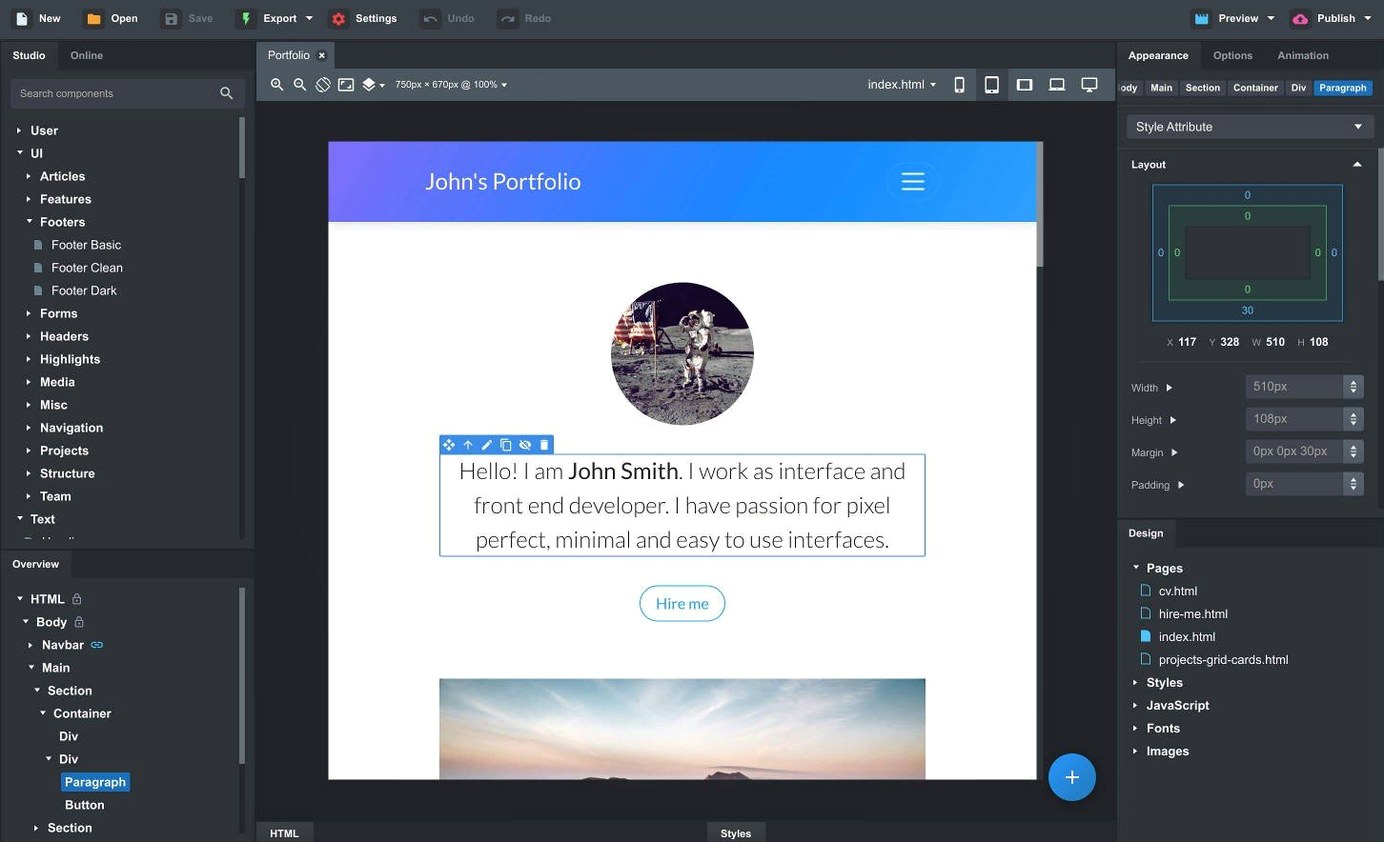
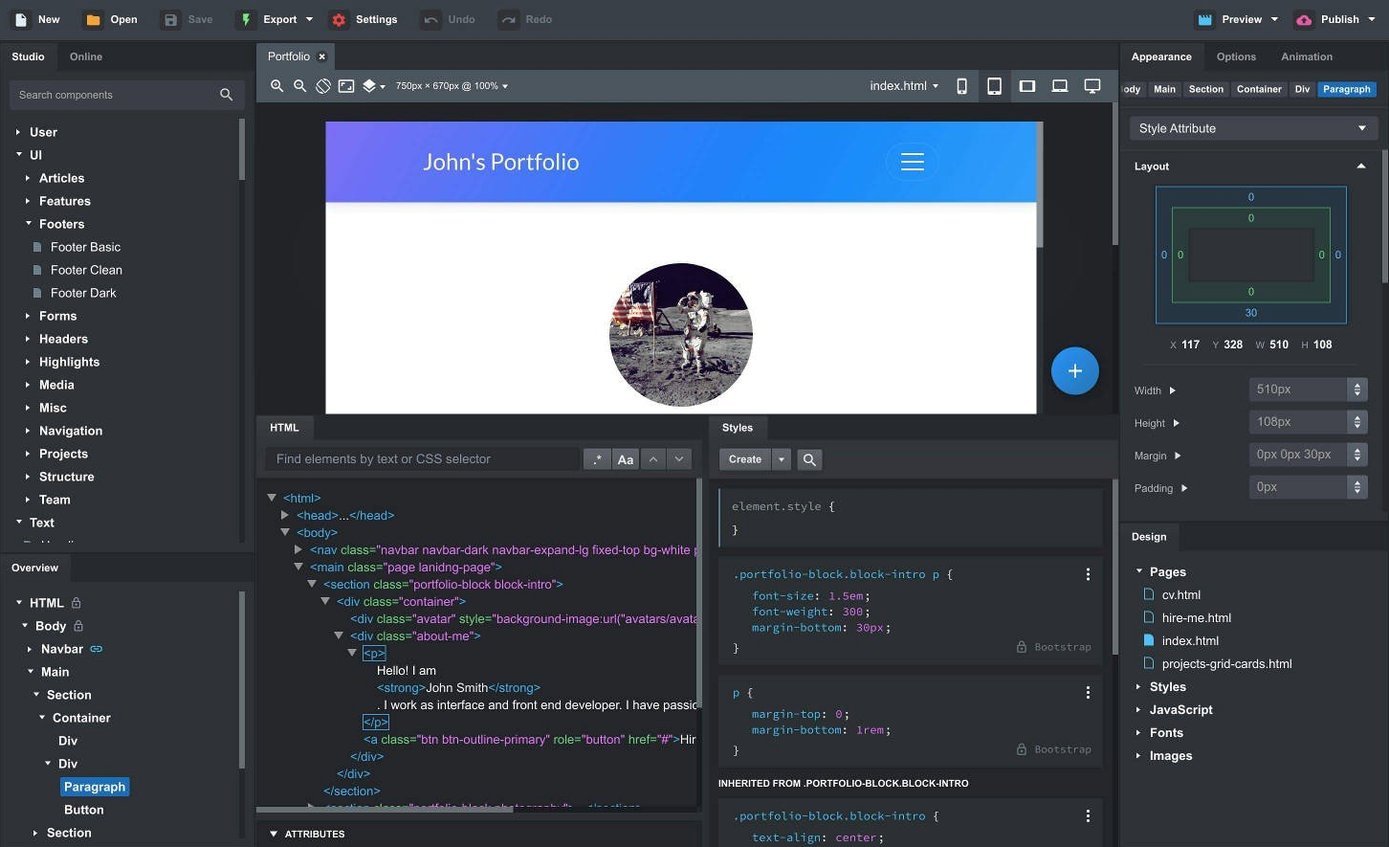
Version 6.7.3 ships with three Bootstrap cores under one roof: 3.4, 4.6, and 5.3. That means you can open a legacy project, a current client site, and a fresh 5.3 layout without switching tools. Let's walk through one realistic task — building a product landing page from a folder of scattered assets — and see where the desktop workflow actually helps.
| What | Detail |
|---|---|
| Current version | 6.7.3 |
| Bootstrap targets | 3.4, 4.6, 5.3 |
| macOS minimum | 10.13 |
You start by dragging a folder of HTML, CSS, JS, and images straight onto the canvas. The app parses what's there and places the pieces into the workspace — no manual file wiring. From the Components panel you pull in a navbar, set it to sticky via the new Sticky On option, then drop a full-width hero header, a spacer, and a card grid. Because the drag-and-drop respects Bootstrap's nesting rules, dropping a column inside a row inside a container happens without tag soup. Halfway through, you select the gallery block and save it as a custom component for reuse on the pricing page. Live preview fires up in any local browser; you catch a modal that should close on outside click, flip the new Click Outside to Close toggle, and the behavior is fixed. When everything looks right, you export — the output is clean, semantic HTML you can hand off without a cleanup pass.
Click outside to close modals becomes a checkbox
The modal tweak sounds tiny — a single checkbox labeled Click Outside to Close — but it removes a friction point that used to require a few lines of JavaScript or a trip to the Bootstrap docs. Now you toggle it in the Options panel and move on. The same goes for Sticky On: instead of writing a media query or a custom data-bs-sticky-target attribute by hand, you pick the breakpoint from a dropdown. For navbars that should pin only on desktop and relax on mobile, it's a five-second change.
On the AI side, the addition of gpt-4o-mini and gpt-4o models means the assistant can handle more context when you ask it to generate a block of markup or debug a layout issue. The earlier model worked for small snippets; the newer ones hold onto the structure of a multi-section page without losing track halfway through. Also fixed: the API key dialog no longer rejects valid keys that happened to contain characters the old validation rule didn't expect. If you tried connecting the assistant before and gave up because the key wouldn't stick, that path is clear now.
The Icon Dialog got a quiet but useful upgrade — it now lists the icon count and type per set. When you're hunting through Font Awesome, Material Icons, and Bootstrap Icons and can't remember which set had the chevron variant you need, the extra metadata saves scrolling.
Can you build an investor demo by Friday?
Picture someone who works at an early-stage startup, title somewhere between designer and front-end developer. The founders need a clickable investor demo by Friday — five pages, consistent nav, a contact form that looks real, and a chart placeholder on the metrics page. This person fires up bootstrap studio mac because the alternative — wiring a React project from scratch for a throwaway prototype — makes no sense.
They pull in a premade navbar from the online library, swap the brand text, and link it across all five pages using a linked component. Edit the nav once, every page follows. For the metrics page they drop a card grid, tweak the SCSS variables for the brand palette, and embed a Chart.js snippet in a custom code block. The live preview runs side-by-side with Chrome DevTools; they catch a padding issue on tablet breakpoints, fix it in the visual editor, and move on. By lunch the exported HTML folder is sitting in a shared drive, and the founders click through it on their phones. Nobody had to write a single media query by hand.
Duplicating a navbar on every page instead of linking it
- Ignoring linked components early. New users often duplicate a navbar across ten pages, then realize the client wants a different link order. Linked components keep one source of truth — set them up before you copy the first page and you avoid a tedious reconciliation later.
- Dragging raw HTML in without checking Bootstrap version. If you import a site built on Bootstrap 4 into a project set to Bootstrap 5.3, utility classes like
ml-*andmr-*silently break. Match the project's Bootstrap target to the import first, then upgrade if needed. - Over-nesting custom components. Saving a component that already contains three levels of nested custom components creates a chain that's hard to debug when something shifts. Flatten where you can — a custom component should be a reusable chunk, not a matryoshka doll.
- Skipping the SCSS panel entirely. The visual editor handles most styling, but users who never open the SCSS editor end up fighting the same button color override across twenty instances. A single variable change in the
_variables.scssfile does the same work in seconds.
A quick note for anyone searching bootstrap studio torrent: the app's component library and online features rely on a connection to the community repository and the AI assistant's API. To get the most from a downloaded copy, check that the connection to those services is active and that any included component cache is intact — that way the shared components and model access stay available and the drag-and-drop workflow runs at full speed.
- Fixed the OpenAI API key entry dialog rejecting certain valid keys.
- The Icon Dialog now displays the icon count and type for each icon set.
- Added a Sticky On option for sticky navbars — control the breakpoint directly.
- Added a Click Outside to Close toggle for Bootstrap modals.
- AI Assistant gained
gpt-4o-miniandgpt-4omodel support.
- macOS 10.13 or later
- Apple Silicon and Intel Macs supported
- Interface: English
$ man bootstrap-studio | grep -A2 "?"
Can I import an existing site into Bootstrap Studio?
Yes — drag a folder containing HTML, CSS, JS, and image files directly onto the canvas and the app parses the structure into its workspace.
Does the export produce clean code?
It exports semantic HTML. The markup follows Bootstrap conventions without leftover editor artifacts, so it's ready for production or handoff.
Comments 0
Sign in or create an account to leave a comment.
No comments yet. A codec, a slice, a machine — they appear after moderation.