Cadintosh X for macOS
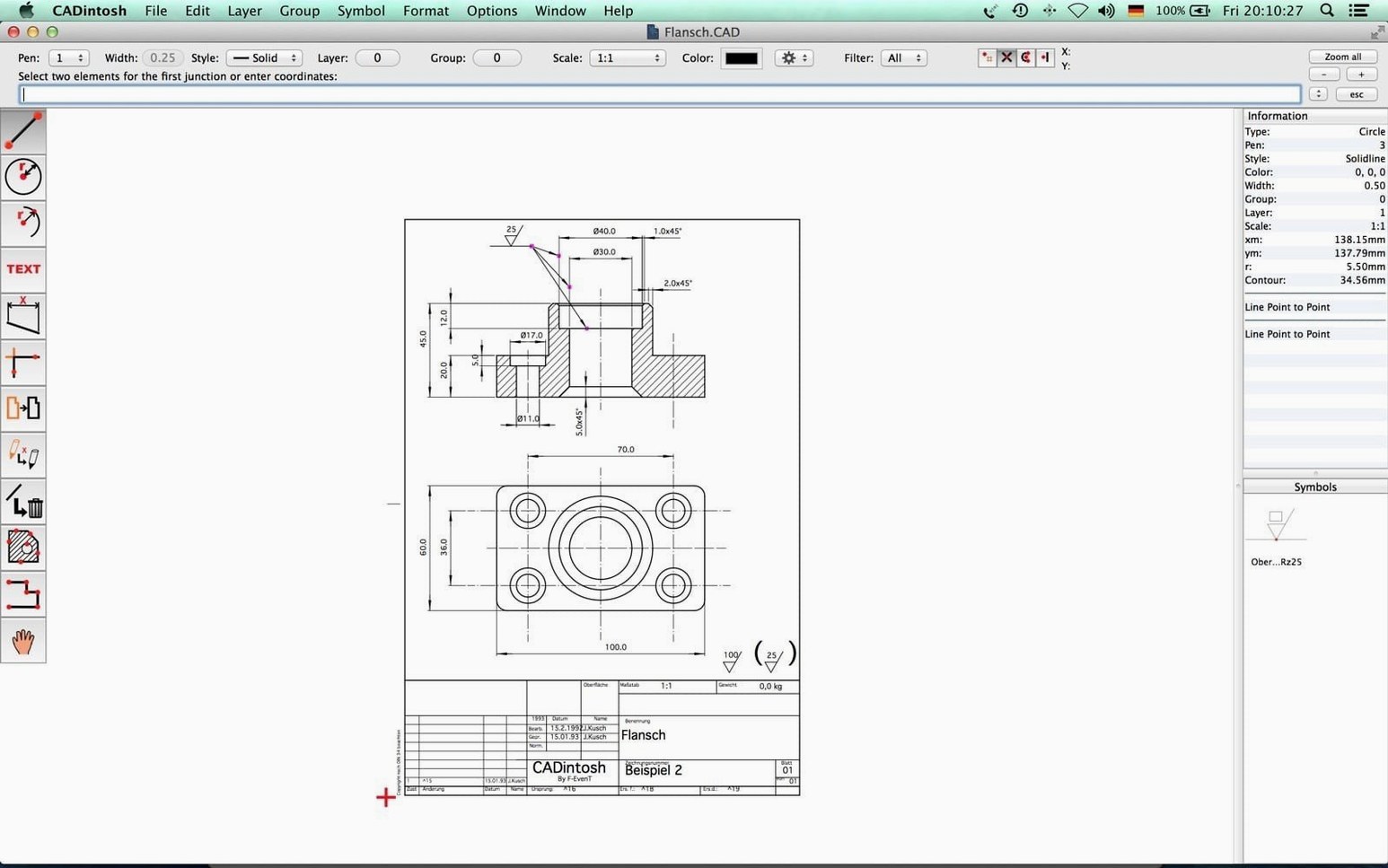
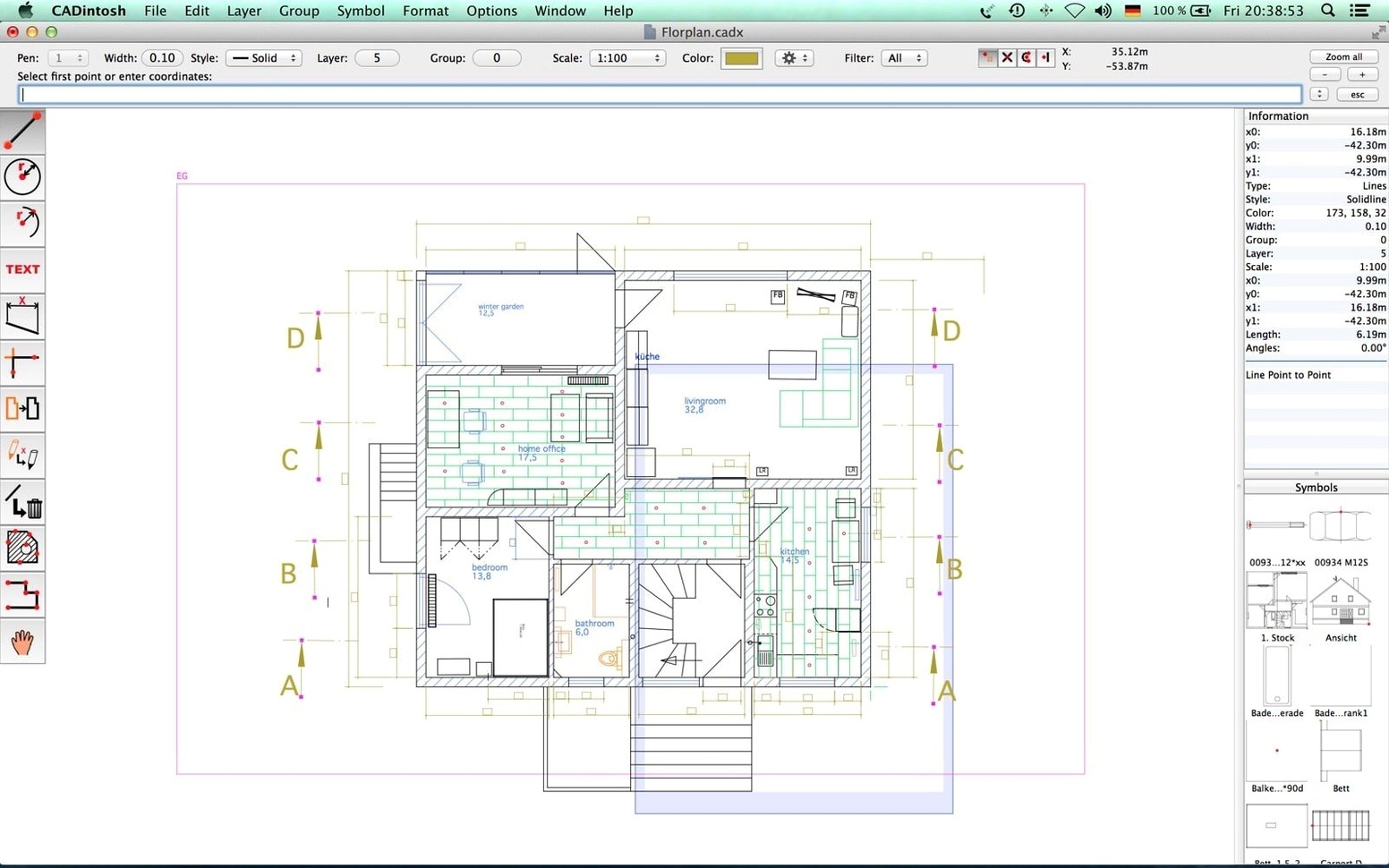
Cadintosh X is built for technical draftsmen and designers who need a focused 2D environment without the overhead of 3D modeling. It suits anyone producing floor plans, mechanical part drawings, or precise schematics where layer management and clean symbol handling matter more than rendering flair.
What design features set it apart?
The standout is how it structures a project. You get up to 1,024 layers and 32,000 groups to organize even the most cluttered drawing. Eight independent handles let you define line weight and color per element, which keeps annotation and dimensioning visually distinct from geometry. Unicode support means text fields handle character sets like Japanese and Cyrillic without breaking, and the interface itself speaks eight languages. Symbol libraries are a core workflow feature, not an afterthought—you can import and export reusable symbols, so a valve or a bolt you define once can appear across every project.
What makes the interface practical?
Everything lives inside a single window, which reduces palette sprawl on smaller screens. The app is a universal binary, so it runs natively on both Intel and Apple Silicon Macs, and Retina displays render linework sharply at full pixel density. The latest build, version 8.9.2, updates the application icon and dialog layouts for macOS Tahoe, and it can even decode old CAD drawings with embedded PICTs when the format is still readable—a small but useful nod to legacy archives.
Turning a rough machine-bracket sketch into a shop drawing
Imagine you’ve been handed a rough sketch of a machine bracket and told to turn it into a clean shop drawing. You launch Cadintosh X, and the single-window workspace opens with the tool palette locked to the left edge. First move: hit File → New and set the drawing units to millimeters, because the original sketch came from a European supplier.
You create four layers early—Geometry, Dimensions, Centerlines, and Hatch—and assign each a distinct line color through one of the eight handles. The bracket outline goes onto the Geometry layer. A few lines with the parallel and trim tools define the base profile, then circles drop in for the bolt holes. You grab a hex-head bolt symbol from a symbol library you built last month, place two instances, and mirror one to the opposite hole. The symbol snaps to the circle center without fuss.
With the geometry done, you switch to the Dimensions layer. Linear and radial dimension tools pick up endpoints and centers cleanly. A quick trip to the hatch fill function crosshatches the cutaway section, and you tweak the line width to 0.35 mm so the hatching recedes visually behind the main outline. Before exporting, you toggle the Centerlines layer to a chain line type and lock the Hatch layer so nothing shifts by accident. Export to .dxf for the shop, save the .cadx master file, and you’re done—no palettes floating loose, no workspace rebuild needed next time.
Why version 8.9.2 panels no longer clip text on macOS Tahoe
Version 8.9.2 isn’t a feature bomb; it’s a compatibility polish that matters when you open old work. The dialog layout improvements for macOS Tahoe mean panels like the line-type picker and layer manager no longer clip text on newer system fonts. It’s a quiet fix, but one you notice immediately if you’ve been squinting at truncated labels.
The bigger news for long-time users is the PICT decoder. If you have CAD drawings from the early 2000s—maybe a Cadintosh X Mac torrent archive you pulled off an old backup—that embedded PICT previews or bitmap stamps, version 8.9.2 can now decode whatever image data survived. Not every old PICT will be intact, but for legible bitmaps inside legacy .cadx files, you get the picture back instead of a blank rectangle. The updated application icon is cosmetic, but it signals that the app is keeping pace with macOS Tahoe’s visual conventions, which helps it feel native rather than ported.
Making new lines print darker than the default 0.25 mm
Out of the box, Cadintosh X uses a default line width of 0.25 mm for new elements, which prints too faint on some laser printers. Go to Preferences → Handles and set Handle 1 to 0.50 mm for your main geometry outline. While you’re there, map the six line types—solid, dashed, chain, dash-dot, zigzag, and short dashed—to different handles so you can switch between them with a single click instead of digging through a dropdown every time.
Next, open the layer manager and rename the default “Layer 0” to something meaningful before you draw anything. Cadintosh X gives you 1,024 layers, but a flat list of numbered defaults gets unwieldy fast. Assign a separate layer for dimensions and another for hatch fills, and set their default colors to something other than black—dark blue for dimensions, for example—so you can visually scan a drawing and know what you’re looking at without toggling visibility.
If you regularly exchange files with AutoCAD users, flip the default export format to DXF R14 in the export preferences. It’s the dialect that older CNC software and most third-party viewers digest without complaint. And if you work in inches, switch the unit system under Drawing → Units right after creating a new file; the setting sticks per document, not globally, so catching it early saves a rescale headache later.
- Application icon updated for macOS Tahoe.
- Old CAD drawings that include embedded PICTs are now decoded whenever the data is readable.
- Dialog layouts have been improved for macOS Tahoe.
- macOS 10.13 or later
- Intel or Apple Silicon Mac
- Approximately 70 MB of disk space
$ man cadintosh-x | grep -A2 "?"
What are the layer and group limits in Cadintosh X?
The stated limits are 1,024 layers and 32,000 groups per drawing, giving you fine-grained control over complex technical projects.
Is Cadintosh X a universal binary for Mac?
Yes, the application is a universal binary with native support for both Intel processors and Apple Silicon chips.
Which languages does the app support?
The interface is multilingual and available in Brazilian Portuguese, Danish, English, French, German, Italian, Japanese, and Spanish.
Comments 0
Sign in or create an account to leave a comment.
No comments yet. A codec, a slice, a machine — they appear after moderation.