Cookie for macOS
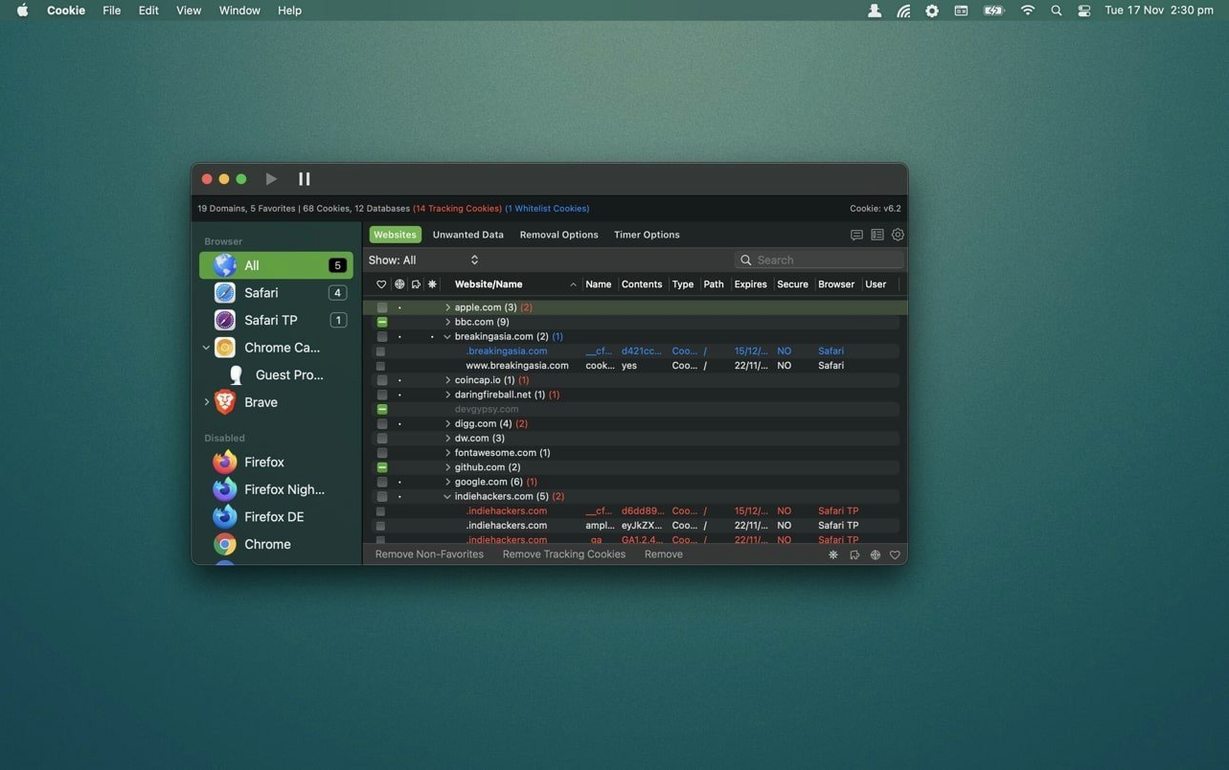
Over two dozen browsers—that's how many Cookie recognizes on your startup disk without you lifting a finger. For a tool that lives in the menu bar, its reach across Safari, Chrome, Firefox, Arc, Brave, Opera, Vivaldi, DuckDuckGo, and niche builds like WaterFox or LibreWolf is the first thing that separates it from a simple "clear history" button. It reads each browser's cookie store directly, so you are not deleting blind.
| Fact | Detail |
|---|---|
| Current version | 8.6.3 |
| Developer | SweetP Productions, Inc. |
| Architecture | Apple Silicon + Intel |
| Requires | macOS 12 |
| Sync | iCloud |
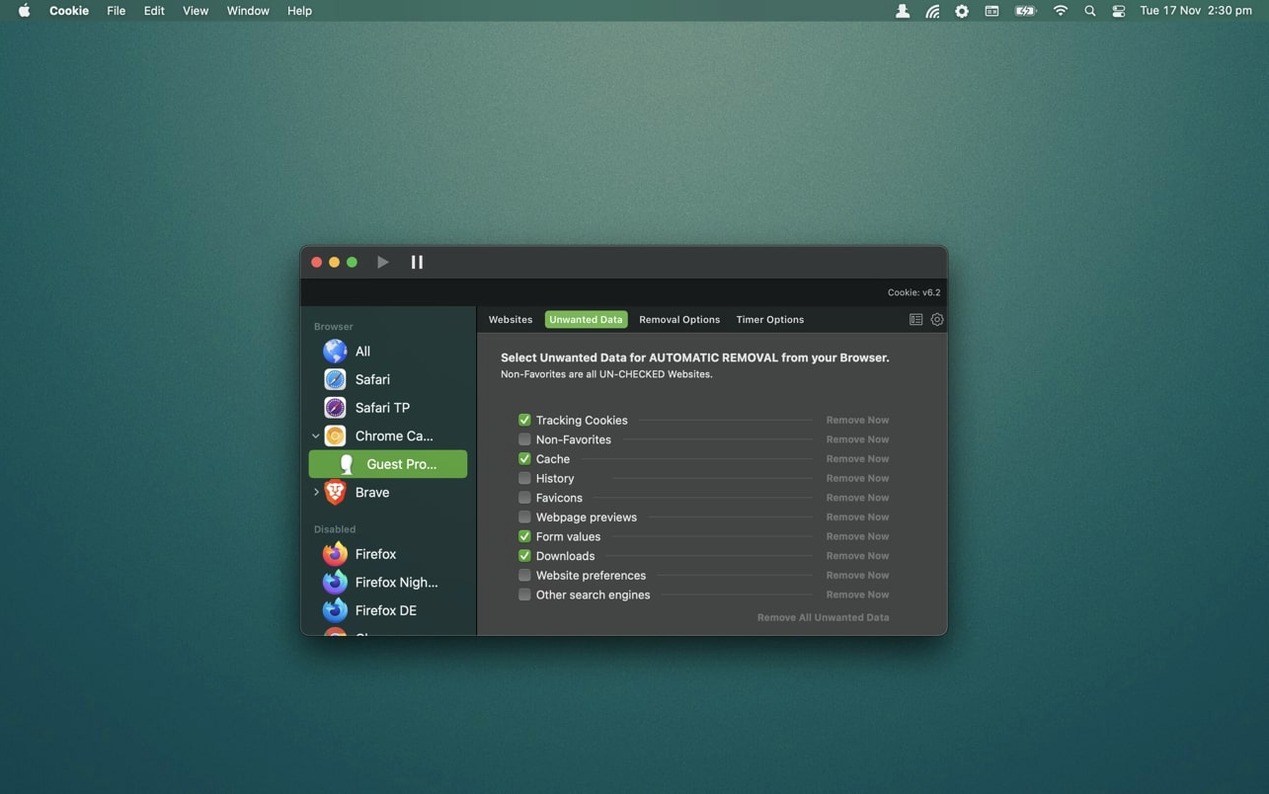
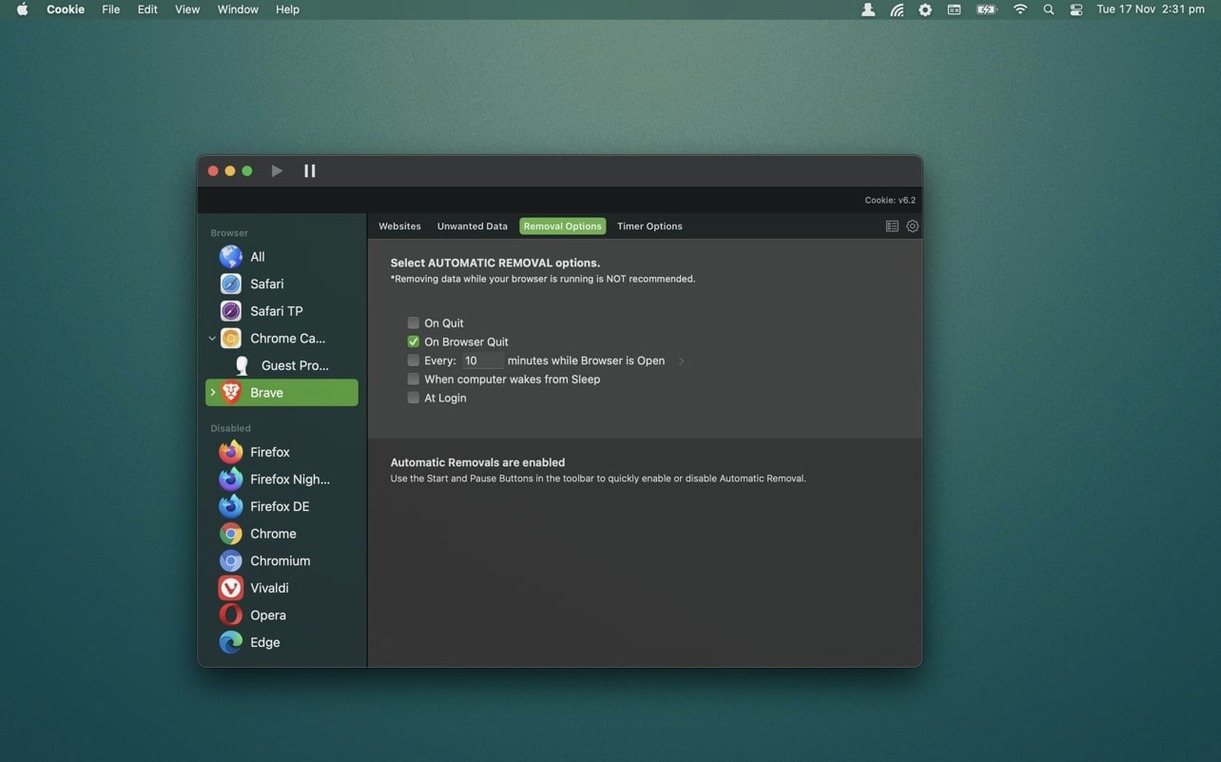
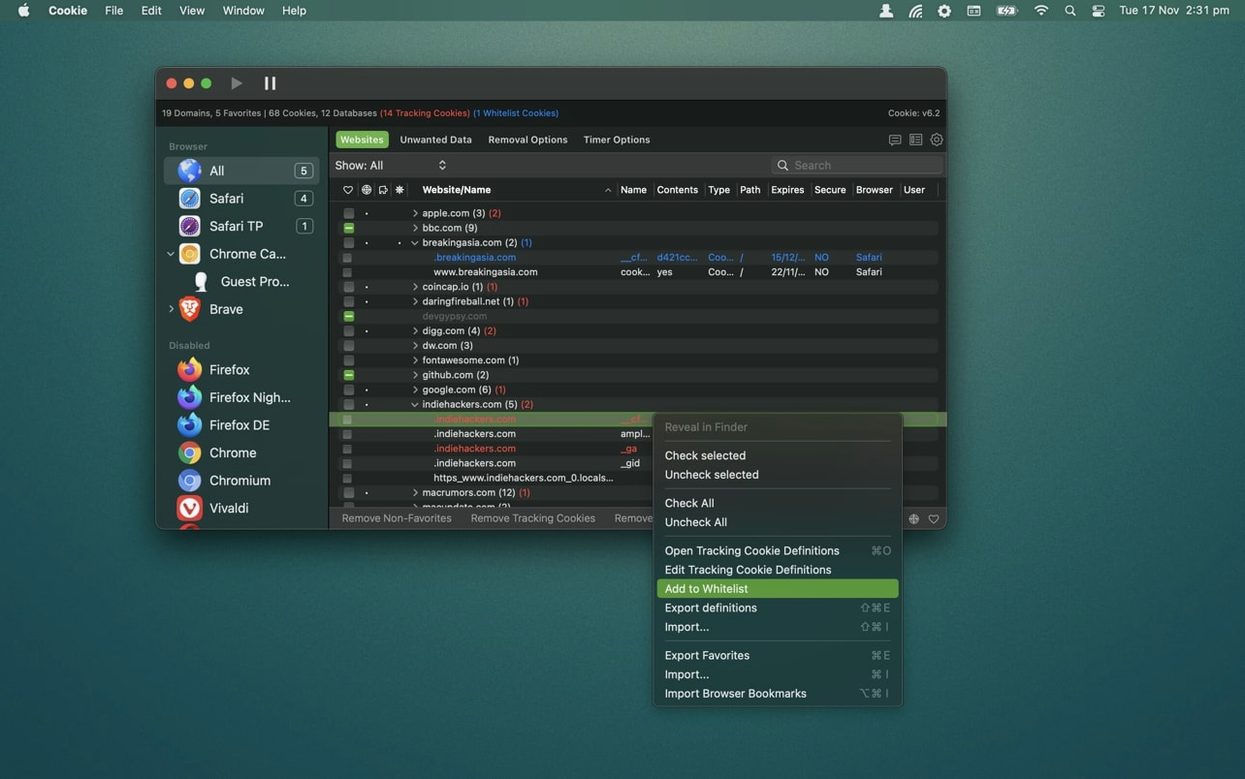
The deeper tools are where an experienced user will spend time. Cookie lets you build a whitelist at two levels: per domain and per individual tracking cookie. Version 8.6.4 sharpened this further by letting you keep tracking cookies inside your favorite domains by default—useful when a CDN cookie breaks login on a site you trust while you still want the broader tracker definitions active. You write custom tracking-cookie definitions yourself, so you can teach Cookie to spot a first-party analytics cookie that the built-in rules miss. Deletion triggers are granular: on app exit, browser quit, login, wake from sleep, a custom schedule, or just a manual sweep. The 8.6.2 fix for the UnWanted data view refreshing while Cookie sat in the background shows the kind of detail work that matters when you rely on automated cleanup. A dark and light theme round out the interface for those late-night maintenance sessions.
What questions come up before installing?
The most common one is whether Cookie fights with the privacy settings already built into Safari or Firefox. It does not. Browsers control what sites can set; Cookie controls what stays stored. You can keep Safari's Intelligent Tracking Prevention active and still let Cookie wipe localStorage and caches on browser quit—two different layers. Another frequent concern is iCloud sync. Cookie syncs your whitelist and custom tracker definitions across Macs signed into the same Apple ID, but it does not sync the deletion schedule itself. Each Mac manages its own cleanup timing, which prevents a laptop waking on battery to run a sweep triggered by an iMac across the house.
People also ask whether the app reads browser data outside the sandbox. It accesses each browser's own storage paths directly—no system extensions, no kernel fiddling. That is why the list of supported browsers is so long: if a browser stores cookies in a standard SQLite database or a predictable folder inside ~/Library, Cookie can parse it. The one thing to know before you install is that the .dmg uses a Gatekeeper-friendly launcher. You mount it, run the helper, and press Enter once in Terminal before dragging the app to /Applications. After that first launch, Gatekeeper stays quiet.
Why does Cookie show no data for my new browser?
A handful of users running Chromium forks find that Cookie shows no data for a browser they just installed. Nine times out of ten, the browser has not yet written its cookie store to disk because you have not visited any sites with it. Open a tab, load a page that sets a cookie—any news site will do—quit the browser, and Cookie picks it up on the next refresh.
Another hiccup: after updating macOS, Cookie's scheduled deletion may stop firing for one or two browsers. The update can touch the ~/Library/Containers structure some browsers use, and Cookie's stored path reference goes stale. The fix is to open Cookie's preferences, remove the affected browser from the automatic-deletion list, quit Cookie, relaunch it, and re-add the browser. That forces a fresh path lookup. It is rare, but it saves a trip to the support forum.
If you ever see Cookie's icon spinning in the menu bar for more than a few seconds, a browser likely has a locked database file—Firefox with sync open or Chrome still writing session state. Quitting the browser usually releases the lock. If not, a logout resolves it. Cookie handles locked databases gracefully; it just waits and retries rather than throwing an error dialog.
Where does tracking hide in plain sight?
Start by opening the advanced view once. The simplified view hides Flash data and localStorage, but those are the places where tracking often hides in plain sight. Flip to the combined view, sort by data size, and you will spot a few surprises—sites that stored megabytes of state without ever asking. That session alone often recovers noticeable disk space.
Next, set up one automatic-deletion rule per browser, not all at once. Pick your daily driver browser, configure it to clean unwanted data on quit, and run that way for two days. Watch what breaks. A login that stops persisting, a shopping cart that empties, a forum that forgets your theme preference. Add the domain to the whitelist, not the individual cookie, until you are certain which specific cookie matters. Version 8.6.4's default behavior for favorite domains helps here—tracking cookies on whitelisted domains are kept unless you explicitly mark them for removal.
If you use multiple Chrome profiles, Cookie treats each one as a separate target. The prefs panel lists them by profile name, and you can set different deletion rules per profile. A work profile might keep everything; a personal profile might clean aggressively. That granularity is easy to miss on day one but becomes the thing you rely on by the end of the week.
- macOS 12 or later
- Apple Silicon and Intel 64‑bit
$ man cookie | grep -A2 "?"
Can I keep cookies for specific sites while removing everything else?
Yes—you can whitelist by domain or by individual cookie, and version 8.6.4 added the ability to retain tracking cookies within favorite domains by default.
When can Cookie run its deletion automatically?
You can set it to clean on app exit, browser exit, login, wake from sleep, or on a repeating custom schedule.
Comments 0
Sign in or create an account to leave a comment.
No comments yet. A codec, a slice, a machine — they appear after moderation.