Dash for macOS
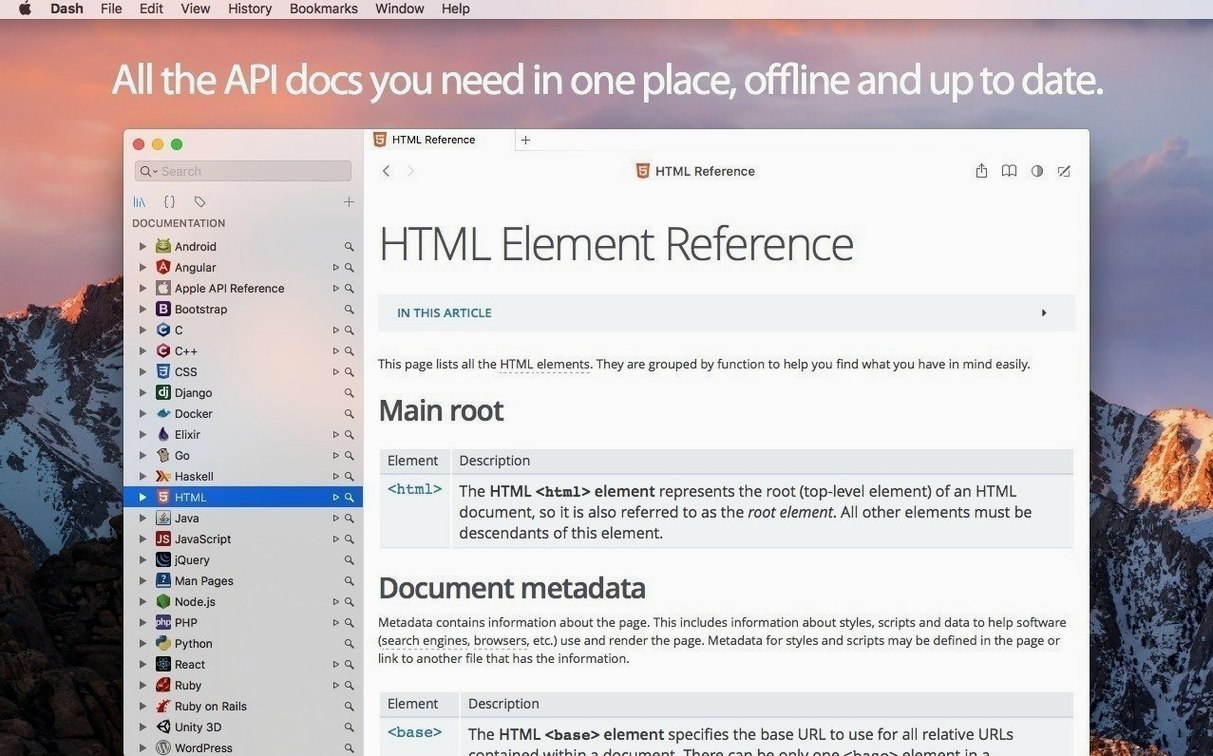
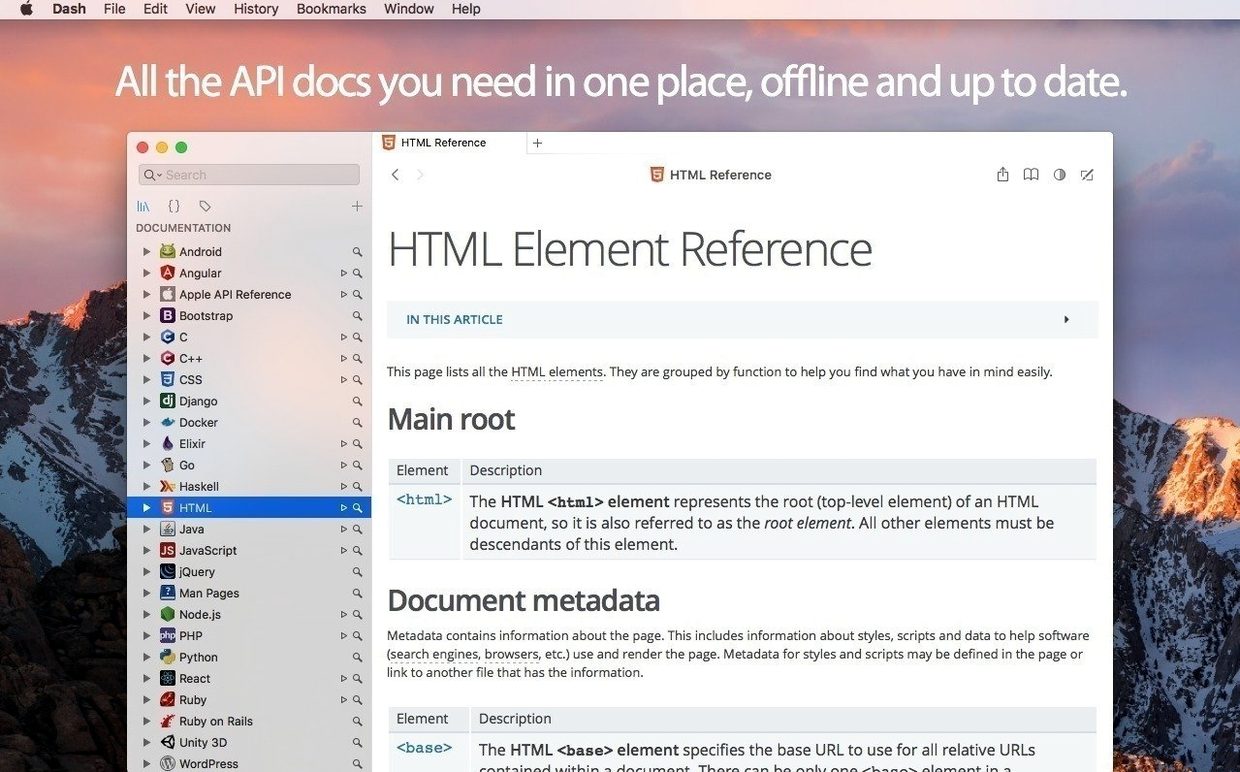
You're staring down a new framework, and the first thing you do is hit the docs. But waiting for pages to load—or digging through browser tabs—eats into the flow. That's the friction Dash smooths out: it downloads API reference sets for offline browsing and gives you a snappy, single-window interface to search them instantly.
How do I find my first docset?
Open Preferences and head to the Downloads tab. You'll see a list of over 200 docsets, from Swift and Apple's frameworks to Python, Rust, and React. Check the ones you need, and Dash pulls them down as local, searchable archives.
Highlight a symbol and jump straight to its docs?
Dash integrates directly with Xcode, Sublime Text, Vim, and a dozen other tools. With the integration active, you can highlight a symbol in your editor and press a hotkey to jump straight to its documentation page inside Dash, no copy-paste needed.
Can I save code I find myself reusing?
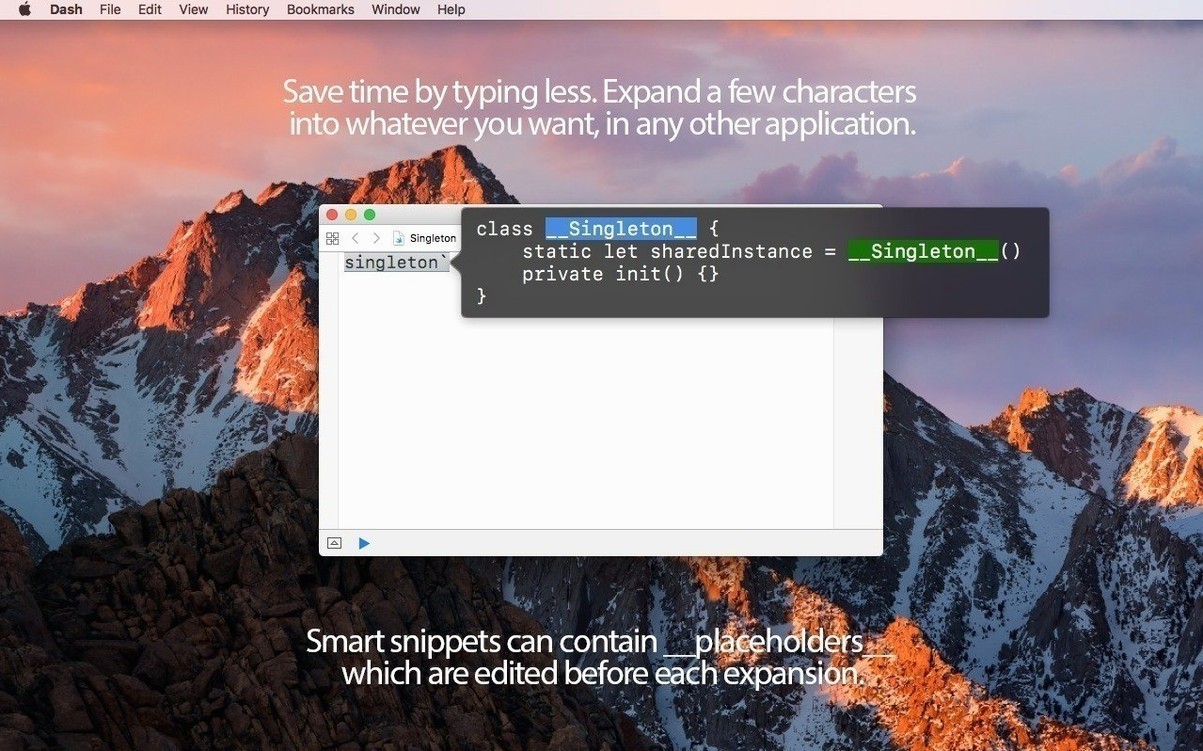
Absolutely. Dash includes a snippet manager that understands syntax for more than 80 languages. A neat touch is its editable variable placeholders: when you paste a snippet, you can tab through placeholder names like object or index and fill them in on the spot before the code hits your file.
What can't DevDocs keep without a connection?
DevDocs is the natural comparison. It runs in the browser, its interface feels light, and it covers a similar range of API sets. The trade-off is that DevDocs is online‑first. You can enable offline mode in a tab, but it never feels as baked‑in as a native Mac app that stores docsets as local SQLite archives. Dash keeps every docset you pull down instantly searchable, even when you are on a train with no signal. DevDocs also lacks a snippet manager, so you end up pairing it with a separate notes tool.
Zeal is the Linux‑familiar alternative, and it shares Dash’s docset format. On macOS it feels like a port rather than a Mac app: no native text substitutions, no URL scheme you can hook into Alfred or PopClip, and no integration with Xcode. People who keep one hand on a Linux machine and one on a Mac sometimes use both, but on macOS alone Dash gives you more shortcuts with less friction.
Velocity is the newer offline docs browser that puts speed in the name. It launches quickly and the window chrome stays out of your way, but its docset library is thinner and it lacks snippet management entirely. If your day stops at looking up method signatures, Velocity works. If you also want to store, sync, and expand code fragments without leaving the same window, Dash pulls ahead.
Option-click a tab for a separate window?
Hold Option while clicking a docset tab and Dash opens it in a separate window. That sounds minor until you are cross‑referencing UIKit with SwiftUI and each docset keeps its own scroll position and search state. The dash:// URL scheme turns any plain text into a live link: type dash://swift://String into a task manager or a note and clicking it opens the String docs directly. You can also set up search profiles that filter across specific docsets—name one “iOS” to search only UIKit, Swift, and Foundation, and leave out the server‑side frameworks you rarely touch during client work.
In the snippet manager, the @clipboard placeholder pastes whatever is on your clipboard into the expanded text, and @date drops in today’s date in your system format. Power users often miss that you can nest these: a snippet that creates a timestamped comment with the clipboard contents is three placeholders and a keystroke away.
Is it safe to use on a work machine?
Why does search stay fast with every docset enabled?
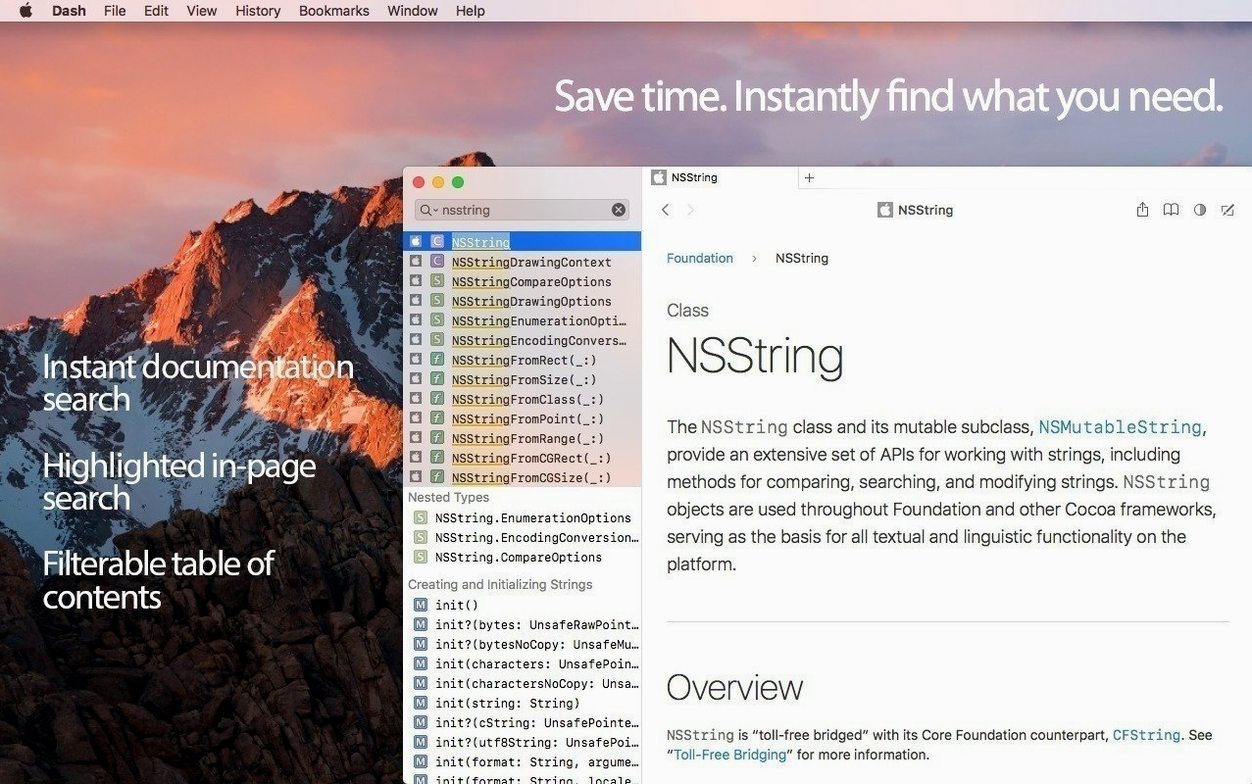
Search stays fast because Dash builds a local index for each docset during download. The dropdown filters results across all enabled docsets in real time, and you can narrow the scope further with keyword filters like swift: typed directly in the search field. The background Alfred search engine introduced in version 8 keeps results ready before you even finish typing.
How big does the Android SDK download get?
A small one, like the Swift standard library, sits around 50–100 MB. Heavier sets, such as the full Android SDK or .NET Framework, can cross 500 MB. Dash shows the size before you download, and you can remove and re‑download any docset with two clicks. The app itself stays under 50 MB, so you are really only trading disk for offline access.
Does the snippet sync feel safe with Dropbox?
The sync mechanism writes a plain JSON file to a Dropbox folder you choose. You can open that file in any text editor and read it; nothing gets obfuscated or locked into a proprietary format. Because it sits in your own Dropbox, you control the sharing and version history. If you ever want to stop syncing, just move the file and Dash keeps a local copy.
Does it open natively on Apple Silicon?
Dash runs natively on both Intel and Apple Silicon Macs and asks for macOS 10.14 or newer. The installer ships as a standard .dmg—mount it, drag the app to Applications, and launch it. If you are evaluating dash for mac on an older machine, the offline‑first design means the UI stays responsive even when a dozen docsets are indexed. The same disk image works whether you grabbed dash mac os from a direct link or moved it over from a backup, and the activation‑free download means you can start searching the moment you open dash mac after copying it to your Applications folder. People who search for dash for mac cracked usually discover they can simply mount the .dmg and start working—the full docset browser and snippet manager are available without any extra
- macOS 10.14 or later
- Apple Silicon or Intel 64-bit processor
$ man dash | grep -A2 "?"
Can I keep my snippets in sync across Macs?
Yes. You can point Dash toward a Dropbox folder for your snippet library, and it will keep your collection identical between machines.
Does it do anything to filter results inside a docset?
It does. You can type a keyword filter followed by a colon—likeswift:—to restrict your search to a specific docset, which is a real time-saver when you have many sets installed.
What did version 8 change about clipboard access?
Dash 8 refined how it handles clipboard permissions, making the flow of copying and pasting snippets smoother without unnecessary system prompts.
Comments 0
Sign in or create an account to leave a comment.
No comments yet. A codec, a slice, a machine — they appear after moderation.