Depth Scanner for macOS
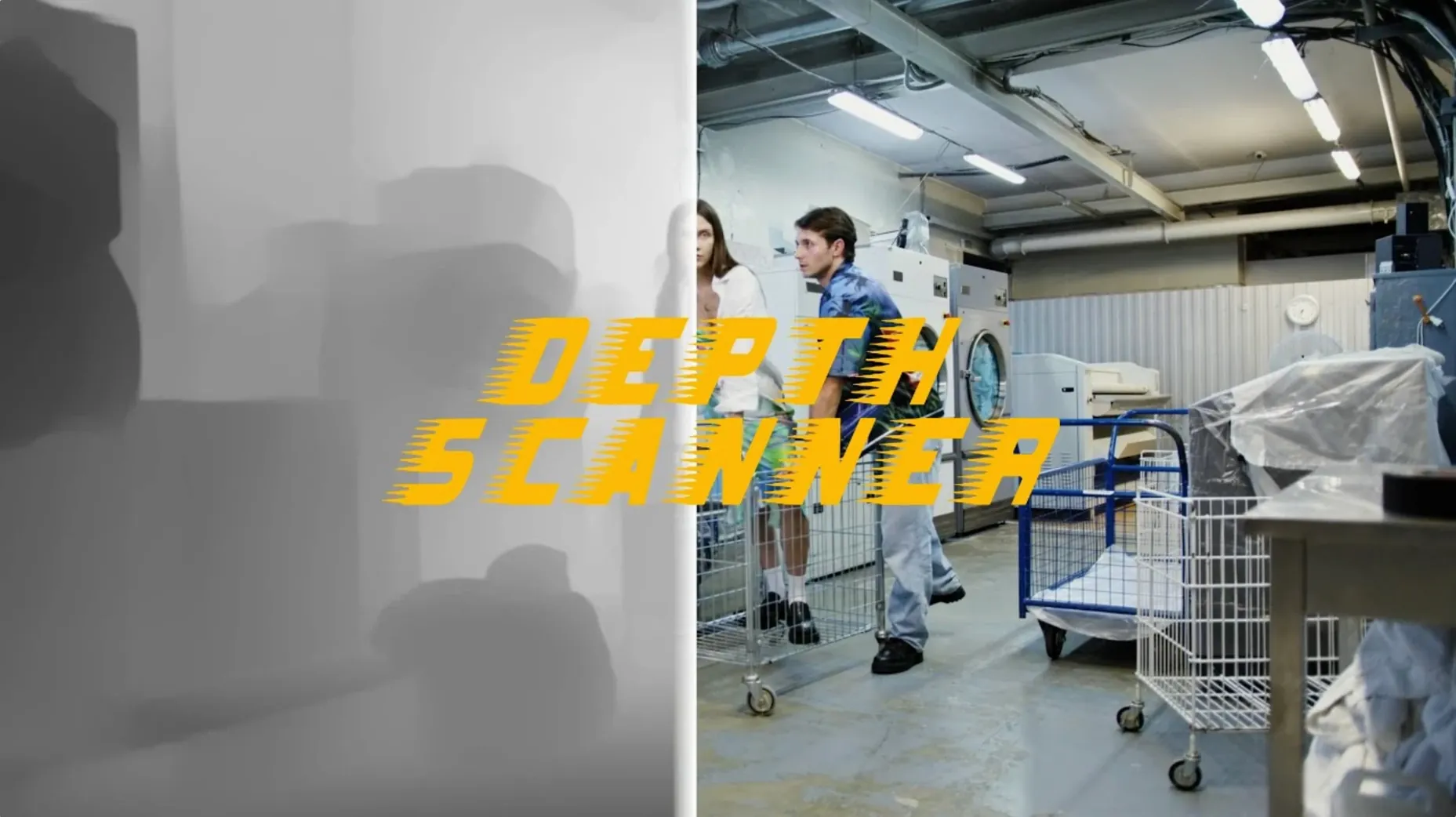
Depth Scanner is an After Effects plugin that turns a video clip or photo into a depth map automatically.
Which host does it run in?
Adobe After Effects is the only host. The plugin installs through the standard procedure and appears in the plugin list alongside Depth Scanner 2 in the documentation.
Outputs a grayscale depth map for blur and compositing
It analyzes a frame with AI to identify the parts closest to the camera, then outputs a grayscale depth map. That map feeds depth-of-field effects and other operations that need per-pixel distance data.
What input formats can you throw at it?
Video clips and still photos are both fair game. Anything After Effects can import is a reasonable starting point for a depth pass.
What about the interface language?
Switch the model to clean up edge artifacts around hair
After dropping Depth Scanner onto a layer, open the Effect Controls panel and look at Model. The default model works for most shots, but switching to the alternate model (when available in your version) sometimes resolves edge artifacts around hair or thin foreground objects. The difference is subtle until you push a heavy depth-of-field blur through the map — then bad edges become obvious fast.
Next, check Depth Resolution. The default is often halved relative to the comp, which speeds up analysis but softens transitions along object boundaries. If you plan to use the depth map for a 3D parallax camera move, bump it to full resolution. For quick lens-blur test renders, leave it low.
Under Invert Depth: white-is-near or black-is-near depends entirely on the effect you're feeding the map into. Camera Lens Blur in After Effects expects white in front by default. If your blur is hitting the background instead of the foreground, flip this checkbox rather than pre-composing and inverting the layer.
One less obvious setting is Pre-blur. A tiny value (0.5–1.0) can dampen sensor noise that the AI misreads as texture detail. On clean footage from a cinema camera, leave it at zero — you'll keep more fine separation between overlapping subjects.
Flatter walls and tighter depth falloff on wide-angle shots
Version 1.15.6 tightened the depth falloff on wide-angle shots. Earlier builds could produce a bowl-shaped depth gradient across an empty room; the current model holds planar surfaces flatter, which matters when you matte out a wall for compositing.
Performance on long clips improved as well. Where older versions would re-analyze the full timeline after any parameter change, the plugin now caches the raw AI output more aggressively. Scrubbing through a 30-second shot feels closer to working with a baked depth pass than with a live effect.
Edge fidelity around motion-blurred objects got a small but practical upgrade. If a character's arm moves fast across frame, the depth map no longer pulls the blurred edge toward the background as aggressively — the transition stays tighter to the moving object's core.
Runs natively on Apple Silicon with Neural Engine acceleration
Does it work on Apple Silicon Macs? Yes. Depth Scanner runs natively on Apple Silicon through After Effects, so no Rosetta translation overhead. Render times benefit from the Neural Engine on M-series chips, though the difference shrinks on very short clips where setup time dominates.
Can I use it without an internet connection? The AI model ships with the plugin. No frames leave your machine, and no cloud round-trip is required. Once installed, it works offline.
Will it handle 16-bit and 32-bit projects? The depth map output respects the project's color depth. In 32-bit float comps, the values extend beyond the 0–1 range, which is useful when you feed the map into effects that expect scene-referred data.
Does it replace a manual depth pass from a 3D renderer? For quick shot extensions and temp composites, yes. For final-pixel VFX where depth must be pixel-accurate against a known 3D scene, a rendered depth pass from the 3D application is still the ground truth. Depth Scanner bridges the gap when no 3D scene exists or when you receive footage without metadata.
Drive Camera Lens Blur for mask-free rack-focus pulls
Inside After Effects, the natural partner is Camera Lens Blur. Feed the depth map into the blur's Depth Map Layer pop-up and you get rack-focus pulls without keyframing a mask path. Add an expression to the blur's Blur Focal Distance linked to a null layer, and you can animate focus pulls that track an object through the shot.
For 3D parallax, project the footage onto a subdivided plane in After Effects and use the depth map as a displacement map. The geometry pushes back pixels based on distance, and a camera move sells the effect. If you prefer working in a dedicated 3D app, export the depth map as an image sequence and use it as a displacement texture in Blender or Cinema 4D — the grayscale values translate directly.
On macOS, the plugin plays nicely with Quick Look and Finder previews of exported depth passes. Render a depth map to a .exr or .png sequence and you can scrub through frames without opening After Effects. Spotlight indexes the files normally, so tagging a batch with "depth_shot04" makes them searchable across projects.
Compositors who jump between After Effects and DaVinci Resolve often use Depth Scanner for pre-visualization inside After Effects, then carry the depth pass into Resolve's Fusion page for final grading. The depth map acts as a matte source for color corrections that target only the background or only the subject — no rotoscoping needed. If you're searching for a way to get a depth scanner after effects mac pipeline working without round-tripping through a 3D application, this plugin slots into the host you already have open.
English only. If you work in another language, expect the panel and documentation to stay in English.
- macOS (version not specified)
- Architecture not specified
- Adobe After Effects
$ man depth-scanner | grep -A2 "?"
Is Depth Scanner the same as Depth Scanner 2?
No. The plugin documentation lists them as separate products, both from Blace Plugins.
Can the depth map be used for depth-of-field effects?
Yes. The generated depth map drives depth-of-field effects in After Effects.
What kind of plugin is Depth Scanner?
It is an Adobe After Effects plugin that uses artificial intelligence to create depth maps automatically.
Comments 0
Sign in or create an account to leave a comment.
No comments yet. A codec, a slice, a machine — they appear after moderation.