Disk Xray for macOS
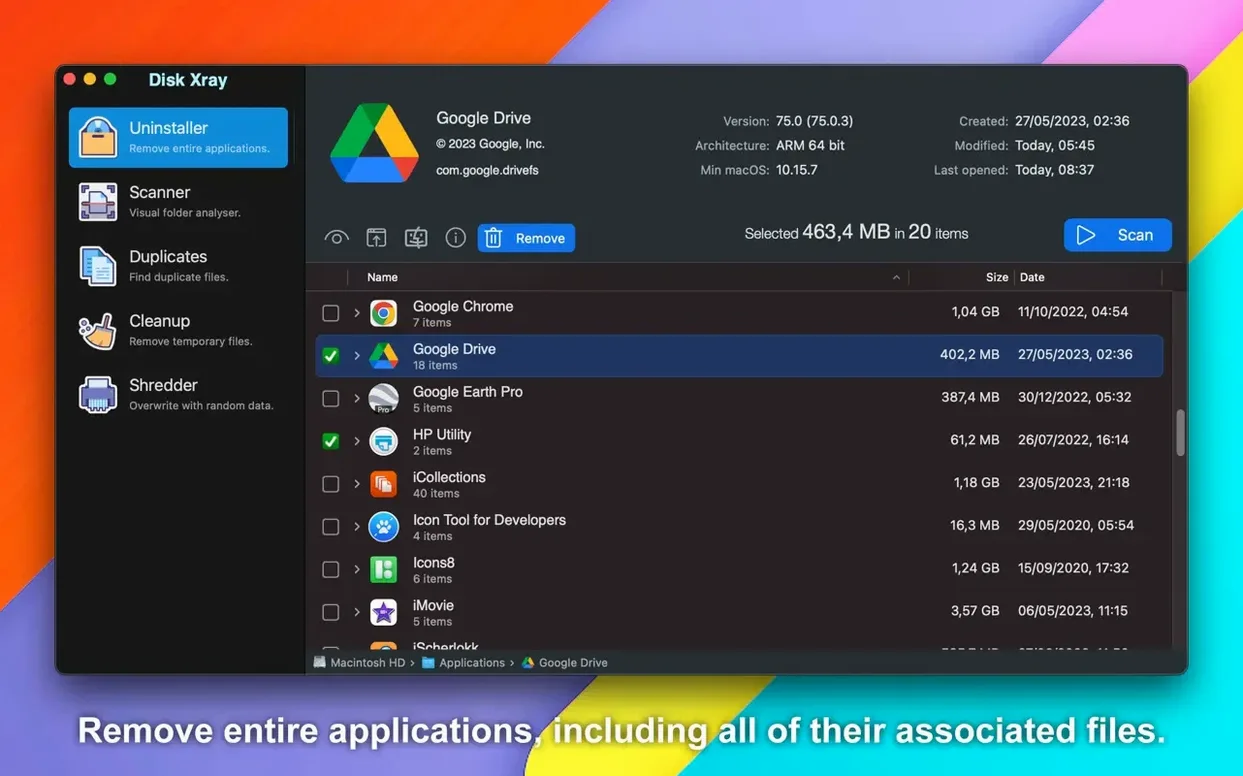
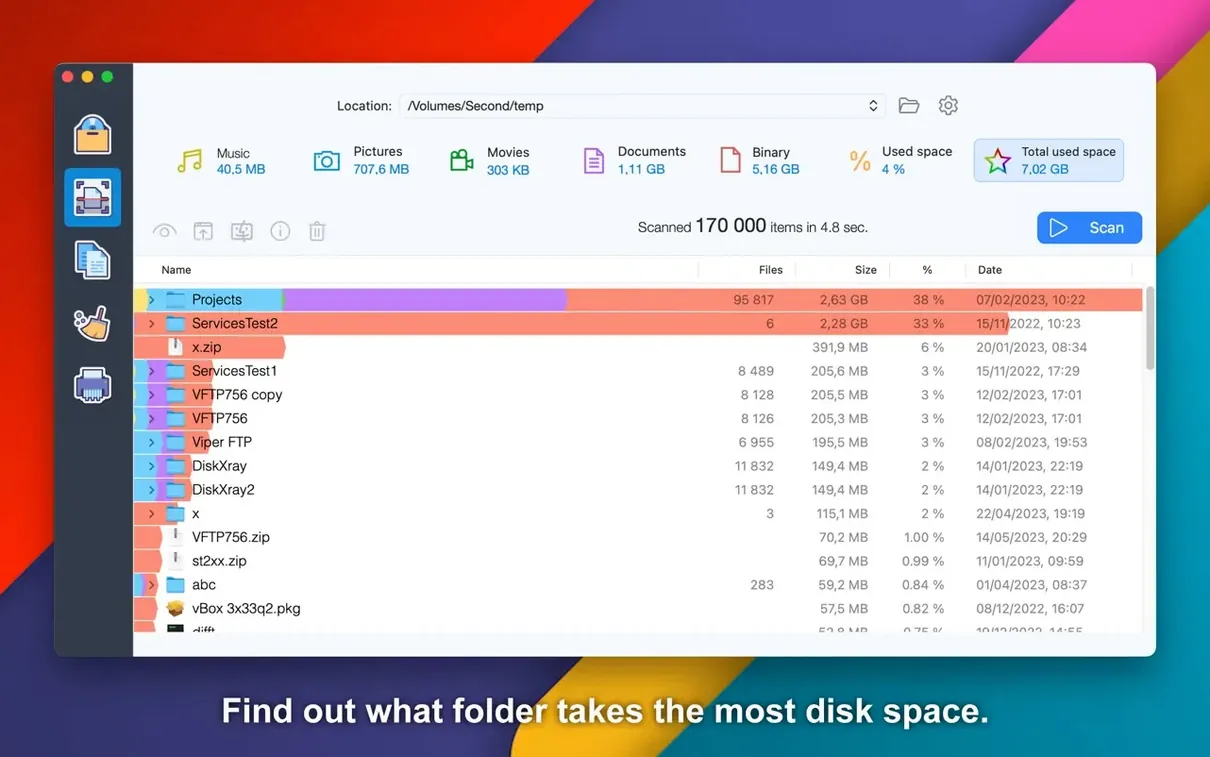
You’ve just cloned a 4K footage drive and something feels off — the Finder says 200 GB free, but the math on your project folders doesn’t add up. So you point Disk Xray at the volume and let it map every directory by block size, not just file count. The treemap lights up immediately: a forgotten RenderCache folder is squatting on 80 gigs.
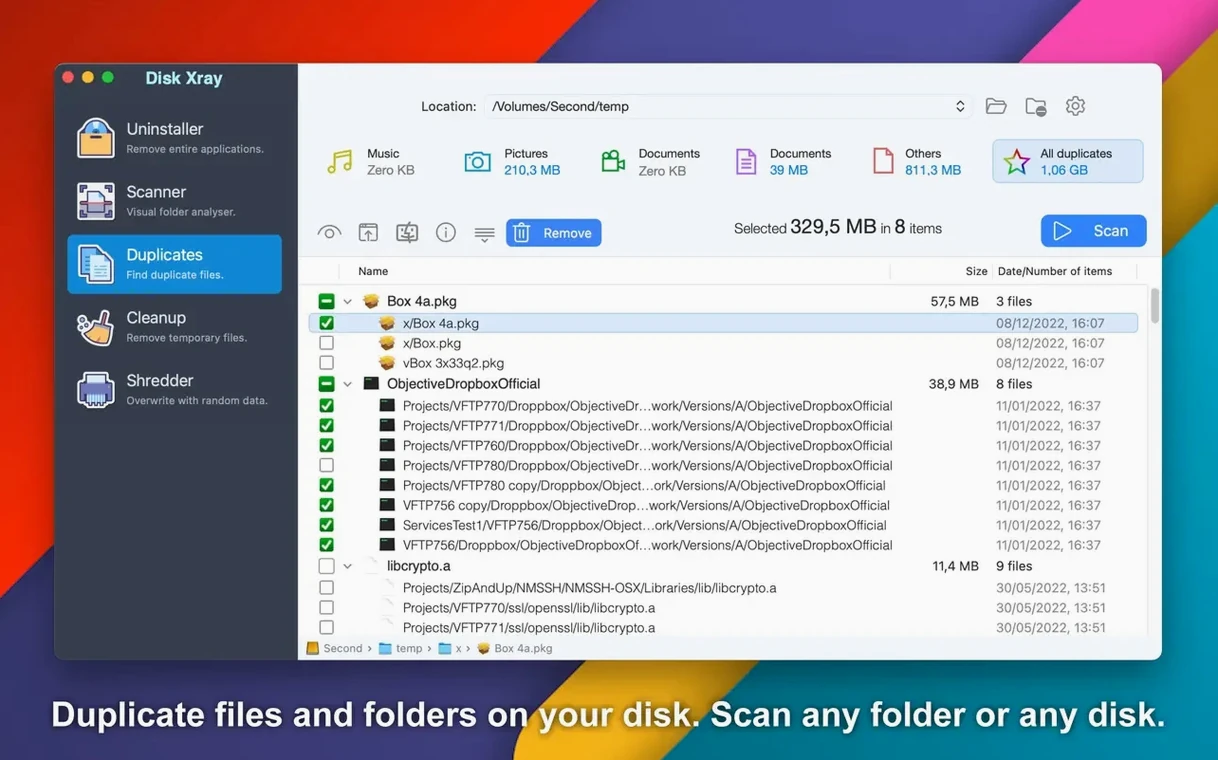
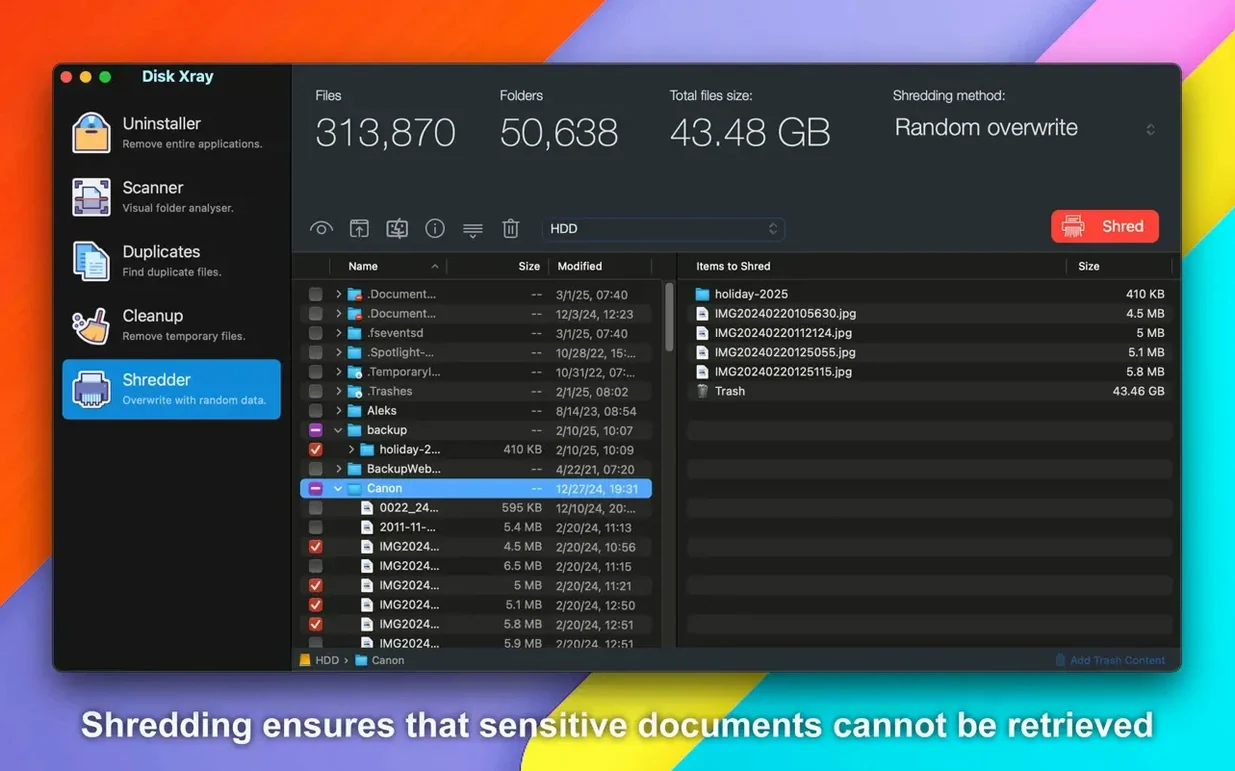
The duplicate finder is what an engineer actually wants. Rather than skimming filenames or modification dates, it reads files byte by byte to build a real checksum comparison. That catches assets that have been renamed, re-tagged, or buried in multiple project directories. Duplicate folders get the same treatment — useful when you archive entire shoots and lose track of what’s already backed up.
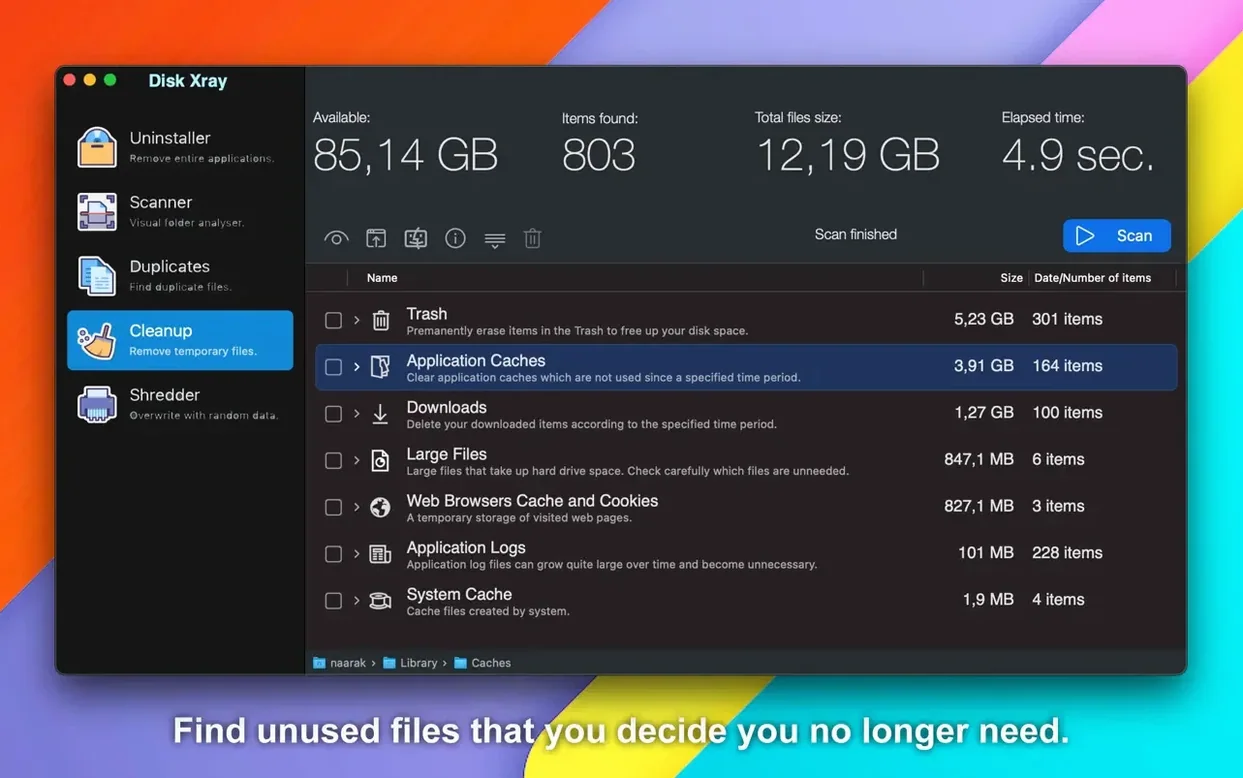
On the cleanup side, it gets at the junk that system utilities ignore. Application logs, browser caches, cookies, and local email attachments from Mail.app all show up in one scan pass. You can clear temporary files or dump Trash and Downloads items from inside the window. Everything you delete gets routed through the macOS Trash rather than vanishing into /dev/null, which gives you a safety net while you figure out which .dav files you actually still need.
Why is my boot drive scan taking forever?
Folks sometimes launch Disk Xray and point it at the root of their boot drive, then wonder why the scan takes forever and the treemap looks like a ransom note. The app does exactly what you asked — it’s chewing through every .plist, every system cache, every protected SIP directory it can see. Narrow the first scan to a single user folder or an external volume. You’ll get results in seconds instead of minutes, and the numbers will actually mean something.
Another one: the duplicate finder reports files that aren’t really duplicates — like two copies of kernelcache inside different macOS snapshots. That’s not a bug; it’s byte-level comparison doing its job. Use the path column to spot system-owned copies before you trash anything, or exclude /System and /private/var from the scan entirely.
If the cleanup module lists items you don’t recognize — obscure .log files or caches with alphanumeric names — resist the urge to check every box on the first pass. Tick one or two categories, run the clean, and use the app for a day before coming back for more. The undo option in the menu only works for items moved to Trash, and macOS empties Trash on its own schedule.
Can it find duplicate camera raw files scattered across scratch disks?
Video editors and motion designers running multiple project drives get the tightest fit. A single shoot can scatter duplicate .r3d or .braw files across scratch disks, and the byte-by-byte compare catches them regardless of how many times the filenames changed during ingest. The treemap view then shows exactly which folder hierarchy ballooned, which matters more than knowing you have 400 GB free somewhere.
IT folk managing shared Macs — lab machines, family iMacs — lean on the cleanup module heavily. Mail.app attachments pile up in ~/Library/Mail without anyone noticing, and browser caches across multiple user accounts add up fast. One scan across /Users surfaces the worst offenders before you start getting "disk full" tickets.
Developers find the duplicate-folder logic surprisingly handy for dependency nightmares. Node.js projects in particular love to clone node_modules into every subdirectory, and Disk Xray flags them without you needing to write a find one-liner.
What happens if you check every cleanup box without reading the list?
The biggest one is treating the cleanup module like a system optimizer. Disk Xray isn’t Onyx or a generic maintenance script — it shows you specific, named files and folders. Checking every box without reading what’s actually listed can delete local email attachments you meant to keep or wipe browser cache folders that store session data you still need.
Another common slip: running the duplicate scan on an APFS volume and being surprised that "duplicates" appear from local snapshots. APFS snapshots don’t occupy extra space until the originals change, but the byte-level scanner sees two copies and reports them. Check the mount point column before you start deleting — if the path points into /Volumes/.timemachine or a known snapshot location, leave it alone.
Beginners also tend to skip the file-type grouping after a disk usage scan. The treemap is flashy and satisfying, but the grouped-by-type view tells you more in ten seconds: "I have 340 GB of video, 2 GB of documents, and a mystery 90 GB blob in 'Other.'" That "Other" category is often where the actual problem lives, and clicking into it reveals exactly which extensions are eating space.
Naarak Studio has pushed out version 5.6.4. The developer lists the specifics over on their site rather than in the app bundle, so that's the place to check for the exact changeset.
- macOS 10.15 (Catalina) or later
- Apple Silicon or Intel 64‑bit Mac
$ man disk-xray | grep -A2 "?"
Does it run natively on Apple Silicon?
Yes, Disk Xray ships as a universal binary with native support for both Apple Silicon and Intel 64-bit Macs.
How does the duplicate detection actually work?
It compares files byte by byte rather than relying on names or dates, and it can also identify entire duplicate folder structures.
What can it clean besides duplicate files?
It targets application logs, browser cache and cookies, local email attachments, temporary files, and items sitting in Trash or Downloads.
Comments 0
Sign in or create an account to leave a comment.
No comments yet. A codec, a slice, a machine — they appear after moderation.