DVDFab for macOS
DVD-9. That's the 8.5 GB dual-layer disc spec, and it's where a lot of home copying tools hit a wall. DVDFab 12 for Mac treats it as just another starting point.
Sector-by-sector cloning for weirdly structured discs
- 1:1 archival copies. The Clone mode does a sector-by-sector copy. If the original disc has a weird structure or you need an exact backup, this is the path that doesn't reinterpret anything.
- Removing common protections. CSS, Region Code, RCE, Macrovision, and User Operation Prohibitions (UOPs) get stripped during the read phase. You don't run a separate tool first.
- Fitting a movie onto single-layer blanks. The Split method takes a DVD-9 source and writes the main content across two DVD-5 discs. No re-encoding quality loss when the bit budget fits.
- Building compilation discs. The Merge mode lets you pull individual titles from multiple source discs and write them into a single DVD folder structure or burn directly to a blank.
- Writing existing folder structures. The Write Data mode accepts a prepared
VIDEO_TSfolder or an ISO image and burns it to disc, supporting DVD+R/RW, DVD-R/RW, and dual-layer variants.
Eight copy modes from Full Disc to Merge, so which one fits?
- Eight copy modes are available—Full Disc, Main Movie, Split, Customize, Split Customize, Clone, Merge, and Write Data—so picking the right one depends on whether you prioritize menus, extras, or file size.
- NTSC and PAL sources are both supported, but the tool won't perform standards conversion between them.
- Device conversion presets exist for older hardware like iPod, PSP, Xbox 360, Zune, Archos, and assorted PDAs. These are specific to that generation of playback devices.
What's easy to miss?
A few behaviors in DVDFab 12 don't announce themselves, but they change how fast you get through a copying session. The first is the IFO recovery path. When a disc's IFO file is damaged or unreadable, the read engine can still attempt to reconstruct the title structure from the VOB data itself. You don't toggle anything; it kicks in when the standard parse fails.
Another is the Customize mode's menu handling. If you select individual titles and leave the original menu checkbox on, the menu is kept but entries for removed titles are hidden rather than turned into dead buttons. That's a small difference, but it means the disc still behaves like the original when you pop it into a player.
The preview pane is also worth using as more than a thumbnail. Double-clicking it while a title is selected opens a full-size window where you can scrub through chapters before committing to a split point. When you're deciding what to put on disc two of a Split job, that preview is the only way to verify the break without burning a test disc.
Keyboard-wise, there isn't much. The app is mouse-driven and deliberately so—most actions are confirmable with Return, and the progress panel stays visible when you switch to another Space. The log drawer at the bottom of the main window accumulates entries per session, which is useful when a burn fails and you want to see exactly where the write speed dropped.
What a session looks like
Say you've got a boxed set with three discs, and one of them has a crack near the hub. The first step is reading it into DVDFab before the crack spreads. You insert the disc, wait for the optical drive to settle, and open the Copy module. The source panel populates with the disc label and the detected region code.
You pick Full Disc because the menus matter to you, and set the output to a DVD-9 blank since the source is dual-layer. The read pass runs at whatever speed the drive negotiates—on an external USB burner, expect it to take roughly as long as playing the movie. Once the read finishes, DVDFab drops the folder structure into your chosen output directory and offers to write immediately.
You insert a DVD+R DL blank, confirm the write speed, and let it burn. The progress panel shows the current layer break. When verification completes, you eject, label the disc, and move to the second disc in the set.
For disc three, the one with the crack, the IFO parse fails. The recovery path kicks in, rebuilds the title list, and you notice one extra title at the end—a trailer that wasn't in the original menu. You switch to Customize, deselect that title, keep the menu, and write a DVD-5. Total time for all three: a little under two hours, most of it spent waiting for the burner.
Archivists backing up out-of-print discs before they degrade
DVDFab Mac users tend to fall into three groups. The first is the archivist type: someone with shelves of out-of-print discs who wants a working backup before the media degrades. For them, the Clone and Full Disc modes are the whole point, and the fact that both run on Apple Silicon without translation matters more than any extra feature.
The second group is people converting discs for older playback hardware. If you still have an iPod classic in a dock or a PSP in a drawer, the device presets save you from setting resolution, bitrate, and container by hand. Those profiles are frozen in time, but they're correctly tuned for the hardware they target.
The third group is the occasional burner—someone who needs to write a VIDEO_TS folder to a blank disc twice a year and doesn't want to relearn the process each time. The Write Data mode is essentially one step: point at the folder or ISO, insert a blank, confirm. No project file, no profile selection, no re-encoding.
If you mostly stream and don't own an optical drive, none of this applies. DVDFab's value is tied to physical media, and the interface assumes you have a burner connected or at least a folder of ripped content waiting to be written.
Native ARM and x86 builds, no Rosetta translation layer
The 12.0.8.x line has been about stability on newer macOS releases rather than new copy modes. The download page lists compatibility through macOS 15.x, and the current build runs natively on both ARM and 64-bit x86 Macs—no Rosetta layer for the disc engine itself.
In everyday use, the most visible change is smoother reading from drives that report slow sector access. Burn speed negotiation also behaves better with USB-C enclosures, which older builds sometimes misidentified as USB 2.0 devices.
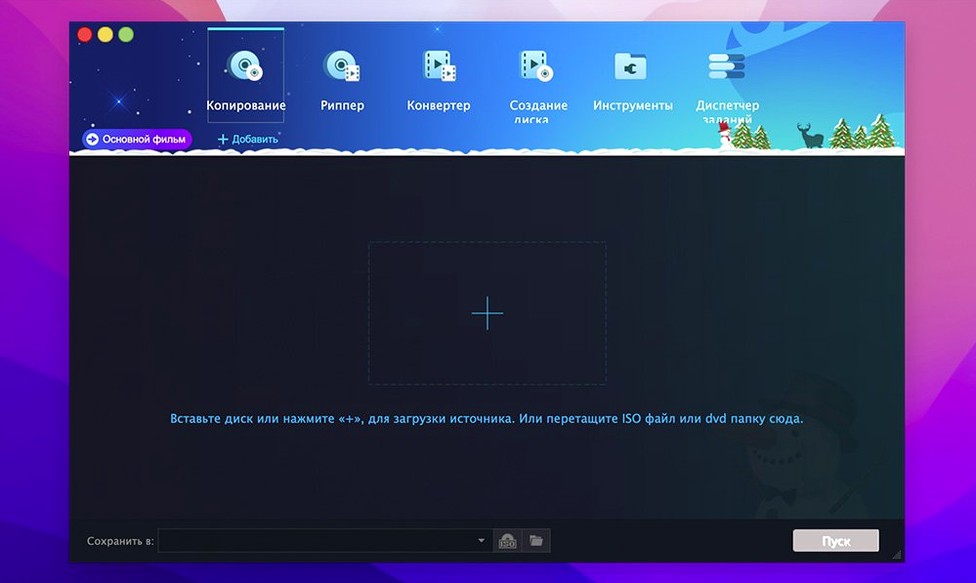
One thing that hasn't changed: the main window structure. If you used DVDFab 11, the module layout—Copy, Ripper, Converter, Burn, and so on—is in the same place. The learning curve for an update is close to zero. You notice the difference mainly in fewer dropped reads and fewer verification mismatches on dual-layer burns.
- OS X 10.10 or later
- Intel and Apple Silicon Macs
$ man dvdfab | grep -A2 "?"
Can DVDFab copy a dual-layer DVD onto two single-layer discs?
Yes, the Split mode writes a DVD-9 source across two standard DVD-5 discs. A Split Customize variant also lets you choose which content goes on each disc.
What disc protections does it handle during the copy process?
It removes CSS, Region Code, RCE, Macrovision, and UOPs as it reads the source disc, without requiring a separate decryption step.
Can I combine content from multiple DVDs onto one blank?
The Merge mode allows you to pull titles from several source discs and write them into a single output, either as a DVD folder structure or burned directly to a disc.
Comments 0
Sign in or create an account to leave a comment.
No comments yet. A codec, a slice, a machine — they appear after moderation.