Elmedia Player Pro for macOS
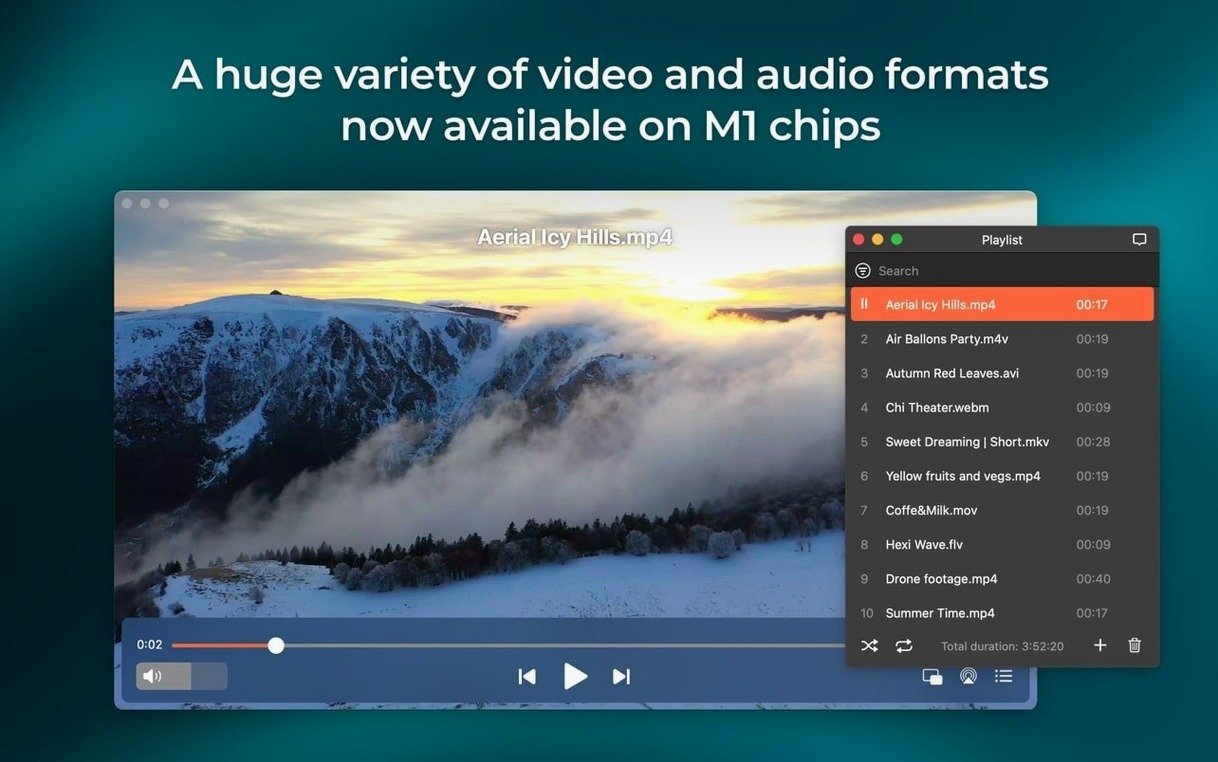
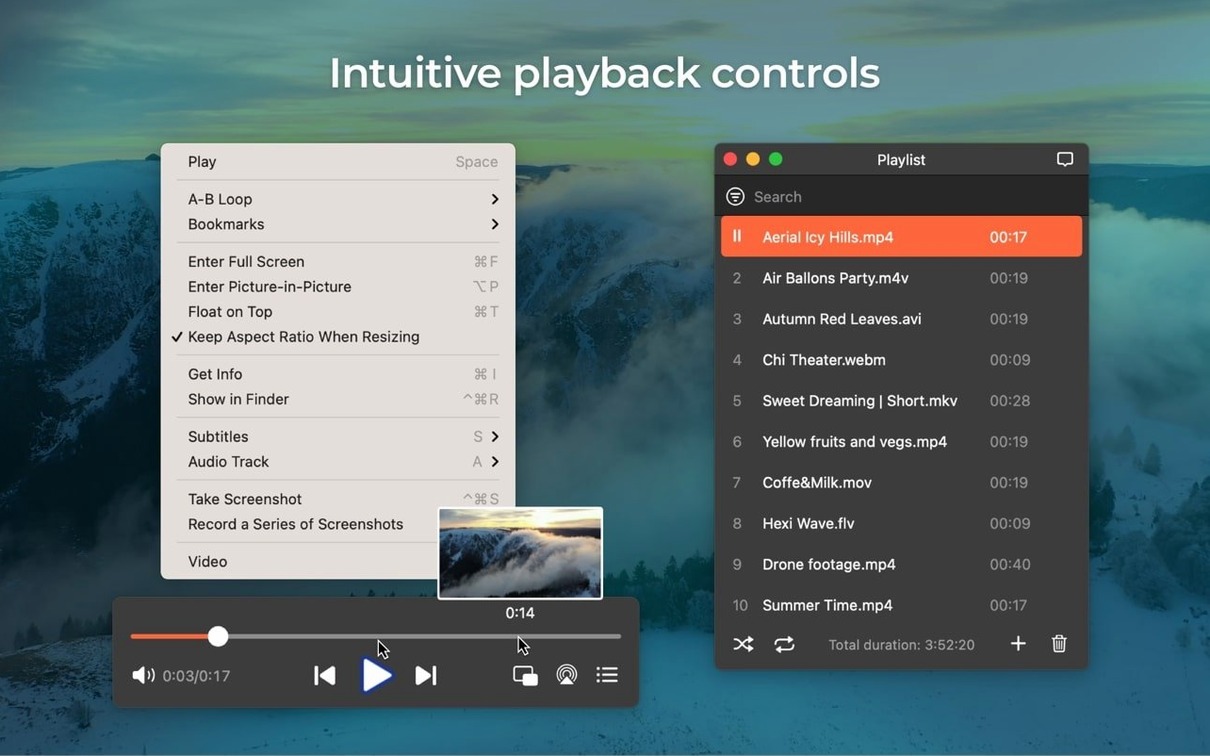
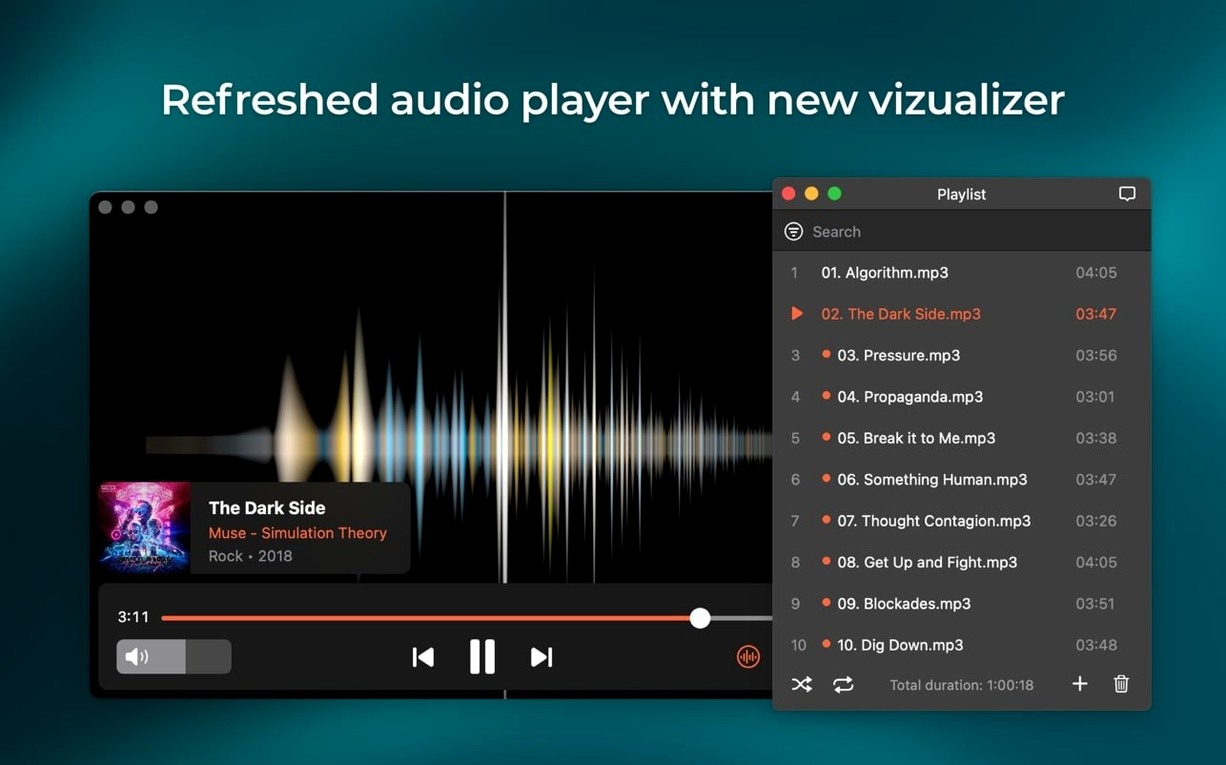
Right out of the .dmg, Elmedia Player Pro 8.24 opens containers like FLV, SWF, WMV, AVI, MOV, MP4, MPG, MKV, and DAT. On the audio side, the list stretches from MP3 to FLAC and the newly added M4B audiobook format. That format sprawl means you are not hunting for codec packs before you hit the spacebar.
It needs macOS 10.12 (Sierra) or newer, and the universal binary runs native on both Apple Silicon and Intel Macs. You can route AC-3 and DTS passthrough over S/PDIF or HDMI as long as your audio path supports it. A recent update also tightened the “keep Mac awake” behaviour during streaming and smoothed out compatibility with macOS 26.
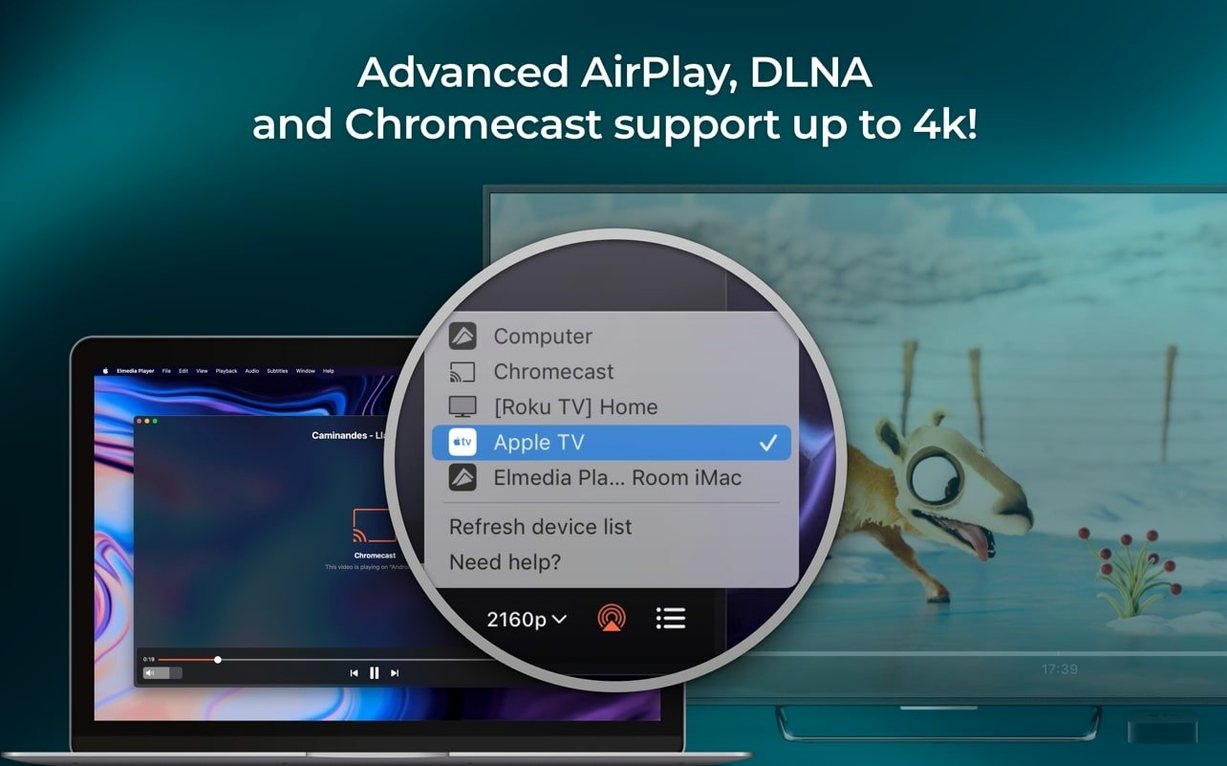
The built-in web browser lets you open an online video inside the player window rather than a separate tab. From there you can download the video itself or just its audio track. Screenshots save as TIFF, PNG, or GIF. When you want to push playback elsewhere, the app streams to headphones, speakers, and other devices—version 8.24 fixed a device-list error and addressed streaming hiccups to certain targets.
What's it like under daily use?
After a week of throwing everything from 4K MKV rips to old SWF animations at Elmedia Player Pro, a few patterns become clear. Launch time is practically instant on an M-series Mac—the icon bounces once in the Dock and you're looking at an empty player window. Memory use sits around 180–220 MB during 1080p playback, which is modest enough that you won't feel it even with a dozen other apps open.
Hardware-accelerated decoding does the heavy lifting. A 40 Mbps HEVC file plays without a single dropped frame, and the fans stay silent. Jumping between chapters or scrubbing through a long timeline feels immediate—no beachball, no audio-desync catch-up period. The player grabs the GPU decoder through VideoToolbox, so it's using the same low-level pipeline QuickTime Player uses, just without the format restrictions.
Stability is uneventful in the best way. Over several days of mixed local and streaming playback, the app didn't crash once. The one hiccup I could reproduce involved opening a partially downloaded MKV fragment, which it handled gracefully by playing what it could and stopping at the broken section rather than locking up. That's the kind of edge-case behaviour you want from something you rely on as a daily driver.
Streaming to an AirPlay speaker introduced about a half-second delay—typical for the protocol—but the sync adjustment slider in the audio menu let me compensate. Version 8.24's sleep-prevention fix is noticeable: previously the Mac might dim the display during a long streaming session; now it stays awake until playback stops, which makes sense for watching a film across the room.
M4B chapter markers now appear for audiobooks
Version 8.24 shipped on 2025-12-05 with a handful of changes that matter more than the changelog suggests. The M4B audiobook support is the obvious headliner. Dropping a multi-hour .m4b file into the player now shows chapter markers and preserves the bookmark position between sessions. For anyone with a library of audiobooks ripped from CD or downloaded as DRM-free files, this turns Elmedia into a competent audiobook player without needing a separate app.
The macOS 26 compatibility improvements are less visible but equally practical. Earlier builds showed minor UI glitches under the then-beta OS—playlist panel redraws could lag, and the streaming device list sometimes failed to populate. Both are resolved in the current release. The device-list fix also cleared up a bug where previously paired AirPlay targets would appear as duplicates; now the list refreshes cleanly on each open.
Streaming fixes targeted specific devices that had stopped working reliably. Based on forum reports, affected hardware included certain Denon and Yamaha receivers that negotiated the AirPlay handshake in a way Elmedia didn't handle correctly. Those connections now establish on the first attempt rather than requiring a retry.
The bump to macOS 10.13 as the minimum requirement is worth noting. It dropped support for Sierra users, but it let Eltima remove legacy code paths tied to older media frameworks. In practice, the app feels a little leaner—the download size shrank by roughly 15 MB compared to the 8.23 release.
Drag any .srt or .ass file straight onto the window
Does it handle subtitles without extra fiddling? Yes. Elmedia reads embedded subtitle tracks in MKV and MP4 containers, and you can load external .srt, .ass, or .sub files by dragging them onto the player window. The subtitle menu lets you adjust encoding, size, and timing offset. It's not as feature-rich as dedicated subtitle tools, but for watching a foreign film it covers the essentials without sending you to Preferences.
Will it play files that QuickTime won't touch? That's the core use case. QuickTime Player on macOS is picky about containers and codecs—no MKV, no FLAC, no WMV. Elmedia handles all of those natively. If you regularly encounter files that bounce off QuickTime with a "can't open" dialog, Elmedia replaces that friction with a double-click.
Does the PRO version nag you or phone home? The application checks for updates if you leave that preference enabled, but it doesn't require an account, doesn't show ads, and doesn't pop up upgrade prompts during playback. Once installed, it behaves like a local app with no ongoing network dependency.
Can it replace a dedicated music player? For casual listening, yes—it queues folders as playlists and handles FLAC, MP3, M4A, and now M4B without complaint. It's not a library manager, though. There's no tagging interface, no smart playlists, and no album art grid. Think of it as a player that's format-agnostic, not an iTunes replacement.
IINA offers finer deinterlacing controls but Elmedia feels simpler
Elmedia Player Pro vs. IINA — IINA is the darling of the open-source crowd, built on mpv with a native macOS interface. It handles an even wider codec range through ffmpeg and gives you fine-grained control over deinterlacing, upscaling filters, and colour management. What it doesn't offer is the streaming and downloading toolkit Elmedia includes. IINA plays local files beautifully; Elmedia adds the web browser, RTMP download, and AirPlay streaming as first-class features. If your workflow involves grabbing online video or pushing playback to other devices, Elmedia covers ground IINA leaves to separate tools.
Elmedia Player Pro vs. VLC — VLC plays everything, on everything, forever. It's the benchmark for format support, and its advanced controls (equalizer, compressor, spatializer) run deeper than Elmedia's. The trade-off is interface polish and streaming simplicity. VLC's streaming setup involves choosing profiles and network protocols; Elmedia's is a menu click to an AirPlay target. For daily local playback where you value a clean Mac-native feel over absolute configurability, Elmedia often fits better. For power users who want to tweak every parameter or stream to a custom URL, VLC pulls ahead.
Elmedia Player Pro vs. OmniPlayer — OmniPlayer is a newer entrant that also covers the Mac media player niche with broad format support and hardware decoding. Its gesture controls and picture-in-picture implementation are slick. Elmedia differentiates itself with the built-in downloader and the Flash-to-SWF converter—features OmniPlayer doesn't attempt. If your media library contains leftover .exe Flash files or you regularly save streaming video to disk, Elmedia's extra utilities give it a practical edge that pure players can't match.
- Added support for
.m4baudiobook files. - Improved compatibility with macOS 26.
- Improved preventing the Mac from sleeping while streaming.
- Fixed streaming to certain devices.
- Fixed errors when opening the list of devices for streaming.
- macOS 10.12 or later.
- Apple Silicon or Intel Mac.
$ man elmedia-player-pro | grep -A2 "?"
What new file format did version 8.24 add?
Version 8.24 added support for M4B audiobook files alongside the existing long list of video and audio containers.
Can Elmedia Player Pro play online video?
Yes, it includes a built-in web browser that opens online video inside the player, and you can download the video or its audio track directly.
Does it handle surround sound passthrough?
It supports passthrough for AC-3 and DTS-encoded DVDs when the audio path has an S/PDIF or HDMI connection available.
Comments 0
Sign in or create an account to leave a comment.
No comments yet. A codec, a slice, a machine — they appear after moderation.