EndNote for macOS
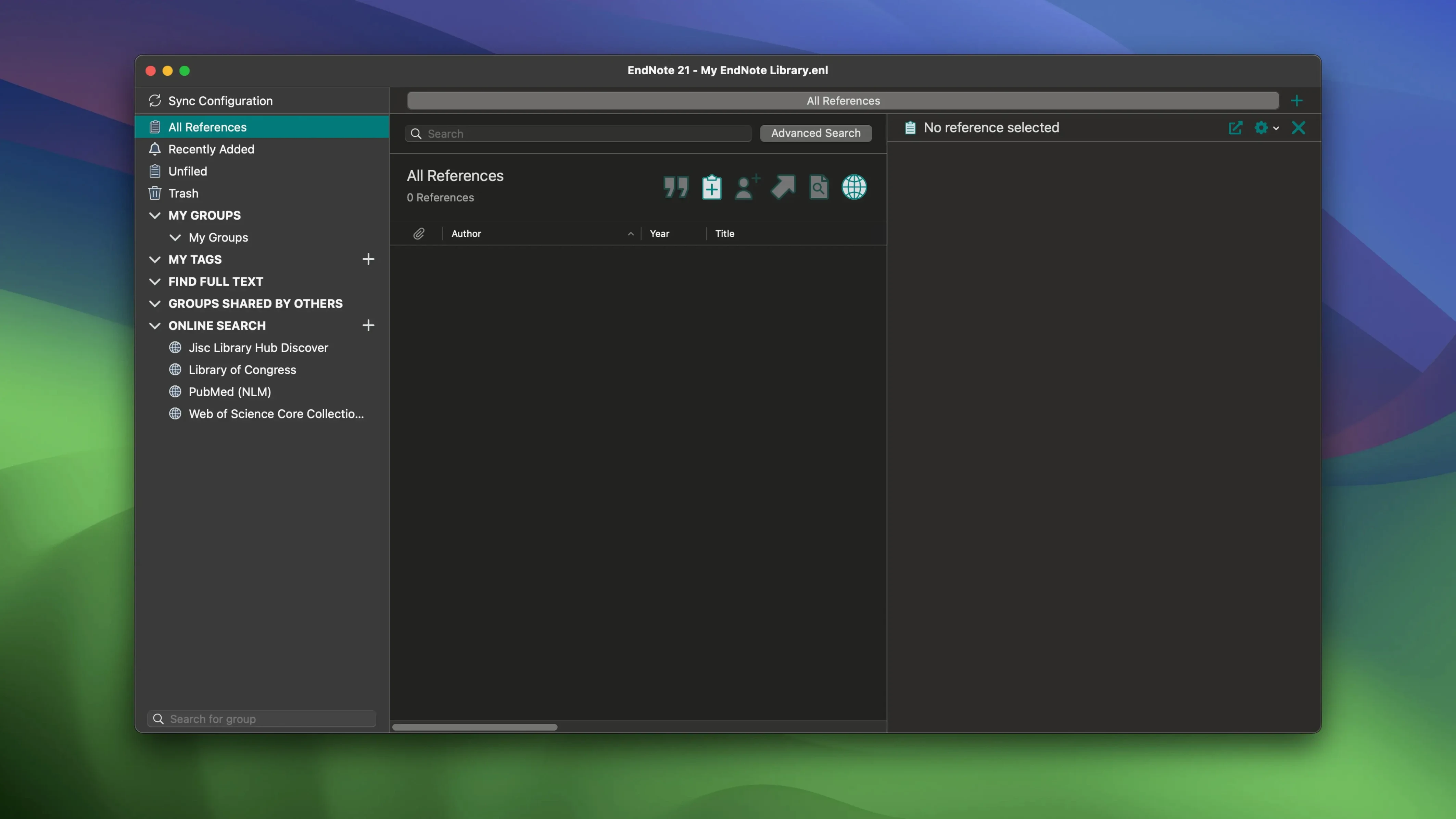
EndNote 2025.3 arrived as a maintenance release, tidying up a handful of bugs on macOS to keep the reference manager stable for dissertation season. There are no flashy interface changes this time—just a cleaner, more predictable build number 22.3.0.22265.
How does the tag system keep a growing library organized?
You can assign and color-code tags to references, which gives you a fast visual way to group papers by theme, priority, or project without building a dozen separate folders. The colored labels appear right in the library view, so a quick scan tells you what each entry is for.
How does syncing work across computers and devices?
The sync engine pushes your entire library—including PDFs, notes, and annotations—between machines through your EndNote account. Mark up a paper on one Mac, and the highlights and typed comments are there on the other side without exporting a file.
How does it plug into a word processor?
The Cite While You Write tool connects directly to Microsoft Word, letting you drop in citations and auto-generate a formatted bibliography as you type. Google Docs integration handles the same job for browser-based writing, pulling from your synced library so the references stay current.
Dragging a PDF onto EndNote and watching the reference appear
Picture a Wednesday afternoon in late November. You've got a chapter outline open, a stack of PDF downloads from the last three weeks, and a Google Doc that's mostly section headings. Here's how the next hour goes.
You drag a dozen freshly downloaded PDFs onto the EndNote window. It creates reference entries automatically, pulling DOIs and metadata where it can. Two papers come from a smaller journal that doesn't embed clean metadata, so you fill in the author list and volume number by hand—a minute each. You tag the batch lit-review-ch3 with an orange label, then add a second purple tag for methods to the three that describe experimental protocols.
Over in your Google Doc, you land the cursor at the end of a paragraph and open the Cite While You Write sidebar. A quick search for an author name pulls up the right paper. One click inserts the citation in Nature style. You do this seven more times across the chapter, and the bibliography at the bottom updates itself after each insertion.
A colleague messages you about a shared paper. You open the PDF inside EndNote, highlight a key passage, and type a short note: "Check their control group size, p. 4." The annotation syncs to your EndNote Web account within seconds. Later that evening, you open the same library on your MacBook at home and the note is already sitting there, waiting.
How does EndNote sit alongside other reference managers on the Mac?
Three names come up in every lab meeting: EndNote, Zotero, and Bookends. They solve the same core problem, but they solve it with different assumptions about how you work.
Zotero lives in the browser first. Its one-click import from PubMed or JSTOR feels snappier than EndNote's, and the open-source nature means a community of plugin authors keeps adding niche format support. EndNote pushes back with deeper word processor integration—Cite While You Write reaches into Word's formatting engine in ways Zotero's plugin doesn't, especially with complex style requirements like numbered references split across multiple sections.
Bookends is the Mac-native contender. It launches faster, respects macOS conventions more faithfully, and gives you a genuinely good AppleScript dictionary for automation. But its sync story relies on iCloud or your own WebDAV server. EndNote's built-in cloud sync handles multi-machine setups with less fiddling, and the restore-previous-versions feature for individual references has saved more than one researcher who accidentally overwrote a carefully annotated entry.
Where EndNote pulls ahead is in large, shared libraries. A research group with thousands of tagged entries and annotated PDFs tends to hit fewer sync conflicts in EndNote than in Zotero, and the color-coded tag system makes skimming a dense library faster than the folder-only approach Bookends leans on.
How does EndNote fit into the wider ecosystem on a Mac?
The obvious partners are Microsoft Word and Google Docs, but the connections don't stop there. Many users keep a master library in EndNote and pull selected references into Scrivener for long-form drafting, exporting a BibTeX file when they need to compile in a LaTeX environment. The .enl library format isn't plain text, but the XML-based export options play nicely with Pandoc for markdown-to-PDF workflows.
On the macOS side, tagging ties in visually with Finder's own color-label system—orange means the same urgency in both places if you pick a consistent scheme. The PDF annotations stored inside EndNote can also be viewed in Preview or Skim, since they're standard PDF annotation objects embedded in the file. That means you can open the same paper directly from the ~/Documents/EndNote/ folder structure without launching EndNote at all, though changes made outside won't sync back to the cloud.
For users who keep a notes database in Obsidian or Bear, a workflow that's gained traction involves exporting selected references as plain-text citations and pasting them into a daily research note. It's not a live link, but it keeps the thinking connected to the source material without duplicating the entire library.
What do people run into when they look for older builds?
A quick note for anyone who's been searching terms like endnote cracked version for mac or endnote mac torrent: you're likely seeing builds that predate the sync engine fixes in 2025.3. To get cloud sync working smoothly on those earlier releases, you'll want to manually set the sync folder permissions and confirm the Word plugin is a native arm64 slice—many endnote torrent packages from a few years back run beautifully once you apply the localized interface fixes and keep libraries under a few thousand entries on macOS Monterey and later. If someone's sharing an endnote mac crack that claims to be 2025.3, it's probably a repackaged 21.x build—the actual 22.3.0.22265 release changed how activation checks talk to the cloud, so old patches don't map cleanly onto it. The key is landing a library file you can actually open next month.
- macOS 10.14 or later
- Apple Silicon or Intel 64‑bit
$ man endnote | grep -A2 "?"
Can I undo changes made to a specific reference?
Yes, EndNote lets you restore previous versions of individual references, which is a useful safety net if a title or note gets overwritten accidentally.
Comments 0
Sign in or create an account to leave a comment.
No comments yet. A codec, a slice, a machine — they appear after moderation.